 SignageTube
What Industries Use Digital Signage? 12 Real Examples
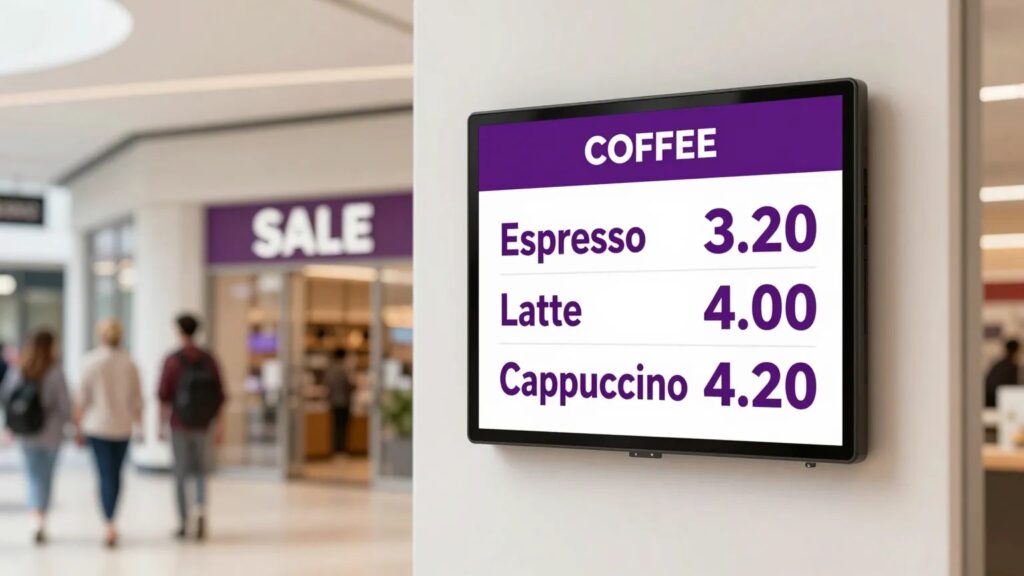
What industries use digital signage? Almost all of them. The twelve that use it most are healthcare, retail, restaurants and cafes, education, corporate offices, manufacturing, hospitality, banking and finance, government and the public sector, museums and libraries, houses of worship, and gyms. The screens are the same everywhere. What changes is the message: a wait time in a clinic, a menu above a counter, a production target on a factory floor.
Below you’ll find examples of digital signage in each industry: what it puts on screen, a real world example of how it’s used, and where to read more. There’s a quick reference table near the end if you just want the overview.
The 12 industries using digital signage today
1. Healthcare
Clinics, hospitals, dental and vet practices put screens in waiting rooms to show queue position, opening hours, clinician rosters and health advice. The goal is calmer patients and fewer questions at the front desk.
In practice: a GP practice runs one loop in the waiting room with today’s doctors, the flu clinic dates and a “please check in at the kiosk” reminder, and changes it from the reception PC. More in our guides to waiting room screens and waiting room information screens.
2. Retail
Shops run promotions, new arrivals and seasonal offers on in store screens. A screen near the till can sell an add on better than a printed sign, and you can swap the offer the moment stock runs out.
In practice: a shop with three branches schedules a weekend offer to every window screen at once, then switches back to the regular loop on Monday morning without anyone touching a TV. See in store digital signage.
3. Restaurants and cafes
Digital menu boards let venues change prices, add daily specials and move from breakfast to lunch menus automatically at a set time.
In practice: a cafe updates one price in its menu layout and every board behind the counter follows. See digital menu boards and cafe menu boards.
4. Education
Schools, colleges and universities post announcements, timetables, events and urgent notices across hallways, entrances and canteens. One screen replaces the notice board that nobody reads.
In practice: a secondary school runs a hallway loop with today’s room changes, sports results and the next parents’ evening. See school digital signage.
5. Corporate offices
Internal screens carry company news, live KPI dashboards, visitor welcomes and meeting room schedules, so teams stay informed without another email.
In practice: reception shows a personal welcome for today’s visitors while the sales floor shows this month’s target updating from a spreadsheet. Read our guide to corporate digital signage or see the office signage page.
6. Manufacturing
Factory floors show production output against target, machine efficiency, shift information and the days since the last incident, right where the work happens. When the numbers update on their own, nobody has to walk round with a marker pen.
In practice: a plant links its line screens to the Excel sheet the shift leads already fill in, so output and target on every screen match the sheet. See manufacturing signage, production boards and manufacturing KPI dashboards.
7. Hospitality
Hotels and venues greet guests with welcome screens, list today’s events and conference rooms, and help people find their way in busy lobbies.
In practice: a conference hotel shows each meeting room’s bookings on a lobby overview and changes it as events are added. See hospitality and retail.
8. Banking and finance
Branches display rates, queue numbers, product news and required notices, and update them across every branch at once when a rate changes.
In practice: a branch runs a “now serving” screen beside the counter and a rates loop in the window. See queue management displays.
9. Government and the public sector
Town halls, councils and public service offices use screens for service information, opening hours, public notices and announcements that need to reach everyone, often on many sites at once.
In practice: a city’s IT team runs screens in several buildings from one account, with each department publishing only to its own screens. See government signage.
10. Museums, galleries and libraries
Cultural venues run exhibit information, event listings, opening hours and donor recognition on screens that are easy to refresh between shows.
In practice: a library network shows each branch’s events and opening hours, with one shared loop for the whole city. See library digital signage.
11. Houses of worship
Churches and community centers show announcements, service times, song lyrics, volunteer rotas and event schedules in lobbies and halls.
In practice: volunteers update Sunday’s notices from home on Saturday evening, and the lobby screen is ready before the doors open. See church digital signage and community and faith.
12. Gyms and fitness
Class timetables, instructor rosters, challenge leaderboards and membership offers loop on screens around the floor and at the front desk.
In practice: a gym shows today’s classes at reception and a monthly challenge scoreboard in the studio. Ready made timetable and scoreboard layouts are in Live Pages.
Quick reference: what each industry puts on screen
| Industry | What’s on screen | The goal |
|---|---|---|
| Healthcare | Wait times, clinician schedules, health tips | Calmer patients, fewer questions |
| Retail | Promotions, new arrivals, offers | More add on sales |
| Restaurants and cafes | Menu boards, daily specials | Instant price and menu changes |
| Education | Announcements, timetables, notices | One message across campus |
| Corporate offices | Company news, KPI dashboards, room schedules | Informed teams without email |
| Manufacturing | Output against target, efficiency, shifts | Everyone sees the same number |
| Hospitality | Welcome screens, wayfinding, events | Better guest experience |
| Banking and finance | Rates, queue numbers, notices | Instant multi branch updates |
| Government | Service info, opening hours, announcements | Clear public communication |
| Museums and libraries | Exhibits, events, opening hours | Easy refresh between shows |
| Houses of worship | Announcements, lyrics, schedules | Community kept in the loop |
| Gyms and fitness | Class timetables, leaderboards, offers | Screens that sell memberships |
Which industries get the most from digital signage?
The industries that get the most out of screens share one trait: the information changes often and many people need it at the same time. That’s why the biggest wins tend to come from three groups.
- Places where people wait. Clinics, banks, public offices and service desks. A screen answers the questions people would otherwise ask the person at the desk.
- Places where prices or offers change. Cafes, restaurants and shops. A digital board turns a reprint into a two minute edit.
- Places that run on numbers. Factories, warehouses, contact centers and sales floors. When targets and output update on their own, everyone works from the same figure.
Common digital signage use cases across industries
Some uses show up in nearly every sector, whatever the building:
- Welcome screens in reception and lobbies. See welcome screen templates.
- Directory boards that show who’s on which floor. See digital directory boards.
- Information screens with news, weather and announcements. See information screens.
- Meeting room and event schedules. See meeting room displays.
- KPI and dashboard screens with figures that update themselves. See KPI dashboard templates.
What every industry has in common
Digital signage for industries this different still comes down to the same thing. None of these industries needed a film crew or a design agency. They needed a way to get the right message onto a screen and change it whenever something shifts. That’s the part people overcomplicate.
Whatever the sector, the setup is the same three pieces: a screen, a small player device behind it (an Android TV or Google TV device, or a Windows PC), and software to schedule what plays. If you can build a slide in PowerPoint, you can build signage for your industry. With SignageTube you can also start from 1,300+ ready made Live Pages for menus, queues, timetables, birthdays and scoreboards, in every edition.
How much does digital signage cost for a business?
With SignageTube you pay per screen. Starter is EUR 12 a month, or EUR 10 a month billed yearly, and covers images, video, PDF, web pages, PowerPoint played as a video, and Live Pages. Professional (EUR 25, or EUR 22 billed yearly) plays your PowerPoint exactly as built on Windows. Enterprise (EUR 40, or EUR 36 billed yearly) adds live data from Excel, databases and 20+ sources. Every edition has a 15 day free trial with no credit card. See the pricing page for the full comparison.
Digital signage by industry: FAQ
Which industry uses digital signage the most?
Retail and food service are the most familiar examples, because menus and offers change daily. Healthcare, education, offices and manufacturing are close behind, each for its own reason: waiting rooms, notices, internal news and production numbers.
Who uses digital signage?
Anyone who needs to tell a room full of people something that changes: receptionists, shop and cafe owners, school office staff, facilities and HR teams, plant managers and city IT teams. Most of them aren’t designers.
Is digital signage only for big companies?
No. A cafe with one menu screen and a clinic with one waiting room TV use the same tools as a company with screens on many sites. You pay per screen, so you can start with one.
Can I use a normal TV for digital signage?
Yes. Any TV with HDMI works with an Android TV or Google TV device or a Windows PC behind it. If the TV runs Android TV or Google TV, the player installs straight on it.
Do I need different software for each industry?
No. The same software runs a menu board, a waiting room loop and a factory KPI screen. What changes is the layout and the content you put in it.
See it on your own screen. Pick the example closest to your industry and try it on a TV you already have. Start your free 15 day trial, no credit card needed.
- SignageTube Starter: content signage on any TV
- SignageTube Enterprise: live data on your screens
- Digital signage software: how to choose, and what matters
- Templates: 120+ ready made designs
- Live Pages: 1,300+ ready made screens, like weather, news and menus
- Pricing: simple per screen plans