Playlists, in every edition

Supported file types: play the files you already have

SignageTube plays images, videos, PowerPoint and PDF documents on any screen. Upload them, put them in a playlist and they play on every TV you choose. No converting, no new design tool.


An image file playing on a digital signage screen in a store
IMGpromo-poster.jpg
A video file playing on a hospitality digital signage screen
VIDbrand-film.mp4
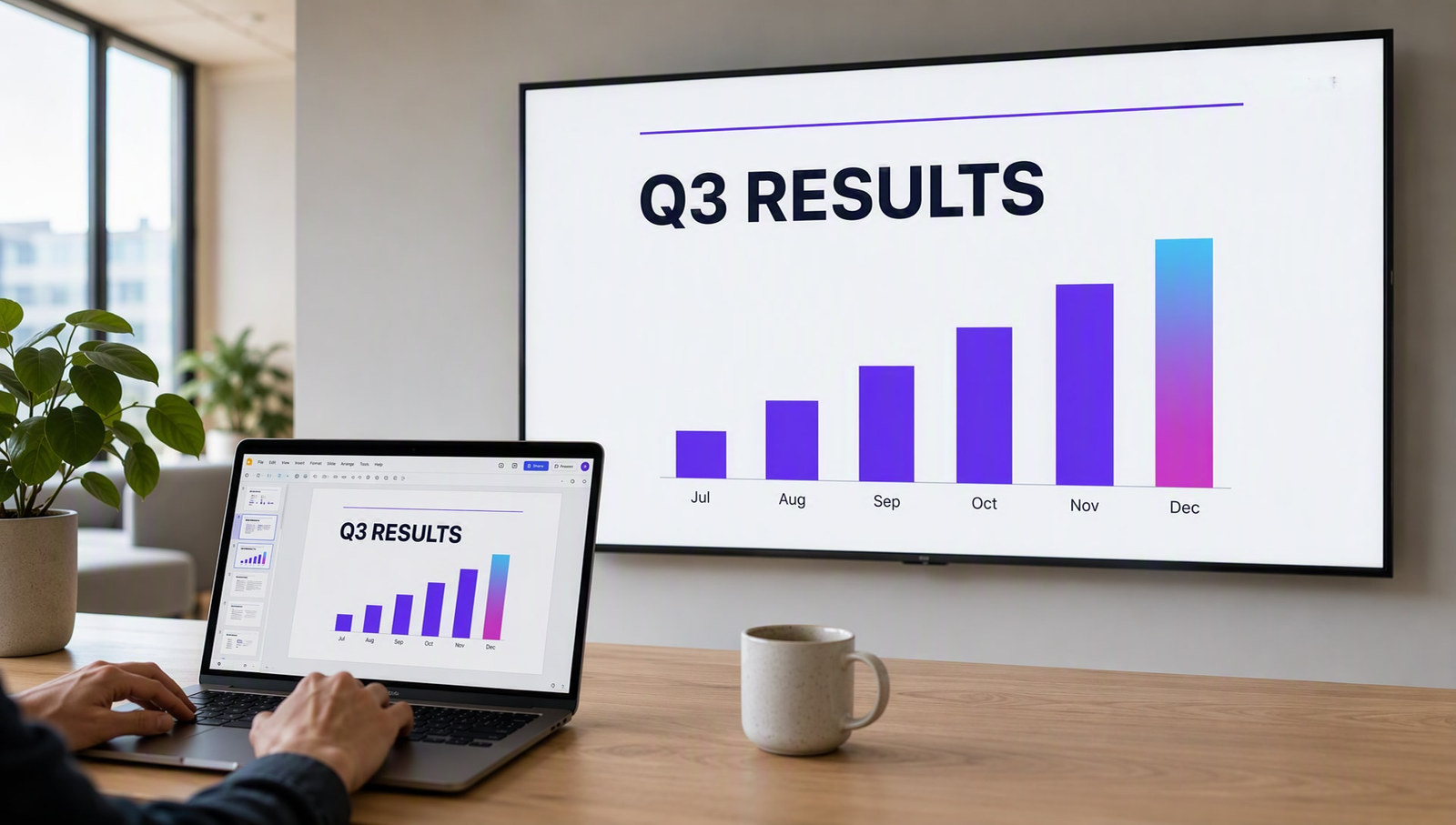
A PowerPoint slide playing on a TV as digital signage
PPTmonthly-results.pptx
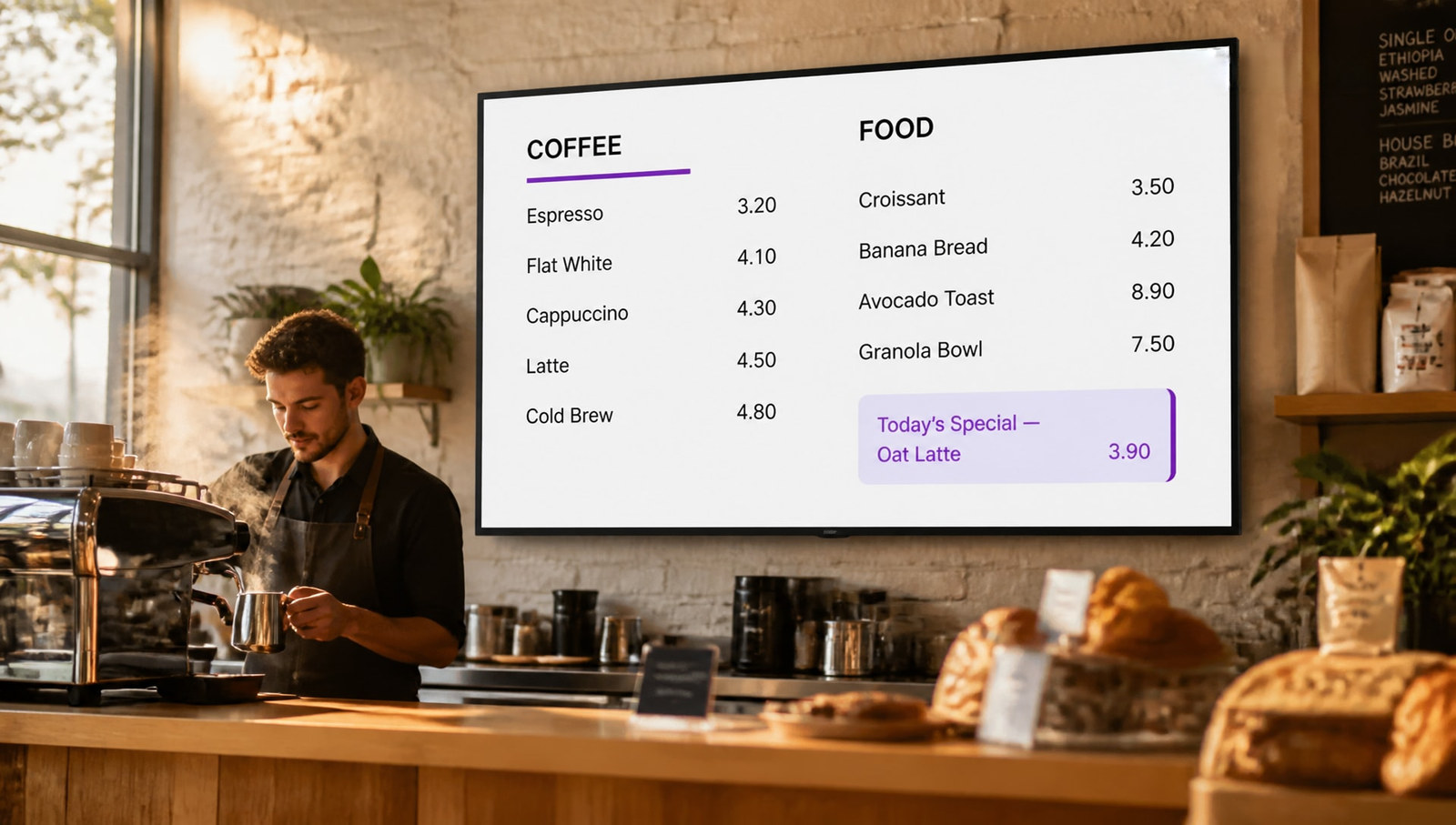
Lunch menu, this weekSoup of the day3.20Pasta pesto6.80Salad bowl5.90Daily special7.50
PDFlunch-menu.pdf, page 1 of 3

Which files can digital signage play?

With SignageTube you can play images (.png, .jpg, .jpeg, .gif, .webp), videos (.mp4, .wmv, .mov), PowerPoint (.pptx, .ppt, .ppsx) and PDF documents (.pdf). Mix them in one playlist with web pages, Live Pages and, in Enterprise, Data Pages.

Supported file types

Every file type a playlist can hold

The same list in every edition. Upload a file once and use it on as many screens as you like.

File typeSupported extensionsTypically used for
IMGImages
.png.jpg.jpeg.gif.webp
Posters, promotions, photos and logos
VIDVideos
.mp4.wmv.mov
Brand films, product videos and how to clips
PPTPowerPoint
.pptx.ppt.ppsx
Reports, results and announcements you already build in PowerPoint
PDFPDF documents
.pdf
Menus, price lists, newsletters and procedures, page by page
What each one is good for

Pick the right file for the message

A promotion poster on a portrait screen in a shop

Images

The quickest way to get a message on screen: a poster, a promotion or a welcome message.

  • PNG, JPG, JPEG, GIF and WEBP
  • Export at your screen size, usually 1920 by 1080
  • Portrait screens work too
A cafe screen playing content

Videos

Movement catches the eye. Play brand films, product demos or short how to clips.

  • MP4, WMV and MOV
  • Not sure? Export as MP4
  • Short loops work best on busy screens
A PowerPoint report on an office screen

PowerPoint

Put the presentations your team already makes on screen, without rebuilding them.
  • PPTX, PPT and PPSX
  • Starter plays it as a video
  • Professional plays it natively, animations included
A menu and price list on a canteen screen

PDF documents

Show the documents you already have: a menu, a price list or a safety procedure.

  • Choose which pages to show
  • Set a time per page
  • Leave out pages you do not need
How to make them

Which app makes each file, and when to use it

You do not need a design tool from us. Use the apps you already have, save in a supported format and upload.

IMG

Images

Make it with
CanvaAdobe PhotoshopAdobe ExpressPowerPoint (save a slide as PNG or JPG)Microsoft Paint
Why use it
  • Quick to make and quick to change
  • Small files that upload and load fast
  • Sharp on any screen when exported at full size
Watch out for
  • No movement, so it can be passed by on a busy screen
  • Text is part of the picture: to fix a typo, export again
VID

Videos

Make it with
Microsoft ClipchampAdobe Premiere ProAdobe ExpressCanvaiMovie
Why use it
  • Movement catches the eye from across the room
  • Shows a product or a process better than words
  • One file can tell a whole story
Watch out for
  • Takes longer to make and to edit
  • Bigger files take longer to upload
  • In busy spaces nobody hears the sound, so add captions
PPT

PowerPoint

Make it with
Microsoft PowerPointCanva (download as PPTX)Google Slides (download as PPTX)Keynote (export to PowerPoint)
Why use it
  • Easy to adjust: change a figure and upload again
  • Transitions and animations make it feel alive
  • Your team already knows how to use it
Watch out for
  • Slides made for meetings often have too much small text
  • Starter plays it as a video; native playback needs Professional
PDF

PDF documents

Make it with
Microsoft WordAdobe AcrobatCanvaPowerPoint (save as PDF)Google Docs (download as PDF)
Why use it
  • Show a document you already have, exactly as it is
  • Pick the pages to show and a time per page
  • One file for print and for screen
Watch out for
  • No movement or animation
  • A4 print is small on a TV: landscape pages and big fonts read best
New: PDF in playlists

Show a PDF on screen, page by page

Upload a menu, a price list, a newsletter or a safety procedure as a PDF. After uploading, choose which pages to show, leave out the ones you do not need, and set how long each page stays on screen.

No need to turn your PDF into images or slides first. Update the PDF, upload it again, and every screen shows the new version.

Page 115 seconds
Page 215 seconds
Page 3Left out
Page 420 seconds
PowerPoint on a TV

How each edition plays your PowerPoint

Every edition plays PowerPoint. What changes is how it plays.

EditionHow PowerPoint playsBest when
StarterTurned into a video that plays on any playerYou want simple slides on any TV
ProfessionalThe real presentation on a Windows player, animations includedYour slides must look exactly as built
EnterpriseNative PowerPoint, plus live data from Excel, databases and 20+ sourcesYour slides show numbers that change
Digital signage playlists

Mix everything in one playlist

Each item gets its own timing, and you schedule the playlist by day and time. Here is what one playlist can look like.

IMGWelcome poster 10 sVIDBrand film 30 sPDFMenu, pages 1 and 2 2 x 15 sLIVEWeather Live Page 10 sPPTMonthly results 45 sWEBCompany website 20 sDATAToday at reception 15 sIMGWelcome poster 10 sVIDBrand film 30 sPDFMenu, pages 1 and 2 2 x 15 sLIVEWeather Live Page 10 sPPTMonthly results 45 sWEBCompany website 20 sDATAToday at reception 15 s
Beyond files

Content that updates on its own

Every edition

Web pages

Show a website or an online dashboard full screen in your playlist.

Every edition

Live Pages

1,300+ ready made screens: weather, news, clocks, menus, KPIs and more.

See Live Pages →
Enterprise

Data Pages

Lists and tables from your own systems, refreshed automatically.

See Data Pages →
FAQ

File type questions, answered

Which file types can I play on SignageTube?
Images (.png, .jpg, .jpeg, .gif, .webp), videos (.mp4, .wmv, .mov), PowerPoint (.pptx, .ppt, .ppsx) and PDF documents (.pdf). You can also add web pages, Live Pages and, with Enterprise, Data Pages.
Can I play a PDF on digital signage?
Yes. Add a PDF to a playlist, then choose which pages to include or leave out and set how long each page stays on screen. Handy for menus, price lists, newsletters and procedures.
How do I show PowerPoint on a TV?
Upload your .pptx, .ppt or .ppsx file to a playlist. Starter plays it as a video, which works on any player. Professional plays the real presentation on a Windows player, animations included. Enterprise can add live data to your slides. More in PowerPoint digital signage.
Which video formats work?
MP4, WMV and MOV. If you are not sure, export as MP4, it is the most widely supported format.
Which image formats work?
PNG, JPG, JPEG, GIF and WEBP. For a sharp result, export images at the size of your screen, usually 1920 by 1080 pixels for a landscape TV.
Which apps can I use to make digital signage content?
Anything that saves one of the supported file types. For images: Canva, Adobe Photoshop, Adobe Express or PowerPoint (save a slide as PNG or JPG). For video: Microsoft Clipchamp, Adobe Premiere Pro, Canva or iMovie, exported as MP4. For slides: PowerPoint, or Canva and Google Slides downloaded as PPTX. For PDF: Word, Adobe Acrobat, Canva or Google Docs.
Can I mix different file types in one playlist?
Yes. One playlist can hold images, videos, PDFs, PowerPoint, web pages, Live Pages and Data Pages together, each with its own timing and schedule.
Do all editions support the same file types?
Yes, every edition plays all four file families. The only difference is how PowerPoint plays: as a video in Starter, natively in Professional, and with live data in Enterprise. Compare editions.
What about content that changes all the time?
Use a Live Page for weather, news and clocks, or a Data Page (Enterprise) to show information from your own systems, updated automatically.
Keep exploring

Related pages

Bring the files you already have

Images, videos, PowerPoint and PDF on any TV. 15 day free trial, no credit card.

SignageTube
Privacy Overview

This website uses cookies so that we can provide you with the best user experience possible. Cookie information is stored in your browser and performs functions such as recognising you when you return to our website and helping our team to understand which sections of the website you find most interesting and useful.