 SignageTube
What Industries Use Digital Signage? 12 Real-World Examples
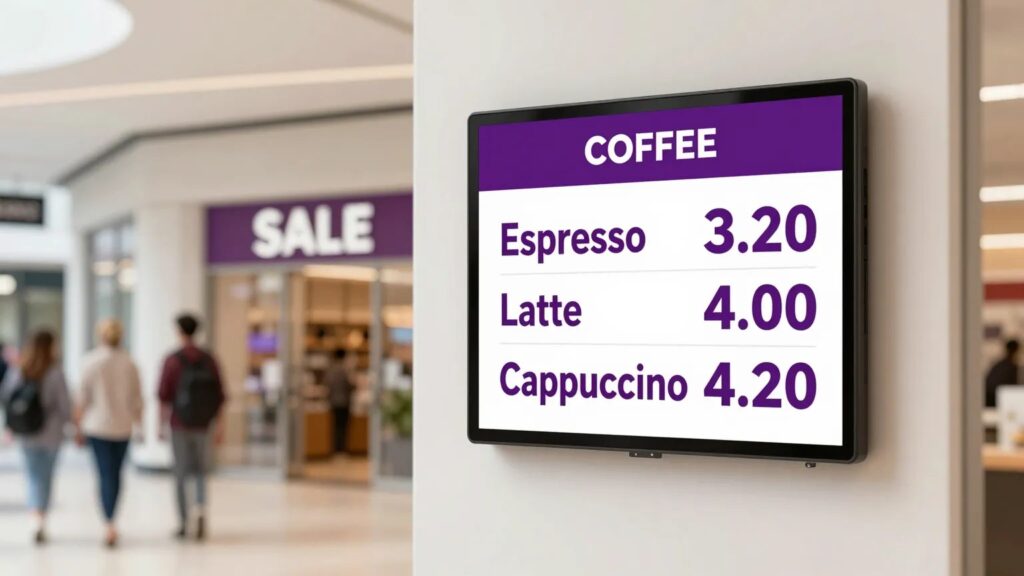
Digital signage shows up in far more places than most people realise. Once you start looking, you spot it everywhere: the menu above the coffee counter, the wait time in the clinic, the production board on the factory floor. The technology is the same underneath. What changes is the message.
So what industries use digital signage? Here are twelve that put screens to work every day, and what they actually display.
The 12 industries using digital signage today
1. Healthcare. Clinics and hospitals use screens in waiting rooms to show queue position, health advice, and clinician schedules. The goal is calmer patients and fewer questions at reception. We wrote a full guide to waiting room information screens.
2. Retail. Shops run promotions, new arrivals, and seasonal offers on in-store screens. A screen near the till can sell an add-on better than any printed sign.
3. Restaurants and cafés. Digital menu boards let venues change prices, swap in daily specials, and switch from breakfast to lunch menus automatically.
4. Education. Schools and universities post announcements, timetables, emergency alerts, and event news across hallways and lobbies.
5. Corporate offices. Internal screens carry company news, live KPI dashboards, and meeting room schedules to keep teams informed without another email. See our office signage page.
6. Manufacturing. Factory floors show production targets, safety stats, and shift information in real time, right where the work happens. More on manufacturing signage.
7. Hospitality. Hotels greet guests with welcome screens, point them to event spaces, and run wayfinding in busy lobbies. See hospitality and retail.
8. Banking and finance. Branches display rates, queue numbers, and compliance messaging, and they can update them instantly across locations.
9. Government and public sector. Public buildings use screens for service information, accessibility messaging, and announcements that need to reach everyone. More on government signage.
10. Museums and galleries. Cultural venues run exhibit information, donor recognition, and event listings on screens that are easy to refresh between shows.
11. Houses of worship. Churches show announcements, song lyrics, and event schedules to keep their community in the loop. See community and events.
12. Gyms and fitness. Class timetables, motivation, and membership offers loop on screens around the floor.
Quick reference: what each industry puts on screen
| Industry | What is on screen | The goal |
|---|---|---|
| Healthcare | Wait times, clinician schedules, health tips | Calmer patients, fewer questions |
| Retail | Promotions, new arrivals, offers | More add-on sales |
| Restaurants and cafés | Menu boards, daily specials | Instant price and menu changes |
| Education | Announcements, timetables, alerts | One message across campus |
| Corporate offices | Company news, KPI dashboards, room schedules | Informed teams without email |
| Manufacturing | Production targets, safety stats, shifts | Visibility on the floor |
| Hospitality | Welcome screens, wayfinding, events | Better guest experience |
| Banking and finance | Rates, queue numbers, compliance | Instant multi-branch updates |
| Government | Service info, accessibility, announcements | Clear public communication |
| Museums and galleries | Exhibit info, events, donor recognition | Easy refresh between shows |
| Houses of worship | Announcements, lyrics, schedules | Community kept in the loop |
| Gyms and fitness | Class timetables, offers | Screens that sell memberships |
What every industry has in common
Notice the pattern. None of these industries needed a film crew or a design agency. They needed a way to get the right message onto a screen and change it whenever something shifts.
That is the part people overcomplicate. You do not need specialist design tools to run any of these. If you can build a slide in PowerPoint, you can build signage for your industry. SignageTube takes that slide deck and turns it into a live screen you control from anywhere.
Whatever line of work you are in, there is almost certainly a screen near your customers that could be doing more. Start your free trial.
- SignageTube Cloud – cloud-managed signage on any TV
- SignageTube Live – real-time data on your screens
- Digital signage software – how to choose, and what matters
- Templates – 120+ ready-made designs
- Pricing – simple per-screen plans