 SignageTube
Reception Area Digital Displays: How Do You Display Info on Your TV?
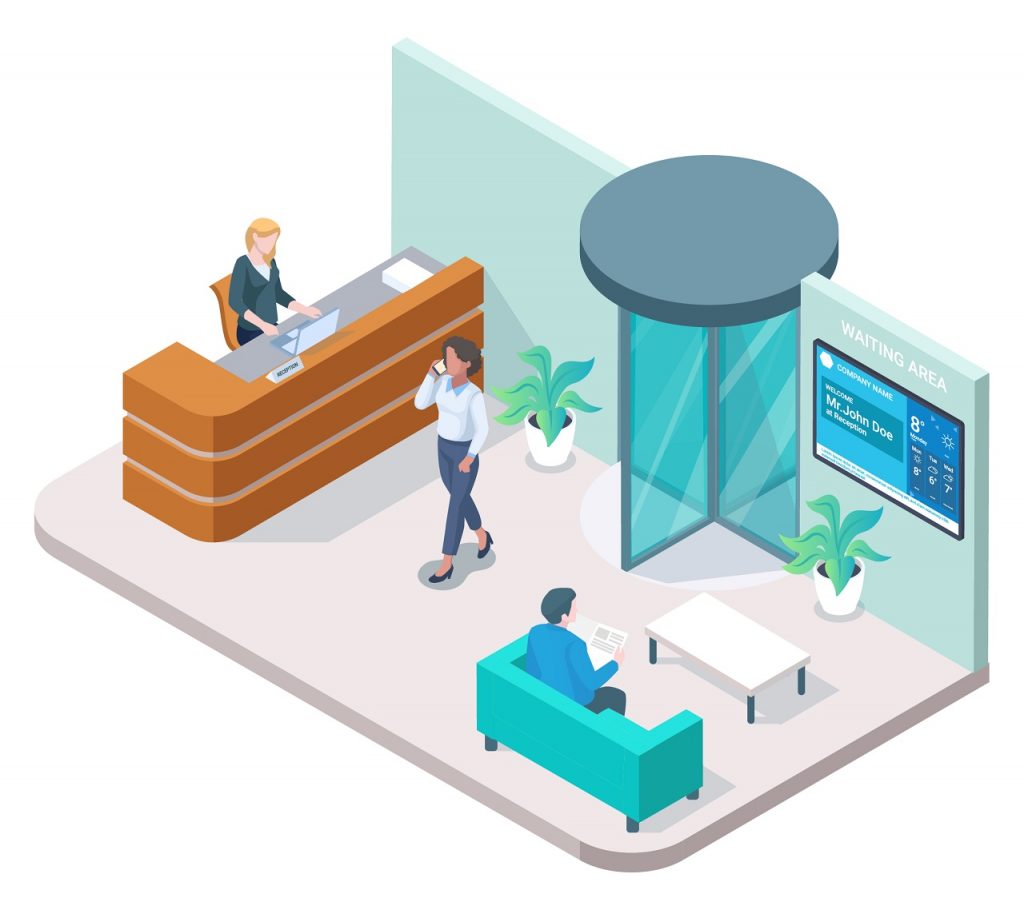
Reception area digital displays are rapidly becoming an essential tool for modern businesses. Digital lobby displays are advanced visual communication systems placed in reception and lobby areas, designed to deliver dynamic content, personalized messaging, and integrations that enhance the visitor experience in today’s business environments. This article covers the scope of digital displays in reception areas, focusing on how they can be used to communicate information, enhance first impressions, and engage visitors. The target audience includes business owners, office managers, and facility managers who are looking to elevate their reception spaces and improve communication strategies.
Why does this topic matter? The reception area is the first point of contact for employees, visitors, prospective customers, and potential hires. First impressions are crucial—what people see and experience in your lobby sets the tone for their entire visit. Digital signage offers strategic advantages for corporate offices, such as enhancing professionalism, strengthening branding, and improving visitor engagement across multi-location environments. Effective communication and engagement in this space can influence perceptions of your brand, company culture, and professionalism.
What Is Digital Signage and Its Role in Reception Areas?
Digital signage refers to the use of digital displays—such as TVs or monitors—to present dynamic content, including announcements, welcome messages, company news, and multimedia presentations. Using digital displays in reception areas transforms a static entryway into a dynamic communication hub. Digital lobby signage software is a centralized, scalable solution that allows organizations to create, manage, schedule, and control the content displayed on lobby screens, turning static signage into interactive, real-time communication tools that improve visitor communication and brand perception. Instead of relying on traditional static signs or generic entertainment, digital signage allows you to deliver targeted, engaging, and up-to-date information to everyone who enters your space.
Digital signage can create a dynamic and welcoming environment for visitors in reception areas. Lobby displays and digital screens contribute to operational efficiency by streamlining communication, providing real-time updates, and enhancing the overall visitor experience. By providing engaging content, it not only entertains but also informs and guides guests, making their experience more enjoyable and efficient. Reception digital signage is used for visitor navigation, sharing key information, and improving communication in facilities such as hospitals, hotels, and corporate offices.
Cloud-based digital signage solutions allow for remote updates and require less maintenance compared to on-premise systems. Top-rated platforms for managing displays include Rise Vision, ScreenCloud, and Mvix.
Now, let’s explore the general benefits and uses of digital signage in reception areas before diving into specific solutions like SignageTube.
The Benefits and Uses of Reception Area Digital Displays
Reception area digital displays serve multiple purposes beyond simple entertainment. They are powerful tools for:
- Creating a Powerful First Impression: Digital signage can create a powerful first impression by providing engaging content in reception areas, reinforcing your brand identity and professionalism.
- Enhancing Communication: Share key information such as company news, event schedules, employee profiles, and real-time updates.
- Share company updates and event information, including upcoming events and meeting room schedules, to keep visitors informed.
- Supporting Internal Communication and Enhancing Efficiency: Improve internal communication and enhance efficiency for both visitors and employees by streamlining information sharing and operational processes.
- Supporting Wayfinding: Help visitors navigate your building with maps, directories, and room availability information, allowing them to receive directions easily.
- Showcasing Company Culture: Display company values, achievements, and team highlights to foster a sense of community.
- Engaging Visitors: Use interactive content, personalized greetings, and social media feeds to keep visitors informed and entertained.
- Using Promotional Content and Marketing Opportunities: Display promotional content and advertisements to promote products or services, and monetize lobby screens for additional revenue opportunities.
- Providing Live Feeds and Weather Updates: Keep content fresh and relevant by integrating live feeds such as news, weather updates, stock tickers, and social media.
- Utilizing Video Walls: Use video walls as a focal point for branding, displaying live feeds, and engaging content in high-traffic areas.
- Reducing Staff Workload: Automate routine communications and provide answers to common visitor questions, freeing up reception staff for more complex tasks.
By replacing printed posters and brochures, businesses significantly cut recurring printing and installation costs while reducing environmental waste. Digital signage can also be used to monetize lobby screens by displaying advertisements or promotional content, creating additional revenue opportunities.
Digital signage targets common visitor pain points like boredom, confusion, and anxiety to create a more welcoming environment. Engaging content can reduce a visitor’s perceived wait time by up to 35% by keeping them occupied and entertained. Additionally, digital signage helps visitors receive directions and navigate the building more easily, improving their overall experience.
Without mincing words, digital signage in the cloud is a modern and professional method to provide a warm welcome to visitors or customers entering your company building, office, lobby, hotel, museum, restaurant, or mall. Instead of using traditional static signs or your reception area television for the same old boring entertainment programming, this dynamic welcome screen allows you to display personalized welcome messages, visitor greetings, general information, employee profiles, company presentations, and up-to-date news on your reception lounge’s flat TV screen.
With dynamic digital signage in the cloud, you can also help visitors navigate within a building. Digital signage is a powerful tool that helps businesses effectively communicate their brand identity, values, and key messages, display key information, and create a lasting impression. It can be used for multiple purposes, including welcoming visitors, sharing company culture, and providing key information. Many businesses use digital signage to create an engaging environment and effectively communicate with visitors and employees. This makes your reception TV screen more than just a cool gadget—you get to transform it into an attractive welcome system and a modern communication tool with a wide range of useful applications!
Transition: Now, let’s explore how digital signage solutions like SignageTube can transform your reception area.
Hardware and Compatibility: What You Need to Get Started
Before you can transform your lobby or reception area with digital signage, it’s important to choose the right hardware and ensure compatibility with your digital signage software. The foundation of any effective digital lobby signage solution is reliable, high-quality equipment that can display your content clearly and consistently.
Device Options:Digital signage software is designed to run on a variety of devices, giving you flexibility based on your needs and budget. You can use commercial-grade digital displays, dedicated media players, or even certain consumer TVs. While consumer TVs may be suitable for smaller spaces or limited use, commercial-grade displays are specifically built for continuous operation, offering enhanced durability, brightness, and longer lifespans—making them ideal for busy lobbies and reception areas.
Key Considerations:When selecting hardware for your digital lobby signage, consider the following factors:
- Screen Size: Choose a display size that fits your space and ensures content is easily visible from all angles in your lobby or waiting area.
- Resolution: Opt for high-resolution screens to ensure crisp, professional visuals that reflect well on your brand.
- Connectivity: Make sure your displays support essential connections such as HDMI, USB, and Wi-Fi, allowing seamless integration with your signage software and easy content updates.
Compatibility with Signage Software:It’s crucial that your chosen hardware works smoothly with your digital signage software. Cloud-based signage solutions like SignageTube are compatible with a wide range of devices, including Android, Windows, and SmartTV platforms. This flexibility allows you to manage and schedule content across multiple screens and locations from a single, centralized dashboard.
By investing in the right hardware and ensuring compatibility with your signage software, you lay the groundwork for a robust digital lobby signage system that delivers engaging content and enhances the visitor experience from the moment they enter your building.
How SignageTube Digital Signage Can Help You Transform Your Reception Area TV to Lively Displays
Effective digital display solutions for reception areas combine high-impact hardware with dynamic, automated content to improve visitor experience and reduce staff workload. SignageTube is a digital lobby signage software solution that centralizes control of the content displayed on your lobby displays and digital screens, transforming static signage into dynamic, real-time information sources that enhance professionalism and visitor communication.
Cloud-Based Management
With SignageTube, you can manage and edit content from anywhere, as long as you are connected to the cloud. This flexibility is ideal for businesses with multiple locations or distributed teams. Key features include:
- Enterprise-Grade Security: Ensures your content and data are protected.
- Centralized Control: Manage and schedule content across multiple locations from a single dashboard.
- Automatic Backups: All content is stored securely in the cloud, reducing the risk of data loss.
Content Customization
SignageTube allows you to design interactive and animated slideshows using familiar tools like Microsoft PowerPoint. You can easily upload your presentations and videos directly to the cloud. Here’s how you can get started:
Steps to Upload and Manage Content:
- Create Your Presentation: Use your favorite editor (e.g., PowerPoint) to design slideshows or videos.
- Upload to SignageTube Cloud: Follow the guidance on uploading PowerPoint and native videos.
- Create and Edit Playlists: Add, edit, or delete playlists as often as needed.
- Schedule Content: Set time-controlled playlists or display ad hoc content at the press of a button.
Types of Content You Can Display:
- Welcome messages and personalized greetings
- Company updates and organizational news
- Event information, including real-time room booking and meeting rooms availability
- Upcoming events and conference schedules
- Employee profiles and team highlights
- Videos and multimedia presentations
- Live feeds such as news, weather updates, stock tickers, and social media
- Maps and wayfinding information
High-definition screens featuring vibrant animations and consistent brand colors project an image of innovation and professionalism to everyone entering your reception area.
Interactive touchscreens allow visitors to explore services, book appointments, or sign up for loyalty programs independently, leading to 46% higher reported satisfaction.
Visitor Engagement Features
SignageTube enhances the visitor experience by providing engaging and interactive content. Features include:
- Interactive Welcome Screens: Greet visitors with personalized messages.
- Wayfinding Assistance: Display maps and directions to help guests navigate your facility.
- Interactive Maps & Digital Directories: Enable visitors to receive directions and step-by-step guidance, including interactive maps with QR codes so visitors can take navigation information with them on their smartphones.
- Self-Check-In Kiosks & Directories: Streamline visitor registration and free up reception staff, improving the overall flow of the lobby with automated check-in kiosks and self-service directories.
- Internal Communication: Support internal communication by sharing important announcements, updates, and information with staff and teams.
- Live Data Integration: Show real-time updates, such as event schedules or weather reports.
- Social Media Feeds: Keep your content fresh and relevant by integrating your latest posts.
Digital signage can streamline visitor registration processes through self-check-in kiosks. Automated check-in kiosks and self-service directories free up reception staff and improve lobby flow. Interactive maps with QR codes allow visitors to take the map with them on their smartphones.
Supported Environments:
- Waiting areas
- Healthcare facilities
- Corporate headquarters
- Large offices
- Professional services organizations
Transition: Once your digital signage is up and running, it’s important to measure its effectiveness to ensure you’re getting the most value from your investment.
Measuring the Success of Your Reception Area TV Displays
Implementing digital signage in your reception area is just the first step—understanding its impact is what truly drives results. Measuring the success of your digital displays ensures that your investment is delivering value to both visitors and employees.
Key Metrics to Track
- Engagement Rates: How many people interact with or pay attention to your displays.
- Dwell Time: The amount of time visitors spend viewing your content.
- Content Recall: How well visitors remember the information presented.
Analytics Features
Modern digital signage software, like SignageTube, offers built-in analytics tools to help you monitor and optimize your displays:
- Track which messages capture attention
- Analyze how long people spend viewing your content
- Identify which information resonates most with your audience
With these insights, you can continually refine your content strategy, ensuring that your digital signage remains relevant and engaging.
Transition: To wrap up, let’s summarize the main uses and benefits of reception area digital displays.
Summary: Main Uses and Benefits of Reception Area Digital Displays
Reception area digital displays offer a range of advantages for businesses looking to enhance their entryway and visitor experience:
- Transform a Static Entryway into a Dynamic Communication Hub: Digital lobby displays, lobby displays, lobby screens, digital screens, and video walls turn your reception area into a lively, interactive space that communicates key messages and information.
- Create a Powerful First Impression: Engaging content on digital signage reinforces your brand and professionalism from the moment visitors walk in.
- Enhance the Visitor Experience: Interactive and up-to-date content helps visitors feel welcome, informed, and engaged.
- Support Efficient Communication: Automate routine updates, share real-time information, and reduce the workload on reception staff.
- Showcase Company Culture and Achievements: Highlight your team, values, and successes to foster a positive environment.
- Facilitate Wayfinding and Navigation: Help guests find their way with maps, directories, and room schedules.
Digital lobby signage software and reception digital signage enable centralized management and dynamic content scheduling across all lobby screens and displays, making it easy to update information in real time.
Additionally, digital displays can instantly switch to broadcast clear evacuation instructions or safety protocols during emergencies, providing reassurance and safety for all visitors.
By leveraging reception area digital displays, you can create a dynamic and welcoming environment that leaves a lasting impression on everyone who enters your space.
- SignageTube Starter – content signage on any TV
- SignageTube Enterprise – live data on your screens
- Digital signage software – how to choose, and what matters
- Templates – 120+ ready-made designs
- Pricing – simple per-screen plans