 SignageTube
Electronic Signage: Complete Guide to Modern Digital Displays
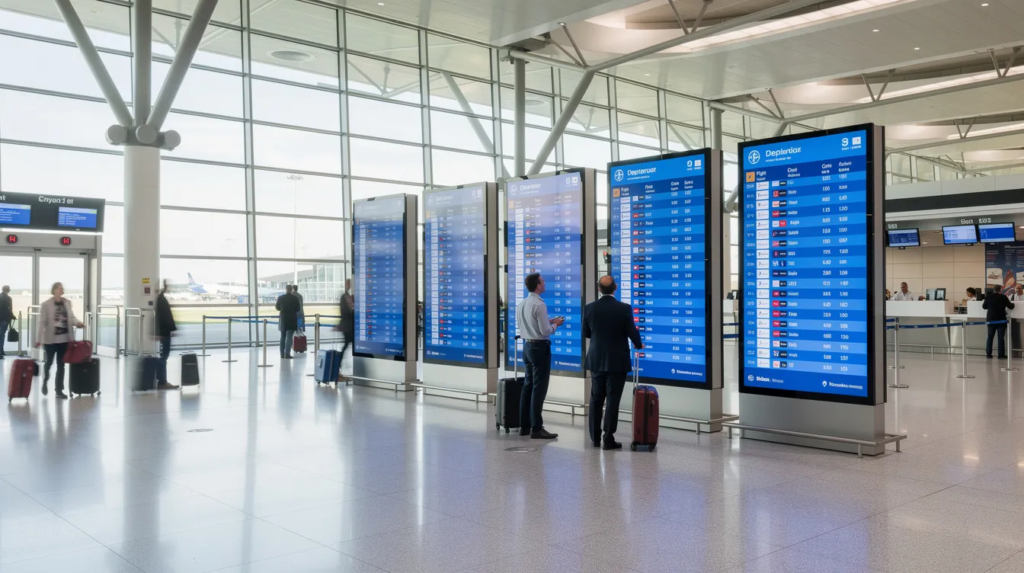
Electronic signage has fundamentally changed how businesses communicate with customers, employees, and visitors. This guide is designed for business owners, IT managers, and marketers looking to leverage electronic signage to improve communication and engagement. Whether you’re exploring options for a single retail location or planning a rollout across hundreds of sites, understanding the technology, components, and best practices will help you make informed decisions and maximize your investment.
What Is Electronic Signage?
Electronic signage—often called digital signage—uses LCD, LED, and projection screens to display dynamic content in public and commercial spaces. Electronic signage uses technologies like LCD, LED, and OLED to deliver content. Unlike traditional static signs such as printed posters or vinyl boards, electronic signage connects to networks and allows real time content updates from anywhere.
Modern systems combine three elements: screens of various sizes, media players that process content, and cloud-based content management software that lets you control everything remotely.
With electronic signage, users can easily display content across multiple screens and update it in real time, ensuring that information is always current and relevant by leveraging digital signage systems that combine screens, media players, and management software.
Typical formats include:
- Wall-mounted displays for lobbies, corridors, and conference rooms
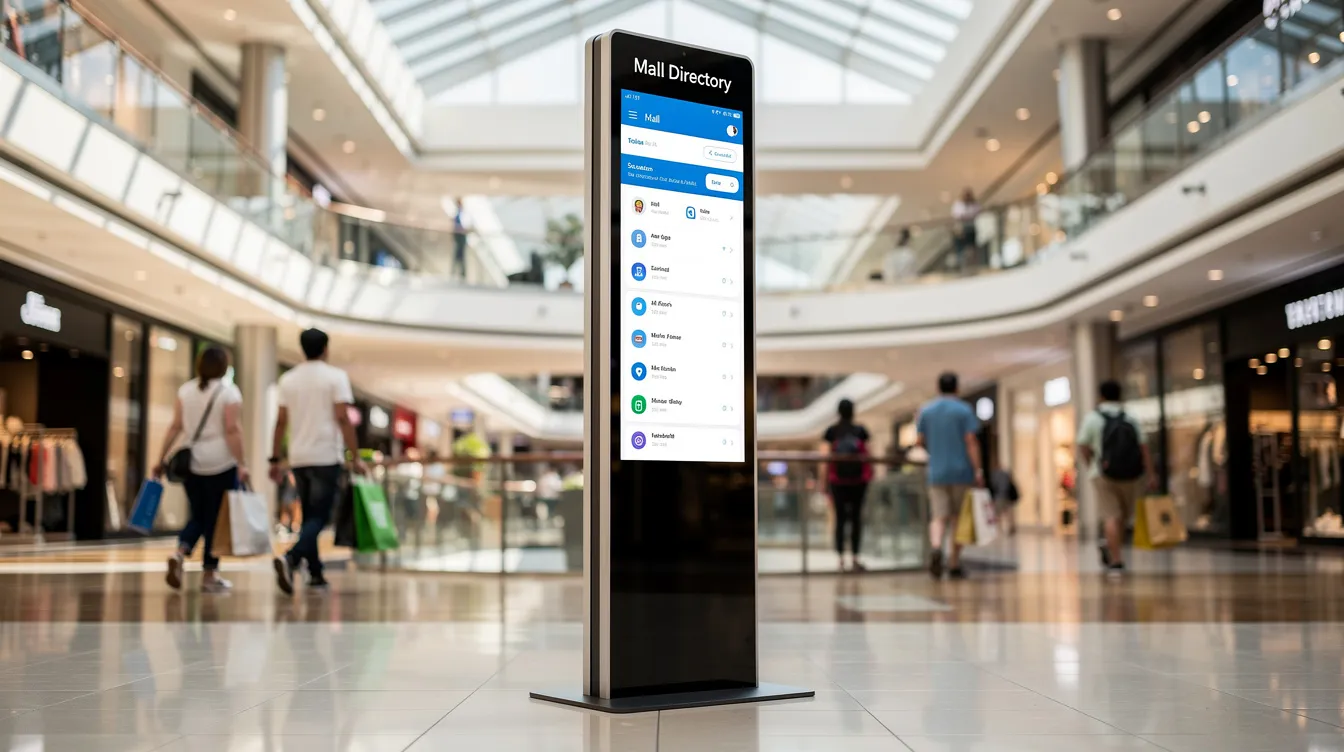
- Floor-standing kiosks and totems for malls and reception areas
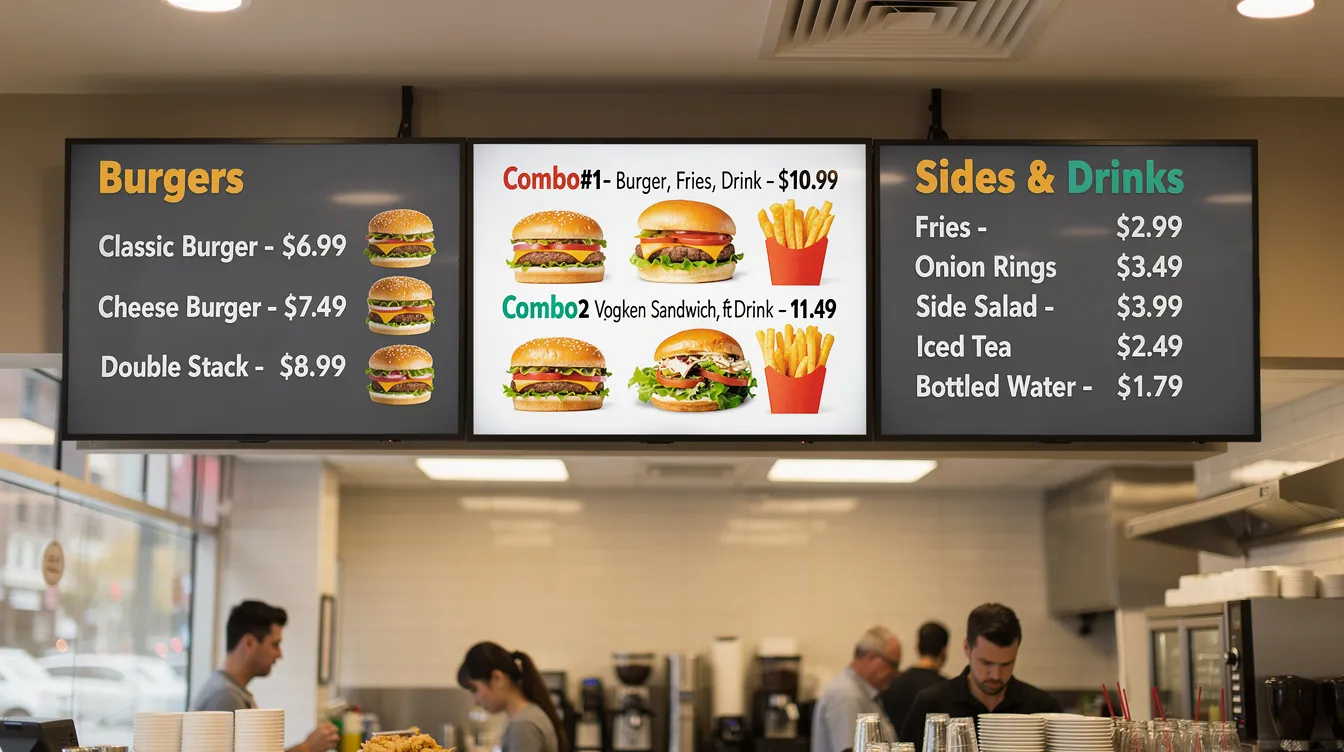
- Menu boards for restaurants and cafés
- Video walls composed of tiled panels for large venues
- Outdoor LED billboards engineered for high visibility
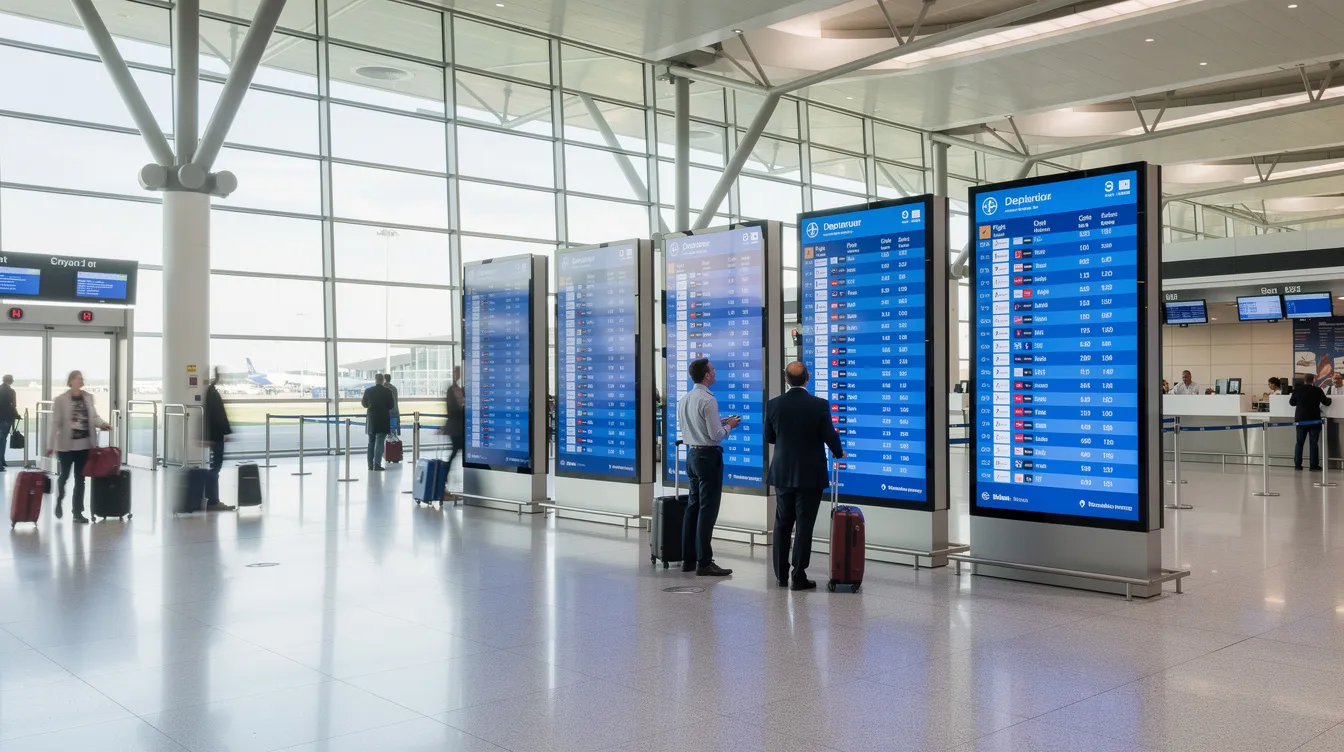
Current deployments from 2024 through 2026 demonstrate this technology’s versatility—digital wayfinding systems at airports guide passengers with real-time updates, self-order kiosks in QSR chains streamline counter service, and LED scoreboards in stadiums display live scores and fan engagement content.
Why Electronic Signage Matters Today
Electronic signage elevates brand visibility, fosters customer engagement, and enables instantaneous communication across your entire network. For businesses seeking measurable outcomes, the technology delivers tangible operational efficiencies and revenue growth.
Key benefits include:
- 10–30% higher promotion uptake for retailers using motion-based displays compared to static alternatives
- Elimination of recurring printing and logistics costs associated with physical signage updates
- Faster dissemination of pricing changes, safety messages, or event announcements
- Centralized control over hundreds of screens across multiple locations
- Enhanced customer experience through dynamic content that captures your audience’s attention
Post-2020 adoption surged for real-time health and safety messaging, such as occupancy updates in offices and public spaces during pandemic recovery. This demonstrated how a digital signage network enables organizations to respond instantly to changing conditions by using real-time data as a digital signage secret weapon.
Core Components of an Electronic Signage System
Every deployment rests on three foundational pillars: hardware, software, and content. Understanding each component helps you build a system that meets your specific needs.
Display Hardware:
- LCD and LED panels ranging from 7-inch shelf-edge screens to 115-inch-plus video wall tiles
- Indoor displays with standard brightness (300–700 nits) and slim bezels for aesthetic integration
- Outdoor variants with weather-sealed IP65+ ratings, high-brightness outputs exceeding 3,000 nits, and vandal-resistant enclosures
- Standard VESA mounting patterns plus custom freestanding options
Media Players:
- Small form-factor devices connecting via HDMI or USB
- Options spanning Android boxes, system-on-chip (SoC) screens with embedded processing, industrial PCs, and DIY Raspberry Pi builds
- Support for various operating systems depending on your digital signage software requirements
- You will need to install the appropriate software or apps on these devices to enable electronic signage functionality and unlock the benefits of real-time digital signage for your business.
Signage Software (CMS):
- Cloud-based platform accessible via browser and mobile apps
- Playlist scheduling with dayparting capabilities
- Drag-and-drop layout design with an intuitive interface
- Remote device health monitoring and alerts
Connectivity and Peripherals:
- Wi fi, Ethernet, or LTE/5G for remote sites
- Offline playback with automatic resync when connection restores
- Touch overlays for interactive content
- Cameras for audience analytics measuring dwell time
- Light sensors for auto-brightness adjustment
Types of Electronic Signage Solutions
Electronic signage covers several form factors tailored to different environments. The right digital signage solution depends on your space, audience, and communication goals.
Common types include:
- Wall-mounted displays: Ideal for lobbies, corridors, and conference rooms where space is limited
- Floor-standing totems and kiosks: High-traffic anchors for malls, reception areas, and trade shows
- Menu boards: Single and multi-screen configurations for restaurants and cafés
- Outdoor LED displays: Window-facing high-brightness screens for storefronts and roadside locations
- Interactive touchscreens: Self-service wayfinding and information access
Specialized solutions like ultra-slim spatial signage, transparent OLEDs, and curved LED walls create immersive experiences in flagship stores and museums. Each type can connect into networks—a retail chain might combine window displays, checkout screens, and shelf-edge strips for omnichannel synergy.
Businesses can also customize their electronic signage solutions, such as configuring video walls or interactive kiosks to fit unique space layouts and branding requirements, while incorporating real-time digital signage that integrates live data sources.
Indoor vs Outdoor Electronic Signage
Indoor and outdoor deployments face vastly different demanding environments that shape hardware selection.
Indoor signage features:
- Standard brightness ranges (350–500 nits) suitable for controlled lighting
- Design aesthetics prioritized—slim bezels, hidden cabling, fanless operation
- Quiet hardware for offices and hospitality settings
- Higher resolution (4K+) for close viewing distances under 3 meters
Outdoor signage requirements:
- IP66+ weatherproofing with operating ranges from -40°C to 60°C
- Sunlight-readable 5,000+ nit brightness with anti-glare glass
- IK10 vandal-resistant enclosures and heated components for anti-freeze
- Examples: bus shelters, stadium perimeters, roadside billboards
Regulatory considerations for outdoor installations include local permitting, brightness caps (some urban zones limit to 6,000 cd/m²), and content restrictions near schools.
Interactive vs Non-Interactive Signage
Touch and sensor-based interactivity transforms signage from broadcast messaging to two-way engagement.
Non-interactive signage:
- Continuous playlists with scheduled content loops
- Ideal for branding, menu boards, and passive information delivery
- Lower cost and simpler maintenance
Interactive signage:
- Touchscreens, QR-triggered content, motion sensors, and NFC capabilities
- Self-check-in kiosks in hotels, self-order terminals in QSRs (reducing order times 20–40%)
- Museum exhibits activated on proximity
Accessibility features include multi-language menus, 16mm+ touch targets per ADA guidelines, audio prompts, and high-contrast modes meeting WCAG 2.1 AA standards.
Industry-Specific Use Cases
Electronic signage adapts to each sector’s unique workflows. Designing with real operational needs in mind ensures your investment delivers measurable results.
Retail and Shopping Centres
Retail signage displays transform how stores communicate promotions and guide customers.
- Digital window displays drive seasonal campaigns synced with social media feeds
- Aisle end-caps show 15-second product demos and promotions
- Electronic shelf labels (ESLs) enable real-time pricing updates, cutting labor costs by 70%
- Queue screens guide self-checkout processes
2024–2026 trends include click-and-collect status boards and QR links to online product pages for seamless integration. Measurable goals include 15–25% footfall increases and basket size growth through cross-selling.
Restaurants, Cafés, and QSR Chains
Electronic menu boards reduce reprinting costs by up to 80% while simplifying daypart pricing transitions from breakfast through dinner, especially when you use cloud-based menu board software to manage TV displays.
- Drive-thru double-sided menu boards inform customers and staff simultaneously
- Indoor self-order kiosks boost upsell rates by 10–20%
- Counter promotional screens highlight limited-time offers
A multi-site brand can push allergen updates or launch national promotions across all locations in seconds, ensuring consistency and compliance.
Corporate Offices and Workplaces
Corporate signage displays support internal communication and visitor management, especially when you plan what to display on corporate screens.
- Lobby welcome screens greet visitors with personalized messages
- Break room and corridor boards share company news and announcements
- Room booking panels integrate with Google Workspace and Microsoft 365 for automatic updates
- Factory safety dashboards connect to IoT sensors for real-time alerts
Signage supports hybrid work by communicating occupancy levels, hot-desk availability, and streaming remote event feeds, and you can also display company announcements on office TVs to reach non-desk employees. In hospitality environments, digital menu screens in cafés and lobbies can leverage digital coffee shop menu boards to keep offers fresh and visually appealing.
Education and Campuses
Campus signage serves students, faculty, and visitors across large institutional environments.
- Campus-wide announcement screens replace paper posters (cost savings of 50%)
- Interactive wayfinders guide visitors through complex buildings
- Cafeteria menu boards with nutritional information that use food and restaurant digital signage templates
- Emergency alert systems tied to security platforms for multi-lingual notifications
Integration with learning management systems enables automatic timetable updates and deadline reminders.
Hospitality, Healthcare, and Public Venues
These sectors rely on signage to manage high-traffic environments and deliver excellent visibility for critical information.
Hotels:
- Lobby screens showing weather, local attractions, and check-in times
- Conference and event listings outside function rooms enhancing guest experience
Healthcare:
- Waiting room queue management reducing perceived wait times by 25%
- Wayfinding to departments and wards
- Public health campaign videos in common areas
Transport and Arenas:
- Real-time departures on large LED walls at airports (post-2020 implementations)
- Gate and platform change notifications
- Stadium concession menus and fan engagement content
Designing Effective Electronic Signage Content
Content design impacts results as much as hardware selection. The best screens accomplish nothing without compelling content that captures attention.
Key principles:
- Keep messages short—headlines under 7 words, legible at 10 meters via 72pt+ fonts
- Use brand-consistent colors following the 60-30-10 palette rule
- Prioritize motion and contrast without overwhelming viewers (avoid flashes over 3Hz)
Layout considerations:
- Clear hierarchy: bold headline, key detail, call-to-action at bottom
- 5% safe margins to prevent cut-off on overscanning monitors
- Aspect ratio planning for 16:9, 9:16 portrait, and custom LED formats
Content types that perform well:
- Short-form videos (10–20 seconds) achieving 80% viewer retention versus static images
- Data-driven dashboards pulling from business systems
- Moderated social media feeds and live widgets (weather, news)
Schedule content with dayparting strategies—weekday versus weekend playlists, localization by region—and use A/B testing via CMS analytics to refine what works.
Accessibility, Compliance, and Brand Safety
Accessible content ensures all visitors can engage with your digital sign installations.
- Maintain 4.5:1 minimum color contrast ratio
- Use readable fonts at appropriate sizes
- Limit fast flashing to prevent seizure risks (WCAG guidelines)
- Follow ADA guidance for kiosk height (865–1220mm) and touch target sizes
Audio policies in public spaces typically require subtitles and muted autoplay. Brand safety demands moderated social feeds, central approval workflows for new creatives, and content whitelists for automated data sources.
Choosing the Right Electronic Signage Hardware
Hardware selection depends on your environment, viewing distance, and content requirements. Matching screens to conditions prevents costly replacements.
Key criteria:
|
Factor |
Indoor |
Outdoor |
|---|---|---|
|
Brightness |
350–700 nits |
2,500–5,000+ nits |
|
Rating |
16/7 operation |
24/7 continuous operation |
|
Protection |
Standard enclosure |
IP66+, IK10 vandal-resistant |
|
Lifespan |
50,000+ hours |
50,000+ hours with ruggedized components |
Mounting and form factors:
- Wall mounts
- Ceiling mounts
- Freestanding kiosks
- Built-in enclosures
- Portrait versus landscape orientation based on content needs
- VESA-compatible patterns for standardized installation
Tiered recommendations:
- Entry: Commercial LCDs ($300–$1,000 for 55-inch)
- Professional: Ruggedized industrial displays ($2,000+)
- Flagship: Video walls and fine-pitch LED ($10,000+/m²)
Monitors vs LED Walls vs Projectors
Different display technologies suit different applications and budgets.
Flat-panel monitors (24–98 inches): Best for close and mid-range viewing with full hd or 4K resolution. Cost-effective for most deployments.
Direct-view LED walls: Create seamless canvases for large venues with modular tiles allowing custom shapes. Higher upfront cost but lower TCO over 10 years through modularity and energy efficiency.
Projectors: Still relevant for darkened environments, temporary events, and very large surfaces (exceeding 100m²) where LED structure is impractical. Require lamp replacements every 2,000 hours.
Electronic Signage Software and Content Management
Robust CMS software transforms screens into a managed communication network. Without proper content management, even the best hardware underperforms.
Common CMS capabilities:
- Browser-based dashboard and mobile apps for remote access
- Drag-and-drop layout creators with stock templates
- Playlist and schedule management with dayparting
- Remote device health monitoring and power cycling
Integrations extend functionality:
- Productivity suites (Google, Microsoft) for calendar and room booking
- Business data sources (BI dashboards, POS feeds) for sales metrics
- Social channels (Instagram, YouTube) and live widgets
User management features:
- Role-based permissions separating designers, IT admins, and local managers
- Approval workflows for sensitive campaigns
- Audit logs tracking all content changes
Deployment models include fully cloud-hosted SaaS (representing 95% of the market by 2024), on-premises for high-security environments, and hybrid approaches with edge caching.
Security, Reliability, and Scalability
Networked signage requires modern security standards to protect your digital displays and data.
Security measures:
- Encrypted communication via HTTPS and VPN
- Hardened media player configurations with signed firmware
- Zero-trust authentication and regular software updates
- Audit logs for compliance and troubleshooting
Reliability features:
- Offline content caching (7-day buffers) for continuous playback
- Watchdog processes auto-restarting frozen players
- Remote reboot and diagnostic tools
- 99.99% uptime SLAs from enterprise providers
Systems scale from a single pilot screen to thousands of endpoints using groups, tags, and templates. Free digital signage software options exist for small deployments, while enterprise platforms manage as many screens as your business requires.
Seamless Integration with Existing Systems
Seamless integration is at the heart of a successful digital signage deployment. Modern digital signage software is designed to work effortlessly with a wide range of operating systems—including Windows, Android, Linux, Mac, and Chrome OS—so businesses can make the most of their existing hardware and IT infrastructure. This compatibility means you can connect and manage multiple screens and devices from a single, intuitive interface, simplifying content management across your entire digital signage network.
By choosing a digital signage solution that prioritizes seamless integration, organizations can unify their communications, streamline workflows, and create a consistent brand experience across all locations. Whether you’re adding new screens to a retail environment or expanding your signage network in corporate offices, the ability to integrate with current systems ensures a smooth transition and maximizes your technology investment. With centralized control, you can easily create, schedule, and deliver content to as many screens as needed, keeping your messaging fresh and relevant.
Ensuring Excellent Visibility in All Environments
Achieving excellent visibility is essential for any digital signage deployment, especially in demanding environments where lighting conditions can vary dramatically. Our digital displays are engineered with advanced features such as high-brightness panels, optical bonding, and anti-glare coatings to ensure your message stands out—whether in sunlit public spaces, bustling kiosks, or hospitality settings with ambient lighting.
These features guarantee that every digital sign delivers crisp, clear visuals, capturing your audience’s attention and conveying information effectively. In restaurants, retail stores, and hotels, excellent visibility means your promotions, menus, and guest information are always easy to read, regardless of the setting. Our digital signage solutions are built to perform in any environment, ensuring your displays remain impactful and your signage continues to inform and engage customers wherever they are.
Planning and Deploying an Electronic Signage Network
Successful projects move through discovery, design, pilot, rollout, and optimization phases. Rushing deployment without proper planning leads to wasted resources and poor results.
Project steps:
- Define business objectives and KPIs (reduce perceived wait times, increase add-on sales)
- Audit locations for power (110–240V), connectivity (10Mbps+ bandwidth), and foot traffic
- Choose screen placements and quantities per site using heatmap analysis
- Create content strategy identifying owners and bi-weekly review cycles
- Pilot with 5–10 sites, collect feedback, and iterate before full rollout
Timeline expectations: single-location projects complete in weeks, while nationwide networks require phased deployment over months.
Budgeting and Total Cost of Ownership
Understanding cost categories helps you build realistic budgets and demonstrate ROI.
Cost breakdown:
- Hardware (screens, players, mounts): 40%
- Software subscriptions ($10–50/screen/month): 20%
- Installation and cabling: 15%
- Content creation and management: 25%
Optimization strategies:
- Standardize on limited screen sizes and players to reduce complexity
- Use templates to minimize design time for each campaign
- Schedule power-saving modes during closed hours (20% energy savings)
ROI models should compare sales uplift against running costs. Many deployments achieve 3–6 month paybacks from print cost elimination (50–80% savings) and revenue gains.
Measuring the Effectiveness of Electronic Signage
Understanding how your digital signage is performing is key to maximizing its impact and return on investment. Our digital signage solution provides robust analytics and reporting tools that allow you to measure the effectiveness of your entire digital signage network. With our digital signage software, you can track viewer engagement, assess which content resonates most with your audience, and monitor the performance of each screen in real time.
These insights empower businesses to refine their content strategy, optimize their digital signage, and deliver more relevant, engaging experiences to customers. By leveraging data-driven decisions, you can ensure your signage is always delivering the right message at the right time, enhancing the overall customer experience and driving better results for your business.
Maintenance and Troubleshooting
Reliable maintenance and troubleshooting are crucial for ensuring the continuous operation of your digital signage network, especially across multiple locations and public spaces. Our digital signage solution offers comprehensive support options, including online resources, responsive phone support, and on-site maintenance services to address any issues quickly and efficiently.
With advanced features like remote monitoring, automatic software updates, and built-in diagnostic tools, our digital signage software enables proactive management of your entire network. Potential problems can be identified and resolved before they impact your displays, ensuring excellent visibility and uninterrupted service. By providing dependable maintenance and troubleshooting, we help you deliver high-quality content, create a seamless customer experience, and maintain the performance of your signage solution—no matter where your screens are installed.
Future Trends in Electronic Signage
Electronic signage continues evolving alongside AI, data analytics, and new display technologies. The industry projects 15% CAGR through 2030.
Key trends to watch:
- AI-driven content personalization using demographic data from integrated cameras, boosting engagement by 40%
- IoT integration for context-aware messaging responding to queue length, weather, and occupancy
- Expansion of micro-LED walls and transparent displays in flagship retail environments
- Programmatic digital out-of-home (DOOH) advertising reaching $25B+ market size by 2026
Sustainability developments:
- Energy-efficient OLED and LED panels consuming 30% less power
- Auto-dimming schedules reducing energy waste
- Recyclable materials and longer-life components
Businesses deploying signage now can future-proof investments by choosing open, upgradable platforms. Explore your options, contact vendors for demos, and consider starting with free trials to test before you purchase hardware and commit to long-term contracts.
All product names, logos, and brands mentioned are registered trademarks of their respective owners.
- SignageTube Cloud – cloud-managed signage on any TV
- SignageTube Live – real-time data on your screens
- Digital signage software – how to choose, and what matters
- Templates – 120+ ready-made designs
- Pricing – simple per-screen plans