 SignageTube
Digital Signage for Events: How Harry Mack’s Crowd Fills the Big Screen
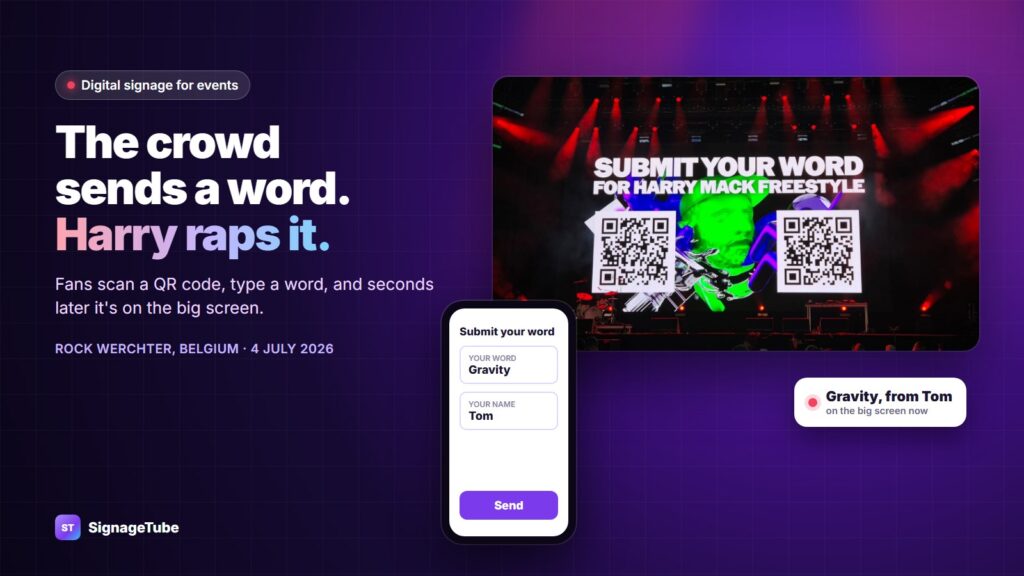
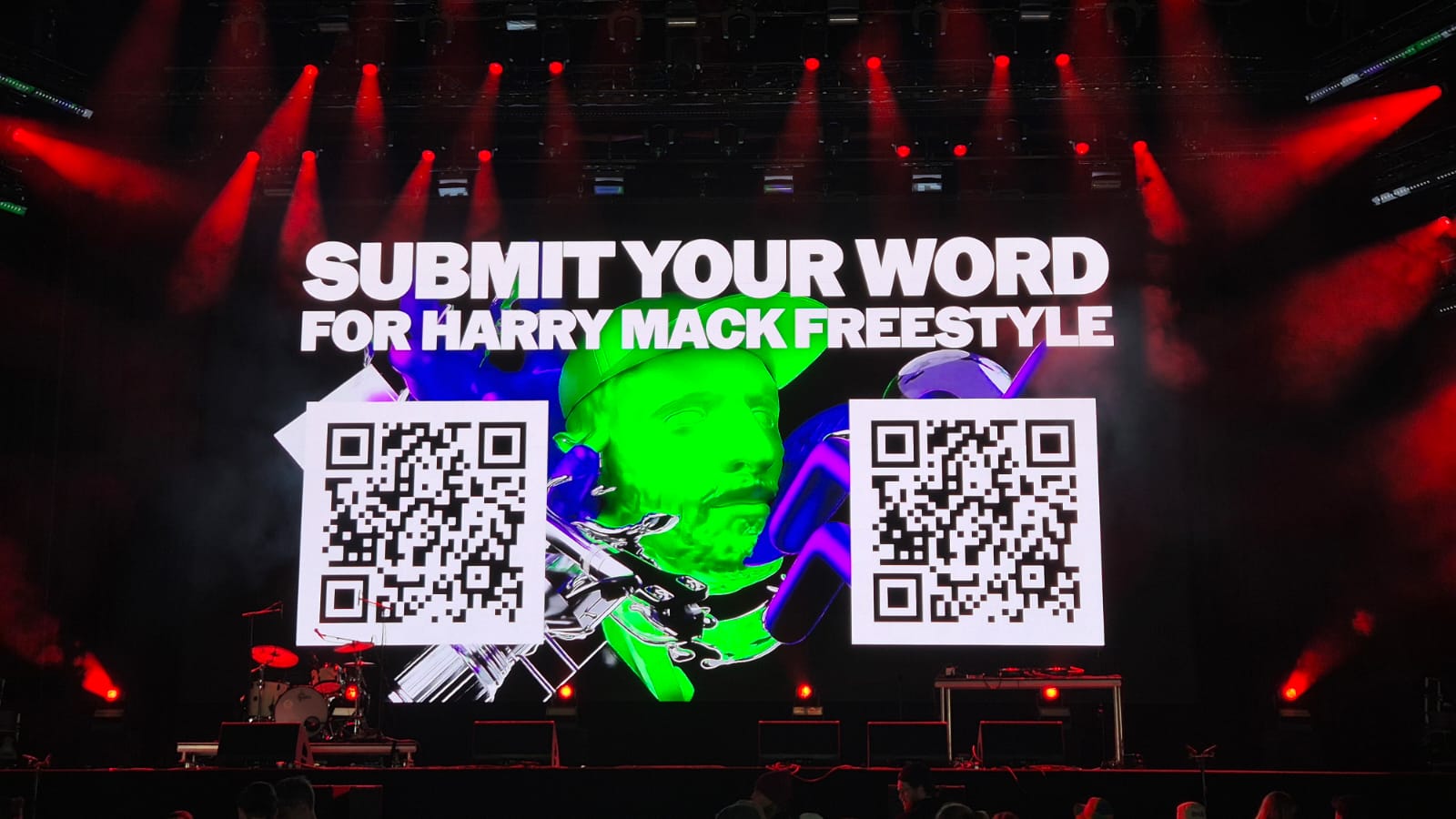
Not long ago, we couldn’t have told you who Harry Mack was. Then he played Rock Werchter, here in Belgium, on 4 July 2026. The rapping was great. But what really caught our eye was the screen.
Harry Mack is, in his own team’s words, “the world’s most electrifying freestyle rapper”, with over 2.5 billion views. He makes up verses on the spot, using words people give him. At his shows, the crowd gives the words and a big screen shows them. It’s one of the best examples of digital signage for events we’ve seen.
What the crowd sees on the festival screen
- A big screen on stage asks everyone to scan a QR code.
- You type one word and your name on your phone.
- A few moments later, your word shows up on the screen, with your name.
- Harry picks it up and raps a verse about it, live.
Nobody backstage is typing anything in. The screen fills itself.
How it works, in plain words
Harry’s team told us how they set it up. It’s simpler than you’d think:
- The QR code opens a form. Every answer becomes a new row in a Google Sheet.
- The screen plays a PowerPoint deck with 75 slides.
- Each slide has a text box linked to one cell of the sheet. Slide 1 shows row 1, slide 2 shows row 2, and so on.
- A refresh pulls the new words into the slides, and the big screen shows them.
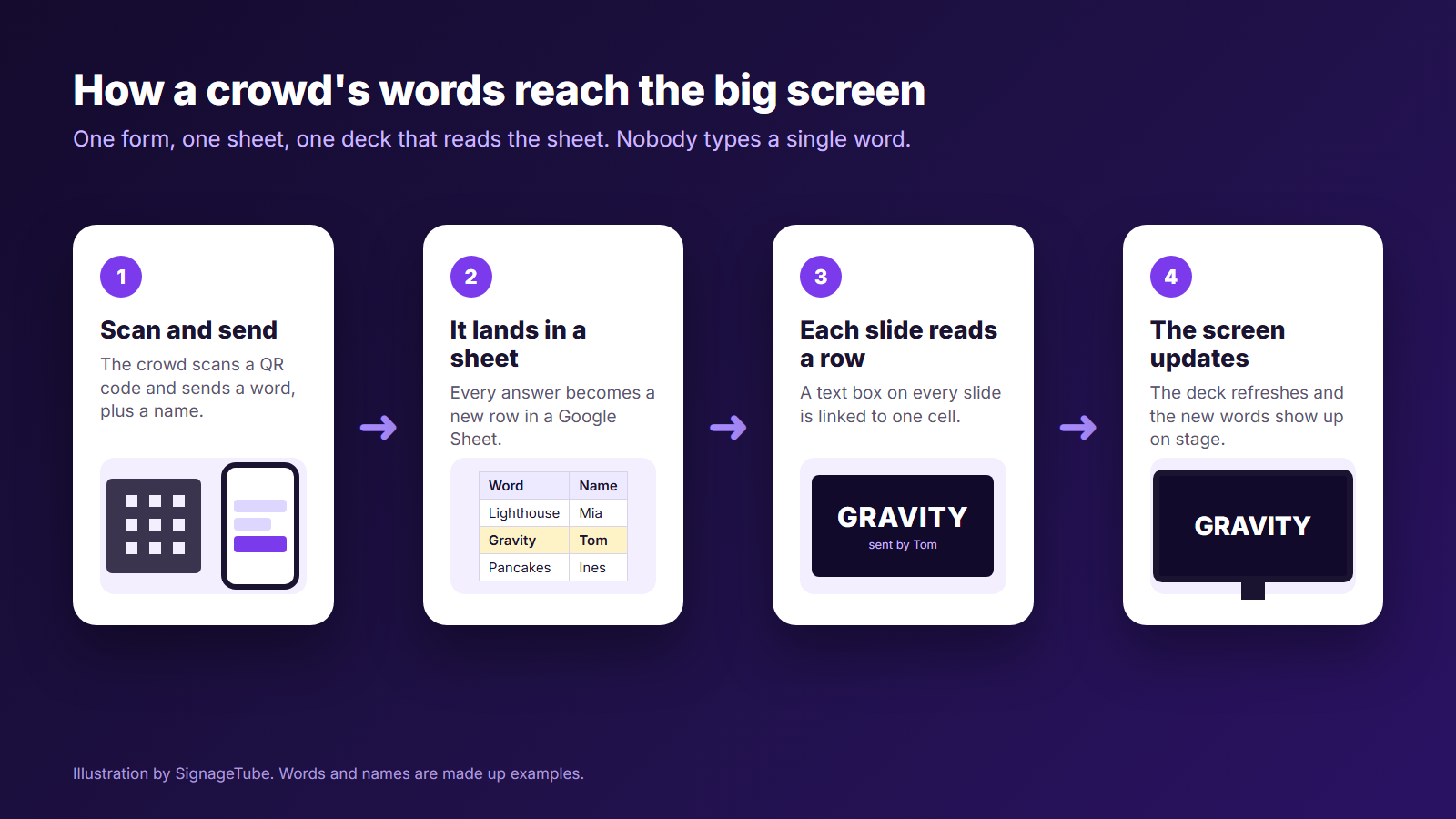
That’s the whole trick: a form, a sheet, and slides that read the sheet. Nobody copies anything by hand.
Why speed matters on a concert screen
At a concert, a word that shows up 30 seconds late is too late. Harry has already moved on, and the fan who sent it misses their moment.
The same is true away from the stage. A factory screen that shows the morning’s output at the end of the shift is old news. A waiting room screen that shows a delay from an hour ago helps nobody. Good interactive digital signage shows the change while it still matters.
How to build the same screen with SignageTube
You don’t need a festival for this. The same idea works for a quiz night, an awards evening, a company town hall, church and community events, or a trade show stand that shows new sign ups.
- Collect the answers in a sheet. Any form that saves to Google Sheets or Excel works.
- Design one slide in PowerPoint. Add a text box for the word and one for the name.
- Link the text boxes to the sheet. With SignageTube Enterprise, a text box can read a cell in Excel or Google Sheets.
- Make one slide for each answer you expect. Copy the slide and point each copy at the next row. Harry’s team used 75.
- Play it on any screen. When the sheet changes, the slides change too, on every screen that plays them.
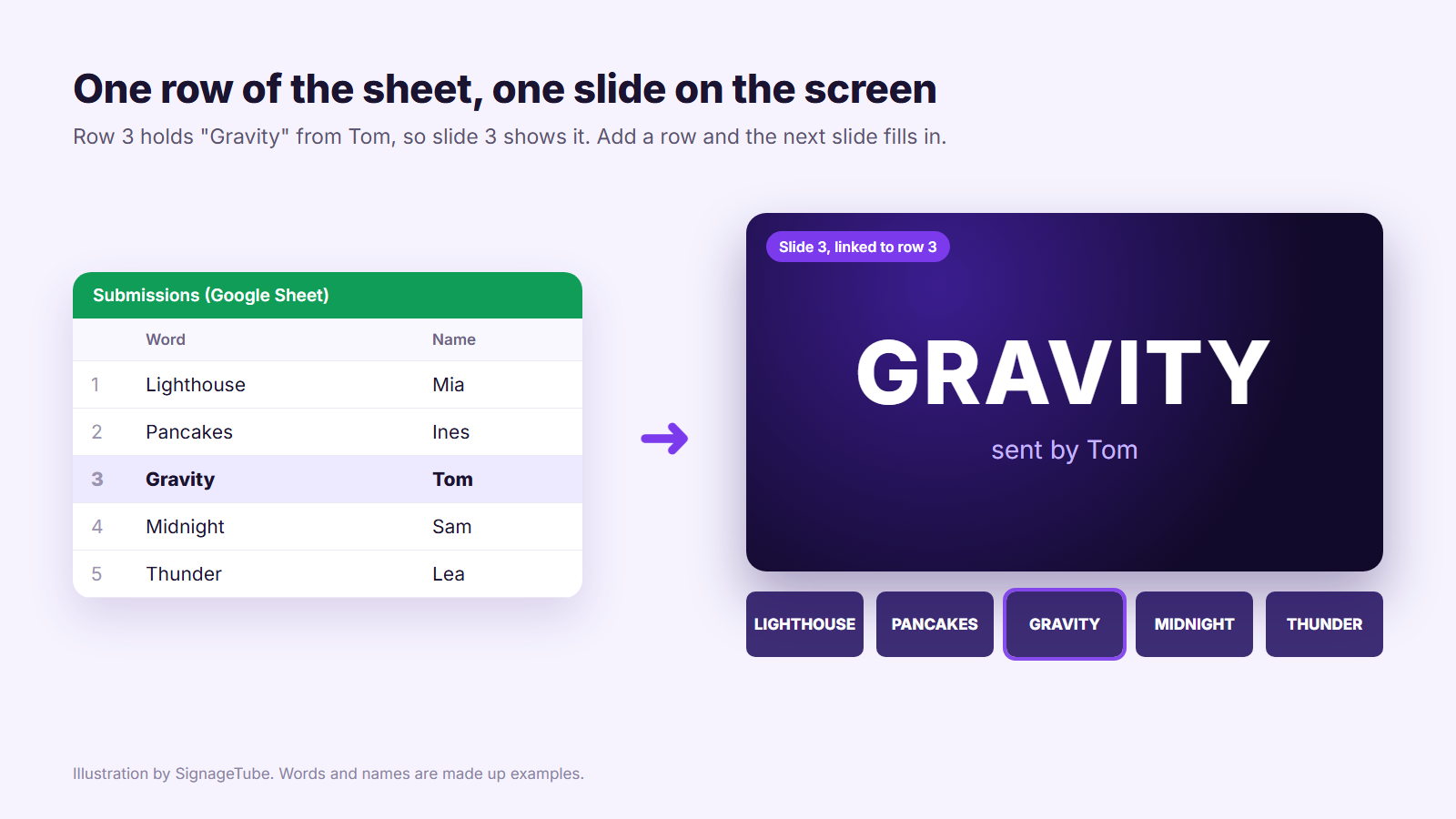
It works the same on a small screen in a hallway or on a giant LED wall at a festival. Want to go further? See how Data Pages turn a spreadsheet into a screen that updates itself.
Three questions to ask before your event
Where is the data right now? If it’s already in a sheet, a form or a database, you’re most of the way there.
How does the screen get the update? A file that someone exports and copies over is only as fresh as the last copy. A screen that reads the source stays fresh by itself.
What happens if the internet drops? Check what your screen shows when the connection is lost, and test it before the doors open. In front of a crowd, a blank screen is the worst outcome.
Quick answers
What is digital signage for events? Screens at an event that show useful or fun information: the schedule, sponsors, directions, or live content sent in by the audience. The best ones update by themselves.
Can an event screen show what the audience sends in? Yes. When the answers go into a Google Sheet or an Excel file, SignageTube Enterprise can link your slides to those cells, so the screen changes when the sheet does.
Do I need special design software? No. You design the slides in PowerPoint, which you probably know already.
Try it yourself
Live data comes with SignageTube Enterprise. You can link your slides to Excel, Google Sheets, databases and more, and you can compare all editions and prices. Start a free 15 day trial, no credit card needed, or read how live data slides work.
Never seen Harry Mack in action? Do yourself a favor: YouTube, LinkedIn and harrymackofficial.com.
- SignageTube Starter: content signage on any TV
- SignageTube Enterprise: live data on your screens
- Digital signage software: how to choose, and what matters
- Templates: 120+ ready made designs
- Live Pages: 1,300+ ready made screens, like weather, news and menus
- Pricing: simple per screen plans