Digital Signage Blog
Interesting articles and knowledge about digital signage software
Digital Signage Makes Print Advertising Obsolete
Print advertising is losing ground as businesses move toward faster, more flexible communication tools. This article explains why digital signage is making traditional print materials obsolete, highlighting advantages like instant updates, lower long‑term costs, dynamic visuals, and the ability to schedule content automatically. It explores how digital displays reduce waste, eliminate reprints, and keep messaging relevant in fast‑changing environments. With SignageTube, organizations can manage screens remotely, publish new content in seconds, and maintain a consistent, professional look across all locations. Digital signage offers a modern, sustainable, and more effective alternative to static print advertising.
How Hotels Can Benefit By Using Hotel Digital Signage
Hotels rely on clear, attractive communication to welcome guests, promote services, and streamline daily operations. This article explores how digital signage enhances the hotel experience by displaying welcome messages, event schedules, restaurant menus, promotions, and real‑time updates. It highlights how SignageTube enables hotels to manage screens centrally, schedule targeted content, and maintain a consistent visual identity across lobbies, hallways, conference areas, and dining spaces. With the right digital‑signage strategy, hotels can elevate guest satisfaction, increase revenue opportunities, and improve communication throughout the property.
How to Build a PowerPoint Presentation for Digital Signage
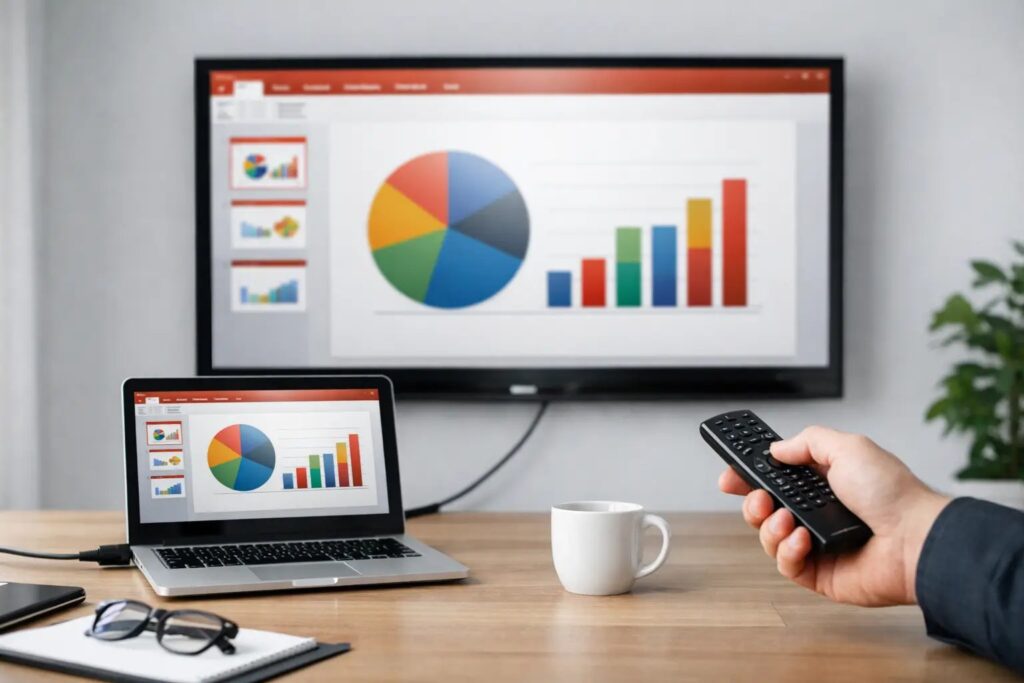
PowerPoint is one of the most accessible tools for creating digital‑signage content, but designing slides for screens requires a few important adjustments. This article explains how to choose the correct slide size, use safe margins, optimize images, and structure layouts for readability from a distance. It also shows how SignageTube integrates with PowerPoint, allowing you to upload your slides, schedule updates, and manage content across all your screens. With the right setup, PowerPoint becomes a powerful design tool for producing clear, professional, and engaging digital‑signage visuals.
How Stores Can Benefit By Using Retail Digital Signage
Retailers depend on eye‑catching, timely communication to influence buying decisions and guide customers through the store. This article explores how digital signage enhances the retail experience by showcasing promotions, new arrivals, product features, wayfinding, and seasonal campaigns. It highlights how SignageTube enables stores to manage screens centrally, schedule targeted content, and maintain a consistent visual identity across aisles, windows, checkout zones, and fitting rooms. With the right digital‑signage strategy, retailers can increase conversions, reduce printing costs, and create a more engaging shopping environment.
Why Every Office Needs A Welcome Screen
A well‑designed office welcome screen sets the tone the moment someone enters your building. This article explores how digital welcome displays help organizations greet visitors, share announcements, highlight company values, and reinforce their brand identity. It explains how SignageTube enables teams to design custom layouts, schedule content, and update screens remotely, ensuring the lobby always feels polished and up to date. With the right welcome‑screen strategy, offices can create a warm first impression while improving communication for guests and employees alike.
Start your Next Project from a Free Template
Templates make it easy to create professional digital‑signage content without starting from scratch. This article explains how SignageTube’s template library helps you choose a layout, customize text and images, and publish your project in minutes. It highlights the advantages of using templates for consistency, speed, and brand alignment, whether you’re designing menus, announcements, promotions, or internal communication. With SignageTube, anyone can build polished screen content quickly and confidently.
Stop Running Ads on Screens for Others in Your Shop or Restaurant
Many businesses are tempted to sell advertising space on their screens, but the downsides often outweigh the revenue. This article explains why running ads for others can dilute your brand, confuse customers, and distract from your own promotions. It highlights the risks of irrelevant messaging, compliance issues, and the loss of control over what appears in your space. It also shows how focusing your digital signage on your own products, services, and communication delivers far greater long‑term value. With SignageTube, businesses can keep their screens aligned with their goals, maintain a consistent brand identity, and use every pixel to support their own success.
Install Your First SignageTube Player
Installing the SignageTube Player is the first step toward displaying your digital‑signage content on any screen. This article explains how to download and install the player on Windows PCs, Android devices, and compatible smart TVs. It also covers how to link the player to your SignageTube account, assign a channel, and verify playback. With a simple setup process and broad device support, SignageTube makes it easy to get your screens online and ready to show content within minutes.
Explore the SignageTube Web Application
The SignageTube web application gives you full control over your digital‑signage network from any browser. This article explains the difference between the main SignageTube website and the control panel, where you manage channels, playlists, media files, and players. It walks through key sections such as the dashboard, scheduling page, and real‑time monitoring, showing how you can upload content, assign channels, restart players remotely, and verify what is currently displayed on each screen. With these tools, SignageTube makes it easy to manage your signage network efficiently and keep every screen up to date.
What is Digital Signage?
Digital signage refers to the use of screens to display dynamic content such as announcements, menus, schedules, promotions, and real‑time updates. This article explains how digital signage works, from content creation to scheduling and playback, and explores common use cases across retail, hospitality, education, offices, and public spaces. It also highlights the advantages of cloud‑based platforms like SignageTube, which make it simple to upload media, design layouts, manage playlists, and control screens remotely. With the right setup, digital signage becomes a powerful communication tool that improves engagement, reduces printing costs, and keeps information fresh and relevant.
PresentationPoint’s SignageTube is Taking Off Now!
SignageTube is a cloud‑based digital‑signage platform that makes it easy to create, schedule, and manage content for any screen. This article introduces the core idea behind SignageTube: a simple, accessible solution that lets users upload media, design layouts, build playlists, and control screens remotely. It highlights key features such as PowerPoint integration, template‑based design, real‑time updates, and flexible device support. Whether you’re running a single display or a full network of screens, SignageTube provides an intuitive workflow that helps you deliver clear, engaging, and consistent communication.
Presentation Summit 2019 San Antonio TX USA
The Presentation Summit 2019 brought together presentation designers, PowerPoint experts, and communication professionals from around the world. This article highlights SignageTube’s participation in the event, showcasing how digital signage complements modern presentation workflows. It reflects on key sessions, industry trends, and the growing overlap between slide design, visual communication, and on‑screen storytelling. For SignageTube, the summit offered an opportunity to connect with creators, share insights, and demonstrate how easy it is to turn presentations into dynamic digital‑signage content.
SignageTube Intro Movie
The SignageTube intro movie offers a quick, visual overview of how the platform helps you create and manage digital‑signage content. This article highlights the key moments from the video, showing how users can design layouts, upload media, schedule playlists, and control screens remotely. It also explains how the intro movie helps new users understand the workflow and see the platform in action within just a few minutes. For anyone exploring digital signage, this short film provides a clear and engaging introduction to what SignageTube can do.
SignageTube Launch
The launch of SignageTube marked a major step forward in making digital signage accessible to everyone. This article introduces the platform’s vision: a cloud‑based solution that lets users create, schedule, and manage screen content without complex hardware or technical expertise. It highlights the core features available at launch, including easy content uploads, playlist scheduling, remote screen control, and seamless PowerPoint integration. The SignageTube launch set the foundation for a modern, user‑friendly approach to digital signage that continues to evolve and grow.