 SignageTube
8 Best Ways to Update TV Menus Fast in 2026
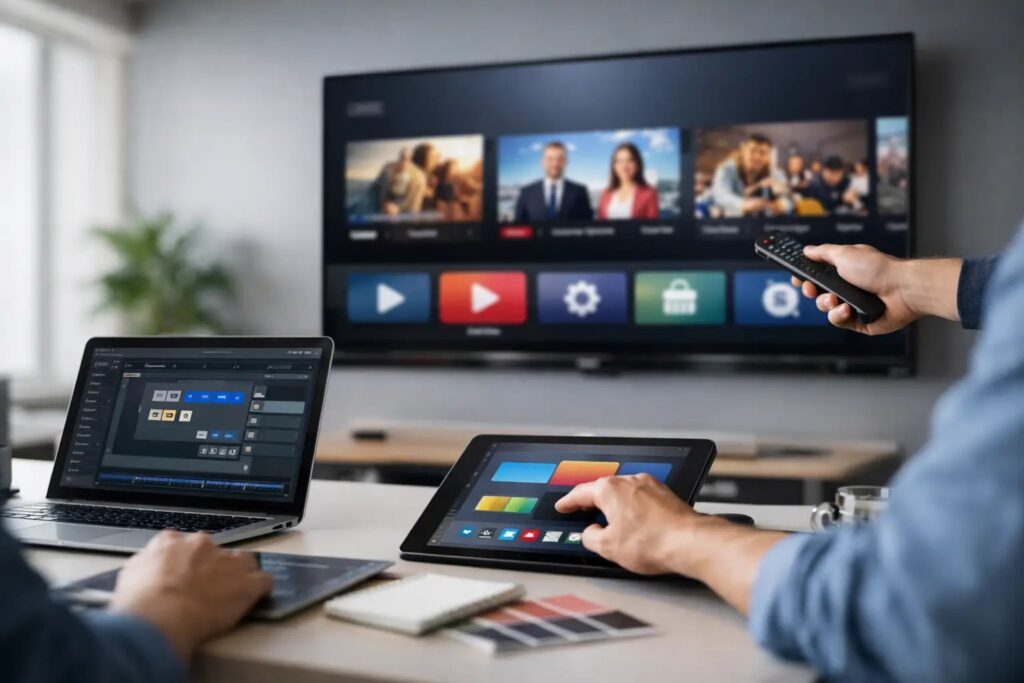
A lunch special sells out at 12:15. A kitchen runs out of an ingredient. A happy-hour offer begins at 4:00. In each case, a screen that still shows the wrong menu creates friction at the exact moment customers are deciding what to order. The best ways to update tv menus fast are built around a repeatable workflow, not a last-minute scramble to remake graphics or find the right USB drive.
For restaurants, cafes, hotel outlets, concessions, and other food-service operations, digital menu boards should act like an operational extension of the menu system. The goal is not simply to make menus look polished. It is to give approved staff a fast, controlled way to change items, pricing, promotions, and daypart messaging across one screen or an entire estate.
1. Build menus from reusable, editable templates
The fastest update is the one that does not require starting over. Create a small set of approved templates for breakfast, lunch, dinner, happy hour, limited-time offers, and out-of-stock notices. Each template should already contain the right logo placement, fonts, colors, disclaimer area, and screen dimensions.
Keep menu elements structured in predictable places. For example, put item names in one text area, prices in another, and calorie or dietary information in a dedicated section. When a manager needs to replace a sandwich or change a price, they should edit a few fields rather than adjust the entire slide.
PowerPoint is particularly useful here because most business teams already know how to edit text, duplicate a slide, and apply a saved layout. A well-built presentation can give non-technical staff the freedom to make routine updates while keeping the brand presentation consistent.
2. Separate urgent changes from planned menu rotations
Not every menu change deserves the same process. Treat an item shortage, allergen notice, or pricing correction as an urgent update. Treat seasonal menus, monthly promotions, and planned daypart changes as scheduled content. Separating these categories prevents the urgent work from disrupting the planned program.
For urgent updates, create a simple replacement slide that can be published quickly. It might remove an unavailable item, promote an alternative, or display a clear notice for staff and customers. Avoid trying to redesign the full board during a rush. A clean, accurate temporary message is better than an attractive menu with incorrect information.
Planned changes deserve more review time. Marketing, operations, and kitchen leadership may all need to confirm names, prices, availability dates, and legal copy. Once approved, schedule the new menu in advance so it appears at the intended time without requiring someone to be on site.
3. Schedule menus by daypart, location, and date
A single menu displayed all day is rarely the most effective use of a commercial screen. Breakfast, lunch, dinner, late-night service, and promotional periods each have different customer needs. Scheduling gives teams control without adding daily manual work.
Set start and end times for each menu, then assign content to the screens that need it. A coffee counter may switch from breakfast offers to lunch at 10:30, while a full-service restaurant uses a different schedule. Locations in the same brand can share core content while still receiving local pricing, regional offers, or store-specific availability.
The trade-off is that scheduling requires accurate setup. Before relying on automated changes, confirm player time zones, operating hours, and the playback order. It is also wise to leave a short review window before a major promotion goes live. One incorrectly scheduled slide can create the same customer confusion as no update at all.
4. Use one approved source for menu content
Fast updates slow down when the current menu exists in too many places: a manager’s desktop, a shared folder, an old presentation, and a message thread with the latest price list. Establish one approved source file or content library for each menu program.
That source should clearly identify the active version, the owner, and the effective date. A simple naming convention helps, such as location, menu type, version, and launch date. Teams should not have to guess whether “Final Menu New” is actually final.
For multi-location operations, central ownership is especially valuable. Corporate teams can provide templates and campaign assets, while local managers update permitted fields. This model protects brand standards without forcing every small change through a lengthy central approval queue.
5. Publish remotely instead of relying on on-site updates
Walking a new file to every television is slow, inconsistent, and difficult to audit. Remote publishing allows an authorized user to send revised content to one screen, a group of screens, or every location from a central platform.
This matters most when changes happen after business hours or across a large footprint. A marketing manager can launch a promotion across selected locations, while an operations lead can correct a local menu board without asking a site employee to troubleshoot hardware. Centralized status visibility also helps teams confirm that screens are online and displaying the intended content.
Cloud-based management is a practical fit for organizations that need remote access and straightforward administration. For environments with stricter network requirements or a need for real-time internal data, an on-premises approach may be the better choice. The right option depends on IT policies, connectivity, and how often the menu needs automated information.
6. Keep approval paths short and specific
A slow approval process can make a fast publishing tool irrelevant. Define who can approve routine menu updates, who owns promotions, and who has authority over regulated information such as allergens or nutritional disclosures. The objective is clarity, not a large committee.
For example, a local manager may be allowed to mark an item unavailable and swap in an approved alternative. Pricing changes may require operations approval. New campaign messaging may require marketing review. When these boundaries are documented, staff can act quickly without creating brand or compliance risk.
Use a final pre-publish check for the details customers notice first: item names, prices, dates, product images, and screen assignments. On a busy menu board, even a missing decimal point or outdated offer can be expensive.
7. Design for fast reading, not just fast editing
A menu that is easy to update but hard to read will not improve service. Use large type, high contrast, and a clear hierarchy that makes categories, featured items, and prices easy to scan from the ordering point. Limit the amount of information competing on a single screen.
Motion can draw attention to a featured offer, but too much movement makes a menu harder to use. Keep core items and prices stable long enough for customers to read them. Reserve animation for a small promotional area or a brief transition.
It also helps to create a dedicated promotional zone instead of rebuilding the entire menu for every campaign. That zone can rotate daily specials, loyalty reminders, bundles, or seasonal offers while the main menu remains familiar. This reduces editing time and protects the customer experience.
8. Plan for outages, sellouts, and last-minute exceptions
The best TV menu update process includes a fallback. Keep pre-approved slides ready for common exceptions: item unavailable, register temporarily closed, alternate ordering instructions, reduced menu, and service delay notices. These messages should be as easy to deploy as any standard menu.
For businesses with rapidly changing data, automated updates can reduce manual effort further. An on-premises system such as SignageTube Live can support data-driven screen updates where internal systems and IT requirements call for real-time information. That approach is most useful when availability, inventory, queue status, or operational messaging changes frequently enough that staff should not be editing slides by hand.
Automation is not always necessary. A small cafe with a stable menu may get excellent results from editable templates and scheduled publishing alone. A high-volume operation with multiple locations, frequent sellouts, and rotating promotions will benefit more from centralized controls and deeper integration.
Fast menu updates come from giving the right people an easy way to make the right change, then delivering it to the right screen at the right time. Start with the update that causes the most daily frustration, build a template and approval path around it, and make the next change easier than the last.
- SignageTube Cloud – cloud-managed signage on any TV
- SignageTube Live – real-time data on your screens
- Digital signage software – how to choose, and what matters
- Templates – 120+ ready-made designs
- Pricing – simple per-screen plans