 SignageTube
Digital Signage Internal Communication: A Practical Workplace Guide

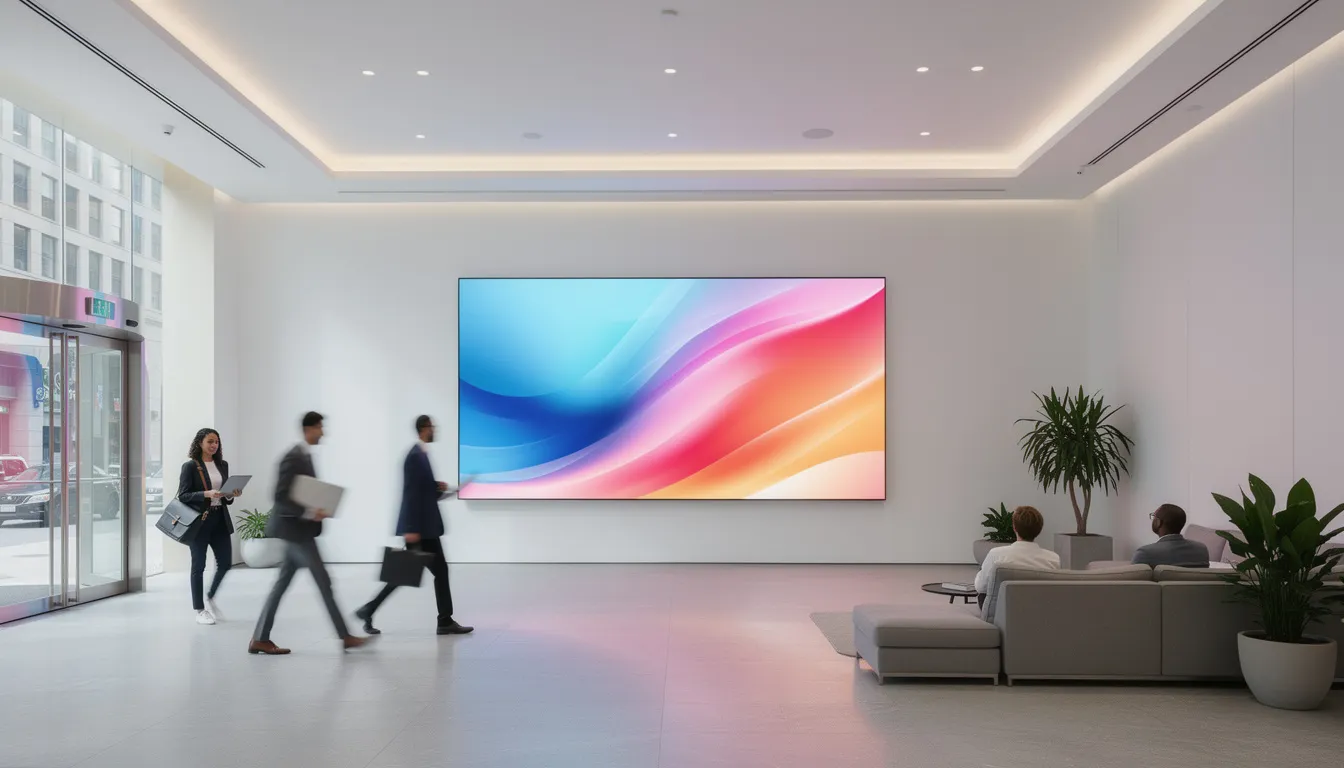
Getting messages to employees has never been more challenging. Email inboxes overflow, intranets go unvisited, and printed posters fade into the background. Digital signage for internal communication solves this by placing dynamic, attention-grabbing content exactly where your people already look—in lobbies, break rooms, and production floors. Corporate lobbies, in particular, are a key location for digital signage, enhancing first impressions and providing up-to-date information for visitors and employees.
This guide is designed for internal communications, HR, and IT leaders seeking to modernize workplace communication. As hybrid work and information overload challenge traditional channels, digital signage offers a modern solution for reaching all employees.
This guide walks you through everything you need to deploy workplace digital signage effectively in 2024-2025: from understanding the technology to creating content that actually gets noticed, choosing the right tools, and scaling across your organization.
Key Takeaways
Digital signage is one of the fastest ways to modernize internal communications across offices, warehouses, and hybrid workplaces. Unlike email that gets buried or intranets that require active visits, digital screens deliver messages passively throughout the workday, reaching employees during natural micro-moments like coffee breaks and shift changes.
Well-placed screens can boost employee awareness, engagement, and safety within weeks, not months, when paired with the right content plan. Organizations implementing internal signage report that visual content increases message recall by up to 65% compared to text-based emails, making it particularly effective for policy changes, safety reminders, and company updates.
Modern platforms are hardware-agnostic, working with existing TVs and media players running Android, Windows, ChromeOS, or Tizen. This means your IT team can often reuse hardware you already own, while internal comms or HR teams manage content remotely through intuitive cloud-based digital signage software without technical expertise.
The measurable benefits stack up quickly: fewer missed announcements leading to reduced HR queries, print cost savings estimated at 30-50% over a 1-3 year period, and stronger culture through transparent, always-on communication. In fact, 86% of companies implementing recognition features on their screens report higher employee motivation.
The following sections will walk you through goals, tools, content ideas, and concrete deployment steps for your rollout.
What is digital signage for internal communication?
Digital signage for internal communication refers to a networked system of displays using cloud-based content management software to deliver real-time, dynamic visual content directly to employees, contractors, and visitors. Instead of static posters or bulletin boards, these screens show rotating playlists of announcements, dashboards, alerts, and cultural messaging that can be updated from anywhere in seconds. In the context of employee communications, digital signage plays a crucial role in improving workplace communication, boosting employee engagement, and fostering a connected work environment across various locations and industries.
Typical locations for office digital signage include corporate headquarters lobbies, elevator banks, cafeterias, open office areas, break rooms, production lines, warehouses, and reception areas. Digital welcome screens in office lobbies are especially effective for first impressions, while multi-location environments like franchises benefit from consistent, centrally managed messaging across every branch. The key is placing screens where employees naturally congregate or pass through during their workday.
Internal comms teams centrally manage playlists and schedules through a web-based dashboard, pushing updates to any screen or office within seconds. This eliminates the need for someone to physically visit each location to swap out posters or update bulletin boards.
It’s important to clarify the distinction between customer-facing signage—which focuses on marketing promotions or wayfinding for clients—and internal corporate signage, which prioritizes employee-centric communication. Corporate digital signage specifically emphasizes reaching non-desk workers in warehouses, production lines, or retail locations who may not have consistent access to email or computers. Digital signage enhances internal employee communication by providing instant real-time updates and increasing engagement.
Consider a multinational company synchronizing 2026 strategic priorities across regional offices. HR teams can push policy changes or safety reminders to screens in lobbies, cafeterias, and break rooms across dozens of sites from a single web dashboard, ensuring everyone sees the same message regardless of location.
Core benefits for internal communication
Organizations in 2024-2025 are prioritizing signage for internal comms because traditional channels are failing. Email overload means important messages get lost, and intranet platforms often see underutilization—employees simply don’t check them regularly.
Key benefits include:
- Higher message visibility compared to email and intranet, since employees encounter screens repeatedly throughout the day
- Real-time updates that ensure time-sensitive information reaches everyone immediately
- Consistent messaging across sites so employees in different locations receive identical corporate announcements
- Support for frontline, non-desk workers who lack regular computer access but can easily view digital screens
Visual, motion-based content significantly increases recall for policy changes, security reminders, and campaign messages. When employees see rotating content rather than static text, they’re more likely to notice and remember it.
Internal signage also supports hybrid work by aligning in-office staff with remote teams through synchronized content streams. Many companies combine signage with existing channels—email, intranet, chat—rather than replacing them, creating a multi-channel approach to workplace communication.
Use cases across different workplace types
Content strategy should differ based on your workplace type. What works in a corporate headquarters won’t necessarily work on a factory floor or in a retail branch.
Corporate offices typically display:
- Leadership updates and CEO messages
- Live KPIs and business performance dashboards
- Meeting room schedules and availability
- Event announcements and town hall reminders
- Company events such as webinars, training sessions, and team-building activities
Industrial settings like factories or warehouses focus on:
- Safety statistics and “days since last incident” counters
- Production targets and real-time performance metrics
- Shift-specific announcements and schedule changes
- PPE reminders and compliance notices
Customer-facing branches incorporate:
- Visitor maps and wayfinding alongside employee content
- Compliance reminders visible only in back-of-house areas
- Training session schedules and deadline reminders
A 2025 tech hub might use signage for live agile sprint boards updated automatically from BI tools, while a 24/7 distribution center tailors announcements by shift via location-specific playlists. The key is that a single corporate digital signage solution can serve all these use cases with role-based access and location-specific content, managed on one platform.
How digital signage for internal comms works
Understanding the technology doesn’t require an IT background. Digital signage operates through three primary layers: content (messages, graphics, videos, and data feeds), software (the content management system that handles scheduling and playlists), and hardware (screens or media players that render the content).
A typical workflow starts with a comms manager accessing a cloud dashboard. From there, they select templates, upload media, schedule when content should appear (called dayparting), and publish to selected screens or groups. Modern digital signage solutions for businesses offer flexibility, allowing organizations to manage content on one screen for targeted messaging or across an entire network for broader communication, depending on organizational needs. The entire process takes minutes, not hours.
Content is delivered over the internet to media players or smart TVs, which cache files locally. This means screens continue displaying content even during temporary network outages—a critical feature for locations with unreliable connectivity and a key advantage of cloud-managed digital signage platforms.
IT typically handles initial setup including authentication, network segmentation for security, and bandwidth optimization. Once configured, comms and HR teams own everyday content creation and scheduling without needing IT support for routine tasks. Using a cloud-based CMS allows for managing multi-location digital signage from a single dashboard.
Modern platforms usually run in the cloud as SaaS solutions, support SSO integration with systems like Azure AD, and connect with data sources like SharePoint, Google Workspace, Power BI, or Outlook calendars, making cloud-based digital signage platforms a flexible backbone for internal communication.
Hardware: screens, players, and locations
Selecting the right hardware depends on your budget, use case, and existing infrastructure.
Common hardware options:
- Commercial displays
- Best For: High-traffic, 24/7 areas
- Pros: 3-5 year warranties, 500+ nits brightness, burn-in resistant
- Cons: Higher upfront cost
- Consumer TVs
- Best For: Pilots, low-traffic areas
- Pros: Lower upfront cost, readily available
- Cons: 2-3 year lifespan, burn-in risks
- System-on-chip (SoC) screens
- Best For: Simplified installations
- Pros: No external player needed, cleaner setup
- Cons: Limited to specific brands
- External media players
- Best For: Flexible deployments
- Pros: Works with any display, multiple operating systems
- Cons: Additional hardware to manage
- Video walls
- Best For: Atriums or entrance halls where visual impact matters
- Pros: High visual impact
- Cons: Typically overkill for standard deployments
Digital signage layouts can also feature multiple zones, allowing you to display different types of content—such as news, KPIs, and announcements—simultaneously in distinct sections of the screen for more organized internal communication, especially when using centralized cloud signage solutions that support multi-zone layouts.
Placement guidance:
- Eye level in corridors (1.5-1.8 meters from ground)
- Near time clocks where shift workers check in
- At production line entrances
- By coffee machines and in break rooms
- Outside meeting rooms for schedules
Strategic placement of digital signage in break rooms, cafeterias, and near elevators can maximize visibility.
Start with a pilot of 5-20 screens across high traffic areas, then scale once you’ve validated impact. Hardware-agnostic workplace digital signage software protects your investment by allowing reuse of existing screens wherever possible.

Software: content management and integrations
The content management system serves as the brain of your digital signage deployment. It handles creating playlists, scheduling content for specific times or days, and segmenting content by location, department, or language. Company messages can be tailored for specific rooms or offices to ensure relevant information reaches the right audience.
Common integrations include:
- Calendars (Outlook, Google) for meeting room displays
- BI dashboards (Power BI, Tableau) for live data dashboards
Displaying live data dashboards and KPIs helps teams track performance and stay coordinated through digital signage. - HR systems for benefits deadlines and policy updates
- Emergency alert platforms for critical alerts
- Social media feeds for curated posts
Templates, drag-and-drop editors, and brand presets keep content on-brand and easy to produce for non-designers. A comms manager without design experience can typically create professional-looking content within minutes using pre-built layouts.
Must-have software features:
- Drag-and-drop content editor
- Playlist rotation and scheduling
- User permissions and role-based access
- Approval workflows for content review
- Analytics showing play counts and uptime
- Brand presets and template library
- Multiple file formats support
Audit logs and approvals workflows support governance in larger enterprises, ensuring nothing inappropriate goes live without proper review.
Key internal communication benefits in detail
Beyond the high-level advantages, a well-developed digital signage strategy—with clear objectives and engaging content tailored to your workforce—delivers specific improvements to engagement, clarity, safety, and culture. This section provides a deeper dive with concrete examples and quantifiable outcomes relevant to 2024-2025 workplaces.
It’s important to note that content displayed on digital signage should be digestible at a glance, as viewers typically spend only 10–15 seconds reading it.
Higher visibility and faster message reach
Screens in shared spaces repeatedly expose employees to key messages, increasing recall compared to one-off emails that may be deleted within seconds of arrival. Research suggests visual content boosts recall by up to 65% compared to text emails.
Consider same-day leadership updates after quarterly results—instead of sending an email that half the workforce won’t open, key metrics and a CEO message appear on every screen in the building. Or when HR needs to promote a benefits enrollment deadline, countdown timers on digital signs create urgency that static emails can’t match.
Time-targeted playlists ensure messages appear when they matter most. A shift-change playlist can greet second-shift workers with relevant announcements the moment they arrive. Monday morning recaps of strategy priorities catch employees as they start their week.
Rotating visual content reduces “inbox fatigue” and keeps communications from being buried under daily email volume. One manufacturing organization reported cutting time-to-awareness from days to hours by displaying emergency alerts and policy changes on floor screens rather than relying solely on email distribution.
Engagement, recognition, and culture
Digital signage can spotlight employee recognition in ways that email simply can’t replicate. Monthly “Top Performers” reels, photos from volunteer days, and highlights from town halls or hackathons create visible appreciation that everyone can see. By showcasing these achievements and stories on digital displays, organizations can engage employees by boosting morale and fostering a sense of community within the workplace.
Recognition use cases:
- Employee milestones and work anniversaries with photos
- Employee spotlights featuring different team members weekly
- Project completion celebrations
- Peer recognition shout-outs
- Success stories from different departments
Public recognition on screens complements 1:1 feedback and internal social platforms. When an employee’s achievement appears on the lobby screen, colleagues notice—and that visibility drives motivation.
Culture campaigns gain traction through always-on visibility: DEI initiatives, sustainability progress, and wellbeing challenges with leaderboards all benefit from the constant reinforcement that digital screens provide. Aligning screen visuals with brand identity reinforces culture visually, making values tangible rather than abstract.
Safety, compliance, and emergency alerts
Integrating signage with emergency notification systems enables instant display of evacuation routes, severe weather warnings, or security alerts. Cloud-based emergency alert signage is particularly valuable for 24/7 operations where not everyone monitors email constantly.
Concrete safety scenarios:
- Chemical spill alerts displaying instantly across all warehouse screens with evacuation maps
- Extreme heat advisories appearing on loading dock displays during summer months
- Fire drill notifications with assembly point directions
Routine safety communications also benefit: near-miss statistics, “days since last incident” counters, PPE reminders, and toolbox talk topics keep safety messages visible without requiring meetings or email chains.
For regulated industries like manufacturing, healthcare, or energy, digital signage ensures mandatory notices and training reminders remain continuously visible, supporting compliance requirements and audit documentation.
Cost efficiency and sustainability
Digitizing bulletin boards, posters, and printed newsletters cuts costs significantly over a 1-3 year period. Estimates suggest 30-50% savings on print, distribution, and design costs once screens are fully deployed.
The sustainability angle matters increasingly to employees and stakeholders: fewer printed materials mean less waste, and campaigns can adjust instantly without reprinting. A mid-size office replacing monthly posters and printed newsletters in 2025 can save thousands annually on recurring print and courier costs alone.
Remote configuration reduces technician travel between sites for manual poster changes. When headquarters can update 200 screens across multiple offices from a single dashboard, the operational efficiency gains compound quickly.
3-year cost comparison example:
|
Cost Category |
Traditional Print |
Digital Signage |
|---|---|---|
|
Monthly materials |
Ongoing |
One-time hardware |
|
Design updates |
New print run each time |
Instant updates included |
|
Distribution |
Courier/mail costs |
None |
|
Waste |
Discarded outdated materials |
Zero-waste updates |
Planning your internal communication signage strategy
Moving from idea to launch requires systematic planning. This step-by-step guide is framed for internal comms and HR leaders planning a 2024-2025 rollout.
Main planning steps:
- Define objectives and success metrics
- Map audiences to locations
- Audit high-traffic spots for screen placement
- Choose content themes and categories
- Align with existing communication channels
Start small with a pilot deployment, then scale based on data. Rolling out hundreds of screens at once creates unnecessary risk when you haven’t validated what content resonates or where screens get the most attention.
Involve IT, facilities, and security early for infrastructure and policy alignment. They’ll need to address network requirements, mounting logistics, and access controls before screens go live.
Define goals and success metrics
Every deployment should begin with clear objectives tied to business outcomes, not vague aspirations about “better communication.”
Common goals:
- Improve awareness of strategy and company goals
- Reach frontline workers who don’t check email
- Enhance safety communication and reduce incidents
- Strengthen culture through visible recognition
- Reduce HR helpdesk queries about policies
2024-2025 KPIs to consider:
- Event attendance rates before/after signage
- Intranet traffic from screen QR code scans
- Reduced HR helpdesk queries about announced policies
- Survey-based message recall scores
- Training completion rates for deadlines displayed on screens
Map goals to content types: strategy goals suggest leadership updates and data dashboards; culture goals suggest recognition walls and success stories. Set a realistic pilot timeframe—90 days gives enough time to measure impact before scaling.
SMART goal example: Increase town hall attendance by 20% within one quarter by displaying countdown reminders and speaker previews on cafeteria screens.
Identify audiences and locations
Different employee groups have different information needs and screen access. Office workers may see screens in lobbies and meeting room areas, while shift workers encounter them at time clocks and loading docks.
Simple audience mapping exercise:
- List key audience segments (office staff, frontline workers, remote employees, contractors)
- Map where each group physically spends time
- Identify overlap zones where multiple audiences congregate
- Note timing patterns (shift changes, lunch hours, morning arrivals)
Prioritize high traffic areas: reception, cafeterias, elevator lobbies, badge-in areas, and time-clock stations typically offer the highest impression counts.
For international offices, plan multilingual content and localized playlists. A screen in Munich should display content in German while Paris offices see French—this level of segmentation is standard in modern digital signage software.
Plan for both always-on loops (general company updates) and context-specific screens (safety protocols outside labs, training sessions near classrooms).
Align with your existing communication channels
Digital signage should complement email, chat, intranet, and employee app channels—not compete with them. Use digital signage to drive traffic to deeper content elsewhere.
Cross-channel workflow examples:
- Tease a story on screens with a compelling headline, then include a QR code linking to the full article on your intranet
- Promote upcoming events on screens and direct employees to register via the employee app
- Display live social media posts from corporate accounts to encourage engagement
Align visual campaigns with internal newsletters and town halls for consistent communication. If leadership announces a new initiative at a town hall, the same content should appear on screens the next morning.
Create a simple editorial calendar that includes signage as a channel for every major internal campaign. Integration with existing systems like SharePoint or Google Slides reduces manual copy-paste work for comms teams.
Choosing a digital signage solution for internal communication
Selecting the right digital signage software means evaluating features specifically tailored to corporate and internal comms use cases, not just technical specifications, and favoring cloud-based platforms with centralized control when you need to manage many locations.
Key evaluation areas:
- Ease of use for non-technical teams
- Hardware flexibility across operating systems
- Security and governance features
- Integration capabilities
- Scalability for future growth
- Support quality and responsiveness
Frame this as a checklist for your 2024-2025 procurement process.
Ease of use for non-technical teams
Your comms and HR teams will use this software daily—they shouldn’t need IT support for routine content updates.
Must-have usability features:
- Intuitive interface with drag-and-drop editor
- Pre-built layouts and templates
- Simple scheduling calendar
- Dayparting (time-based content rules)
- Minimal training required
- Online tutorials and knowledge base
Role-based user permissions allow local site leads to manage content for their location without risking global branding. A factory manager can update shift announcements without accidentally modifying corporate headquarters content.
Consider this scenario: a small HR team of three people manages dozens of screens across multiple locations. With the right workplace digital signage software, they can schedule content for the entire week in under an hour, without submitting IT tickets or waiting for design support—much like the setups described in guides on using office TVs for company announcements.
Hardware and platform compatibility
Avoid vendor lock-in by selecting software compatible with multiple operating systems: Android, Windows, ChromeOS, Linux, webOS, and Tizen.
Hardware-agnostic solutions let you:
- Reuse existing displays and TVs
- Mix hardware brands across locations
- Upgrade hardware incrementally over time
- Avoid forced hardware purchases from specific vendors
Look for support for video walls, interactive kiosks, and meeting room panels for future expansion. Even if you’re starting with simple lobby screens, your needs may evolve.
Technical considerations:
- Offline playback capability (content cached locally)
- 4K resolution support
- Network bandwidth optimization
- Remote device management
This approach enables phased rollouts—start with current hardware and upgrade individual screens over time rather than replacing everything at once.
Security, governance, and compliance
IT and security teams will scrutinize any platform that connects to your network and displays content across the organization.
Security requirements:
- SSO integration (Azure AD, Okta, Google Workspace)
- Role-based access control
- Data encryption in transit and at rest
- Content approval workflows
- Audit logs and activity tracking
Content approval workflows prevent inappropriate or unreviewed content from appearing on screens. In regulated industries like finance, healthcare, or energy, logging and audit trails support compliance requirements.
For multinational companies, cloud hosting regions and data residency matter. Ensure your vendor can host data in regions that comply with your data governance policies.
Integrations and automation
Connecting signage to existing tools dramatically reduces manual content updates and keeps information current.
Valuable integrations:
- Auto-pulling meeting room bookings from Outlook or Google Calendar
- Live production metrics from manufacturing systems
- Sales targets and performance from CRM dashboards
- Social media posts from approved corporate accounts
- Emergency alerts from notification platforms
- Google Slides presentations on auto-sync
Automation through tags, rules, or data-driven triggers shows content based on time, location, or status. A screen near the sales floor could automatically display the daily sales targets each morning, updated directly from your BI tools without anyone manually changing the content.
Creating engaging internal signage content
Content makes or breaks your digital signage deployment. Even perfectly placed screens with excellent software will fail if the content is boring, cluttered, or irrelevant.
Content fundamentals:
- Headlines under 10 words
- Fonts at 24+ points for readability
- High contrast between text and backgrounds
- Clear calls-to-action (QR codes, URLs, intranet references)
- Mix of static images, motion graphics, data dashboards, and short video clips
Avoid monotony by varying content types throughout the day. Use dynamic content that updates automatically rather than relying solely on static images that quickly become stale.
Create content categories to organize your approach: leadership, HR & benefits, operations, safety, culture, and social content.

Leadership, company news, and corporate updates
Corporate messages from leadership need visibility, but they also need to be digestible at a glance.
Content ideas:
- Concise summaries of CEO messages with key takeaways
- Quarterly results highlights with simple charts
- 2026 strategic priorities in visual format
- “This Week from Leadership” recurring series
- “Strategy Snapshot” one-slide summaries
Include visuals of leaders—photos or short video clips—to humanize communication and build trust. A 15-second video clip of the CEO highlighting one key priority is more engaging than a wall of text.
Pair high-level corporate announcements with links or QR codes directing employees to full articles, town-hall recordings, or detailed intranet pages. Keep financial or sensitive data aligned with disclosure policies where relevant.
HR, benefits, and wellbeing
HR content often suffers from low visibility in traditional channels. Digital signs ensure critical deadlines and resources stay top of mind.
HR content ideas:
- Benefits enrollment deadlines with countdown timers
- New policy highlights in plain language
- Mental health resources and EAP contact information
- Open enrollment instructions and QR codes
- Training sessions and deadline reminders
Recurring wellbeing campaigns work well: step challenges with leaderboards, mindfulness break reminders, or ergonomic tips displayed during peak work hours.
Content should be inclusive and accessible, using clear language and readable fonts. Include local HR contacts or QR codes so employees can quickly find more information.
Operational metrics and dashboards
Real-time data dashboards from Power BI or Tableau display KPIs relevant to each site or team, driving transparency and shared ownership.
Dashboard examples by location:
- Logistics hubs: On-time delivery rates, shipments processed
- Factories: Defect rates, production targets, OEE metrics
- Contact centers: Customer NPS, call volume, average handle time
- Retail: Sales targets, foot traffic, conversion rates
Simplify complex dashboards into at-a-glance visuals. A warehouse worker shouldn’t need training to understand the screen—if they do, the visualization is too complex.
Configure dashboards to update automatically rather than displaying static screenshots that quickly become outdated. Manage content freshness by ensuring data feeds refresh at appropriate intervals.
Recognition, social, and community content
Celebrate your people visibly. Recognition that appears on screens throughout the building creates momentum that email announcements simply can’t match. Digital signage enables just that—making employee recognition simple and effective for everyone to see.
Recognition content types:
- Employee of the Month features
- Project milestone celebrations
- Birthdays and work anniversaries
- Highlight employee recognition from different departments
- Volunteer day photos and CSR activities
Carefully curated social media feeds from corporate events or approved hashtags add energy and personality. Include stories from different locations and roles to avoid HQ-centric communication that alienates regional offices.
User-generated content should follow clear guidelines and a review process before publishing. Maintain a respectful, professional tone while celebrating personality and diversity.
Design and accessibility best practices
Design quality directly impacts whether employees actually read your content.
Design rules of thumb:
- Large fonts (minimum 24pt)
- High contrast ratios
- Limited text per slide (one key message)
- Consistent branding across all screens
- No flashing content that could trigger discomfort
Accessibility considerations include color contrast for colorblind employees, legible fonts, and avoiding content that triggers photosensitive reactions. WCAG-compliant contrast ratios ensure readability for everyone.
Standardize layouts via templates for common content types: alerts, event announcements, dashboards, and recognition slides. Test designs on actual screens in real environments—content that looks good on your laptop may be unreadable from 5 meters away.
Implementation roadmap and best practices
Moving from planning to deployment requires a structured approach. This practical roadmap targets organizations starting in late 2024 or early 2025.
Implementation phases:
- Discovery (2 weeks): Define goals, audit locations, stakeholder alignment
- Pilot (60-90 days): Deploy 10-30 screens, test content, gather feedback
- Evaluation: Analyze data, survey employees, document lessons learned
- Scale-up: Expand by region or business unit with trained champions
- Continuous improvement: Regular content audits, quarterly reviews
Exact timelines depend on organization size, but most pilots can launch within 4-6 weeks when using existing TVs and cloud-based software.
Change management matters. Internally promote the new screens, train content owners, and set expectations about what employees will see and why.
Run a focused pilot
Start small to validate assumptions before committing to a full rollout.
Pilot parameters:
- Select 1-3 locations across different workplace types
- Deploy 10-30 screens in high traffic areas
- Define pilot-specific objectives (test content types, validate hardware, measure engagement)
- Duration: 60-90 days to cover multiple content cycles
Recruit a cross-functional pilot team: internal comms, HR, IT, facilities, and at least one frontline manager who understands non-desk worker needs. Their diverse perspectives will surface issues you wouldn’t catch otherwise.
Gather baseline data before launch: current awareness levels from surveys, email open rates for company news, and existing safety incident reports. This gives you comparison points to measure impact after the pilot.
Schedule content for the entire pilot period upfront, but leave room to iterate based on feedback. Publish content using the same content that will appear at scale to stress-test your processes.
Measure, iterate, and scale
Use analytics combined with employee feedback to judge success objectively.
Metrics to track:
- Screen uptime (target 99%+)
- Content play counts
- QR code scans linking to deeper content
- Employee survey responses on message recall
- Operational outcomes (event attendance, training completion)
Test variations during your pilot: different layouts, message lengths, publishing cadence, and content mix. Document what works and create internal guidelines or a “playbook” before scaling to additional sites.
Phase your rollout by region, business unit, or building. Train local “screen champions” as content owners who can keep screens fresh with localized content while maintaining brand consistency.
Ongoing governance is key: content review cycles, quarterly audits of what’s working, and regular feedback loops ensure screens remain relevant over years rather than becoming ignored background noise.
Common pitfalls to avoid
Learning from others’ mistakes accelerates your success.
Pitfalls to watch for:
- Overloading screens with text — employees won’t read paragraphs; they’ll glance and move on
- Infrequent updates — stale content trains employees to ignore screens entirely
- Unclear ownership — when no one is responsible, nothing gets updated
- “Set and forget” deployments — screens need ongoing attention to stay relevant
- HQ-centric content — frontline workers disengage when every message comes from corporate
Audio should be used sparingly (if at all) in open spaces to avoid disrupting work. Keep volume low or use captions instead of sound.
Establish regular feedback loops with employees. A quarterly pulse survey asking “Where do you first see important company news?” helps you understand whether screens are actually working or just taking up wall space.
Key Questions: Digital Signage for Internal Communication
FAQ: Digital Signage for Internal Communication
How quickly can we launch an internal digital signage pilot?
A realistic timeline includes 2-3 weeks for planning and stakeholder approvals, 1-2 weeks for hardware setup and software configuration, and another 1-2 weeks for content preparation and testing. Organizations with existing screens and strong IT support can often have a basic pilot running within 4-6 weeks. Success depends more on content planning and clear ownership than on technical setup alone. Start with a limited content set—leadership messages, HR updates, and safety reminders—to go live faster, then expand content categories during the pilot.
What budget should we expect for internal digital signage?
Costs include screens (if purchasing new), media players, mounts, cabling, and ongoing software subscriptions. Using existing TVs significantly reduces upfront spend, while commercial displays cost more but last 3-5 years with 24/7 operation. Digital signage software is typically priced per screen per month or year, with volume discounts for larger networks. Savings from reduced printing, faster communication, and fewer repeated announcements can offset costs over a 1-3 year period. Building a simple 3-year total cost of ownership model helps stakeholders understand the investment versus ongoing print campaign expenses.
Who should own and manage internal digital signage content?
Internal communications typically owns the overall content strategy, editorial calendar, and main playlists. HR, operations, and site managers often contribute localized or functional content within agreed guidelines and brand standards. IT usually owns the technical infrastructure, security configuration, and integration aspects but not daily messaging decisions. Create a simple governance framework naming owners, contributors, and approvers for each region or business unit. Training “screen champions” in key locations ensures content stays timely and relevant without bottlenecking everything through a central team.
How can we include remote and hybrid employees in our signage strategy?
The same content shown on physical screens can often be mirrored in browser-based players, desktop apps, or embedded intranet widgets. Publishing highlights to collaboration tools like Teams or Slack extends reach to home offices. QR codes on in-office screens can link remote workers to the same content repositories, recordings, or full articles. Plan a unified editorial calendar so remote and on-site employees see consistent messages across all channels. Aligning digital signage content with virtual town halls and newsletters helps bridge the divide between office and home without creating parallel communication streams.
How do we measure whether internal digital signage is working?
Use both quantitative and qualitative indicators: content play analytics, QR code scan rates, intranet traffic spikes following screen promotions, and employee survey feedback. Simple pulse surveys asking employees where they first saw key messages (email, screen, chat, or intranet) reveal channel effectiveness. Track operational outcomes tied to campaigns, such as timely completion of training or higher event participation rates. Monitor content freshness, screen uptime, and diversity of content types as internal health metrics. Review these metrics quarterly and adjust playlists and strategy based on what the data reveals.
Common Challenges in Internal Digital Signage
While digital signage offers significant benefits for internal communications, organizations often encounter several challenges when rolling out and maintaining their digital signage solution. One of the most common hurdles is ensuring that digital signs are fully integrated into the broader internal communications strategy. Without careful planning, messages can become fragmented or inconsistent across channels, leading to confusion rather than clarity.
Another frequent challenge is keeping content fresh and engaging. Relying too heavily on static images or outdated slides can quickly cause employees to tune out, reducing the impact of your digital signage. To keep screens fresh, organizations need a clear content calendar and a process for regularly updating playlists with relevant company news, safety reminders, and event announcements.
Managing digital signage across multiple locations adds another layer of complexity. Tailoring content for different offices, regions, or departments requires a robust content management system that supports user permissions and localized playlists. Without this, it’s easy for messages to become irrelevant or for important updates to be missed in certain locations.
Technical issues can also arise, especially when dealing with a mix of operating systems and hardware types. Compatibility problems between screens, media players, and digital signage software can disrupt message delivery and require ongoing IT support.
Finally, measuring the effectiveness of your digital signage solution is essential but often overlooked. Without analytics tools to track engagement—such as play counts, QR code scans, or survey feedback—it’s difficult to know whether your internal communications are truly reaching and resonating with employees.
By anticipating these challenges and investing in the right tools and processes, organizations can maximize the impact of their digital signage and ensure consistent, effective communication across all locations.
The Future of Digital Signage for Internal Communication
The future of digital signage for internal communication is set to be more dynamic, intelligent, and interactive than ever before. As technology evolves, digital signage software is increasingly leveraging artificial intelligence (AI) and machine learning (ML) to deliver personalized, context-aware content. Imagine digital screens that automatically adjust their playlists based on employee schedules, location, or even real-time feedback—ensuring that safety reminders, company updates, and event announcements are always timely and relevant.
Interactive content is also on the rise, with touch-enabled screens and mobile integrations allowing employees to engage directly with digital signage. For example, staff might use their smartphones to submit feedback, participate in polls, or access additional resources via QR codes displayed on digital signs. The integration of the Internet of Things (IoT) will further expand the reach of digital signage, enabling screens to respond to environmental triggers—such as displaying emergency alerts when a sensor detects a safety issue.
Cloud-based digital signage software is making it easier than ever for organizations to manage content across multiple locations, update screens remotely, and ensure consistent communication without the need for on-site technical support. This flexibility is especially valuable for companies with distributed teams or hybrid work models.
As these trends continue, digital signage will become an even more critical component of internal communications strategies. By embracing these innovations, organizations can foster a more connected, informed, and engaged workforce—ensuring that every employee, whether in the office or on the go, stays in the loop with the latest company news, safety reminders, and interactive content.
Conclusion
In conclusion, digital signage is transforming the landscape of internal communications, offering organizations a powerful way to keep employees informed, engaged, and connected. Whether displayed in corporate offices, break rooms, or meeting rooms, a well-implemented digital signage solution enables companies to share company news, highlight employee achievements, and promote upcoming events with dynamic content that captures attention.
To maximize the benefits, organizations should prioritize ease of use, scalability, and seamless integration with existing systems when selecting their digital signage solution. Effective content management is key—regularly updating screens with fresh, relevant, and visually engaging content ensures that employees remain interested and informed.
As digital signage technology continues to advance, it will play an increasingly vital role in internal communications strategies, helping organizations build a more positive, collaborative, and productive work environment. By embracing digital signage, companies can streamline communication, boost employee morale, and drive business success—making it an indispensable tool for the modern workplace. With the right approach, digital signage helps organizations deliver consistent communication, celebrate achievements, and keep everyone aligned with company goals, no matter where they work.
- SignageTube Cloud – cloud-managed signage on any TV
- SignageTube Live – real-time data on your screens
- Digital signage software – how to choose, and what matters
- Templates – 120+ ready-made designs
- Pricing – simple per-screen plans