 SignageTube
Digital Signage in Manufacturing
Key Takeaways
- Digital signage cuts communication delays by pushing real-time KPIs, safety alerts, and shift updates to all relevant screens simultaneously, eliminating the delays and errors of manual handoffs.
- Digital signage delivers real-time KPIs, safety alerts, and updates to all teams in manufacturing environments.
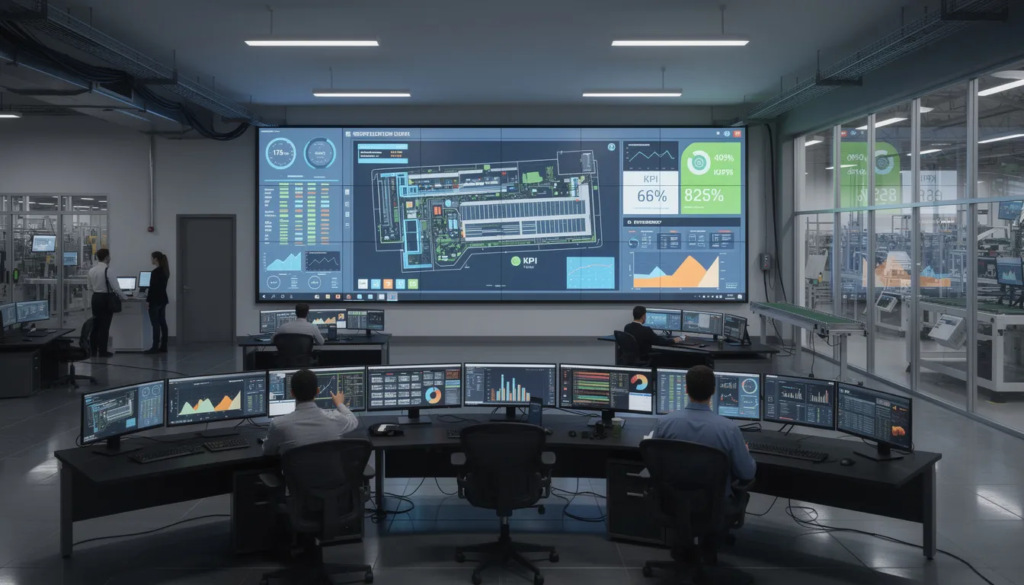
- Modern manufacturing plants use digital signage to deliver live data from manufacturing execution systems and BI tools directly to both desk and non-desk workers across multiple facilities.
- Replacing bulletin boards, PA systems, and word-of-mouth with digital displays reduces transcription errors and speeds up decision making when production problems arise.
- Digital signage helps drive efficiency by providing real-time data and fostering team engagement, which enhances operational productivity and optimizes workflow.
- Approximately 90% of manufacturing businesses now rely on digital signage to reinforce training and improve output.
- Digital signage supports lean manufacturing and Industry 4.0 initiatives by visualizing production data across all lines and sites without adding manual workload.
- Manufacturers can start small with a single production line or work cell, then scale to multi-site networks as content strategies mature and ROI becomes clear.
Introduction: Why Digital Signage Matters on the Factory Floor
Picture a typical manufacturing plant in 2024. Supervisors tape paper notices to break room walls that nobody reads. Radios crackle with garbled updates that operators miss while running loud equipment. Daily shift meetings attempt to cover critical information, but by the time third shift arrives, the message has changed three times. Meanwhile, a quality specification change sits unread in someone’s email inbox while defective product keeps moving down the production line.
Digital signage in manufacturing solves this fragmentation. At its core, manufacturing digital signage is a network of digital displays managed by central software that pushes targeted, real-time content to production floors, warehouses, and common areas. Digital signage eliminates, or significantly reduces, reliance on paper-based communications. Unlike the static screens you see in retail, these systems prioritize operational data—machine status, safety alerts, production metrics—over promotional content. The technology is designed to survive industrial environments with dust, vibration, and temperature swings that would destroy standard commercial displays. By modernizing manufacturing operations, digital signage enhances safety, communication, and productivity across the factory floor.
This article focuses on how digital signage transforms safety, productivity, and communication in manufacturing environments. You’ll find concrete use cases, integration strategies, and practical guidance for deployment—not theoretical features or retail-focused applications.
Consider an automotive components manufacturer running three production lines across two shifts. Before deploying digital displays, supervisors spent hours each week updating whiteboards with production targets and manually distributing safety bulletins. When a supplier changed material specifications mid-shift, the information passed through four people before reaching operators—each time losing detail or gaining interpretation. After installing digital signs connected to their manufacturing execution systems, the plant pushed specification changes to all affected screens within seconds. Downtime tracking became visible in real time, and operators could see exactly how their line performed against hourly targets. The result was faster response to problems and fewer communication-related quality escapes. Digital signage helps create an informed workforce by providing timely safety alerts, performance data, and operational updates, ensuring employees are always aware of critical information.
The Communication Gap in Manufacturing
Traditional communication methods in manufacturing were designed for a simpler era. Paper boards, laminated work instructions, shift briefings, radios, and email each served a purpose when plants ran single shifts with stable product lines. But modern manufacturing facilities operate around the clock with constantly shifting priorities, and these legacy methods simply cannot keep pace.
The pain points are concrete and costly. Production boards display yesterday’s targets because nobody had time to update them. Memos about quality changes sit on a printer in the supervisor’s office while second shift runs unaware. Safety notices posted during the day shift go unread by night workers who enter through a different door. Operators who spend their entire shift on the shop floor never check email, missing critical updates entirely. These small failures accumulate into hours of lost productivity each week. Immediate communication of safety alerts, OSHA compliance updates, and hazard warnings through digital signage reduces workplace accidents.
Digital signage ensures that the same accurate message reaches all relevant screens at once. When a packaging specification changes or a safety alert needs immediate attention, the update appears simultaneously on every display where it matters. Real time alerts for operational issues, safety hazards, or emergencies enable staff to respond proactively, improving safety and preventing delays or accidents. There’s no telephone game, no waiting for the next shift meeting, and no reliance on supervisors remembering to pass along important messages.
Messages Get Lost in Translation Between Teams
Information in manufacturing plants typically flows through a chain: plant manager to supervisors to team leaders to operators. At each handoff, details change. Emphasis shifts. Context disappears. By the time critical information reaches the factory floor, it may bear little resemblance to the original message.
A realistic example: quality control identifies that a packaging specification threshold has changed from the supplier. The quality manager tells the production supervisor during a hallway conversation. The supervisor mentions it to the team leader during a line walk, but forgets one detail. The team leader passes a slightly different version to operators at the start of their shift. Two hours later, product is being packaged to the old specification, and rework begins piling up.
A central digital signage system eliminates this distortion. The quality team publishes the updated specification directly to all affected line displays using standardized language and clear visuals. Large, legible headlines and color coding ensure operators understand the change in seconds, even in noisy areas. No additional meetings are required to clarify the update. Everyone sees the identical, approved message at the same moment.
Production Problems Show Up Too Late
Many manufacturing plants still rely on end-of-shift reports or manually updated whiteboards for OEE, downtime, and scrap data. This approach hides problems until it’s too late to address them efficiently. When a critical machine runs below target speed for two hours, the issue only surfaces in the after-shift report—long after operators could have adjusted staffing, pace, or prioritization to compensate.
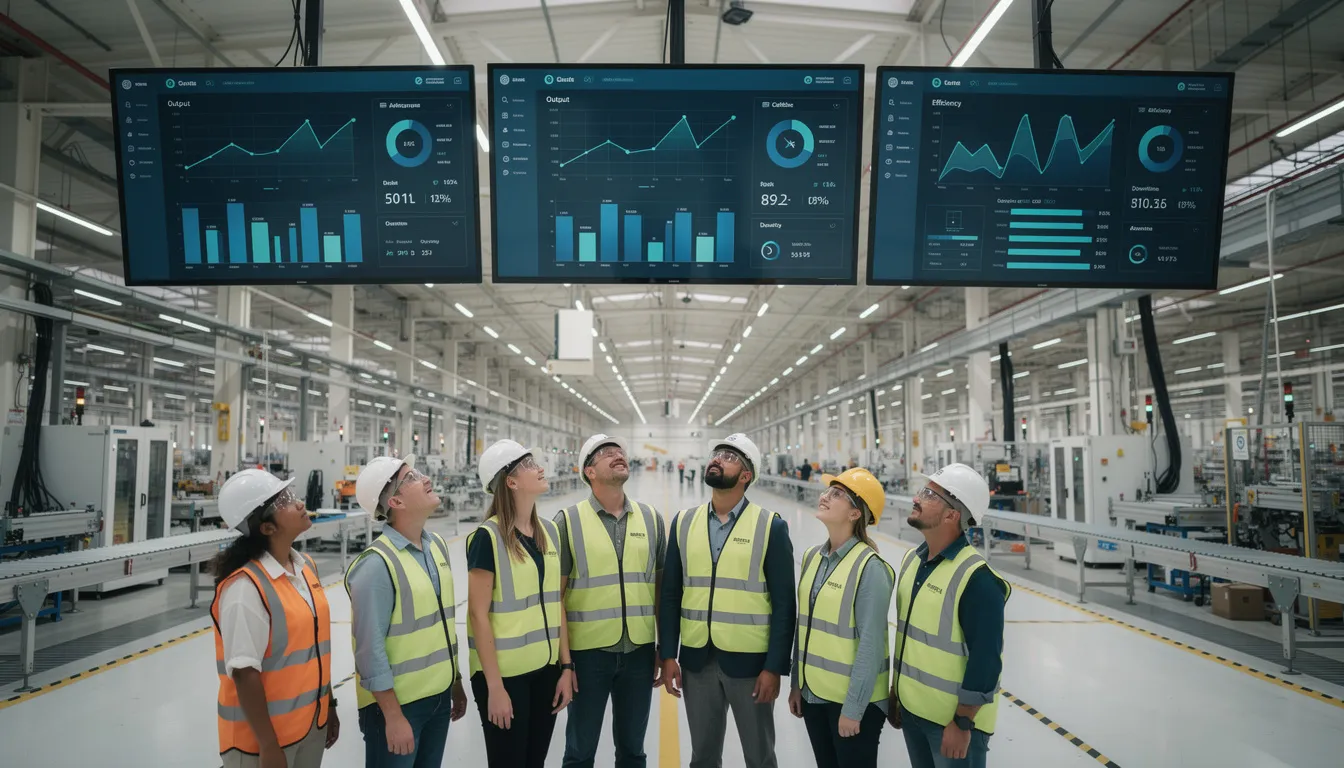
Real time visibility changes this dynamic entirely. Digital displays mounted above production lines show live line speed, reject rates, throughput versus targets, and bottleneck indicators. The data updates every 30 to 60 seconds from SCADA or MES systems. When a packaging line sees its hourly case count lagging against target, operators and supervisors can intervene immediately rather than discovering the miss at day-end.
This immediate visibility directly supports continuous improvement initiatives. During daily Gemba walks, leaders can reference live dashboards instead of waiting for compiled reports. Kaizen teams can track the impact of process changes in real time rather than waiting days for data analysis.
Safety Messages Don’t Get Seen When They Matter Most
Static safety posters and cluttered bulletin boards become visual background noise over time. Workers develop what researchers call “banner blindness”—they literally stop seeing the signs they pass every day. A faded hazard notice at the far end of an aisle does nothing to prevent a chemical spill near the entrance.
Research indicates that digital signage messaging is seven times more effective than posters, memos, and intranet notifications. The movement and brightness of digital displays capture attention in ways that static materials cannot. More importantly, digital signage solutions improve safety by displaying real-time safety alerts, reminders, and compliance messages, ensuring that critical information is always current and visible to employees. Digital signage systems also improve workplace safety by delivering targeted safety alerts and updates in real time, increasing awareness and supporting a safer working environment. In fact, real-time displays for emergency alerts and safety reminders can reduce workplace injuries by as much as 20%.
Standardized color schemes reinforce urgency: red for emergency, amber for caution, green for safe status. These conventions work across language barriers and require no reading to understand. Digital signage also logs when alerts were displayed, supporting incident reviews and demonstrating commitment to Environment, Health, and Safety standards during audits.
Core Benefits of Digital Signage in Manufacturing
The benefits of digital signage for manufacturing fall into three interconnected categories: safety and compliance, productivity through real time data, and culture and engagement. These advantages appear both on the shop floor where operators and maintenance teams work, and in supporting areas like quality labs, HR offices, and training rooms.
Benefits scale appropriately from single-site job shops to global manufacturers running multiple plants across automotive, food and beverage, pharmaceutical, and metals industries. The technology adapts to each environment rather than forcing a one-size-fits-all approach.
Each benefit deserves concrete exploration through practical examples and content guidance rather than abstract feature lists.
Improving Safety and Compliance
Digital displays can show rotating safety topics that keep critical messages fresh: PPE reminders, lockout/tagout procedures, forklift traffic zones, incident-free day counters, and emergency procedures. Unlike static materials that fade into the background, screens allow content to update based on new hazards, seasonal risks, equipment changes, or regulatory requirements.
OSHA guidance and ISO 45001 requirements emphasize the importance of effective safety communication. Digital signage supports compliance by ensuring safety messages reach the entire workforce consistently and by documenting when alerts were displayed. This audit trail demonstrates organizational commitment during inspections.
Time-of-day and location-based scheduling can prioritize the most relevant information. Chemical handling reminders appear near mixing areas during specific shifts. Forklift safety content runs more frequently in high-traffic warehouse zones. Heat stress warnings display prominently during summer months in areas without climate control.
Safety content should be concise, visual, and easily understood by multilingual teams. Pictograms and minimal text work better than dense paragraphs. Animated graphics showing proper procedures capture attention without requiring language skills. This approach enhances safety outcomes while improving workplace safety across diverse workforce populations.
Boosting Productivity with Real-Time KPIs
Digital signage can display live OEE, throughput, first-pass yield, changeover times, and downtime reasons sourced directly from MES and SCADA systems. This transforms production data from a retrospective reporting exercise into an active management tool.
Consider a practical example: a packaging line displays its hourly case count against target on a large overhead screen. Operators see immediately when they’re falling behind and can adjust pace, request additional staffing, or flag equipment issues before small problems become significant misses. Supervisors reference the same data during line walks, enabling faster decision making without waiting for compiled reports.
Simple visual cues reinforce comprehension. Green indicates on-target performance, amber signals caution, red demands immediate attention. These color codes allow operators to gauge status with a quick glance rather than studying detailed numbers. Production goals become visible and shared rather than abstract targets discussed only in meetings.
Consistent visibility of key performance indicators encourages healthy competition between lines or shifts when implemented thoughtfully. Teams naturally work to improve when their results are easily visible to peers. The data must be trustworthy and updated automatically to maintain credibility—manual re-entry introduces errors and delays that undermine the system’s value.
Strengthening Employee Communication and Culture
Digital signage can replace or complement email for HR updates, policy changes, benefits enrollment deadlines, and company announcements. For employees informed primarily through plant-based communication rather than computers, screens become the primary channel for important messages.
Content ideas extend well beyond operational data: birthdays, work anniversaries, team achievements, quality awards, new team members, and community involvement events all fit naturally on common area displays. Recognizing individuals and teams on screens visible in break rooms and near time clocks increases employee engagement and helps boost morale.
A consistent visual identity—brand colors, fonts, and logos—keeps internal communications professional and reinforces organizational culture. Content can be tailored by location to support different languages or plant-specific events while maintaining corporate message consistency across multiple facilities.
This human-focused content prevents screens from becoming purely operational tools that workers learn to ignore. Mixing fun content with critical information keeps displays fresh and maintains attention over time.
Key Use Cases of Digital Signage in Manufacturing
Digital signage is most effective when mapped to specific, repeatable workflows rather than used as a generic notice board. The technology should solve real communication problems, not simply digitize existing paper clutter.
Practical use cases relevant to most manufacturers include production dashboards, safety alerts, lean and Kaizen boards, training content, warehouse visibility, and employee recognition. Each use case can start small with a single digital screen and expand across departments and sites as value becomes clear.
Prioritizing two or three high-impact use cases in year one typically produces better results than attempting to implement every idea simultaneously. Focus creates momentum; sprawl creates confusion.
Production Floor Dashboards
Position screens where they matter most: above production lines, near cell entrances, at supervisor stations, and in central control rooms. Placement should consider natural sightlines so operators can glance at data without interrupting their work.
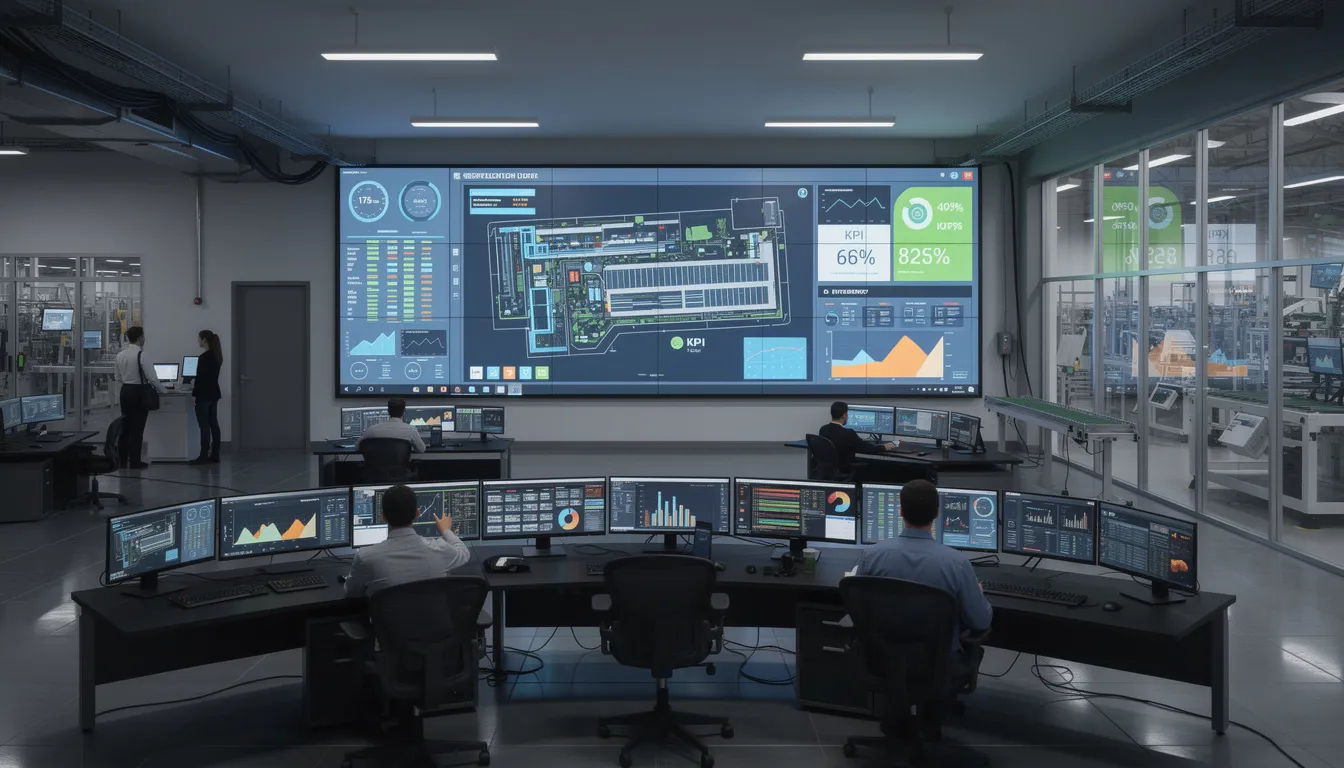
Typical data elements include hourly output versus target, scrap rate, changeover status, backlog depth, and upcoming maintenance windows. The goal is answering the question “How are we doing right now?” without requiring anyone to leave their station or pull up a computer.
Design simple layouts with large numbers, trend arrows, and minimal visual clutter. Operators viewing screens from several meters away in variable lighting need information that reads instantly. Content should update automatically in near real time—every 30 to 60 seconds—based on feeds from existing data sources.
Line-level dashboards belong on the shop floor near relevant operations. More aggregated plant-wide views serve management areas and control rooms where leaders need cross-line visibility.
Lean, Kaizen, and Continuous Improvement Boards
Digital signage can replace the manual whiteboards used for daily stand-ups, 5S audits, and Kaizen project tracking. These physical boards require constant erasing and rewriting, and their data disappears after each update cycle.
Content for continuous improvement displays includes open action items with owners and due dates, recently completed improvements, before and after photos documenting changes, and 5S audit scores by area. This information supports the daily huddles that drive lean manufacturing initiatives.
Schedule this content to appear prominently during shift handover times and daily huddles when teams naturally gather near specific locations. Teams can review yesterday’s performance and today’s priorities directly on the nearest screen without crowding around a small whiteboard.
Digitized continuous improvement boards preserve historical data for trend analysis. Instead of losing information with each erase, plants can track improvement velocity and identify patterns over time.
Training, SOPs, and On-the-Job Guidance
Short training clips, standard operating procedures, and micro-lessons can run during breaks or low-intensity periods near relevant workstations. This real-time digital signage approach embeds employee training into the daily environment rather than relegating it to separate classroom sessions.
Digital signage delivers just-in-time training and visual reminders for Standard Operating Procedures (SOPs), improving quality and reducing errors.
Concrete examples include correct changeover steps displayed near the equipment being changed, quality inspection methods shown near inspection stations, and maintenance lubrication points highlighted near the machines requiring service. The content appears where and when workers need it most.
Looped micro-learning of 30 to 90 seconds works better than long training videos that workers will ignore. Brief, focused content respects operators’ time while reinforcing critical procedures.
This approach particularly supports onboarding of new team members and temporary workers, reducing dependency on shadowing alone. Content should align with documented procedures and version control so screens always display the latest approved instructions. Manufacturing communication becomes more consistent when everyone references the same authoritative source.
Warehouse and Logistics Visibility
Screens in loading bays, staging areas, and warehouses can show inbound and outbound schedules, dock assignments, priority orders, and live shipment status. Drivers arriving at the facility see which dock to report to and estimated loading times, reducing radio calls and confusion.
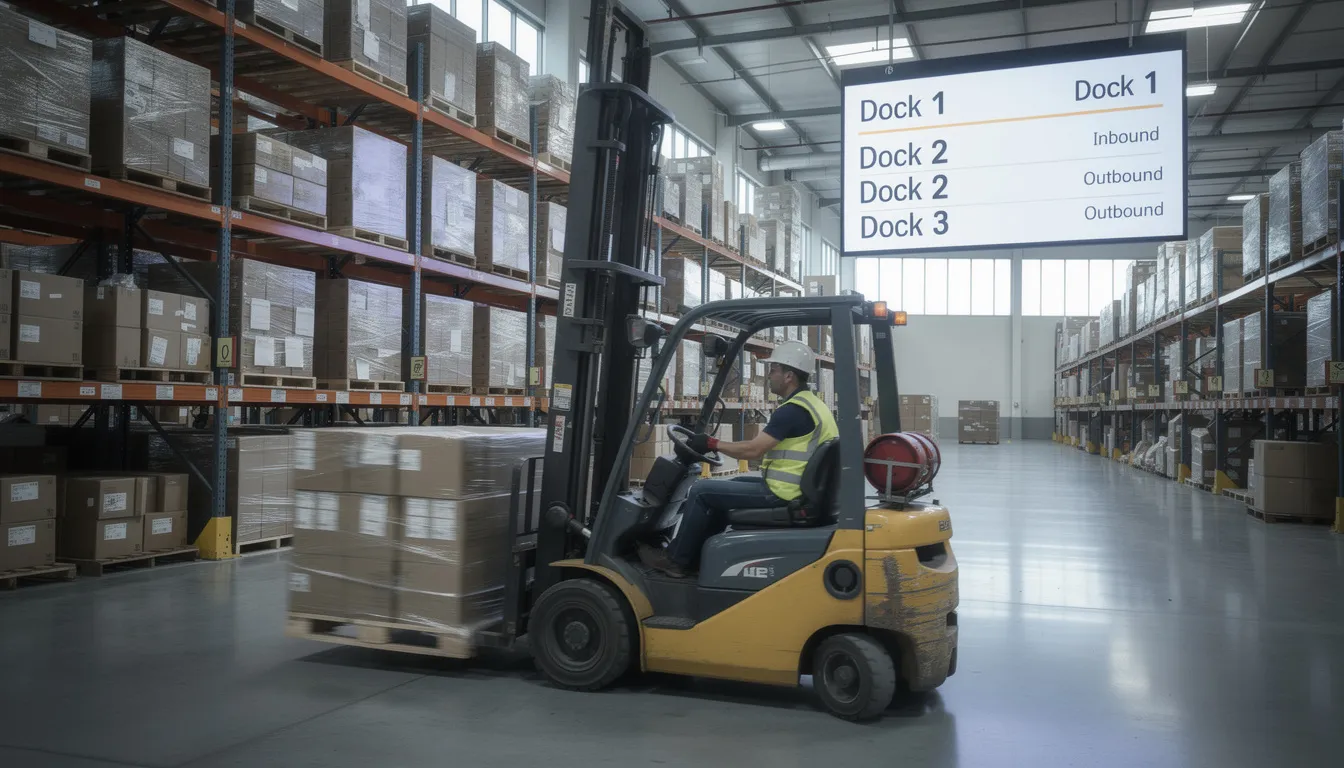
Integration with WMS or TMS systems enables real time visibility of critical shipments and inventory levels alerts. When a high-priority order requires expedited handling, the system can highlight it on relevant screens automatically.
The impact includes improved on-time delivery, reduced staging area congestion, and fewer misloads or misdirected pallets. Each small efficiency gain compounds across hundreds of daily movements.
Warehouse screens should favor simple, high-contrast text and icons readable from a distance. Forklift operators need information they can absorb in a glance while safely maneuvering equipment.
Company News, Recognition, and Engagement
HR and leadership teams can use common area screens for town-hall recaps, leadership messages, survey participation reminders, and company updates. Photos from recent volunteer days, summaries of quarterly results, and shout-outs to teams that hit quality or safety milestones all fit naturally into this content stream.
Mixing operational content with human-focused messages keeps screens fresh and reduces the banner blindness that develops when displays show only numbers. A recommended content ratio is approximately 60 percent operational, 25 percent safety, and 15 percent recognition and news—adjusted based on feedback and plant priorities.
This content helps align plant workers with corporate strategy, especially in multi-site organizations where the entire workforce may feel disconnected from headquarters decisions. Employees informed about company direction and recognized for their contributions show higher engagement and retention.
Data and System Integration: Making Screens Truly Real-Time
The real power of digital signage emerges from real-time digital signage integration with existing systems rather than manual updates. When screens display data pulled automatically from production systems, they remain accurate and current without requiring supervisor intervention.
The most common data sources in manufacturing include MES, ERP, SCADA and PLC systems, quality databases, Excel files, and business intelligence tools like Power BI or Qlik. Each source provides different types of relevant information to different areas of the operation.
Integrations should be designed so that once configured, frontline supervisors don’t need to touch the system for daily updates. Automation eliminates transcription errors and frees operational staff to focus on running production rather than updating screens.
Connecting to MES, ERP, and BI Dashboards
Manufacturing execution systems and SCADA can push line status, downtime codes, and production counts directly to digital signage dashboards without manual export or import cycles. This connection provides the real time KPIs that make screens operationally valuable rather than merely informational.
ERP and WMS systems can provide order backlogs, due dates, shipment priorities, and inventory levels to relevant areas of the plant. Logistics screens display what’s arriving and departing; production screens show what’s needed next.
Existing BI dashboards from tools like Power BI can be embedded or reformatted for large screens. Focus on the most critical visuals rather than attempting to display entire reports designed for desktop viewing. Collaboration with IT and OT teams establishes secure APIs or data feeds with clear documentation and change control.
Initial integrations can start simple—pulling from a shared Excel file or database export—before evolving to more sophisticated real-time connections. Starting small proves value and builds organizational confidence for deeper integration work.
Automated Playlists and Targeted Content
Scheduling rules and dynamic, real-time playlists ensure the right message reaches the right screen based on line, department, or shift. Different areas of the plant have different information needs; a single content loop rarely serves everyone effectively.
Safety alerts can appear more frequently on high-risk lines or before planned downtime windows when additional hazards exist. Maintenance reminders display when equipment approaches service intervals. Shift-specific content appears only during relevant hours.
Priority-based content allows critical updates to interrupt regular loops. When an emergency alert triggers, normal programming stops immediately. After the situation resolves, the system resumes normal content automatically. This override feature ensures critical situations receive immediate attention without requiring manual intervention.
Standard content categories—safety, performance, HR, training—should be assigned frequency weights that reflect plant priorities. Automation and real-time information reduce the need for someone to constantly manage the system, improving operational efficiency by freeing supervisors to focus on production rather than screens.
Security, Access Control, and Governance
Secure access matters for any system that displays information to the entire workforce. Integration with SSO systems like Azure AD or Okta enables role-based permissions controlling who can publish and approve content.
Multi-site or multi-department plants should define clear content ownership. Safety teams control safety messages. HR manages employee communication content. Operations owns production metrics displays. Clear governance prevents conflicting messages and maintains brand consistency across multiple screens and locations.
Approval workflows, brand standards, and retention policies for content and event logs should be documented early. Without governance, ad-hoc usage proliferates and the signage network loses credibility and effectiveness.
OT and IT security concerns deserve attention as well. Screen players should be segmented appropriately from critical control networks where necessary. Security reviews during planning prevent issues that would be costly to address after deployment.
Practical Deployment: From Pilot to Plant-Wide Rollout
Successful deployment follows a phased approach: pilot on one line or zone, refine based on feedback, then expand across the plant and to other sites. Digital signage 101 guidance for modern businesses reinforces that attempting a full manufacturing plant deployment without piloting typically leads to costly rework and user frustration.
Hardware, digital signage software, content strategy, and change management all affect outcomes. Neglecting any element undermines the others. Operations, safety, IT/OT, and HR teams should be involved early in planning to ensure buy-in and practical input.
A realistic pilot timeline runs 60 to 90 days, depending on hardware lead times, network readiness, and integration complexity. This timeframe allows sufficient learning without dragging deployment into irrelevance.
Choosing and Placing Hardware for Industrial Environments
Industrial environments demand appropriate hardware. Industrial-grade displays or commercial monitors sized for viewing distance—typically 43 to 65 inches—provide the foundation. Environmental factors including dust, vibration, humidity, temperature variation, and washdown requirements may necessitate protective enclosures with appropriate IP or NEMA ratings.
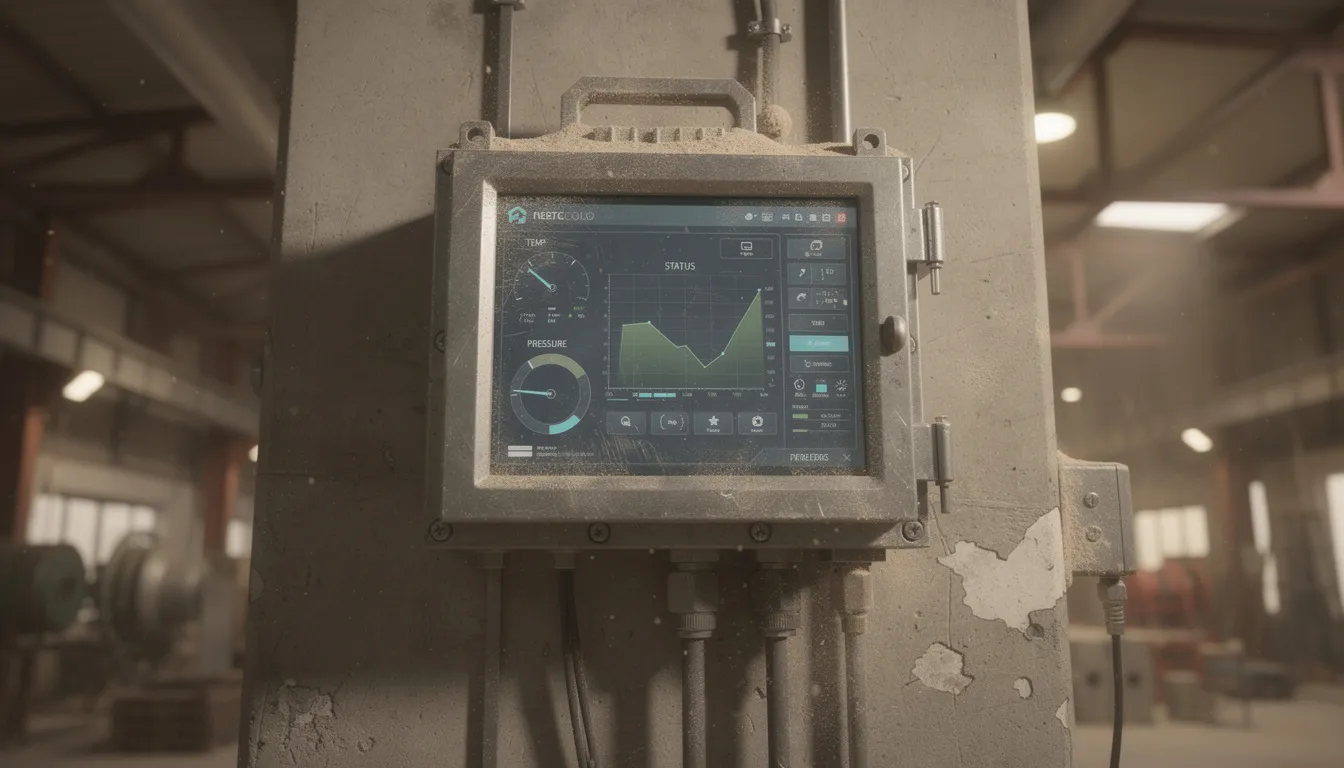
Position screens where operators naturally look: above main aisles, near line control panels, in break rooms, and at plant entrances. Placement should consider traffic patterns and natural sightlines. Screens must be mounted high enough to avoid collisions with equipment and forklifts.
Standard mounting options include ceiling mounts, wall mounts, and floor stands. Each has appropriate applications depending on facility layout and structural considerations. Power and network availability should be verified in advance; wired connections provide reliability where wireless coverage is inconsistent.
Designing Effective On-Screen Content
Effective content in manufacturing requires large fonts, simple layouts, and high-contrast colors readable from several meters away in variable lighting. Operators viewing screens while moving or working cannot study complex charts.
Limit each screen to a few key data points rather than crowded dashboards attempting to show everything. Rotation can display additional detail if needed, cycling through content categories every 15 to 30 seconds. Each individual view should communicate its message within seconds.
Motion and animation attract attention but should not distract from safe work. Subtle movement draws eyes without creating hazards. Avoid rapid flashing or video near areas requiring focused visual attention.
Standard templates for different content types—safety alerts, production metrics, HR announcements—keep appearance consistent and speed content updates. When everything looks professional and familiar, employees informed by the screens trust the information they receive.
Accessibility considerations include color-blind-friendly palettes and multilingual captions where workforce demographics require them. Interactive screens in appropriate locations can provide additional detail on demand.
Change Management and Adoption
Introducing digital signage changes how information flows through the organization. This is an operational project requiring change management, not merely an IT installation that can be completed and forgotten.
Communicate early with supervisors and operators about what screens will show, why it matters, and how feedback will be collected. Resistance decreases when people understand the purpose and feel heard during implementation.
A small cross-functional steering group—representatives from operations, safety, HR, and IT—should define objectives and review initial content. This group ensures diverse perspectives shape the system rather than a single department’s priorities dominating.
Gather feedback during the pilot phase through short surveys or informal interviews. Adjust layouts, content frequency, and screen locations based on what operators actually find useful. Leadership should reference screens consistently during daily huddles and Gemba walks to reinforce their importance and drive adoption.
Measuring ROI and Continuous Improvement
Deploy digital signage should be justified with measurable outcomes, not simply because it looks modern or competitors have adopted it. Clear metrics demonstrate value to leadership and justify expansion from pilots to broader deployment.
Key impact areas include reduced downtime, fewer safety incidents, faster communication cycles, less time spent updating paper materials, and higher employee engagement scores. Each represents a tangible cost or benefit that can be tracked.
Define baseline metrics before deployment. Track changes over three, six, and twelve months. ROI often comes from cumulative small gains across many lines and shifts rather than a single dramatic improvement. A few minutes saved per incident multiplied by hundreds of incidents creates substantial value.
Defining the Right Metrics
Specific KPIs provide actionable measurement: average response time to line stops or alerts, number of safety near-misses or recordable incidents, rework percentage, training completion rates, and communication lead times from decision to visibility on screens.
Compare incident data, downtime logs, and output before and after signage implementation at pilot lines. This before-and-after comparison isolates the impact of digital signage from other concurrent changes.
Track soft metrics as well. Employee survey results on communication clarity and recognition provide insight into cultural impact that may not appear in operational data immediately.
Align signage goals with existing plant objectives. If the plant targets a specific OEE number or aims to reduce recordable incidents by a defined percentage, digital signage should demonstrably support those goals. Clear connections help justify scaling from pilot to additional lines or plants.
Iterating on Content and Strategy
Digital signage requires ongoing attention to remain effective. A simple review cadence—guided by best practices for getting started with real-time digital signage—removes stale items, updates templates, and rebalances content categories based on current priorities.
Gather input from line leaders on what data helps them most and what displays rarely get attention or cause confusion. Their front-line perspective reveals practical improvements that planning teams miss.
A/B-style experimentation provides objective guidance. Test different layouts or message timings on different lines and compare outcomes. Let data guide optimization rather than opinions alone.
Document lessons learned from pilots and use them as guidelines for future rollouts. As processes, products, and safety priorities evolve, digital signage content and strategy should evolve alongside them. Systems that stagnate lose attention and effectiveness.
FAQ
The following questions address practical concerns not fully covered in the main sections. Answers are written for manufacturing leaders, EHS managers, and operations teams evaluating or planning digital signage deployments.
How much does digital signage for a manufacturing plant typically cost?
Costs depend on scale and requirements. Main components include displays, media players, mounting hardware, digital signage software licenses, installation labor, and network infrastructure where needed. A small pilot on a single production line with a few screens requires modest investment, while a medium plant deployment with dozens of displays and full system integration represents significantly larger capital commitment.
Ongoing costs include software subscriptions, maintenance, and occasional hardware replacement. Content creation typically uses internal resources rather than external agencies for most manufacturers.
ROI comes primarily from operational improvements rather than direct revenue: reduced downtime, lower printing costs for paper notices, decreased safety-related expenses, and time savings from automated data display. Plants that track these savings often find payback periods measured in months rather than years.
Will digital signage distract operators or create safety risks?
Well-designed content minimizes distraction. Limited motion, simple layouts, and absence of unnecessary video near hazardous zones keep attention focused on work. The goal is glanceable information that operators absorb during natural pauses rather than content demanding continuous attention.
Position screens out of direct line-of-sight from tasks requiring constant visual focus while remaining easily visible during normal movement. Many plants coordinate with safety teams to review screen placement and content guidelines before deployment, ensuring that critical messages enhance rather than compromise workplace safety.
Emergency notifications and safety content receive priority over promotional or secondary messages. The system’s purpose is improving operations, not entertaining workers.
Who should be responsible for managing content on the screens?
A shared model works best. Central administration by operations or communications teams maintains templates, system governance, and cross-plant consistency. Local plant or department owners handle updates specific to their areas without requiring corporate approval for routine changes.
Assign clear ownership by content type: safety teams control safety messages, HR manages employee content, production owns performance dashboards. Approval workflows prevent conflicting messages and maintain quality standards.
Frontline supervisors rarely need to design content from scratch. Pre-built layouts and automated data feeds handle most daily updates. A small group of power users—trained on the digital signage software—can support others and maintain standards across sites without requiring steep learning curve adoption by everyone.
How long does it take to implement a digital signage pilot in a factory?
Typical pilots take 60 to 90 days from planning to operational use. The timeline varies based on hardware lead times, network readiness, and integration complexity with existing systems.
Phases include planning and objective definition, hardware selection and procurement, physical installation, software configuration, content setup, and user training. Starting with existing data sources—exported reports or shared spreadsheets—shortens the initial timeline compared to full MES integration.
Integration with manufacturing execution systems, ERP, or BI tools extends the schedule but delivers significant long-term value through automated real time data display. Many plants begin with manual or simple data feeds, then add sophisticated integrations after proving initial value.
Can digital signage work in harsh or hygiene-sensitive environments?
With appropriate hardware and enclosures, digital signs operate effectively in dusty, wet, cold, hot, or washdown areas. Food processing plants, metal fabrication facilities, and chemical manufacturing all present challenges that purpose-built solutions address.
Protective options include stainless steel enclosures for hygiene-sensitive areas, shatterproof fronts for impact resistance, and appropriate IP or NEMA ratings for moisture and dust protection. Facilities and EHS teams should specify requirements based on actual environmental conditions in each deployment zone.
In extremely harsh locations—such as directly over furnaces or inside blast freezers—screens can be positioned just outside the most demanding zones while still serving nearby workers with relevant information. Creative placement solves most environmental challenges without requiring exotic hardware solutions.
Emergency Preparedness and Critical Alerts
In the fast-paced, high-stakes environment of modern manufacturing, the ability to communicate critical information instantly can make the difference between a controlled response and a costly incident. Emergency preparedness is not just about having protocols on paper—it’s about ensuring every employee, on every shift, receives the right message at the right moment. This is where digital signage for manufacturing truly proves its value.
Digital signage solutions empower manufacturing facilities to broadcast emergency alerts—such as evacuation instructions, fire alarms, or severe weather warnings—across multiple screens on the production floor in real time. Unlike traditional methods that rely on word-of-mouth, static posters, or PA systems that can be missed in noisy environments, digital signs cut through the chaos with clear, high-visibility messages. Whether it’s a chemical spill in one zone or a plant-wide evacuation, digital signage ensures that critical messages reach the entire workforce instantly and consistently.
The backbone of this capability is robust digital signage software. With the right platform, safety and operations teams can create customized emergency alert templates that are easy to read and update. These templates can be deployed to all relevant screens with a single command, ensuring that every employee sees the same, approved instructions—no matter where they are on the factory floor. Integration with manufacturing execution systems means that real-time production data and quality metrics can also be displayed alongside emergency alerts, giving supervisors and operators the information they need to make informed decisions in critical situations.
Beyond emergencies, digital signage plays a key role in keeping employees informed about safety protocols, employee training schedules, and production goals. Company announcements and reminders about best practices can be woven into regular content loops, reinforcing a culture of safety and preparedness. When drills or training sessions are scheduled, digital displays can notify teams in advance and provide step-by-step guidance during the event, reducing confusion and ensuring everyone knows their role.
To deploy an emergency alert system using cloud-based digital signage effectively for emergency preparedness, manufacturing facilities should focus on a few best practices. First, invest in digital signage software that supports real-time updates, multi-screen management, and user-friendly scheduling. Design emergency alert templates that use bold colors, large fonts, and clear language—making them instantly recognizable even in high-stress situations. Integrate digital signage with manufacturing execution systems to provide context-specific alerts and display relevant production data when needed. Regular training and drills are essential, so employees know how to respond when critical messages appear on digital screens. Finally, monitor the effectiveness of your digital signage network by reviewing response times and gathering feedback after drills or real incidents, making adjustments to optimize performance.
By following these strategies, manufacturing facilities can transform their approach to emergency preparedness. Digital signage ensures that critical information is delivered promptly and reliably, supporting swift, coordinated responses that protect both people and production. The result is a safer, more resilient workplace—one where employees are informed, engaged, and ready to act when it matters most. In today’s manufacturing environment, digital signage is not just a communication tool—it’s a cornerstone of operational efficiency and workplace safety.
- SignageTube Cloud – cloud-managed signage on any TV
- SignageTube Live – real-time data on your screens
- Digital signage software – how to choose, and what matters
- Templates – 120+ ready-made designs
- Pricing – simple per-screen plans