 SignageTube
12 Best Employee Screen Communication Ideas
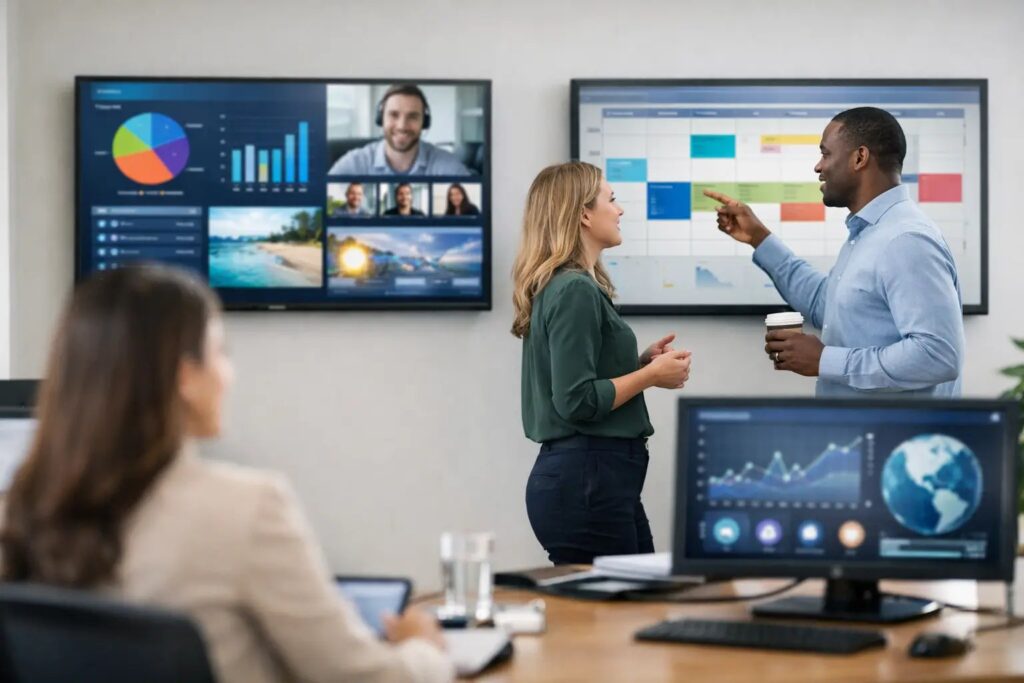
Walk through almost any workplace and you can tell within seconds whether the screens are helping employees or just filling space. The best employee screen communication ideas do one thing well: they make useful information easy to notice, easy to understand, and easy to act on. If a screen is overloaded, outdated, or designed like a marketing ad, employees stop looking. If it is timely, clear, and relevant to their shift, location, or team, it becomes part of how work gets done.
That is the real standard to aim for. Employee-facing screens are not just digital bulletin boards. They are operational tools that can reduce confusion, reinforce priorities, and keep communication consistent across departments and locations. The challenge is not coming up with more content. It is choosing the right content and delivering it in a format employees will actually absorb.
What makes employee screen content work
Good employee communication on screens sits at the intersection of visibility, timing, and usefulness. A break room display has a different job than a screen near a time clock or in a staff-only hallway. One may support culture and recognition, while another needs to deliver quick updates before a shift starts.
That is why the best employee screen communication ideas are usually a mix of operational and human content. Too much policy messaging and people tune out. Too much celebration content and the screen feels disconnected from daily work. The strongest programs balance both.
It also helps to think in terms of repeatability. If every update requires a designer, a custom layout, and manual changes on every screen, the system will stall. Teams get better results when they use a familiar creation workflow, standard templates, and centralized scheduling. For many organizations, that means building polished content in PowerPoint and publishing it across one or many displays without reinventing the process every week.
12 best employee screen communication ideas
1. Shift-start priority messages
If employees only look at a screen for a few seconds, start with the content that affects today. Shift priorities, staffing reminders, service goals, and temporary process changes are some of the highest-value messages you can display.
These updates work best when they are short and tied to a clear action. “Inventory count at 3 PM in Zone B” is more useful than “Please stay aware of inventory procedures.” Specific beats general every time.
2. Safety reminders that rotate by season or task
Safety content often becomes invisible because it never changes. Rotating reminders based on weather, equipment use, patient flow, food handling, or current incidents keeps the message relevant.
The trade-off is frequency. If safety slides change too often without a reason, they can feel random. Tie them to current conditions, recent trends, or scheduled safety themes so employees understand why the message is on screen now.
3. KPI dashboards employees can influence
Metrics on employee screens can be motivating or demoralizing, depending on how they are presented. The most effective dashboards focus on numbers employees understand and can impact, such as order accuracy, wait times, satisfaction scores, production targets, or compliance rates.
Avoid crowding the screen with executive-level reporting. A simple visual showing target, current performance, and trend is usually enough. In some environments, live updates are valuable. In others, daily refreshes are more than enough and easier to manage.
4. Recognition that feels specific
Generic employee appreciation messages do not carry much weight. Recognition gets attention when it is timely and concrete. Highlight a team member for solving a customer issue, completing certification, covering shifts, or reaching a service milestone.
This is one of the easiest ways to make staff screens feel relevant without creating extra work. A reusable recognition template lets managers submit names and details quickly, while keeping the presentation consistent across locations.
5. Leadership updates without the inbox overload
Not every leadership message needs an email. Screens are useful for short executive notes, policy reminders, strategic priorities, and major business updates that employees should see more than once.
The key is editing. A screen is not a memo. Pull out the headline, the reason it matters, and what employees should do next, if anything. If the message needs three paragraphs to make sense, it probably belongs somewhere else.
6. Training refreshers and micro-learning
Short training reminders work well on employee screens, especially in environments with frequent process repetition. Think of quick refreshers on handwashing steps, customer greeting standards, equipment checks, or cybersecurity basics.
This approach works best for reinforcement, not full instruction. Screens are ideal for reminding people what good looks like. They are not a replacement for proper onboarding or compliance training.
7. HR and benefits deadlines
Open enrollment, holiday schedules, PTO reminders, payroll deadlines, and policy acknowledgment dates are easy to miss in email-heavy organizations. Screens help repeat these messages in high-traffic staff areas without requiring extra follow-up.
Timing matters here. Start early enough to build awareness, then increase visibility as the deadline approaches. Scheduling content in advance helps internal teams stay ahead instead of scrambling to update every display manually.
8. Internal event promotion
Volunteer days, town halls, appreciation lunches, wellness activities, and team celebrations all benefit from screen visibility. These messages help participation because they reach employees where they already are rather than waiting for them to open an email or intranet post.
That said, event promotion should not dominate the playlist. If every slide is about an upcoming activity, operational content gets buried. A balanced schedule keeps screens useful, not noisy.
9. Wayfinding and room-use updates for staff areas
In large offices, hospitals, campuses, and multi-building facilities, employee screens can reduce friction by showing room assignments, meeting locations, department moves, and navigation cues.
This is especially effective when the information updates automatically. If teams are managing room changes or operational schedules in real time, a live data-driven screen setup can remove a lot of manual work and reduce errors.
10. Service alerts and operational disruptions
Not every communication plan survives a last-minute change. Screens are valuable when an entrance closes, a network issue affects service, a department shifts location, or a weather event changes operations.
For these messages, speed matters more than design complexity. A simple alert template with strong contrast and a clear headline is often the best format. If your organization needs rapid updates from internal systems, an on-premises or live-data approach may be the better fit than a purely manual publishing workflow.
11. Culture content that reflects real teams
Mission statements alone do not create engagement. Culture content works when it reflects actual people, actual milestones, and the day-to-day identity of the workplace. Anniversary shout-outs, community involvement, new hire welcomes, and team photos can all contribute.
The practical point is this: culture content should support belonging, not replace useful communication. It earns its place when it helps employees feel seen while still sharing space with content that helps them do their jobs.
12. Location-specific messaging inside a centralized system
One reason employee screen programs break down is that every site wants its own content, while leadership wants consistency. Both needs are valid. The right answer is not choosing one over the other. It is using shared templates with room for local updates.
A central team can control branding, layout, and core messaging, while local managers update shift notes, staffing reminders, or event details relevant to their site. That keeps screens aligned without making them feel generic.
How to choose the best employee screen communication ideas for your workplace
The best content mix depends on traffic patterns, employee roles, and how often information changes. In a warehouse or manufacturing setting, shift priorities, safety, and production metrics may take the lead. In healthcare, staffing alerts, wayfinding, compliance reminders, and recognition may matter more. In corporate offices, internal events, HR deadlines, room scheduling, and company updates often perform well.
It also depends on who owns the workflow. If internal communications creates every slide from scratch, volume becomes a problem quickly. If department leaders can update approved templates in a familiar tool, content stays fresher with less bottleneck. That is where a PowerPoint-based workflow is practical. It lowers the training burden and gives non-designers a fast way to create screen-ready content that still looks consistent.
Turning good ideas into a screen program employees notice
Ideas are only useful if the delivery is sustainable. Start with a small content framework: operational updates, people-focused content, and time-sensitive reminders. Assign owners for each category, decide how often each one changes, and build templates that make updates quick.
From there, scheduling becomes just as important as design. Not every message belongs on every screen all day. Break room displays can carry a broader mix, while screens near workstations may need tighter, faster loops. Multi-location organizations should also think carefully about governance. Cloud-based management is ideal when teams need remote control across many sites. On-premises or live-update deployments make more sense when security rules, local infrastructure, or real-time operational data are the priority.
The strongest employee screens are not flashy. They are dependable. They help people know what matters right now, what is changing, and what action to take next. If your screens can do that consistently, they stop being decoration and start becoming part of how your organization communicates at work.
- SignageTube Starter – content signage on any TV
- SignageTube Enterprise – live data on your screens
- Digital signage software – how to choose, and what matters
- Templates – 120+ ready-made designs
- Pricing – simple per-screen plans