 SignageTube
Voting Centers: Real-Time Digital Signage for Government and Public Services
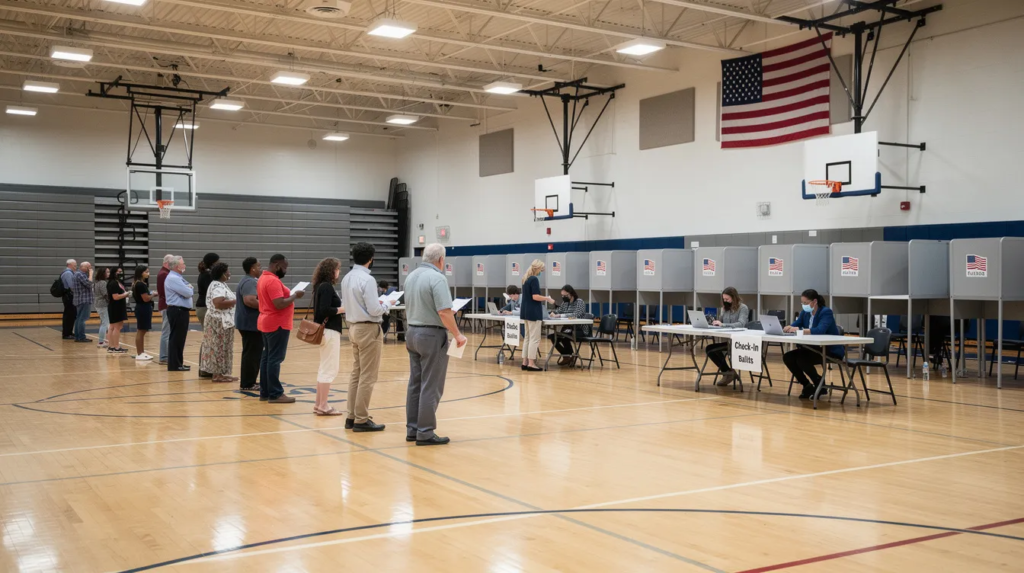
Managing voter flow on election day is one of the most demanding communication challenges in public services. When thousands of people converge on a single location within narrow time windows, clear information becomes critical. The benefits of using digital signage in voting centers include improved communication, greater efficiency, and enhanced organization, helping both staff and voters have a smoother experience. This guide explores how real-time digital signage transforms voting centers into organized, accessible, and efficient operations.
Digital signage software solutions enable users to upload and manage multimedia content across multiple remote screens or sites, making it especially relevant for voting centers that need to coordinate information and updates across various locations. Organizations looking to build broader strategies can draw on digital signage best practices and case studies that show how different sectors use these tools to improve communication.
Fast Answer: What Is a Voting Center and Why Digital Signage Matters?
A voting center is a centralized polling location—sometimes called a super precinct—where any registered voter within a county or jurisdiction can cast their ballot, regardless of their residential precinct. This model emerged in the 2010s as counties sought to streamline operations and increase voter flexibility.
This article focuses on how real-time digital signage helps organizations manage voters, staff, and information flow inside these high-traffic centers during elections. Key use cases include queue management, check-in guidance, room directions, live turnout updates, emergency alerts, and accessibility information for people with disabilities or language needs.
Many election offices still rely on paper signs and verbal announcements. These methods are slow to update, inconsistent across locations, and often illegible by mid-day. A 2023 MIT study found 68% of vote centers reported signage inadequacies leading to 15-20% misdirection rates.
SignageTube Live offers a real-time, on-premise digital signage solution that lets government agencies control every screen from a central computer—even without cloud access. Combining PowerPoint with SignageTube Live allows election staff to create, update, and broadcast professional-looking content in minutes, without needing graphic designers or specialized IT teams.
Understanding Voting Centers in Modern Elections
Voting centers differ fundamentally from traditional precinct-based polling places. Instead of being assigned to a specific neighborhood location based on your address, any voter in the county can cast their ballot at any center.
Colorado pioneered widespread adoption in 2013, with all 64 counties implementing the model by 2016. Larimer County cut sites from 42 to 13, saving approximately $300,000 annually while boosting turnout 5-10%. In Texas, Harris County processed over 490,000 early ballots across centralized centers in 2024.
Typical features include:
- Larger venues (schools, sports halls, municipal buildings)
- Higher voter volume (5,000+ voters daily in urban areas)
- Extended hours (often 7:00 AM to 8:00 PM)
- Mixed services: in-person voting, ballot drop-off, and support desks
Stakeholders who benefit from better communication include voters, poll workers (often 20-50 per site), election supervisors, security staff, and observers. Recurrent problems—last-minute room changes, equipment downtime, long queues—make voting centers ideal candidates for structured, real-time digital signage platforms like SignageTube Live.
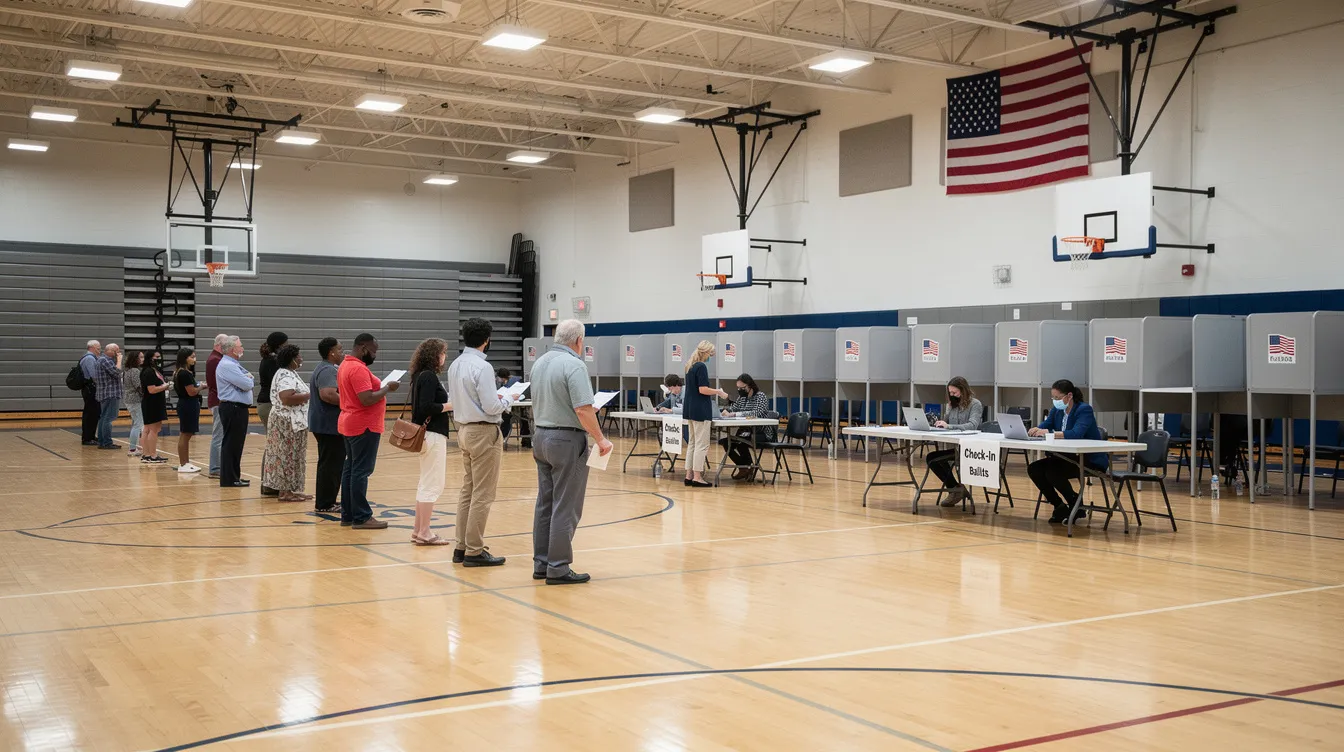
Key Communication Challenges Inside Voting Centers
Election day is time-critical, highly regulated, and stressful. Miscommunication quickly leads to delays, complaints, and abandoned voters.
Crowd management issues dominate peak hours. Morning (7-9 AM) and evening (5-8 PM) rushes account for 70-80% of daily traffic. Without clear direction, voters stand in wrong lines, miss accessible entrances, or wait unnecessarily.
Information overload compounds confusion. Multiple ballot languages, ID requirements, provisional ballot procedures, and accessibility info compete on paper posters. In states with 50+ measures on the ballot, voters need clear guidance just to navigate their options.
Multi-room coordination fails without centralized tools. Separate areas for registration, regular voting, assisted voting, and mail-ballot drop-off often have inconsistent signage. The Election Assistance Commission reports 75% of vote centers span multiple rooms or floors.
Real-time updates are essential but rarely delivered. Wait times fluctuate 10-60 minutes. Machines go offline (affecting 10-15% of equipment per election). High-traffic periods require overflow messaging to satellite sites.
Without centralized tools, each voting center reinvents its own signs, leading to 40-50% inconsistency across a county’s sites.
How Real-Time On-Prem Digital Signage Transforms Voting Centers
On-prem real-time digital signage means screens controlled from a local PC or server inside the voting center—not dependent on external cloud connectivity. This architecture ensures data security compliance with NIST and FISMA requirements for government networks.
Core capabilities include:
- Instant content changes (under 5 seconds latency)
- Synchronized messages across as many screens as needed
- Scheduled content for different times of day
Staff can prepare most content in advance while keeping a portion of each screen free for live updates like “Current wait time: 12 minutes.” Mesa County, Colorado implemented this approach in 2022 and cut reported misdirections by 62% across 8 centers handling 28,000 voters.
Optimal screen placements include entrance lobby welcome boards, hallway wayfinding displays, queue information beside check-in, screens above voting machine areas, and breakroom dashboards for employees.
Typical Real-Time Content at a Voting Center
Here’s what effective digital signage content looks like at a voting center:
- Entrance screens: Welcome message, today’s election name and date (e.g., “City Council Election – 10 November 2026”), opening hours, ID requirements
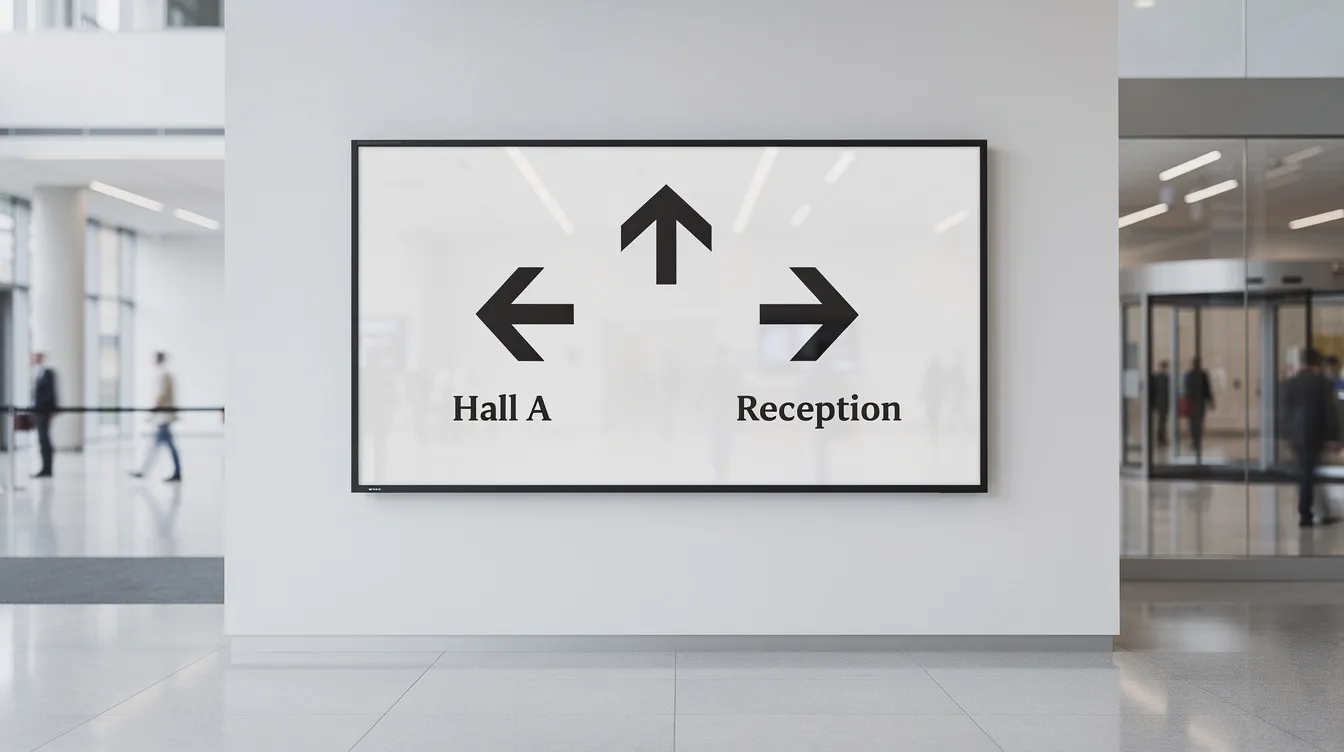
- Wayfinding screens: Color-coded arrows for registration desks, accessible entrances, ballot drop-off boxes, restrooms
- Queue displays: Live wait estimates with color highlighting (green under 15 min, yellow 15-30, red over 30)
- Instructional videos: Step-by-step visuals showing check-in process, ballot marking, scanner use
- Accessibility info: Icons showing sign language availability, translated ballots, audio assistance
- Emergency templates: Pre-approved alerts for fire alarms, medical emergencies, system outages
- Staff zones: Shift schedules, break rotations, IT support contacts
Network and Infrastructure: Building a Reliable Digital Signage System
A successful digital signage deployment in voting centers starts with a strong network and infrastructure. By establishing a dedicated digital signage network, organizations can easily manage and deliver content to as many screens and devices as needed, whether in a single location or across multiple sites. Leveraging free digital signage software and flexible operating systems like Windows, Android, or Linux, companies can create a scalable platform that adapts to their business goals and changing requirements, especially when they build on PowerPoint digital signage to run slides on screens.
A well-designed infrastructure ensures that dynamic content—such as real-time updates, instructional videos, and emergency alerts—reaches every audience at the right time. Centralized access and management tools make it easy for staff to update messages, schedule playlists, and monitor system health, all from a single dashboard. This not only enhances customer engagement but also supports sales and operational efficiency by keeping information current and relevant.
Reliable digital signage systems are built to deliver consistent performance, even during peak voting hours. With robust network connections and dependable hardware, organizations can ensure that every message is displayed accurately and on schedule, helping to guide voters, inform employees, and achieve business objectives. By investing in the right infrastructure, companies can support their digital signage initiatives and drive measurable results over time.
Security and Compliance: Protecting Data and Ensuring Trust
In the world of digital signage, data security is paramount—especially for government and public service organizations handling sensitive information. Protecting data throughout its lifecycle, from processing to storage and access, is essential for maintaining trust and meeting regulatory requirements. By implementing secure operating systems, encrypting data transmissions, and enforcing strict access controls, companies can safeguard their digital signage networks against unauthorized access and potential breaches.
Organizations must also ensure that their digital signage solutions comply with relevant laws and standards, such as NIST and FISMA for government environments. This not only protects the integrity of the voting process but also builds trust with customers and stakeholders who rely on the system for accurate, timely information. By prioritizing data security and compliance, companies demonstrate their commitment to responsible data management and establish a reputation for reliability and integrity in every interaction.
Accessibility and Inclusion: Making Voting Centers Equitable for All
Digital signage is a powerful tool for making voting centers more accessible and inclusive, ensuring that every citizen can participate fully in the democratic process. By offering features such as large text, high-contrast visuals, audio descriptions, and closed captions, digital signage provides essential support for people with disabilities. These features make it easier for everyone to access information, navigate the voting center, and understand instructions—regardless of physical or sensory limitations.
In addition, digital signage can deliver multilingual content, helping to bridge language barriers and support diverse communities. By making information available in multiple languages and formats, organizations can ensure that all voters feel welcome and informed. Implementing accessible digital signage features is not just about compliance—it’s about making a meaningful difference in people’s lives and supporting the fundamental right to vote.
Planning and Effort: What It Takes to Set Up Digital Signage for a Voting Center
Election offices often worry about time and resources. Here’s what realistic planning looks like:
Timeline: Start 6-8 weeks before major elections, 2-3 weeks for smaller local ballots. Milestones include content design, testing, and on-site setup.
Required assets: | Item | Specification | |——|—————| | Screens/TVs | 43-55 inches for lobbies | | Media players | Small PCs or Raspberry Pi clusters | | Network | Local Cat6 connection (100-500ft runs) | | Mounts | Wall mounts or portable stands |
Roles: Election coordinator defines message rules. Communications staff create content in PowerPoint. IT handles network setup and SignageTube Live player software. Poll workers manage basic controls on election day.
A small city voting center with 5-8 screens can be fully prepared in 2-3 working days of cumulative effort. Most content transfers across elections—generic check-in steps, accessibility icons, wayfinding templates—so future cycles mainly require date changes.
Training with SignageTube Live takes under 1 hour, covering playlist selection, live pushes, and emergency templates, especially when teams are already familiar with using PowerPoint for digital signage.
Best Practices for Smooth Election-Day Operation
Preparation determines day-of success:
- Run a full simulation 1-2 days before: all screens on, all playlists running, staff walking through as voters
- Prepare separate playlists for pre-opening, peak hours, mid-day, and closing
- Keep pre-approved emergency slides ready to deploy with a few clicks
- Use consistent branding: same colors, icons, and fonts across every location
- Document who has authority to change content and log all changes for post-election review
Evaluation and Assessment: Measuring the Impact of Digital Signage
To maximize the value of digital signage, organizations need to regularly evaluate its impact on business goals and customer engagement. Using analytics tools and data-driven insights, companies can track key performance indicators such as click-through rates, viewing time, and sales lift to measure how effectively their content is reaching and influencing audiences. These metrics provide a clear picture of what’s working and where improvements are needed.
Regular assessment also involves gathering feedback through surveys and focus groups, allowing organizations to understand customer preferences and perceptions. By analyzing this data, companies can refine their digital signage content, optimize delivery times, and ensure that every message drives the desired results. Continuous evaluation empowers organizations to make informed decisions, adapt to changing needs, and achieve lasting impact with their digital signage strategy.
Maintenance and Support: Keeping Voting Center Signage Running Smoothly
Ongoing maintenance and support are crucial for keeping digital signage systems reliable and effective throughout election day and beyond. Organizations should schedule routine software updates, monitor system performance, and address technical issues promptly to minimize downtime and ensure seamless content delivery. Providing comprehensive training and resources for employees enables them to manage and update digital signage content confidently, reducing the risk of errors and maximizing the system’s potential.
Reliable support ensures that any issues are resolved quickly, keeping the focus on delivering critical information to voters and supporting the smooth operation of the voting center. By prioritizing maintenance and support, companies protect their investment in digital signage, ensuring consistent results and long-term value for their organization and the communities they serve.
Alternative Approaches and Their Limitations
How does digital signage compare to common alternatives?
Paper signs: Low hardware cost but high labor. Staff spend hours reprinting throughout the day. Weather and handling cause 30% illegibility in gym environments.
Verbal announcements: Work in small rooms but fail in 5,000 sq ft halls. Easily missed by hearing-impaired voters—a potential ADA Title II violation.
USB TV loops: Fine for static content but cannot respond to dynamic content needs like changing wait times or sudden room closures. Some digital signage solutions now allow users to access and operate the system directly through a browser, providing flexibility to run presentations on various devices without extra hardware or software.
Cloud-only platforms: Risk 5-10% downtime in areas with unreliable internet. DHS reports show 18% of cloud systems experienced outages during 2020 elections. Many government IT policies prohibit external data flows for election infrastructure. Setup for many platforms often involves downloading and installing the necessary software or app on the chosen hardware, and organizations can choose between different deployment options and hardware configurations to best fit their needs.
Real-time on-prem signage delivers the balance: controlled environment, high responsiveness, and professional communication without heavy custom development.

Why SignageTube Live and PowerPoint Are Ideal for Voting Centers
SignageTube Live is SignageTube’s real-time, on-prem digital signage platform tailored for government buildings, city halls, and election centers. It runs entirely within your local digital signage network.
Content creation uses PowerPoint—a tool most public sector staff already know. Staff can follow a step‑by‑step PowerPoint digital signage workflow to design clear election messaging, then design slides on any office computer, publish to SignageTube Live, and deliver across every screen without manual file copying to each device. The platform supports a wide range of apps and integrations, allowing users to connect with third-party services such as social media, analytics, weather, and more for enhanced content. Users can build customized presentations and workflows to suit their specific needs. You can also connect and manage content directly from your phone, enabling quick updates on the go. This intuitive interface eliminates the learning curve that stops many organizations from adopting digital signage. Users enjoy a seamless and personalized experience, leading to greater satisfaction and engagement.
The platform enables instant updates. When a queue grows or a room changes, staff edit a slide and push the updated playlist live in seconds. Live monitoring dashboards show which screens are active, what playlist they display, and whether any device needs attention.
On-prem architecture satisfies security-conscious IT departments and legal requirements by running inside the government network with full access control. Using SignageTube Live across multiple voting centers ensures consistent messaging and simplifies training. YouTube and other dynamic content sources can be integrated into the platform, expanding the range of media that can be displayed and making it easy to publish PowerPoint presentations directly to TV screens alongside other feeds.
Ready to transform your next election? Explore SignageTube Live and get started with a pilot program at your voting centers, and if you need implementation details or pricing, reach out via the SignageTube contact page. Whether you manage a single location or coordinate across an entire county, the combination of PowerPoint and SignageTube Live brings reliable, professional-grade communication to audiences, enhancing engagement and modernizing the voting center environment—no specialized IT team required.
- SignageTube Starter – content signage on any TV
- SignageTube Enterprise – live data on your screens
- Digital signage software – how to choose, and what matters
- Templates – 120+ ready-made designs
- Pricing – simple per-screen plans