 SignageTube
Download the SignageTube Cloud Player for Microsoft Windows here. Your browser will then start downloading it.
If you want to install the player, you need to start the application as an administrator.
Right click on the application and click “Run as administrator”.
This needs to be done to get access to the automatic windows login function when starting up.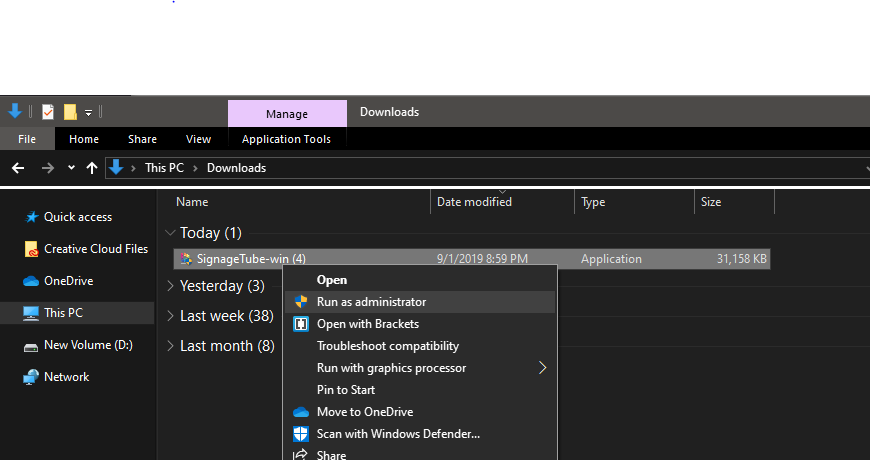
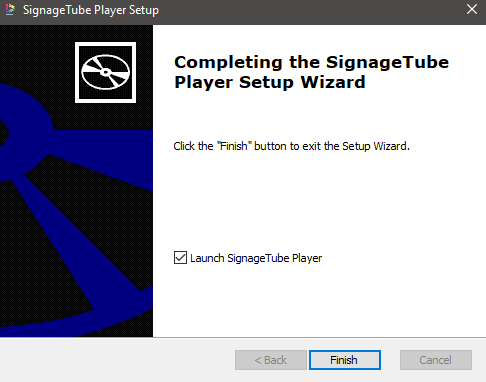
Start the installer wizard and follow the steps of the installation. After installing you can start the software and start your SignageTube experience.
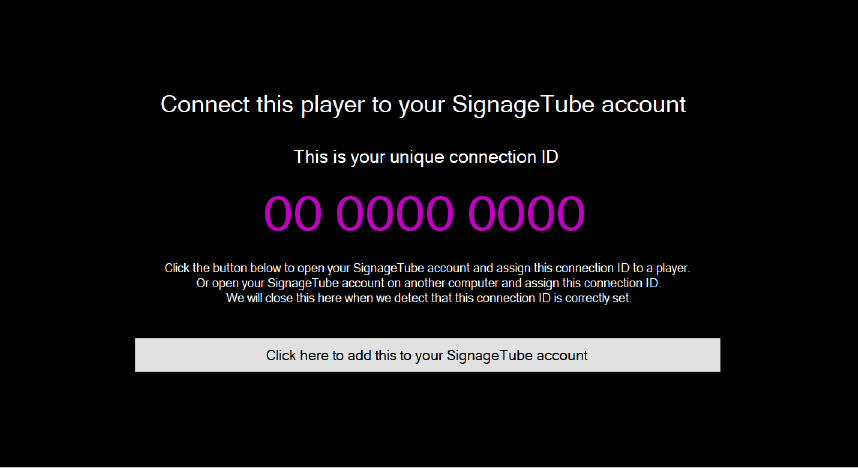
When the installation is done you get an ID to connect it to your control panel.
For more information on that, go to here.
The player is designed to stay into fullscreen. If something happens and Windows switches to another program, the player will automatically go back to fullscreen in a few seconds.
Also, when you move your mouse around for 2 seconds. A debug panel will pop up with information about your player and 3 buttons.
To fill in your Windows login information, you need to start the application as an administrator.
Right click on the application and click on “Run as administrator”.
Then when installed, hover with your mouse for 2 seconds and click on “Auto-logon” on the right side of your screen.
Fill in your information and reboot your device. When starting up the SignageTube player should start and login automatically.
Pick the edition you want to try for 15 days. No credit card, just your name and email.
Images, video, web pages, PowerPoint and Live Pages on any TV. The easiest place to start.
Start Starter trial →Real PowerPoint on Windows, a report of what played (Proof of Play) and a Control Room for all your screens.
Start Professional trial →Live data from Excel, databases and 20+ sources, screen health alerts and switching screens on and off.
Start Enterprise trial →Not sure? Start with Starter. You can move up any time.
Both come with a 15 day free trial. No credit card, just your name and email.

