 SignageTube
Digital Signage Content: Strategy, Ideas & Practical Guidelines
Your screens are only as good as the content on them. Digital signage content transforms ordinary displays into powerful communication tools—but only when you match the right message to the right audience at the right moment. This guide walks you through everything from foundational strategy to practical content ideas you can implement across retail, corporate, hospitality, education, and more.
Key Takeaways
- Good content is essential for digital signage success—it must be tailored to your audience, location, and specific goal, capturing attention and conveying its core message in under 3 seconds from a typical viewing distance.
- Dynamic formats like video, motion graphics, and live data consistently outperform static images by 20-40% in viewer recall and action rates, according to post-2015 retail analytics studies.
- Most businesses can repurpose existing assets from their website, social media, PDFs, and dashboards instead of creating everything from scratch.
- Using digital signage software with a CMS allows you to schedule, localize, and update content remotely across multiple screens and locations—essential for maintaining fresh, relevant displays.
- This article provides concrete content ideas by use case, along with simple design principles and measurement approaches you can put into practice immediately.
What Is Digital Signage Content?
Digital signage content includes all visual and motion media displayed on digital screens in public, semi-public, or internal spaces. Digital signage can display a variety of content types including images, videos, animations, and slideshows. This encompasses static images, short videos, live data feeds, HTML embeds, widgets, and interactive elements. The scope ranges from a single 55-inch menu board in a neighborhood café to expansive multi-screen video walls in transportation hubs or corporate lobbies.
The core purposes of signage content fall into several categories:
- Wayfinding: Helping visitors navigate complex spaces like hospitals, campuses, or shopping centers
- Promotion: Driving sales, special offers, or event attendance through eye-catching visuals designed to attract more eyes to your display
- Information dissemination: Displaying schedules, announcements, traffic updates, or real time updates
- Internal communications: Keeping employees informed about company news, achievements, and policies
- Entertainment: Reducing perceived wait times with engaging loops in waiting areas
- Brand storytelling: Reinforcing company culture and identity through consistent visual messaging
Since 2020, adoption has surged across industries including retail, quick-service restaurants, workplaces, and education—driven partly by the shift away from remote work and the growing need for hybrid event support. The global digital signage market is projected to reach $35 billion in 2026, with 68% of retail chains now using it for dynamic pricing and personalization, reflecting many of the signals that it’s time to invest in digital signage.
Know Your Audience and Objectives
Understanding your audience and defining your objectives are crucial steps for creating effective digital signage content.
Every screen should have a clearly defined target audience segment and a single primary objective. Without this focus, your content becomes generic noise that viewers tune out within a few seconds. Before you create content for digital signage, it’s crucial to understand your audience and objectives to ensure your messaging is relevant and effective.
Walk through these audience profiling factors before creating any content:
- Demographics: Consider age range (teens respond to TikTok-style short videos while seniors need larger fonts), language preferences, and mobility levels
- Context: Are viewers hurried shoppers rushing past, or patients with extended dwell time in a waiting room?
- Tech comfort: Younger audiences expect interactive elements and QR codes while others may need simpler calls to action
Here are two concrete examples showing how audience shapes content:
A July 2026 shopping mall promo screen targeting teens might loop 5-second user generated content clips of summer fashion hauls with QR upsells and bold, trendy typography. The energy should be fast and social media-native.
An office lobby screen targeting visiting clients should display polished KPI dashboards, welcome videos, and subtle corporate branding. The tone is professional and reassuring.
Your objectives should align with what digital signage work actually accomplishes:
- Drive redemption of an in-store offer
- Shorten perceived wait time through entertainment
- Educate customers about services or products
- Guide navigation and reduce wayfinding questions at reception
- Support safety compliance with visible reminders
Set measurable goals tied to time-bound campaigns. For example, aim for a 10% uplift in promo redemption during a two-week Q3 push, or track a reduction in wayfinding queries using reception logs.
Designing High-Impact Digital Signage Content
The “3-second rule” governs all digital signage design: your content must convey its main message at a glance, even from 3-5 meters away. Viewer attention spans in high-traffic areas average just 8-15 seconds, so every element must earn its place on screen.
Text guidelines:
- Keep headlines under 7 words
- Use large fonts (60-120 pt equivalent on 1080p displays)
- Avoid body text blocks and paragraphs entirely
- Use bold text for emphasis sparingly—not everything can be important
Color and contrast:
- Aim for WCAG AA minimum contrast ratios of 4.5:1 between text and background
- Use a light background with dark text in brightly lit environments
- Switch to dark backgrounds with light text in dim settings
- Avoid busy backgrounds that compete with your message
Imagery and motion:
- Feature people-focused images over abstract graphics—faces capture the audience’s attention faster
- Use subtle motion with 5-10 second loops rather than distracting flashes
- Animated content that’s too aggressive actually reduces retention by up to 25%
- Product photos should be high-quality and contextual
Calls to action:
- Use concrete action verbs: “Buy Now,” “Scan for 10% Off,” “Check In Here”
- Include QR codes positioned at scanning height with sufficient size (minimum 2 inches)
- QR codes achieve 20-30% scan rates in retail pilots when paired with clear value propositions
Example layout for a 16:9 landscape screen:
Divide your display into three zones. The top 60% serves as your hero image area for maximum visual impact. A 30% overlay band in the middle houses your headline and call to action. The bottom 10% functions as a ticker for live data like weather, stock prices, or news headlines. Keep logos and critical text inset 5-10% from edges to avoid cropping on varied display sizes.
Choosing the Right Content Types
Different locations and dwell times favor different content types. What works in a fast-moving corridor fails in a doctor’s waiting room, and vice versa.
Digital signage systems let you schedule and play specific content formats—such as videos, images, or live data—at optimal times to maximize engagement and ensure timely information delivery, especially when you incorporate real-time, data-driven content.
Major content formats:
- Still images: Bold graphics with minimal text for quick consumption
- Short-form video: 5-30 second clips that tell a story or demonstrate a product
- HTML/URL embeds: Live websites, dashboards, or web applications displayed directly
- Live data widgets: Weather, news feeds, social feeds, stock tickers, or transit information
- Interactive touch layouts: Wayfinding kiosks, product browsers, or self-service check-ins
Matching format to context:
|
Location Type |
Best Format |
Recommended Length |
|---|---|---|
|
Fast-moving corridor |
Bold image + single line text |
3-5 seconds per slide |
|
Waiting room |
Video loops, news feeds, dashboards |
30-60 second segments |
|
Queue or elevator |
Rotating micro-messages, promotions |
5-10 second rotations |
|
Interactive kiosk |
Touch-enabled navigation |
Under 90 seconds per session |
|
Real world examples: |
|
|
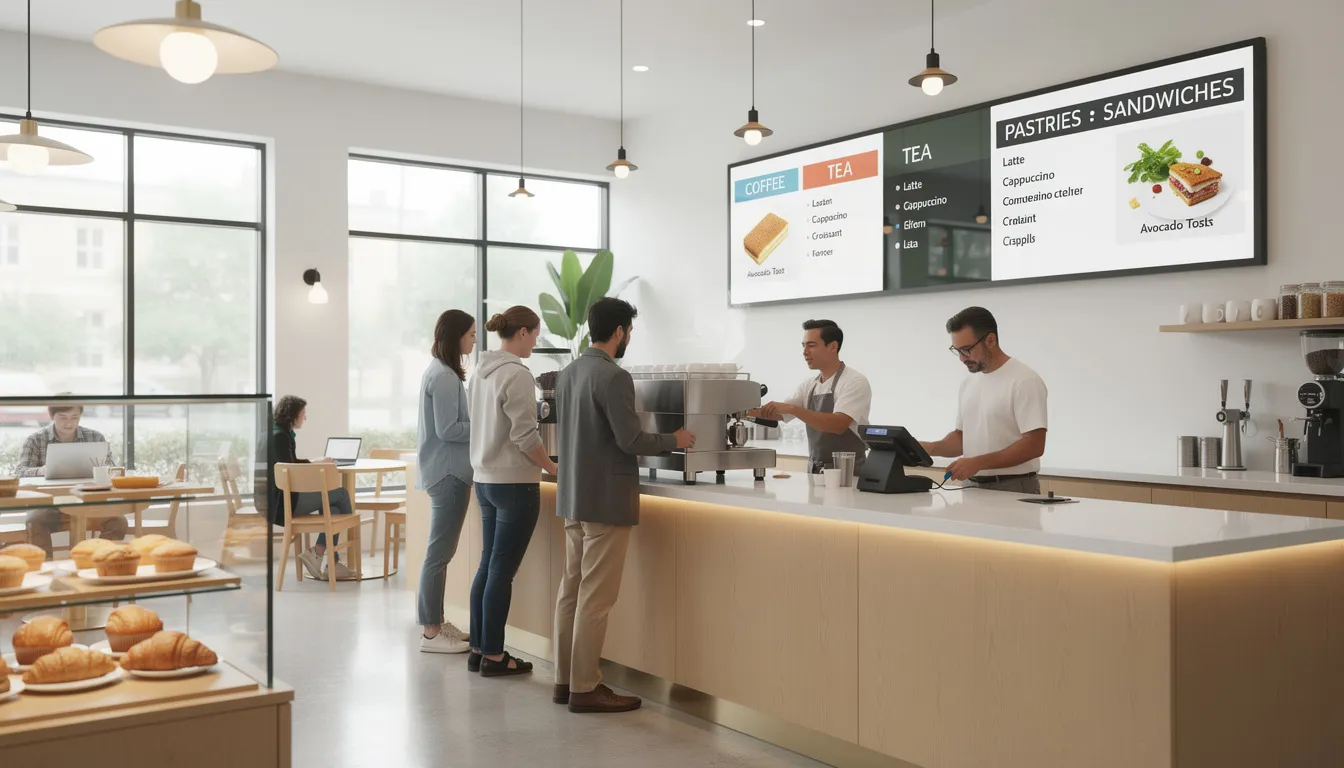
- A digital menu board in a café dynamically adjusts prices for lunch combos from 11:30-14:30, featuring animated dish heroes and allergen icons
- A July 4th retail campaign rotates fireworks-themed countdowns and seasonal product spotlights
- A manufacturing safety board feeds real-time compliance metrics with color-coded status indicators
Interactive displays can boost engagement by 35% in lower-traffic zones, but limit sessions to under 90 seconds to prevent queues forming behind engaged users, and pair them with QR codes to drive engagement beyond the screen.
Location, Layout, and Context
Content effectiveness depends heavily on physical placement. A brilliant design fails when displayed at the wrong height, distance, or lighting condition.
Key placement factors:
- Height: Optimal eye-level positioning is 1.5-1.8 meters for standing viewers
- Viewing distance: 3-10 meters typical; shorter distances allow smaller fonts, longer distances demand 72pt+ text
- Lighting: Street-facing windows may need matte anti-reflective panels and 500-2500 nit brightness
- Traffic flow: Position screens where natural movement patterns create viewing opportunities
Layout decisions by location:
|
Location |
Layout Style |
Orientation |
|---|---|---|
|
Immersive lobby |
Full screen content |
Landscape 16:9 |
|
Checkout counter |
Multi-zone (70% main + 30% ticker) |
Landscape 16:9 |
|
Narrow pillar |
Vertical menu or directory |
Portrait 9:16 |
|
Video wall |
Synchronized multi-screen |
Custom aspect |
|
Environmental considerations: |
|
|
- Sunlight glare requires brightness auto-adjustment capabilities
- Noisy factory floors mean no audio reliance—captions are essential
- ADA compliance requires 200% zoom equivalents and color-blind-friendly palettes
Scenario comparison:
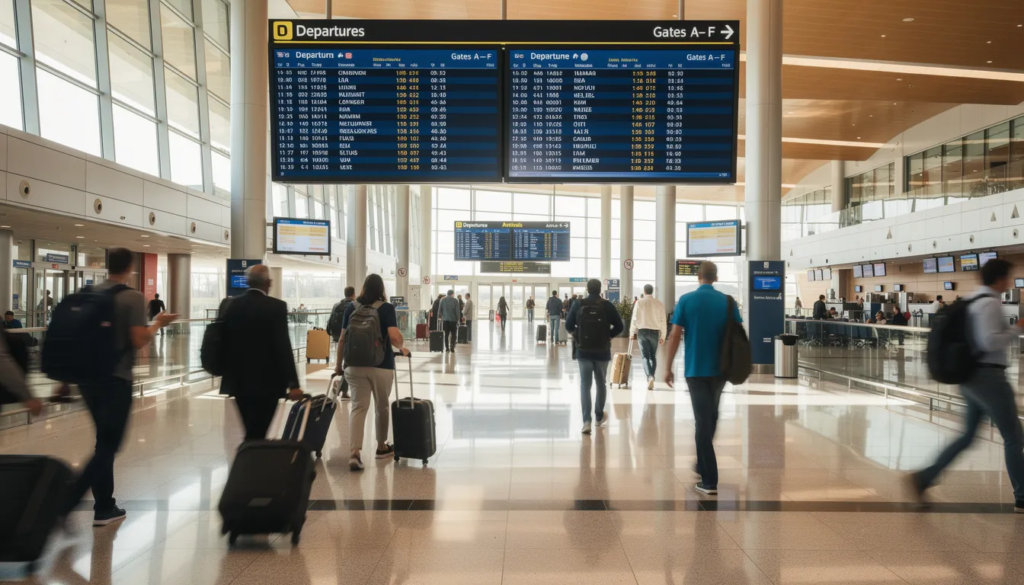
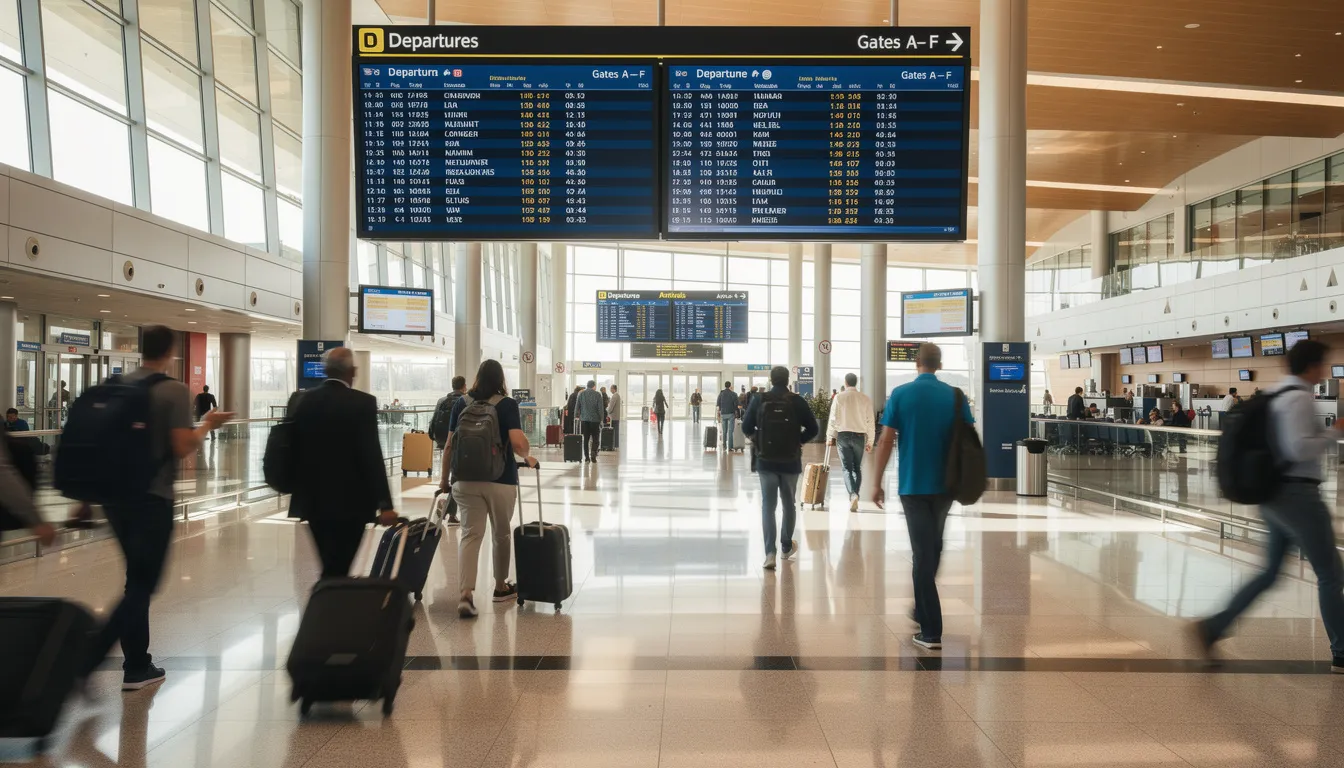
An airport gate screen at 10-meter viewing distance needs a wide-angle 4K display showing departure feeds with wayfinding overlays using 100pt+ fonts. Travelers glance up briefly while seated.
A bar counter screen at 2-meter viewing distance can use intimate portrait menus with subtle animations and 48pt fonts. Viewers are stationary and attentive.
Digital Signage Work and Productivity
Digital signage is a powerful tool for enhancing workplace productivity and fostering a connected company culture. By leveraging digital signage content creation and robust digital signage software, organizations can deliver effective digital signage content that keeps employees informed, engaged, and motivated, especially when they understand what to display on corporate screens.
Well-designed digital displays in offices and common areas can broadcast company news, internal communications, and user generated content, ensuring that everyone stays up to date with the latest developments. For example, a rotating feed of project milestones, team achievements, and upcoming events can boost engagement and reinforce a sense of belonging. Sharing user generated content—such as employee shout-outs or photos from company events—adds a human touch and strengthens company culture.
To maximize impact, use a light background with dark, bold text for clarity and readability. Incorporate dynamic content like short videos, animated infographics, or live social feeds to capture the audience’s attention and make the signage content more visually appealing. These elements not only communicate necessary information but also break up the monotony of static displays, making it easier for employees to absorb key messages.
The right tools are essential for efficient content creation and management. Modern digital signage software allows you to create, schedule, and update content across multiple digital displays with ease. This ensures that your messaging remains fresh and relevant, without requiring constant manual intervention.
By prioritizing compelling content and leveraging the right technologies, businesses can transform digital signage into a central pillar of internal communications—driving productivity, boosting morale, and keeping everyone aligned with organizational goals.
Digital Displays and Content
Digital displays are the heart of any digital signage strategy, and the content you publish on them determines how effectively you connect with your target audience. To create effective digital signage content, it’s crucial to consider who will see your digital signs, what message you want to convey, and the environment in which your displays are located.
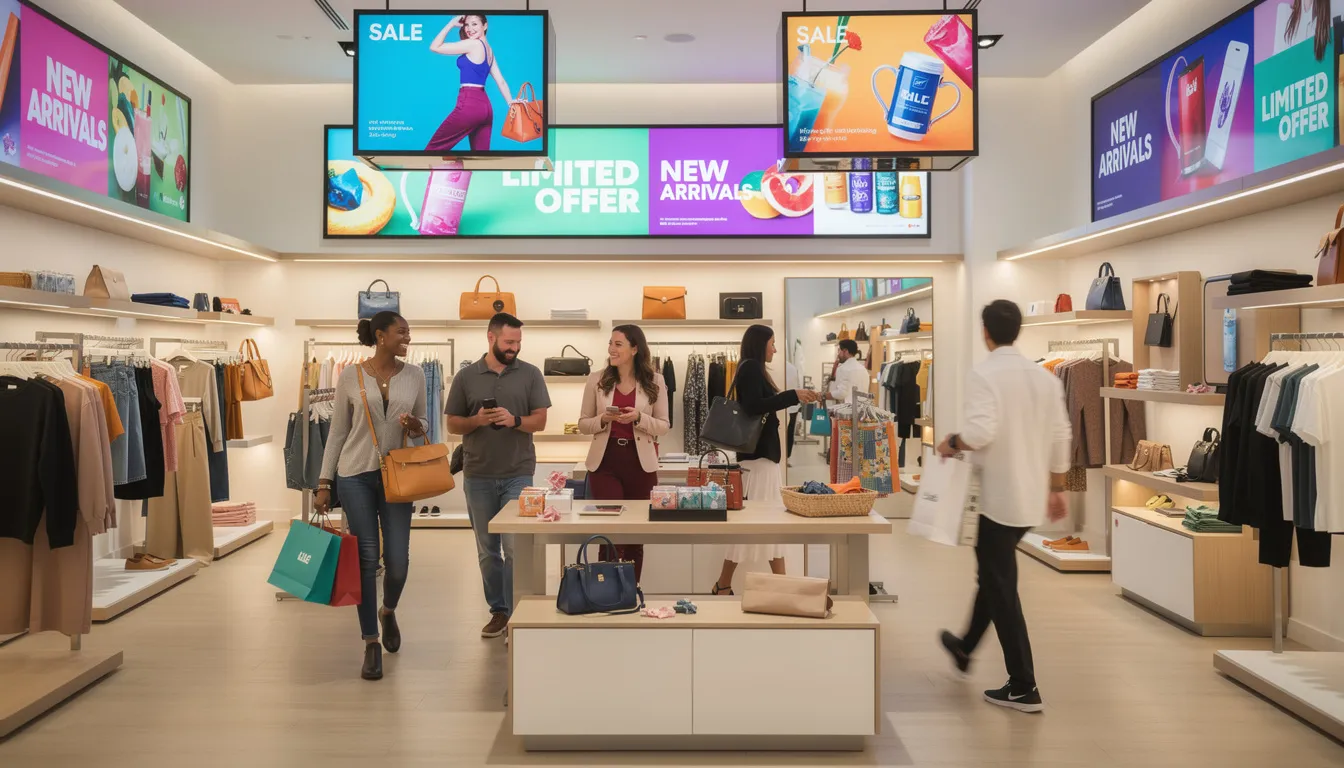
In retail environments, digital displays can showcase menu items, highlight special promotions, and promote loyalty programs—encouraging more foot traffic and building brand loyalty. For example, a digital sign near the checkout might display a limited-time offer with a QR code for instant sign-up, while another screen cycles through customer testimonials and user generated content to build trust.
In corporate settings, digital signage can be used for internal communications, sharing company news, celebrating employee achievements, and reinforcing company culture. A well-placed display in a break room might rotate through real time updates like traffic updates, weather forecasts, and upcoming company events, keeping employees informed and engaged throughout the day.
To maximize customer engagement, combine images, videos, and concise text to create visually appealing and relevant content. Incorporate interactive elements such as QR codes for quick access to promotions or surveys, and embed social media feeds to showcase live user feedback or brand mentions. Real time updates—like news headlines or local traffic conditions—add value and keep your signage content fresh.
Using the right content creation tools and strategies, businesses can easily manage and update their digital displays, ensuring the right content reaches the right audience at the right time. By taking a strategic approach to what digital signage is and how it works and to digital signage content creation, you unlock more possibilities for engagement, drive sales, and deliver a memorable experience that keeps viewers coming back.
Digital Signage Content Ideas by Use Case
This section provides practical, implementation-ready ideas organized by environment. Each suggestion is concrete enough to brief a designer or configure in your CMS immediately.
Retail & Shopping Centers
- Rotating product spotlights: 10-second hero shots of featured items with price and benefit callout
- Limited-time countdown timers: “Ends in 2:47” urgency displays that drive immediate action
- Seasonal lookbooks: Summer or holiday collections combining product photos with lifestyle imagery
- Loyalty program CTAs: QR-based sign-ups achieving 25% conversion rates in pilot programs
- Cross-sell suggestions near fitting rooms: “Complete the look” displays boosting conversions 18% per Nielsen data
- Weather-triggered suggestions: API-connected displays showing umbrellas on rainy days, sunscreen on hot days
- User generated content grids: Curated Instagram posts with branded hashtags adding social proof
Structure a weekend shopping playlist as a 60-second loop with 6-8 micro-slides: two product spotlights, one limited-time offer, one loyalty CTA, two lifestyle images, one social proof slide, and one wayfinding reminder.
Restaurants, Cafés, and QSR
- Dayparted menu boards: Breakfast items until 11am, lunch specials 11:30-14:30, happy hour promos after 17:00
- Animated dish heroes: Signature items with subtle steam or motion increasing orders by 12%
- Upsell prompts: “Add Fries for $1” or “Make it a combo” appearing during order consideration
- Allergen icons: Clear visual indicators for common dietary restrictions
- Queue entertainment: Muted recipe clips, chef interviews, or behind-the-scenes kitchen footage with captions
- QR table ordering: Direct links to mobile menus achieving 40% adoption in pilot locations
Time-based scheduling is critical for restaurants. Program breakfast content to end automatically at 10:45am with a 15-minute transition buffer before lunch menus appear.
Corporate Offices & Internal Communications
- KPI dashboards in sales areas: Q3 2026 targets with 15% YoY growth visualizations
- Internal news headlines: Sanitized, curated feeds from Slack or Teams avoiding sensitive information
- New hire introductions: Photo, role, and fun fact displays welcoming team members
- Birthday and anniversary carousels: Automated recognition pulled from HR systems
- Town hall and event reminders: Countdown to upcoming all-hands meetings
- Local transit alerts: Real-time disruption information for commuting employees
For break room screens, create a 3-5 minute loop mixing light content (trivia questions achieving 40% engagement, inspirational quotes) with must-see announcements (policy updates, deadline reminders).
Localize content per office location. Regional achievements, local charity events, and nearby transit disruptions make displays more relevant than generic corporate messaging.
Education & Campuses
- Exam schedules and deadlines: Rolling displays of upcoming academic dates
- Club and event promotion: Student organization meetings, sports events, cultural activities
- Student work showcases: Rotating artwork, project videos, and research posters with bi-weekly updates
- Subject-specific trivia: “Fact of the day” content maintaining attention between major announcements
- Building directories: Interactive or static wayfinding for new students and visitors
- Safety alerts: Critical information with distinct red backgrounds and unique animation patterns
Privacy is paramount in education. Never display full attendance lists or sensitive student data. Use aggregate statistics and anonymized content to comply with FERPA and similar regulations.
Separate critical safety alerts visually from general campus news using red flashing borders or distinct screen zones that cannot be confused with routine announcements.
Healthcare, Hospitality, and Public Spaces
Healthcare:
- Appointment reminders and check-in instructions
- Preventive care tips (flu season 2026 vaccination campaigns)
- Queue status boards with estimated wait times reducing queries by 30%
- Calming nature videos for anxiety reduction
Hotels:
- Lobby welcome messages personalized for Q2 conferences or wedding parties
- Amenity overviews with QR codes linking to detailed information
- Local attraction guides with maps and distance indicators
- Live flight and rail information via API integration
Public Transit:
- Real-time departure boards with progress bars cutting perceived delays by 25%
- Service alerts and disruption information
- Emergency preparedness messaging
- Wayfinding maps for complex station layouts
A clinic reception screen during 2026 flu season might loop vaccination availability, estimated wait times, and hand hygiene reminders—reducing receptionist queries by 30% while keeping patients informed and calm.
Tools and Workflows for Creating Digital Signage Content
The right tools streamline digital signage content creation from initial design through deployment and updates. You don’t need a professional design team to manage effective displays—you can start your next project from a free template; you need the right approach and consistent processes.
Design tools for non-designers:
- Template-based platforms like Canva or Figma offer pre-sized 16:9 and 9:16 templates
- These tools allow anyone to create visually appealing content matching brand guidelines
- Export directly in PNG, JPG, or MP4 formats compatible with most displays
Video and motion tools:
- Tools like CapCut or equivalent handle cutting clips, adding captions, and basic animation
- Export in 1080p minimum; 4K for larger digital displays
- Keep file sizes manageable for smooth playback—compress when necessary
CMS capabilities to look for:
- Upload and organize content into libraries and playlists
- Schedule by time, date, and location (dayparting support)
- Manage multiple screen sizes and orientations from one dashboard
- Connect live data sources (weather APIs, RSS feeds, social feeds, dashboards)
- Push updates remotely to all locations simultaneously
Example workflow—Monday content refresh:
- Review weekend sales data and identify top-performing products
- Repurpose social media posts from the previous week into 15 slides
- Upload new assets to CMS and organize into appropriate playlists
- Schedule national rollout across 50 retail locations by 10am
- Verify deployment on sample screens via remote preview
- Document changes in content calendar for future reference
This workflow takes 1-2 hours weekly and maintains fresh content without constant manual intervention.
Scheduling, Testing, and Measuring Performance
Even great content fails if it plays at the wrong time or goes unmeasured. A systematic approach to scheduling and analytics transforms your digital signs from passive displays into optimized communication channels, and mastering the art of digital signage scheduling is central to that process.
Dayparting strategies: Effective scheduling of digital signage content depends on matching messages to predictable audience patterns.
- Morning commute hours: transit information, coffee promotions, quick-service breakfast
- Midday: lunch specials, productivity tips, meeting room availability
- Evening: family-oriented content, happy hour deals, entertainment
- Weekends: leisure activities, extended shopping hours, special events
A/B testing approach:
- Create two versions of a promo slide (different headline, image, or offer)
- Schedule Version A for week one, Version B for week two (May 2026 test period)
- Track redemption via QR scans or POS system correlation
- Compare results and publish content with higher performance permanently
- Document findings for future creative decisions
Metrics to track:
|
Metric |
Measurement Method |
Target Benchmark |
|---|---|---|
|
Dwell time |
Camera-based analytics |
10-30 seconds average |
|
QR scan rate |
URL tracking |
20-30% for strong offers |
|
Offer redemption |
POS correlation |
8-15% uplift vs control |
|
Engagement proxies |
CMS view reports |
Consistent views across hours |
|
Review cadence: |
|
|
- Weekly: Check for any technical issues or outdated content
- Monthly: Full performance review against goals
- Quarterly: Major content refresh to prevent “wallpaper syndrome” (screens lose 50% effectiveness after 4 weeks without updates)
Compliance, Accessibility, and Brand Consistency
Digital signage must align with legal, accessibility, and brand guidelines—especially in regulated industries like healthcare, finance, and education.
Accessibility requirements:
- Minimum contrast ratios of 4.5:1 between text and background colors
- Font sizes appropriate for viewing distance (72pt+ at 10 meters)
- Avoid color-only cues—pair with icons or text labels
- Key content must be understandable without audio
- Consider viewers with mobility limitations when positioning interactive displays
Emergency messaging:
- Maintain pre-approved templates for fire drills, evacuations, and security alerts
- Configure your CMS to allow instant override of regular content
- Test emergency broadcast functionality quarterly
- Ensure critical alerts appear on all screens simultaneously
Brand consistency:
- Use approved color palettes from your brand kit
- Maintain logo clearspace requirements across all content
- Apply consistent tone of voice whether content is promotional or informational
- Store updated assets in a central library accessible to all content creators
GDPR and data privacy (post-2024 EU requirements):
Office data boards should aggregate metrics without displaying individual employee names or performance data. When featuring customers in retail environments, use anonymized or explicitly consented content. Healthcare displays must never show patient-identifiable information visible to other visitors.
Conclusion: Making Digital Signage Content Work Long-Term
Effective digital signage content blends three elements: strategy (audience, goals, context), design (clarity and motion), and operations (scheduling and measurement). When these align, your digital displays become powerful tools that connect with viewers and drive real business results.
You don’t need a large design team to succeed. Start by repurposing existing assets—your website banners, social media posts, and internal documents already contain compelling content. Gradually introduce more possibilities like live data feeds, interactive elements, and personalized messaging as your confidence grows.
Adopt a documented content calendar and governance process so screens stay fresh year-round, not just during major campaigns. Assign ownership, establish review cycles, and free your team from constant reactive updates by planning ahead.
Think of digital signage as an always-on, updatable communication channel that evolves with new campaigns, seasons, and technology. The screens you install today should serve your business for years—with content that keeps pace with your customers’ changing needs.
FAQ
How long should a digital signage content loop be?
Ideal loop length depends entirely on location and dwell time. For fast-moving retail aisles, keep loops between 30-90 seconds. Waiting areas with seated viewers support 2-5 minute loops with more detailed content. Queues and elevators work best with 60-180 second cycles.
Keep key messages recurring more than once per loop so viewers who glance up late still see them. Test and adjust based on real-world observation—if people consistently leave before your main message appears, shorten the loop.
How often should I update my digital signage content?
Establish a minimum baseline of monthly updates for evergreen content. Promotions, menu items, and news-driven displays need weekly or even daily refreshes. High-traffic environments like malls and transport hubs benefit from more frequent updates to avoid content fatigue.
Use a simple content calendar aligned with your marketing campaigns, seasons, and known peak days. This prevents last-minute scrambles and ensures screens never display outdated information.
What resolution and aspect ratio should I design for?
Design primarily for the native resolution of commercial displays: 1920×1080 (Full HD) or 3840×2160 (4K) in either landscape (16:9) or portrait (9:16) orientation. Keep necessary information, logos, and critical text within a “safe area” inset 5-10% from screen edges.
If you manage multiple screen types, create separate templates for each aspect ratio. Square kiosks, ultra-wide menu strips, and standard rectangular displays each require purpose-built layouts.
Can I reuse my social media and website content on digital signage?
Yes—many assets like images, short videos, testimonials, and hero banners transfer well to digital screens. However, you’ll typically need to resize graphics and simplify text for at-a-glance viewing. Extract the strongest 1-2 lines from existing posts as headlines rather than displaying long captions.
When using live social feeds, ensure content is moderated or filtered. Unmoderated feeds risk displaying off-brand or inappropriate content in public spaces where you can’t control who sees it.
Do I need professional designers to create good digital signage content?
Professional designers add value for complex campaigns and brand launches, but many organizations successfully create their own content using template-based tools. The human touch matters more than technical perfection—authenticity and relevance beat polish in most contexts.
Set up a small internal style guide covering fonts, colors, logo rules, and common mistakes to avoid. This enables anyone creating content to maintain consistency. Start simple with static images and clear text, then gradually experiment with motion, video, and data-driven widgets as your skills grow.
- SignageTube Cloud – cloud-managed signage on any TV
- SignageTube Live – real-time data on your screens
- Digital signage software – how to choose, and what matters
- Templates – 120+ ready-made designs
- Pricing – simple per-screen plans