
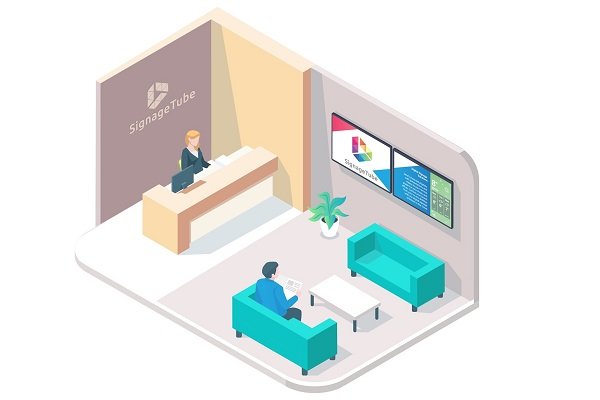
Corporate start screens are essential for effective workplace communication. In today’s fast-paced business environment, optimizing these screens is crucial for organizations aiming to boost engagement, productivity, and internal culture. This article is designed for corporate communication managers, IT staff, HR professionals, and anyone responsible for internal communications. We will cover what a corporate start screen is, why it matters, and the most effective strategies and content types to display. You’ll also find actionable best practices, a summary table of high-impact features, and guidance on tailoring start screens for different audiences and use cases.
What is a Corporate Start Screen?
A corporate start screen is the very first thing users see when they interact with a digital signage device or photo booth in a business setting. It sets the tone for the entire experience, can be customized to match the company’s brand identity, and serves as a marketing tool by reinforcing brand messaging from the outset of an event. These screens are highly versatile, displaying key information, branding, and interactive elements such as QR codes or polls. By leveraging modular, widget-based layouts, organizations can organize diverse information into a clean, scannable interface that is both visually appealing and functional.
Why Optimizing Corporate Start Screens Matters
Optimizing corporate start screens ensures that important messages break through communication noise and reach employees and visitors effectively. Studies show that digital signage has a recall rate of 83% and receives 400% more views than static displays. Effective start screens deliver relevant, visually engaging, and timely information, which can increase productivity by up to 25% and significantly boost employee engagement. By tailoring content and features to the needs of different departments or user roles, organizations can foster a more informed, motivated, and connected workforce.
Scope of This Article
This article will explore:
-
The definition and importance of corporate start screens
-
Key content types and features for maximum impact
-
Best practices for design and content creation
-
How to tailor start screens for different audiences and locations
-
Real-world examples and actionable tips for implementation
Summary Table: Most Effective Content and Features for Corporate Start Screens
|
Content/Feature |
Description & Benefits |
|---|---|
|
KPI Dashboards |
Display real-time company metrics, sales goals, and project milestones |
|
Employee Recognition |
Feature “Employee of the Month,” peer shoutouts, and team achievements |
|
Interactive Polls & Surveys |
Engage staff with live polls and collect feedback instantly |
|
QR Codes |
Provide quick access to surveys, event sign-ups, or resources |
|
Real-Time Data |
Show live news, weather, traffic, and industry updates |
|
Safety Tips & Alerts |
Promote a safe workplace with timely safety messages |
|
Company News & Announcements |
Keep everyone informed about important updates and events |
|
Leaderboards & Gamification |
Motivate teams with internal competition and progress tracking |
|
Lunch Menus & Events |
Share daily menus and highlight upcoming courses or events |
|
High-Quality Visuals & Videos |
Communicate brand values and messages with engaging media |
|
Modular, Widget-Based Layouts |
Organize diverse content into a clean, scannable interface |
|
Personalized Dashboards |
Tailor content based on user roles or department needs |
Key strategies for corporate start screens include using high-quality visuals, interactive elements like QR codes, and personalized content such as staff recognition and KPI dashboards.
Start Screen Design
The start screen is the first thing users see when they interact with a photo booth or digital signage device, making it a crucial element in shaping their experience. A visually engaging and intuitive start screen sets the tone for the entire interaction, guiding users with clear instructions and inviting them to participate.
For corporate events, a custom start screen can be designed to reflect the event theme, incorporating the company’s logo, brand colors, and unique graphics. This not only creates a cohesive and professional look but also reinforces brand identity and leaves a lasting impression on attendees.
Investing in a well-designed start screen helps businesses enhance user engagement, ensure a smooth experience, and make every interaction with the booth or device memorable and impactful.
Transition: With a clear understanding of what a corporate start screen is and why its design matters, let’s explore how digital signage transforms workplace communication.
Introduction to Digital Signage
Digital signage is a powerful tool that transforms the way organizations communicate, inform, and engage their audiences. Whether used in the workplace, at corporate events, or in public spaces, a digital signage solution enables companies to display important messages, raise awareness about company news, and boost employee engagement.
By leveraging digital signage, businesses can create a lasting impression on visitors and employees alike. Communications are not only seen but also remembered. In the context of corporate events, digital signage can be used to display event schedules, highlight key speakers, and showcase sponsor logos, making it an essential part of any event strategy.
Ultimately, digital signage helps organizations enhance their communications, foster engagement, and create interactive experiences that keep everyone informed and connected.
Transition: Now that we’ve established the value of digital signage, let’s look at how it supports internal communication within organizations.
Internal Communication
The need for free flow and effective internal communication cannot be overemphasized. Many organizations now use office TVs to display company announcements so key updates reach everyone, including non-desk employees. Corporations and businesses need to constantly have a good flow of communication between all the levels of management and the employees. This enables productivity and increases a business’s output.
Timely Updates
When workers can easily communicate processes between themselves at ease, it reduces sluggishness and poor execution of ideas. Digital signage helps keep employees and staff informed with timely updates, ensuring everyone receives relevant information as soon as it becomes available.
Policy Implementation
When a new policy is implemented, an organization with internal digital signage can easily execute such policy. The redundancy that follows the distribution of static signage is removed with networked digital signage systems, which make it easy to update messages across many screens at once. All that is needed is for the management to display whatever it seeks to communicate on the display.
Digital signage can also efficiently communicate system outages, planned maintenance, and access to systems, ensuring employees are aware of when they cannot access certain information or resources.
Examples of Displayed Content
Examples of content that can be displayed include:
-
Safety tips to promote a safe working environment
-
Company news and announcements
-
Safety warnings and alerts
-
Real-time sales data and KPIs
-
Community or industry news
Transition: Beyond internal updates, digital signage also plays a key role in facilitating communication between departments.
Inter-Departmental Communication
An organization that comprises various departments needs those departments to function in unison in order to achieve the organization’s goal. Recognizing the signals that it’s time to invest in digital signage is key to supporting that alignment.
Department-Specific Content
Management can place digital screens in the various departments to enable smooth communication between these departments for the grand purpose of effectively executing company policies.
Digital signage can be tailored to display specific content for different departments or locations, ensuring each team receives relevant updates. Using templates allows organizations to efficiently create and update departmental communications, making it easy to maintain branding and consistency, especially when starting from free digital signage templates that can be customized to each department.
Cross-Departmental Requests
If a department needs a service of another department for the completion or combination of a project, that information can simply be displayed on the other department’s digital signage in the cloud display board.
Transition: In addition to inter-departmental communication, digital signage can enhance collaboration and engagement during meetings through interactive whiteboards.
Interactive Whiteboards
Management can make use of digital signage in the cloud to display the contents of a meeting, centrally managed through a cloud-based digital signage platform that keeps every room up to date.
Meeting Content and Tips
Displaying productivity or meeting tips on digital signage during meetings can help improve employee engagement and ongoing learning. Using modular, widget-based layouts allows meeting content and tips to be organized into a clean, scannable interface for better clarity.
Personalization and Tools
Dashboards can also be tailored based on the user’s role to enhance personalization during meetings. Digital signage in the cloud can be combined with other tools such as the interactive touch display to share ideas during board meetings, often using PowerPoint-based digital signage so teams can build screens with familiar presentation tools.
Transition: Beyond meetings, digital signage is a powerful tool for recognizing and motivating employees.
Employee Incentives to Boost Employee Engagement
A major boost to work is a good incentive, which is why corporations all over find creative ways to provide incentives for their employees.
Recognition and Motivation
Using digital signage, organizations can showcase employee efforts and team achievements, highlighting contributions that foster pride and engagement. Featuring “Employee of the Month” spotlights and peer shoutouts on corporate start screens helps build a culture of appreciation.
Gamification
Leaderboards for internal competitions can inject fun into the workday through gamification, motivating employees and encouraging friendly competition. Additionally, sharing company news, employee spotlights, and testimonials on digital signage boosts morale and promotes a strong internal culture.
Transition: First impressions also matter, and digital signage can help organizations create a welcoming environment for visitors and new employees.
A Good Welcome
First impressions matter a lot, and that is why corporations need to have a digital welcome screen in their reception.
Design and Engagement
Pay attention to the details in your welcome messages, such as the wording and design, to create a more engaging and personalized experience. Incorporate animations to make your corporate start screens visually engaging and memorable for visitors.
Accessibility
Ensure the welcome screen is user friendly, using bold, large, and high-contrast designs that are visible from at least 10 feet away. Make sure text is concise and readable at a glance when designing corporate screens.
Transition: In addition to welcoming visitors, digital signage can help them navigate your organization with ease.
Navigation
A digital visitor wayfinder can be displayed on digital screens in an organization.
Wayfinding Features
Using templates, you can quickly create professional wayfinding screens that match your branding and communication needs. It is important to ensure that navigation tools are user friendly for both employees and visitors, making it easy for anyone to interact with the system.
Real-Time Information
Real-time weather forecasts and traffic updates can also be displayed on navigation screens to help employees and visitors plan their day. This will enable visitors to easily find their way around the organization’s premises and within the organization.
Transition: Digital signage is also invaluable during corporate events, providing real-time information and enhancing the attendee experience.
Corporate Events and Digital Signage
Corporate events such as conferences, trade shows, and product launches are prime opportunities to leverage digital signage for maximum impact.
Event Features
By integrating digital signage into event spaces, companies can create a visually engaging and interactive environment that captures attention and keeps attendees informed. Digital signage can display real-time event schedules, maps, and speaker profiles, ensuring guests always know what’s happening and where to go.
Brand Messaging
It also provides a dynamic platform to showcase company products, services, and brand messaging, helping to build awareness and reinforce brand identity. For sponsors, digital signage offers valuable exposure to a targeted audience, making the event more attractive for partnerships.
Transition: To maximize the impact of your digital signage, it’s important to follow best practices for content creation and design.
Best Practices for Content Creation
Creating effective content for digital signage starts with understanding your audience and organizational objectives.
Key Principles
-
Keep content concise, visually engaging, and easy to read at a glance.
-
Use bold graphics, clear messaging, and dynamic layouts to capture attention.
-
Regularly update content to remain relevant and timely.
-
Align messaging with organizational goals—whether it’s to inform, motivate, or drive action.
Step-by-Step Recommendations
-
Identify your target audience and their information needs.
-
Choose high-impact content types (see summary table above).
-
Use modular, widget-based layouts for clarity and flexibility.
-
Incorporate interactive elements like QR codes and polls.
-
Personalize dashboards based on user roles or departments.
-
Schedule regular content refreshes to maintain interest.
-
Test designs for readability from a distance (at least 10 feet away).
-
Gather feedback and iterate on your content strategy.
Transition: Customizing your digital signage further enhances its effectiveness and ensures it aligns with your organization’s unique culture and goals.
Customizing Digital Signage
Customizing digital signage allows organizations to create a unique and impactful communication channel tailored to their specific needs.
Customization Options
-
Incorporate custom graphics, images, and targeted messaging to reflect brand identity.
-
Highlight company achievements, promote upcoming events, or raise awareness about important initiatives.
-
Add interactive features and feedback options to turn digital signage into a two-way communication tool.
Benefits
By leveraging the latest design trends and technologies, organizations can create digital signage solutions that are not only visually stunning but also highly effective in achieving business objectives and fostering a vibrant, informed workplace culture.
By following these strategies and best practices, organizations can transform their corporate start screens into powerful tools for communication, engagement, and productivity.