
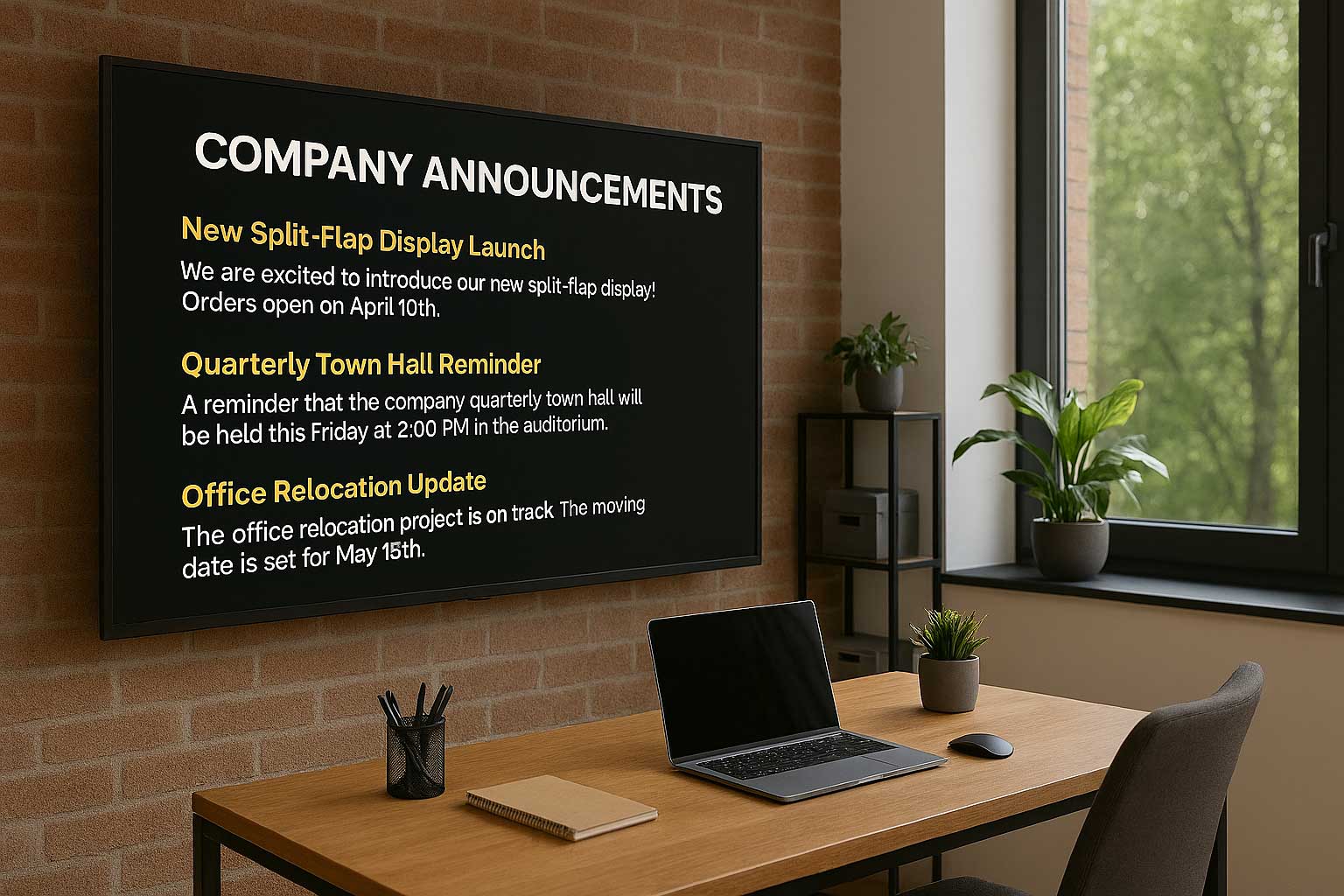
The old office corkboard, cluttered with faded flyers and overlapping memos, is a relic of the past. So are the mass emails that get buried in overflowing inboxes, often unread and unacted upon. In a modern workplace, effective internal communication requires a more dynamic, visible, and engaging approach. Today, digital screens—like office TVs—offer a modern solution for sharing announcements in a way that’s hard to ignore.
Turning those screens into an engaging display for company announcements can transform how you connect with your team. It ensures everyone, from the front desk to the factory floor, receives timely and consistent information. This guide will show you exactly how to set up a system to display company announcements on your office TVs, making your internal communications impossible to miss, and will give you a foundation for deciding what to display on corporate screens so your messages stay useful and engaging.
Why Use Office TVs for Company Announcements?
Before diving into the “how,” let’s explore the “why.” Using televisions for internal communications offers significant advantages over traditional methods. Office TVs are an effective way to display announcements to all employees, ensuring important messages reach everyone quickly and consistently. With digital signage software, you can display announcements in engaging formats, transforming static notices into dynamic content that captures attention and improves communication. For the best results, consider placing your TVs in high traffic areas such as reception, break rooms, or near elevators to maximize visibility and engagement.
Boosts Employee Engagement
Visual information is more engaging than text alone. A well-designed announcement on a large screen naturally draws attention. By displaying company wins, employee spotlights, and project milestones, you create a shared sense of purpose and celebrate collective success. Incorporating rotating content on your screens ensures that messaging stays fresh and dynamic, helping to maintain employee interest and engagement. This visibility helps employees feel more connected to the company’s mission and to each other.
Ensures Consistent and Timely Messaging
Emails can be missed, and word-of-mouth can lead to misinformation. A digital signage system guarantees that every screen displays the exact same message at the exact same time. Whether it’s an urgent IT update, a reminder about open enrollment, or a welcome message for a new hire, you can be confident that everyone is getting the same information directly from the source. The system also makes it easy to quickly add new announcements, ensuring your displays always show the most current and relevant information.
Reaches Every Employee
Not all employees are sitting at a desk all day. For staff in manufacturing, logistics, or retail environments, email is not a primary communication tool. Placing TVs in breakrooms, warehouses, and public spaces ensures these non-desk employees stay informed and included in company culture. With digital signage, you can easily manage and update announcements across multiple locations, making sure all employees receive timely information no matter where they work.
Reinforces Company Culture
Your office screens can become a living representation of your company’s values. Use them to share photos from team events, highlight your company’s social responsibility efforts, and display motivational quotes that align with your brand. You can also use the screens to display your own content, such as custom videos or messages from leadership, to further personalize and enhance employee engagement. This constant visual reinforcement helps build and maintain a strong, positive workplace culture.
A Step-by-Step Guide to Setting Up Your System
Step 1: Evaluate Your Existing Hardware (The TVs)
First, take inventory of the TV screens you already have. For displaying company announcements, you don’t necessarily need expensive, commercial-grade screens. Most modern consumer TVs will work perfectly.
Look for a TV screen with at least one available HDMI port and a Full HD (1920×1080) resolution. This ensures your content will look sharp and professional. If you need to purchase new TVs, consider their placement—a brighter screen may be necessary for a sunlit lobby, while a standard model is fine for a windowless breakroom. Choosing a modern smart TV offers additional benefits, such as built-in web browsing and app integration, making setup and management of your digital signage easier and more compatible with cloud-based solutions.
You can start with just one screen to modernize your communications and expand your digital signage network as your needs grow.
Step 2: Choose and Connect a Media Player
A TV is just a display; it needs a “brain” to tell it what to show. This is the role of a digital signage player or digital signage media player. While you could connect a laptop, a much more elegant and cost-effective solution is a small, dedicated device.
- Smart TVs: Some TVs with built-in operating systems like Android TV or Google TV can run digital signage apps directly. This is the simplest setup, as it requires no extra hardware. The TV’s operating system enables you to install signage apps and update content remotely.
- External Digital Signage Players: If your TV isn’t “smart” or its system is slow, a small external digital signage player or digital signage media player is your best bet. Devices like the Amazon Fire TV Stick, a Chromecast with Google TV, or an Android TV box are affordable, reliable, and plug directly into the TV’s HDMI port. These players connect to your office Wi-Fi and can be tucked neatly behind the screen. When setting up, you’ll typically see a pairing code on the device, which you enter into your content management system dashboard to link the player and enable remote management.
Step 3: Implement a Cloud-Based Software Solution
This is the most crucial component. A content management system is what allows you to have full control over what is shown, when it’s shown, and on which screens. Relying on a USB stick for updates is inefficient and impossible to scale. A cloud-based digital signage software like SignageTube eliminates complicated setups and is the key to effortless management, and transforming your digital signage experience with cloud-based software and a dedicated cloud digital signage platform lets you scale updates and control content from anywhere. Alternatively, browser based digital signage lets you display announcements directly through a smart TV’s web browser, reducing hardware needs and setup time.
A software platform or digital signage app lets you:
- Manage Content Remotely: Upload a new PowerPoint presentation from your desk and send it to screens across the building—or across the country.
- Schedule Announcements: Program content to appear at specific times. For example, show a “Welcome” slide deck during morning arrivals and switch to project updates in the afternoon.
- Organize Screens: Group TVs by department or location (e.g., “Sales Floor,” “Breakroom,” “Lobby”) and send targeted content to each group, managing content across multiple screens for scalable communication.
You can install a signage app or digital signage app directly on smart TVs or media players for seamless operation.
SignageTube simplifies this process by allowing you to use Microsoft PowerPoint, a tool your team already knows, to create the announcements, and a dedicated guide to PowerPoint digital signage and how to run slides on screens and building a PowerPoint presentation for digital signage can help you design content that looks great from any viewing distance.
Step 4: Create Engaging and Effective Content
Creating engaging digital signage starts with the ability to easily create content for your displays. Now that your system is in place, you can focus on creating the announcements themselves. The goal is to make your content glanceable and easy to digest.
Be Visual
Upload images, use high-quality photos, company branding, and bold graphics. Tools like Google Slides make it simple to design and update announcements, and a step‑by‑step resource on using PowerPoint for digital signage and a complete guide to using PowerPoint for digital signage offers additional design tips and best practices. Show pictures of the “employee of the month” instead of just writing their name.
Keep Messages Concise
Think of your screen like a billboard. People are walking by, not sitting down to read an essay. Use short headlines and bullet points. The “3×5 rule” is a good guideline: no more than three lines of text with five words per line.
Maintain Brand Consistency
Use your company’s official fonts, colors, and logo. This creates a professional and cohesive look across all communications. Create a PowerPoint template with these elements to make it easy for anyone on your team to create on-brand content, especially if you plan on digital signage using PowerPoint that actually scales or use PowerPoint for stunning digital signage across many screens.
Dynamic Content
Integrate RSS feeds, news headlines, and countdown timers to provide real-time updates and keep your announcements current and engaging; real-time digital signage and mastering real-time content for unbeatable digital signage makes it possible to automatically pull in live data like weather, dashboards, or social media without manual updates.
Content Types
Consider building directories and interactive displays for navigation, wayfinding, or providing information in public spaces like lobbies or campuses, and look at how maximizing impact with PowerPoint digital signage can help you turn simple slide decks into versatile, high-visibility content for these use cases.
Engaging Content Ideas
Include customer testimonials to build credibility and safety reminders for important alerts. These types of content help engage viewers and communicate essential information.
Schedule and Rotate
Don’t let your content get stale. Schedule regular updates, add new slides as needed, and avoid displaying static images for long periods to prevent screen burn-in. A good practice is to mix long-term content (like company values) with timely announcements (like an upcoming potluck) to keep the screens fresh and interesting.
Scheduling and Playback
One of the greatest advantages of using digital signage for company announcements is the ability to schedule and control playback with precision. With a robust digital signage software, you can plan exactly when your messages appear on your digital signage displays, ensuring the right information reaches your team at the most impactful moments. For example, you might schedule company news to play during morning arrivals, highlight motivational quotes during lunch breaks, or showcase upcoming events as the week unfolds.
- Create playlists: Build playlists that rotate content automatically, keeping your screens fresh and engaging.
- Mix content types: Seamlessly combine social media feeds, team spotlights, and important announcements on a single screen.
- Automate content rotation: Schedule content to appear at specific times and intervals without manual intervention.
By leveraging these scheduling features, you ensure that your digital signage displays always deliver timely, relevant, and dynamic content, making your internal communications more effective and engaging for everyone in the office.
Security and Storage
When it comes to digital signage, security and storage are essential for protecting your company’s information and ensuring smooth operation. A reliable digital signage software provides advanced security features like encryption and user access controls, so only authorized team members can upload or modify content. This is especially important when sharing sensitive company announcements or internal updates across multiple digital signage displays.
Cloud-based digital signage platforms offer scalable storage solutions, allowing you to easily manage a growing library of images, videos, and social media feeds without worrying about running out of space or dealing with outdated USB sticks, and the broader ecosystem of digital signage software solutions and cloud-based digital signage for data-driven communication showcases how real-time, cloud-managed systems keep this content current automatically. Your content is securely stored and always accessible, and automatic software updates keep your system protected against the latest threats. By choosing a secure, cloud-based digital signage platform, you can confidently display dynamic content across all your screens, knowing your data is safe and your displays are always up to date.
Measuring Success
To get the most out of your digital signage investment, it’s important to measure how well your company announcements are performing. Modern digital signage platforms provide built-in analytics that let you track key engagement metrics, such as how often content is viewed, which screens are most active, and which types of content—like videos or social media feeds—capture the most attention.
By analyzing this data, you can refine your content strategy to better connect with your audience. For example, if you notice that motivational quotes or company news updates are especially popular, you can schedule them more frequently. Or, if certain screens aren’t getting much attention, you might consider relocating them or adjusting the content rotation. With these insights, you can continually optimize your digital signage displays, ensuring your internal communications remain effective, engaging, and aligned with your organizational goals.
Start Transforming Your Office Communication Today
Stop relying on outdated methods that fail to capture your team’s attention. Affordable solutions like SignageTube help organizations save money while modernizing communication. Your office TVs and digital displays are an underutilized asset waiting to become the central hub of your internal communication strategy. By pairing them with the right media player and a powerful software solution, and ensuring stable internet access or an internet connection, you can create a dynamic, reliable, and engaging system for displaying messages and sharing company announcements.
SignageTube provides the missing link, making it simple to manage your screens from a central dashboard using the familiarity of PowerPoint, and its digital signage blog articles explore additional strategies to refine your content and deployment approach over time. You can schedule content, update messages instantly over the internet, and ensure every employee feels connected and informed.
Ready to bring your company announcements to life? Try SignageTube for free and see how easy it is to take control of your office digital displays for displaying messages throughout your organization.