 SignageTube
Digital Display: Complete Guide to Modern Screens for Signage
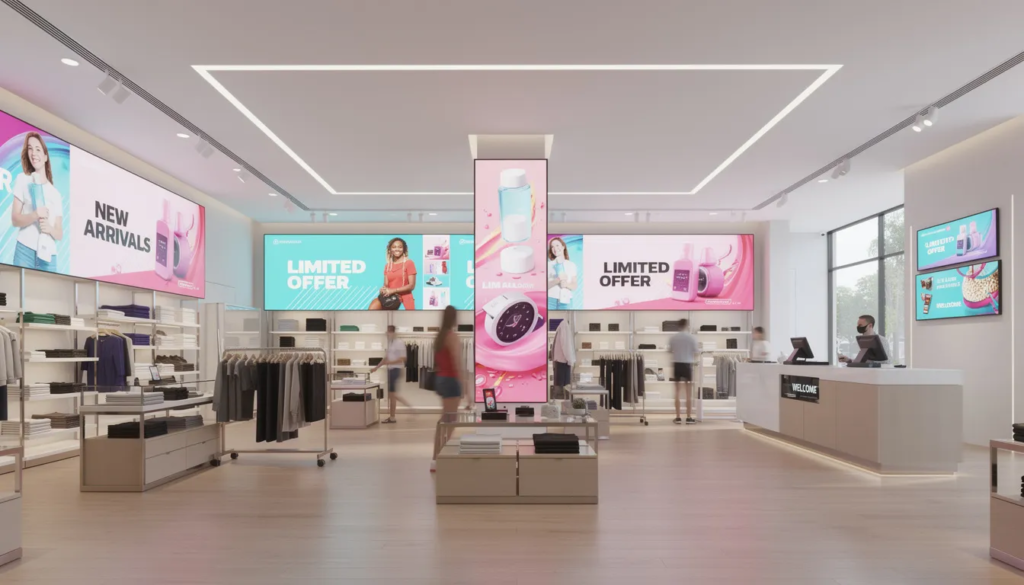
A digital display is an electronic screen used to present dynamic content such as images, video, live data, or interactive interfaces, and is at the core of modern visual communication systems. This comprehensive guide covers the essential aspects of digital displays, including their types (LCD, LED, OLED, e-paper, projection, and System-on-Chip), key technologies, industry applications, system components, and best practices for selection and deployment.
Scope:
This guide explores the different types of digital displays, their underlying technologies, how they are used in various industries, the differences between analog and digital systems, and practical steps for choosing and implementing digital displays in business environments. It also covers the relationship between digital displays and digital signage, system architecture, content management, analytics, and the pros and cons of digital display solutions.
Target Audience:
This resource is designed for business owners, IT managers, marketers, facilities managers, and anyone responsible for communication, marketing, or operational efficiency within their organization.
Why Understanding Digital Displays Matters:
Understanding digital displays is crucial because they have a significant impact on communication, marketing, and operations. Digital displays enable businesses to deliver real-time, engaging content, improve customer experience, streamline internal communications, and drive sales. They are widely used in retail and advertising to promote products and provide interactive information, and interactive digital displays allow users to interact with content via touchscreens or movement sensors.
Key Terms:
- Digital Display: An electronic screen (such as LCD, LED, OLED, e-paper, or projection) that presents dynamic content.
- Digital Signage: Refers to an electronic display platform that showcases programmed content or information. Digital signage encompasses the complete system, including digital displays, media players, content management software, and network infrastructure.
- Common Types: Common types of digital displays include LCD screens, LED screens, and projection screens.
Key Takeaways
- A digital display is an electronic screen (LCD, LED, OLED, SoC, or projection) used to present dynamic content like video, live data, and interactive interfaces—distinct from digital signage, which encompasses the complete system including hardware, software, and content strategy.
- The main display technologies serve different purposes: LCD dominates indoor commercial installations since the 2010s, direct-view LED powers outdoor billboards and large venues, OLED serves high-end retail since the mid-2010s, and SoC displays integrate media players for cable-free deployments.
- A complete digital signage system combines three elements—the display, a media player (external or built-in SoC), and a content management system (CMS)—all connected via network, enabling remote updates in seconds instead of reprinting posters.
- Professional displays differ significantly from consumer TVs: they support 24/7 operation, deliver 400-700+ nits brightness, include 3-5 year warranties, and offer lower total cost of ownership despite higher upfront prices.
- Choosing the right digital display requires a structured approach: define objectives, assess environment and viewing distance, select appropriate size and resolution, decide on interactivity needs, and plan for infrastructure and lifecycle costs.
What Is a Digital Display?
A digital display is an electronic screen—LCD, LED, OLED, e-paper, projection, or System-on-Chip (SoC)—used to present dynamic content such as images, video, live data, or interactive interfaces. Unlike static signs or printed posters, digital displays can show motion graphics, update in real-time, and integrate with data sources ranging from weather feeds to point of sale systems. These electronic displays serve as the visual endpoint of digital signage systems, transforming how businesses communicate with customers and employees.
Digital signage refers to an electronic display platform that showcases programmed content or information. It includes the complete system: digital displays, media players, content management software, and network infrastructure. Common types of digital displays include LCD screens, LED screens, and projection screens.
You’ve seen digital displays everywhere, even if you haven’t thought about the technology behind them. Digital departure boards have guided passengers through airports since the early 2000s. McDonald’s and Starbucks rolled out digital menu boards across thousands of locations starting around 2015, replacing static printed signage with dynamic screens that change menus throughout the day. When Piccadilly Circus in London upgraded to a single curved LED screen in 2017, it demonstrated how far display technologies had evolved from the traditional print signage and lightboxes that once dominated public spaces.
Digital displays are used in retail and advertising to promote products and provide interactive information. They appear across nearly every industry today: shopping malls and retail stores use them for promotions and wayfinding maps, hospitals display queue management and health education content, universities show campus announcements across multiple screens, and transportation hubs present real-time arrival information. The technology that powers these display screens varies by application—from small room-booking panels outside conference rooms to massive video walls spanning entire building facades. What unites them is the ability to deliver dynamic, real-time content that can be updated remotely, scheduled automatically, and tailored to specific audiences or times of day.
The distinction between a digital display and static signage comes down to flexibility and integration. A printed poster requires physical replacement for every campaign change, while a digital display can switch content in seconds through a software update. Traditional print signage shows one fixed image; digital screens can rotate through playlists of images, videos, animations, live social feeds, and data-driven dashboards. This shift from static images to dynamic digital signage content has fundamentally changed how organizations approach visual communication.
Analog vs Digital Displays
Many businesses are still in the process of moving from traditional printed or analog displays to networked digital screens. Understanding the differences helps clarify why this transition is happening and what it means for operations and costs.
Analog displays include printed signs, backlit lightboxes, legacy CRT televisions, and RF-fed TV systems showing a single broadcast feed via cables and splitters. These systems are updated manually—someone physically replaces the poster, swaps the DVD, or adjusts the cable box. The infrastructure typically involves coaxial cabling, local media players like DVD or VHS units, and no centralized control. When a QSR chain wanted to change menu prices across hundreds of locations using printed signage, it meant coordinating print runs, shipping, and manual installation at every site.
Digital displays are flat-panel LCD, LED, or OLED screens showing content from a media player or SoC, controlled by software and connected via LAN, Wi-Fi, or cellular networks. The key operational differences include:
- Update speed: A printed poster requires a reprint and physical installation for every campaign. A digital display receives playlist updates in seconds from a content management system, enabling real-time changes across an entire digital signage network.
- Content variety: Analog systems show static images or a single video loop. Digital systems display mixed multimedia content—images, video, HTML dashboards, social feeds, live data from inventory or weather APIs, and interactive elements.
- Infrastructure: Analog often relies on RF/coax cabling and standalone playback devices. Digital uses HDMI or DisplayPort connections, IP networks, and cloud-based CMS platforms that became mainstream in the mid-2010s.
- Operational costs: Analog incurs recurring print production and logistics expenses. Digital requires higher upfront investment but delivers lower long-term costs through eliminated printing and simplified updates.
When people discuss “digital display systems” today, they mean software-controlled electronic signage, not analog devices. Analog systems are now largely legacy infrastructure or niche applications where digital signage eliminates the limitations that once made them necessary.
Types of Digital Displays
Choosing the right display technology depends on your environment (indoor versus outdoor), viewing distance, required brightness, budget, and whether you need touchscreen capabilities. Here’s what each technology offers and where it fits.
Common types of digital displays include LCD screens, LED screens, and projection screens.
LCD Displays
LCD (Liquid Crystal Display) screens use liquid crystals positioned between transparent electrodes, with an LED backlight providing illumination. When electric current passes through, the crystals align to selectively block or transmit light, creating images through color filters. LCD displays use a fluorescent lamp backlight and offer the lowest contrast ratios among LED, OLED, and LCD technologies.
- Definition: LCD stands for Liquid Crystal Display, a technology that uses liquid crystals and a backlight to produce images.
- Use Cases: Common in retail shelf displays, window installations, conference room screens, information displays in offices and schools, and waiting room screens in healthcare settings.
- Features: Professional indoor LCD displays typically deliver 300-700 nits brightness (compared to 250-350 nits for consumer televisions), with 1080p or 4K resolutions standard. Commercial models carry 16/7 or 24/7 duty ratings, meaning they’re designed for continuous operation in business environments.
- Panel Type: IPS (In-Plane Switching) panels dominate professional signage because they offer excellent color accuracy and wide viewing angles with minimal color shift—critical when customers approach LCD screens from multiple directions in retail stores.
LED Displays
LED (Light Emitting Diode) screens use individual light emitting diode elements as both the light source and pixel, eliminating the need for backlighting. Each pixel consists of red, green, and blue LEDs with brightness controlled by adjusting current to each diode.
- Definition: LED stands for Light Emitting Diode, a technology where each pixel is a tiny LED that emits its own light.
- Pixel Pitch: The spacing between pixels—called pixel pitch—determines where LED displays work best. Fine pitch (1.2-2.5mm) suits indoor installations with close viewing distances like corporate boardrooms and retail environments. Coarse pitch (6-16mm) works for roadside digital billboards and stadium displays viewed from tens of meters away.
- Use Cases: LED walls have dominated outdoor advertising on major highways since the early 2000s, powering stadium perimeter boards, city center media façades, and the massive LED screens in places like Times Square.
- Advantages: Extreme brightness (1000-4000+ nits, visible in direct sunlight), modular tile construction allowing virtually any size, and robust weatherproof designs with IP65+ ratings for outdoor digital applications. LED displays are more cost-effective and durable than OLED displays but cannot achieve true black. LED displays are also known for their energy efficiency, which enhances performance and sustainability, especially in commercial and outdoor applications.
OLED and Advanced Panels
OLED (Organic Light-Emitting Diode) technology generates light from organic compounds when electric current is applied, with each pixel serving as an independent light source. This eliminates backlighting entirely, resulting in infinite contrast ratios (black pixels are completely off), ultra-thin profiles, and exceptionally fast response times.
- Definition: OLED stands for Organic Light-Emitting Diode, a display technology where each pixel emits its own light using organic compounds.
- Use Cases: Since the mid-2010s, OLED has found adoption in high-end retail boutiques, automotive showrooms, and flagship installations where superior image quality justifies higher costs. Transparent OLED displays—capable of showing content while allowing viewers to see through the panel—have emerged for premium shop windows and museum exhibits, though they remain expensive niche products requiring specialized handling.
- Limitations: The burn-in risk with static images limits OLED’s suitability for applications displaying the same layout continuously, like airport information boards or corporate dashboards with fixed elements.
- Sustainability: OLED displays are also recognized for their energy efficiency, making them a sustainable choice for high-end installations.
Interactive Touch Displays
Interactive digital displays allow users to interact with the content via touchscreens or movement sensors.
- Definition: Interactive digital displays are screens that enable user engagement through touch or motion, allowing for a two-way interaction with the displayed content.
- Touch Technologies:
- Infrared (IR) touch: Sensors around the display perimeter detect touch. Resilient to dirt and scratches, works with gloves, but requires larger bezels.
- Capacitive touch: Detects electrical conductivity of skin, offering excellent responsiveness but requiring bare finger contact.
- PCAP (Projected Capacitive): Projects sensors across the entire surface, enabling multi-touch with improved accuracy. This is the dominant technology in modern professional interactive displays.
- Use Cases: Wayfinding kiosks in shopping centers, self-service ordering kiosks in QSR chains, check-in terminals in hotels and clinics, and touchscreen menu boards all rely on interactive advertising screens. Post-COVID hygiene concerns have elevated the importance of sealed touch surfaces and antimicrobial coatings in new installations.
System-on-Chip (SoC) Displays
A System-on-Chip (SoC) display integrates the media player—including CPU, GPU, storage, and operating system—directly into the display hardware. This eliminates the need for an external media player box, reducing cable clutter and installation complexity.
- Definition: SoC displays are digital screens with built-in computing hardware, allowing them to run content without external devices.
- Use Cases: Commercial SoC screens from major manufacturers became widely available after approximately 2013 and are now common in small to mid-sized chain rollouts where simplified installation matters. These digital signage displays typically run Android, Linux, or proprietary operating systems with built-in storage, network connectivity, and direct CMS integration.
- Trade-off: If the integrated player fails, the entire display may be out of service pending repair, though some models include OPS (Open Pluggable Specification) slots for modular processor upgrades.
Projection and E-Paper
Projection screens and e-paper displays serve specialized applications.
- Projection Screens: Projectors (DLP, 3LCD, and laser-based) work well for large, irregular, or temporary surfaces like building facades, museum gallery walls, and event venues. Projection is particularly valuable in heritage buildings where permanent installations may not be permitted.
- E-paper (Electronic Ink): E-paper displays use electrophoretic microcapsules that require power only during updates, making them ultra-low-power. Applications include bus stop timetables, retail price labels, and low-power digital information boards where content changes infrequently. The slow refresh rate makes e-paper unsuitable for video or animation but ideal for static or periodically updated text.
Common Uses of Digital Displays by Industry
Digital displays power digital signage applications across virtually every sector. Adoption accelerated dramatically after 2010 as LCD panel costs declined and cloud CMS platforms matured, making large-scale deployments economically feasible for organizations of all sizes.
Retail and Grocery
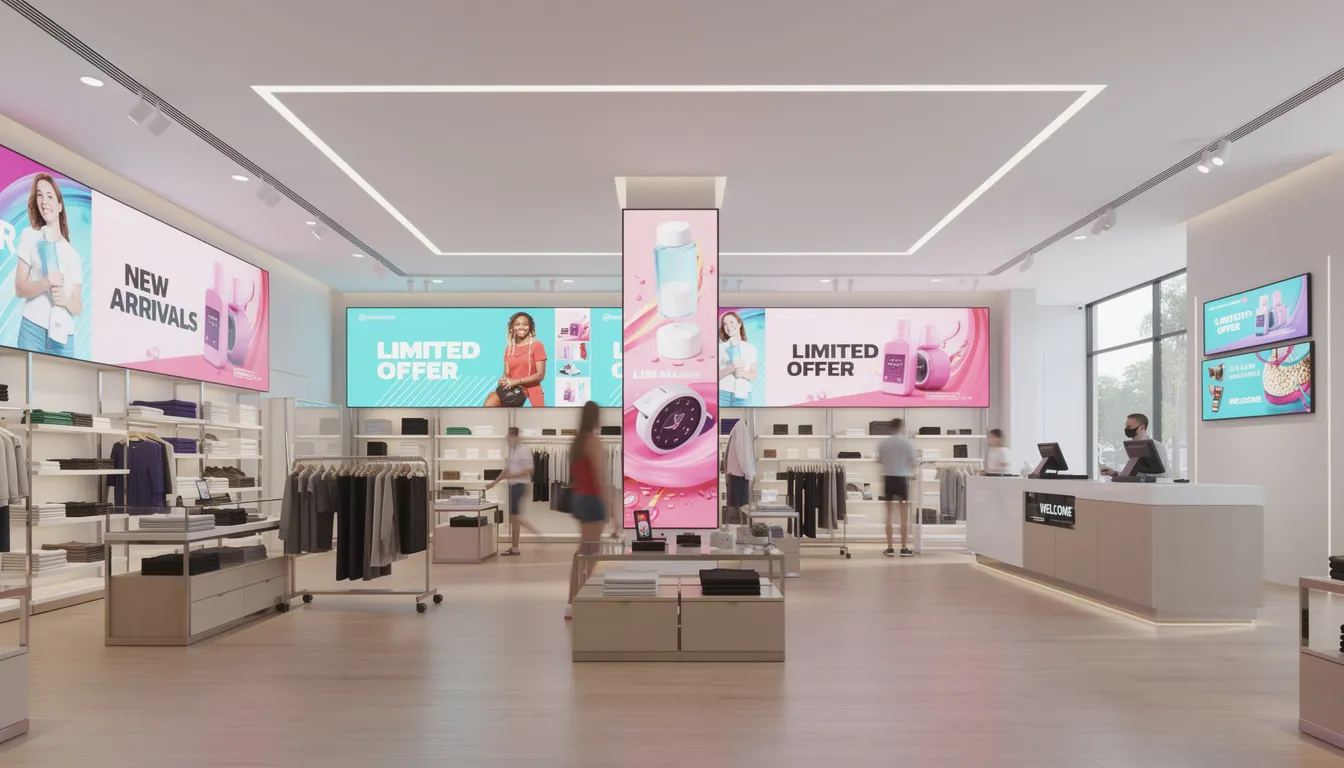
Retail stores deploy digital signage hardware for promotional end-cap screens highlighting featured products, electronic shelf edge labels showing prices and promotions, fitting-room mirrors displaying outfit suggestions, and digital window displays visible from the street.
Fashion chains use 4K video walls to showcase seasonal campaigns and brand storytelling with engaging visuals. Supermarkets place digital screens near fresh produce and dairy sections to display real-time promotions, recipe videos, and product information. The ability to push targeted messages and personalized messaging based on time of day, inventory levels, or local events gives retailers flexibility that traditional print signage never offered.
Digital signage content in retail typically includes promotional graphics, product videos, social media feeds, and dynamic pricing on advertising screens throughout the store—all managed through a single platform to distribute content across dozens or hundreds of locations.
Restaurants and QSR
Digital menu boards above counters and at drive-thru windows have become standard in quick-service restaurants since approximately 2015. The operational advantages include:
- Time-of-day menus that automatically switch between breakfast, lunch, and dinner offerings
- Upsell animations promoting combo meals and high-margin items
- Real-time menu changes when items sell out (automatically hiding “86’d” items within seconds of inventory depletion)
- Reduced perceived wait time as customers informed by clear, dynamic displays can make decisions faster
Self-ordering kiosks with touchscreen capabilities handle customer engagement independently, reducing labor requirements while often increasing average order values through consistent upselling. Integration with point of sale systems enables automatic menu updates based on inventory and time of day.
Corporate and Manufacturing
Corporate settings use digital signage for lobby welcome screens displaying visitor information, internal communications dashboards sharing company announcements, and meeting room booking panels outside conference spaces. Well-planned corporate digital signage content also supports inter-department communication, recognition programs, and visitor navigation.
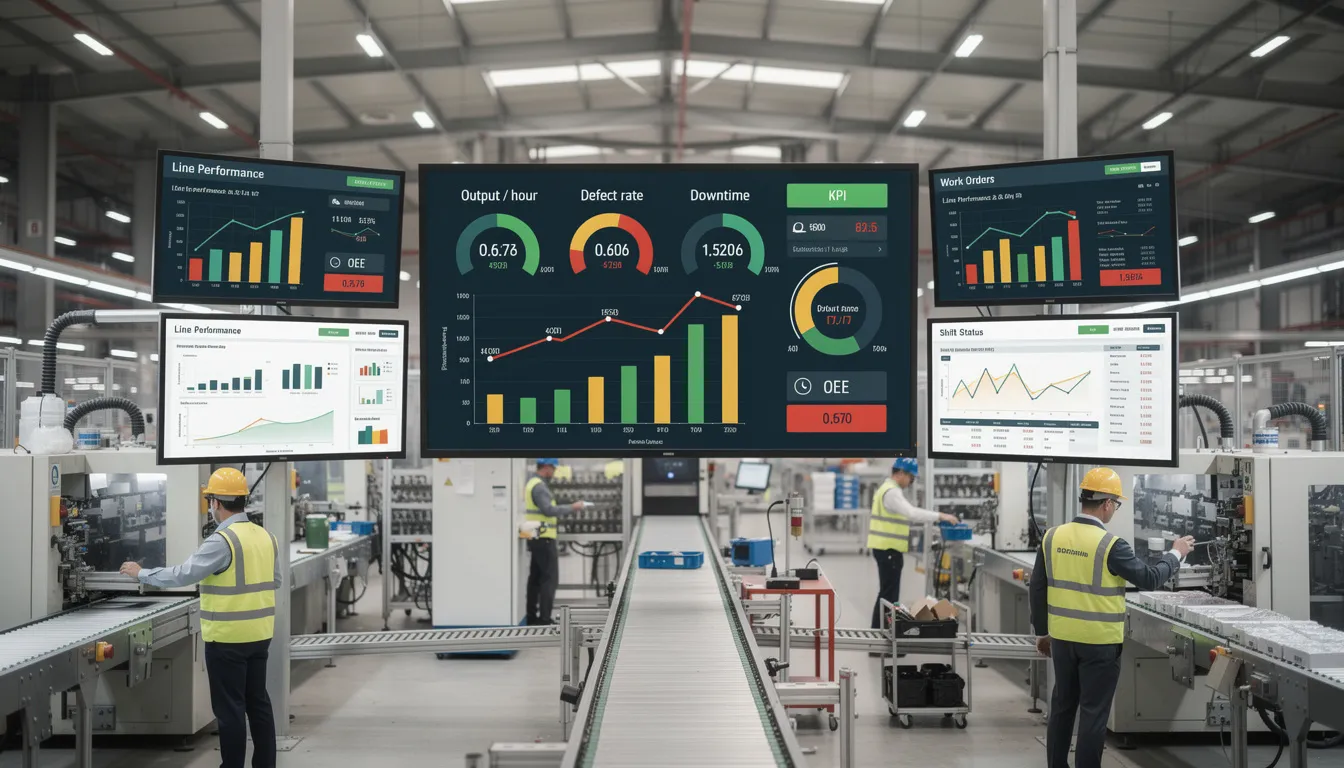
Manufacturing facilities display operational KPIs—Overall Equipment Effectiveness, downtime duration, safety statistics, production targets—on large 4K displays updated every minute from manufacturing execution systems. A typical plant might deploy 10-30 displays across production floors, control centers, and management areas, all coordinated through a single CMS for consistent messaging. These dashboards increase operational transparency, facilitate rapid problem-solving by highlighting equipment faults, and reinforce safety culture through prominent display of safety metrics.
Healthcare
Hospitals and clinics deploy digital signage systems for wayfinding that guides patients to departments and appointments, reducing confusion in unfamiliar environments. Queue management screens in waiting areas display wait times and call patients by name or number, reducing perceived wait time and improving customer experience.
Health education content in waiting rooms provides relevant information to patients—orthopedic surgery education in orthopedic departments, for example. Staff-only displays in back-of-house areas show patient rosters, appointment schedules, and critical alerts. Healthcare facilities report reduced missed appointment rates and improved patient satisfaction scores from effective digital signage implementations.
Education and Campuses
Universities began deploying 50+ screens per campus for centralized communications around 2018. Uses include campus-wide emergency alert systems (active shooter, severe weather, evacuation instructions), class schedule changes displayed outside lecture halls, canteen menus and operating hours, and student event promotion.
The ability to push critical safety information to multimedia screens across an entire campus in seconds—rather than relying on email or manual posting—represents a fundamental improvement in emergency response capability. Multi-language support and accessibility features serve diverse student populations and international students.
Transportation and Government
Transportation hubs—airports, metro systems, bus terminals—display real-time arrival and departure information, gate assignments, disruption alerts, and boarding announcements across multiple screens visible from main concourses. This infrastructure reduces passenger confusion and has become expected by travelers in developed economies.
Government and public venues use digital noticeboards in libraries and civic buildings, queue calling systems in service centers, and town-hall information displays for citizen communications. Many transportation networks integrate advertising displays into the information system infrastructure, creating secondary revenue streams that fund ongoing maintenance.
How a Digital Display System Works
A complete digital signage system combines three core elements: display hardware, a media player (external or integrated SoC), and content management software—all connected by a network. Understanding how these components work together helps you plan deployments that actually function reliably rather than becoming expensive decorations.
Display Hardware
The display is the “face” of the system—what your target audience actually sees. Digital signage screens range from small 10-15 inch room labels to 98-inch lobby displays and multi-screen video walls spanning entire walls.
Mounting options include:
- Wall mounts (fixed or articulating)
- Ceiling mounts for double-sided viewing
- Floor stands for portable installations
- Purpose-built kiosks
- Custom enclosures for outdoor or specialized environments
Professional displays support both landscape and portrait orientation, with thermal design optimized for each position.
Media Players
The media player is the “brain” that decodes and displays content according to CMS instructions. Choosing the right digital signage player features is critical for performance and flexibility. Options include:
- External players: Dedicated Windows, Android, Linux, or proprietary appliances connected to the display via HDMI. These offer flexibility and easy replacement but add cable management complexity.
- SoC displays: Displays with integrated players eliminate external boxes entirely. The trade-off is less flexibility for future upgrades, though OPS slots on some models allow modular processor replacement.
Media players store content locally (ensuring playback continues during internet outages), decode 1080p and 4K video, run the operating system and player application, and connect to the CMS via Ethernet, Wi-Fi, or cellular.
Content Management System (CMS)
Digital signage software—the CMS—is browser-based or desktop software used to upload assets (JPEG, PNG, MP4, HTML, data feeds), create playlists, schedule content, and monitor device status. Cloud CMS platforms became mainstream in the mid-2010s and now enable remote management of hundreds of screens across multiple sites from a single dashboard.
The CMS handles content creation workflows, user permissions, scheduling rules, and device health monitoring. Most platforms support integration with third-party data sources—weather feeds, social media, inventory systems, emergency alert networks—enabling users to present multimedia content that responds to real-time conditions.
Network and Remote Management
Digital signage hardware includes the network infrastructure connecting displays to your CMS. Connectivity options include:
- Corporate LAN (most common for retail chains and corporate campuses)
- Secure Wi-Fi
- VPN for geographically distributed networks
- 4G/5G cellular for remote kiosks or outdoor digital billboards without reliable broadband
Remote management capabilities let administrators manage content remotely, control power on/off and volume, adjust brightness, push firmware updates, and enforce security policies. IT coordination—VLANs, firewalls, device whitelisting—should happen early in planning to avoid deployment delays. Network connectivity issues are among the most common reasons digital signage work falls behind schedule.
Basic Content Workflow
The typical sequence from content creation to display highlights how thoughtful digital signage content scheduling ensures messages appear at the right time for the right audience:
- Design content (images, videos, HTML layouts, data integrations)
- Upload assets to CMS
- Create playlist combining multiple assets with timing and transitions
- Assign playlist to specific displays or display groups
- System downloads content to player storage and caches locally
- Content plays according to schedule
Scheduling dimensions include time of day, day of week, location, language, and triggered events. Weather-based creatives can swap automatically when conditions change; inventory-driven promotions can highlight items that need to move. This dynamic scheduling is what makes electronic signage fundamentally different from static signs or simple video loops.
Outdoor Digital Signage Displays and Specialised Use Cases
Outdoor and semi-outdoor environments—shop windows, bus shelters, roadside billboards—introduce challenges that indoor installations don’t face: direct sunlight, weather exposure, temperature extremes, and vandalism risk. Outdoor digital signage refers to rugged, weatherproof digital displays specifically designed for outdoor use in public spaces, offering high brightness, durability, and weather resistance. Digital signage solutions for these environments require specialized hardware and planning.
Outdoor Digital Billboards and Street Furniture
LED billboards along highways and city streets deliver brightness levels above 4000 nits—bright enough to remain visible in direct sunlight. Weather ratings of IP65 or higher protect against rain, dust, and debris. These outdoor digital installations have dominated roadside advertising since the early 2000s.
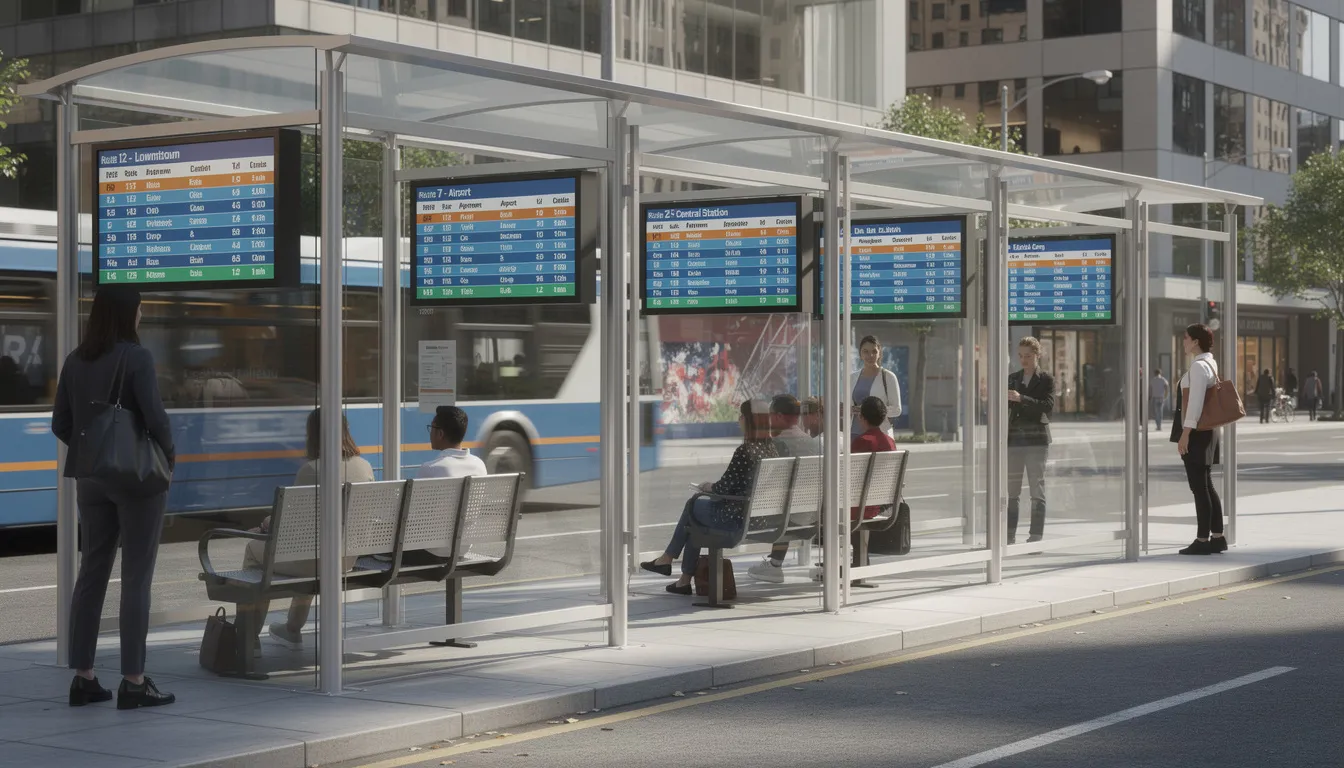
Street furniture applications include digital bus shelters displaying real-time arrival information and advertising, city wayfinding totems, and DOOH (digital out-of-home) networks in major metropolitan areas. These systems combine informational content with advertising revenue, often funding municipal transit information services.
High-Brightness Window Displays
Window-facing displays in retail combat direct sunlight and reflections with brightness levels of 2500-4000 nits—far exceeding standard indoor panels. Electronics and fashion retailers commonly use portrait-oriented 55-75 inch high-brightness screens to showcase seasonal campaigns visible from sidewalks.
These displays typically run 16/7 or 24/7 with thermal designs that handle solar heat gain through the glass. Anti-reflective coatings reduce glare that would otherwise make content unreadable during peak daylight hours.
Rugged and Weatherproof Kiosks
Outdoor kiosks require design elements beyond what indoor installations need:
- Sealed enclosures preventing moisture and dust ingress
- Anti-reflective and anti-vandal glass protecting the display
- Active cooling or heating maintaining operating temperatures across -20°C to +50°C ambient ranges
- Secure mounting preventing theft or tampering
Use cases include outdoor ticket machines at train stations, parking payment terminals, bike-share docking stations with integrated displays, and tourist information kiosks in public squares.
Environmental and Regulatory Considerations
Many jurisdictions regulate outdoor digital displays. Common restrictions include:
- Maximum brightness levels (preventing driver distraction on roadways)
- Content change frequency limits (banning rapid flashing)
- Operating hour restrictions (prohibiting overnight operation in residential areas)
These regulations have been formalized in most developed countries since the 2010s and vary significantly by municipality.
Power consumption planning matters for high-brightness outdoor installations. Maintenance schedules should include regular cleaning of optics and fan filters, with LED module replacement cycles planned every 3-5 years for heavily used installations.
Professional vs Consumer Digital Displays
Consumer TVs from major electronics retailers are tempting due to lower prices, but they differ significantly from commercial digital signage displays. Understanding these differences prevents costly mistakes in business deployments.
Duty Cycle and Reliability
Professional displays are certified for 16/7 (16 hours daily) or 24/7 continuous operation. Cooling systems, component selection (higher-grade capacitors, industrial power supplies), and thermal design support sustained use in public environments.
Consumer TVs are engineered for an estimated 4-8 hours of daily use in residential environments with controlled temperatures and good ventilation. Operating consumer TVs continuously often results in thermal throttling (automatic brightness reduction), image retention, color shift, and premature component failure. Warranties explicitly exclude commercial use—claims will be denied if failure occurs during signage applications.
Brightness and Readability
- Consumer TVs: typically 250-350 nits, adequate for darkened home viewing
- Professional indoor displays: 400-700 nits, readable under retail overhead lighting
- High-brightness models: 1500+ nits for window displays and semi-outdoor environments
- Outdoor LED: 4000+ nits for direct sunlight visibility
Professional panels also feature anti-glare coatings and better uniformity across the screen—important in brightly lit retail or atrium environments where customers informed by digital screens shouldn’t struggle to read content.
Orientation and Form Factors
Professional displays support both landscape and portrait mounting with thermal design optimized for each orientation. Consumer TVs are designed exclusively for landscape; mounting them vertically can cause overheating as natural convection patterns are disrupted.
Specialized professional models include ultra-thin bezels (under 3.5mm) for seamless video walls, stretched displays for shelf edge applications, and ruggedized outdoor enclosures. Computer monitors and consumer TVs lack these options.
Connectivity and Control
Commercial digital signage hardware includes:
- RS-232 (serial) and LAN (Ethernet) control interfaces
- Integrated scheduling capabilities
- SoC or OPS slots for media players
- Daisy-chain connectivity for large installations
- Remote management protocols
Consumer TVs rely on HDMI-CEC and infrared remotes, limiting centralized control across multiple screens. Managing a network of consumer TVs requires someone physically present at each location for most operations.
Total Cost of Ownership (TCO)
Consider a 55-inch display over five years:
|
Cost Element |
Consumer TV Approach |
Professional Display Approach |
|---|---|---|
|
Initial purchase |
$300-500 |
$1,500-2,500 |
|
Mounting/installation |
$200-400 |
$200-400 |
|
Expected lifespan at 24/7 |
1-2 years |
5-7 years |
|
Replacements over 5 years |
3-5 units |
0-1 unit |
|
Total display cost |
$1,500-3,500 |
$1,500-2,500 |
|
Repeat installation labor |
$600-2,000 |
$0-400 |
|
Downtime impact |
Significant |
Minimal (on-site service available) |
|
The upfront savings from consumer TVs disappear quickly when replacements, repeated installation labor, and downtime costs accumulate. For any mission-critical deployment, multi-screen digital signage network, or 24/7 operation scenario, professional displays represent superior long-term value. |
|
|
Choosing the Right Digital Display for Your Project
This step-by-step framework helps project owners, marketers, and IT managers plan deployments systematically rather than purchasing hardware that doesn’t fit actual needs.
Define Objectives
Start with what you’re trying to accomplish. Is the goal to increase brand awareness and sales, speed up wayfinding and reduce staff questions, decrease perceived wait times, share internal KPIs with employees, or generate advertising revenue?
Link objectives to measurable outcomes: uplift in average basket size, reduction in queue length, increase in on-time appointments, decrease in customer complaints. These metrics guide technology selection and help justify investment later.
Assess Environment and Location
Environment determines technology requirements:
- Indoor vs outdoor vs semi-outdoor: A climate-controlled office lobby has different requirements than a window display facing the street or an outdoor kiosk.
- Ambient light conditions: Dim corridors need 300-400 nits; sun-flooded concourses need 700+ nits; window-facing installations need 2500+ nits.
- Installation height and viewing distance: Retail aisle screens viewed from 2-5 meters differ from digital billboards viewed from 20-50 meters.
- Traffic patterns: Is your audience walking quickly past, standing in a queue, or seated for extended periods?
Each display location has unique constraints that affect sizing, brightness, and mounting decisions.
Select Size, Resolution, and Orientation
Rules of thumb for sizing:
- 43-55 inch 4K: typical retail aisles, meeting rooms, waiting areas
- 65-86 inch: lobbies, lecture theaters, large conference rooms
- 98+ inch or LED video walls: large venues, atriums, outdoor installations
Resolution guidance:
- 4K (3840 × 2160): recommended for new indoor installations 43 inches and above, especially for detailed text, dashboards, or close-view content
- 1080p (1920 × 1080): adequate for smaller screens or when audiences are several meters away viewing large-format video or simple messaging
- LED pixel pitch: 1.2-2.5mm for indoor close viewing; 6-16mm for roadside billboards viewed from distance
Orientation depends on content:
- Landscape: dashboards, wide-format video, presentation content
- Portrait: menu boards, directory listings, social media feeds, poster-style promotions
Decide on Interactivity
Not every installation needs touch. Ask:
- Does the application require user input (wayfinding, self-service ordering, check-in)?
- Or is passive viewing sufficient (menus, dashboards, flight information, marketing messages)?
If touch is needed, consider hygiene requirements (sealed surfaces, antimicrobial coatings), accessibility compliance (reach heights, button sizing), and user flow design. Interactive content requires more sophisticated content creation and user interface design than passive displays.
Consider Infrastructure and IT Constraints
Common constraints that derail projects:
- Power availability at the display location (can you get power to that wall?)
- Network cabling or reliable Wi-Fi coverage
- Mounting surface structural capacity (can the wall support a 75-inch display?)
- Restrictions in historic or leased buildings
- IT security policies affecting network connectivity and device management
Coordinate with IT and facilities early. VLAN configuration, firewall rules, and cabling routes discovered late cause delays and budget overruns.
Budgeting and Lifecycle Planning
Comprehensive project budgets include:
- Displays
- Media players (if not using SoC)
- Mounts, enclosures, cabling
- Installation labor
- CMS licensing (often annual subscription)
- Content creation (initial and ongoing)
- Support services and maintenance agreements
Plan for typical lifespan of 5-7 years for commercial LCD and LED operated within specifications. Many organizations plan phased refreshes, replacing a portion of displays annually rather than facing large capital expenditures all at once.
FAQs
What is the difference between a digital display and digital signage?
A digital display is the physical screen itself—the LCD, LED, OLED, projector, projection screens, or e-paper panel that shows content. Digital signage refers to the complete system: displays, media players, CMS software, network infrastructure, and content strategy working together.
For example, a 55-inch 4K LCD panel is a digital display. When connected to an external media player and cloud CMS showing scheduled menus across a restaurant chain, it becomes part of a digital signage network. The distinction matters because purchasing displays without planning the complete system often results in under-utilized hardware and operational inefficiencies. Always plan signage projects as systems, not just screen purchases.
Can I use a regular TV as a digital display for my business?
Technically, you can connect a media player or streaming stick to a consumer TV for small, low-duty applications—perhaps a single lobby screen running a few hours daily. However, for 16/7 or 24/7 business use, consumer TVs present serious problems.
Consumer televisions may overheat during extended operation, develop image retention from static content, and their warranties explicitly exclude commercial use. They also lack features like remote management, LAN control, and portrait orientation support that digital signage systems require.
For any mission-critical deployment, multi-screen installation, or high-brightness requirement, professional commercial displays are the appropriate choice—despite higher upfront costs, they deliver lower total cost of ownership and reliable operation.
How long do professional digital displays typically last?
Professional commercial LCD panels typically last 50,000-70,000 hours, equating to roughly 5-7 years of 24/7 continuous operation, or longer at reduced daily hours. LED video walls can achieve even longer effective lifespans if individual modules are maintained and replaced as needed.
Actual lifespan depends on operating conditions (ambient temperature, ventilation quality), brightness settings (higher brightness accelerates wear), and usage patterns (static images stress certain panel types more than varied content).
Plan for a 5-year lifecycle in budgets, with warranties or service agreements covering at least 3 years. Critical installations should consider extended warranties to 5 years.
Do digital displays work during internet outages?
Yes—most digital signage players cache content locally, so existing playlists continue running even when internet connectivity drops. Your screens shouldn’t go blank just because the network hiccups.
However, new digital signage content or schedule changes won’t reach the player until connectivity restores. Players typically poll the CMS regularly; cached content keeps playing between updates.
For installations with unreliable connectivity (remote kiosks, mobile deployments, outdoor environments), design content and player policies with intermittent connectivity in mind. Configure offline fallback playlists, appropriate cache sizes, and health check behaviors that handle disconnection gracefully.
What resolution should I choose for a new digital display installation?
For most new indoor professional installations 43 inches and above, 4K (3840 × 2160) is the recommended standard—particularly when displaying detailed text, data dashboards, or content viewed from close distances. The higher pixel density ensures sharp text and fine detail.
1080p (1920 × 1080) remains adequate for smaller screens, installations where audiences view from several meters away, and content consisting primarily of large-format video or simple graphics without fine text.
For LED video walls, resolution depends on pixel pitch and viewing distance. Fine pitch (1.2-2.5mm) suits indoor environments with close viewing; coarser pitch (6-16mm) works for outdoor digital billboards viewed from tens of meters away. At typical viewing distances, a fine-pitch LED wall delivers effective resolution comparable to a 4K LCD of similar physical size.
Digital Signage Software
Digital signage software is the backbone of any successful digital signage system, providing the tools needed to create, schedule, and manage content across a network of digital signage displays. With a user-friendly interface, this software empowers businesses to design engaging visuals, incorporate interactive elements, and tailor messaging to their target audience—all from a centralized dashboard.
One of the key advantages of digital signage software is its ability to enable users to distribute content remotely, ensuring that updates and changes can be made in real time without the need for on-site intervention. This remote management capability is especially valuable for organizations with multiple locations or a large digital signage network, as it streamlines operations and reduces the time and cost associated with manual updates.
Digital signage software supports a wide range of file formats, including images, videos, and interactive elements, allowing businesses to present multimedia content that captures attention and drives customer engagement. By leveraging these features, companies can deliver dynamic, targeted messages that resonate with viewers and enhance the overall customer experience. Ultimately, investing in robust digital signage software is essential for maximizing the impact and efficiency of digital signage systems.
Content Management System (CMS)
A Content Management System (CMS) is a vital component of modern digital signage, serving as the central hub for managing digital signage content across multiple screens. With a content management system CMS, users can easily upload, schedule, and distribute content to various digital signage displays, ensuring consistent messaging and branding throughout their digital signage network.
The CMS provides a streamlined platform for organizing playlists, setting display schedules, and monitoring the status of each screen—all from a single, intuitive interface. This centralized approach enables users to efficiently manage content across multiple screens, whether in a single location or spread across different sites. Real-time monitoring and reporting features allow businesses to track content performance and make data-driven decisions to optimize their digital signage strategy.
By enabling users to distribute content quickly and efficiently, a CMS reduces the complexity of managing large-scale digital signage deployments. It also supports collaboration among team members, allowing for seamless content updates and approvals. For any organization looking to maximize the effectiveness of their digital signage, a robust content management system is indispensable.
Digital Signage Content
Digital signage content encompasses the visual and interactive elements displayed on digital screens, including images, videos, text, animations, and more. This content is crafted for both informational or advertising purposes, aiming to engage, inform, and influence the target audience in real time.
Effective digital signage content is designed to be visually striking, concise, and relevant, ensuring that it captures attention and communicates key messages quickly. Businesses can leverage a variety of content creation tools—such as graphic design software, video editors, and specialized digital signage platforms—to produce dynamic digital content tailored to their audience’s interests and needs.
Incorporating interactive elements, such as touchscreens or motion sensors, can further enhance engagement by inviting viewers to interact directly with the display. This not only creates a memorable experience but also encourages deeper customer involvement and feedback. By continuously updating and refining digital signage content, organizations can keep their messaging fresh and impactful, making the most of their investment in digital screens.
Digital Signage Analytics
Digital signage analytics play a crucial role in measuring the success and impact of digital signage networks. By collecting and analyzing data on viewer engagement, content playback, screen interactions, and the performance of real-time financial or stock metrics on screens, businesses gain valuable insights into how their digital signage is performing.
These analytics tools help organizations identify which content resonates most with their audience, track trends over time, and pinpoint opportunities for improvement. With access to detailed reports and real-time data, companies can refine their content strategies, optimize scheduling, and ensure that their digital signage delivers maximum value.
Additionally, digital signage analytics enable businesses to measure the return on investment (ROI) of their campaigns, providing clear evidence of revenue generated or costs saved through digital signage initiatives. By leveraging these insights, organizations can make informed decisions, enhance their digital signage approach, and achieve better results from their digital signage efforts.
Disadvantages of Digital Displays
While digital displays offer significant advantages over traditional print signage, there are some important disadvantages to consider. The initial investment for digital signage hardware and installation is typically higher than that of printed signage, which can be a barrier for some businesses. Ongoing maintenance and regular software updates are necessary to keep digital displays operating smoothly, and these requirements can add to the total cost of ownership.
Technical issues, such as screen failures or software glitches, may occasionally disrupt operations and require prompt attention to minimize downtime. In outdoor environments, digital displays must contend with challenges like increased energy consumption, exposure to weather, and the need for specialized enclosures to protect against the elements. Brightness levels must be carefully managed to ensure visibility without excessive power use.
Despite these drawbacks, many organizations find that the flexibility, dynamic content capabilities, and enhanced customer engagement offered by digital displays outweigh the disadvantages. By carefully evaluating both the pros and cons, businesses can choose the digital signage solutions that best fit their needs and budget.
- SignageTube Starter – content signage on any TV
- SignageTube Enterprise – live data on your screens
- Digital signage software – how to choose, and what matters
- Templates – 120+ ready-made designs
- Pricing – simple per-screen plans