 SignageTube
8 Best Tools for Store Screen Messaging
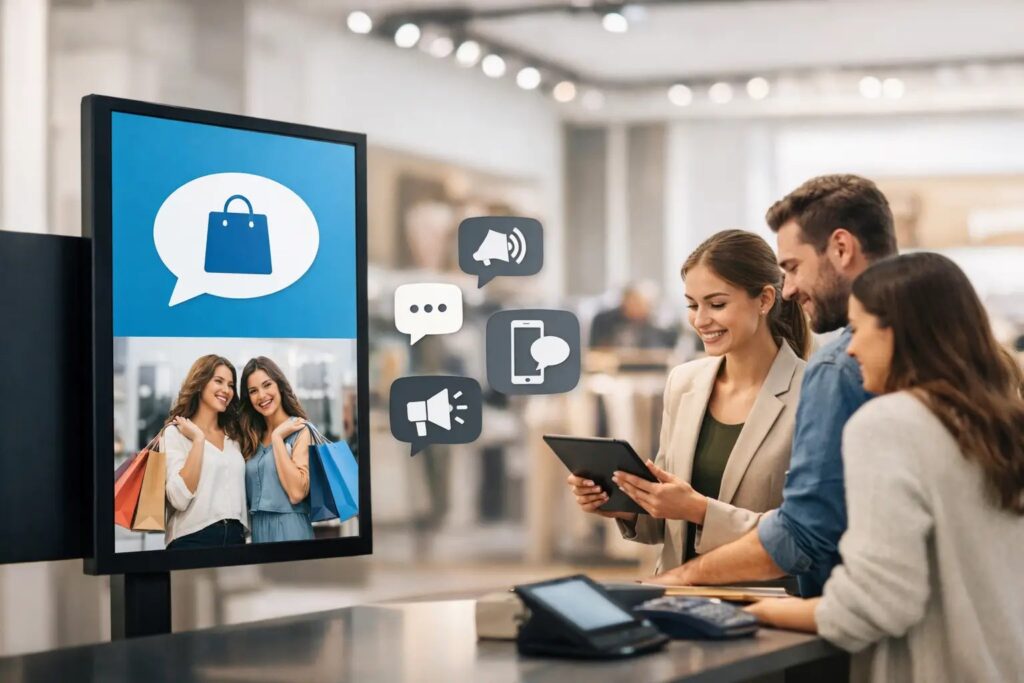
A screen near the register has about two seconds to do its job. It can reinforce a promotion, direct traffic, reduce confusion, or support staff with the next message they need to deliver. If the content is outdated, hard to read, or difficult to update across locations, that screen becomes visual clutter. That is why choosing the best tools for store screen messaging is less about flashy features and more about speed, control, and repeatable execution.
For most organizations, store screen messaging is not a design problem first. It is an operations problem. Teams need a practical way to create content, schedule it, push updates to one screen or hundreds, and keep messages consistent without relying on specialized software or constant IT involvement. The right toolset makes that process straightforward.
What the best tools for store screen messaging actually need to do
Store screens sit at the intersection of marketing, operations, and customer communication. In one day, they may need to show a sales promotion in the morning, wayfinding at lunch, staffing reminders in the afternoon, and compliance messaging by closing time. A useful platform has to support that variety without forcing teams into a complicated workflow.
The first requirement is easy content creation. If every update requires a designer or a new piece of software, messaging slows down. Many businesses already have staff who know PowerPoint, and that familiarity matters. It reduces training time and gives teams a faster path from idea to screen-ready content.
The second requirement is centralized scheduling and management. One location can survive with manual updates. Ten or fifty locations cannot. Teams need to schedule content by time, date, screen group, or location, then make changes remotely without chasing devices or asking local staff to troubleshoot playback.
The third requirement is deployment flexibility. Some organizations want cloud-based management because it is faster to roll out and easier to control across dispersed sites. Others need on-premises deployment because they require tighter network control or real-time connections to internal systems. The best setup depends on how your business operates, not on a one-size-fits-all model.
The 8 best tools for store screen messaging
When teams talk about store screen messaging, they often jump straight to the signage platform. That platform matters, but it works best when it is paired with the right supporting tools. In practice, the strongest setups combine creation, governance, scheduling, playback, and live data.
1. PowerPoint for fast content creation
PowerPoint remains one of the most effective content tools for digital signage because it is already familiar to business users. That matters more than many buyers expect. A familiar tool means faster adoption, fewer training bottlenecks, and more content updates getting done by the people closest to the message.
It is especially useful for retail promotions, employee notices, event slides, brand campaigns, and screen templates that need regular edits. The trade-off is that PowerPoint on its own is not a screen management system. It helps create the content, but it does not handle remote publishing, screen grouping, or multi-location scheduling by itself.
2. A digital signage content management platform
This is the operational center of store screen messaging. A content management platform lets teams upload content, assign it to screens, schedule playback, organize screen networks, and monitor what is running. Without it, screen communication becomes fragmented very quickly.
For non-technical teams, usability matters as much as capability. A system that supports PowerPoint-based workflows has a practical edge because it removes a common barrier to adoption. Instead of asking staff to learn design software, it lets them work with a tool they already use and then publish through a controlled environment.
3. Template libraries for brand consistency
Templates are often overlooked, but they are one of the most valuable tools in a multi-location environment. They give marketing and communications teams a way to set brand standards while still allowing local users to make approved updates.
This is where efficiency improves quickly. Teams stop rebuilding slides from scratch and start reusing layouts for promotions, announcements, menu boards, service alerts, and directional messaging. Templates also reduce the risk of off-brand visuals or cluttered layouts that are hard to read on a commercial screen.
4. Scheduling tools with dayparting and calendar control
Scheduling is where digital signage becomes operationally useful instead of just visually appealing. Store messaging often changes by hour, not just by week. Morning commuters may need one message, lunch traffic another, and evening shoppers something else entirely.
A good scheduling tool supports recurring playlists, date-based campaigns, and time-based programming. It should also make exceptions easy. Holiday hours, flash promotions, weather-driven updates, and event messaging rarely follow a simple pattern. If scheduling those changes is cumbersome, teams fall back into manual workarounds.
5. Remote device and screen management tools
Once screens are distributed across multiple departments or locations, remote management becomes essential. Teams need visibility into whether players are online, whether content is current, and whether a display has stopped showing the right loop.
This is particularly important for operations leaders and IT managers who do not want store staff handling technical tasks. Remote management reduces site visits, speeds up issue resolution, and keeps central teams in control. The best tools make it easy to manage one display or a large network from the same interface.
6. Media asset management for organized content libraries
As content volume grows, screen communication can get messy. Promotions expire, seasonal graphics pile up, and multiple versions of the same slide start circulating. A media asset management layer helps teams organize approved images, videos, presentations, and templates so users are pulling from current materials instead of old files.
This is not just about neat file storage. It supports governance. Marketing teams can maintain control over what is available, while local users can still move quickly within approved boundaries. That balance matters in organizations where speed and brand control need to coexist.
7. Live data integration tools for real-time messaging
Some screen networks need more than scheduled static content. They need real-time updates from internal systems, dashboards, queue data, production metrics, room schedules, or service information. In those environments, live data tools become one of the best tools for store screen messaging because they reduce manual updates and improve accuracy.
This is especially useful for healthcare, education, hospitality, and operational environments where information changes throughout the day. The key question is whether you need occasional updates or constant automation. If your screens depend on dynamic data, on-premises options can be a better fit for low-latency, controlled environments.
8. Playback tools that work across screen environments
Playback reliability is easy to ignore until a screen goes dark or formatting breaks. The best messaging setup includes a playback approach that is stable, easy to deploy, and appropriate for your hardware environment.
Cross-platform playback can simplify rollouts because organizations do not always have identical screens, players, or location requirements. The practical advantage is flexibility. You can standardize the messaging process without forcing every site into the exact same hardware scenario.
How to choose the right mix for your organization
The best tool stack depends on who owns the screens and how often messages change. A single retail site with occasional promotional updates has different needs than a hospital network pushing live alerts and department-specific messaging.
If your biggest challenge is getting content created quickly, start with familiarity. Tools that let everyday business users build content without design training will usually outperform more advanced systems that only a few people can use. Speed matters because an easy process leads to more consistent updates.
If your biggest challenge is control across locations, focus on centralized management, templates, and remote scheduling. These tools reduce inconsistency and give operations or marketing teams a practical way to govern content at scale.
If your biggest challenge is real-time communication, pay close attention to deployment model and data integration. Cloud-based systems are often ideal for broad remote management, while on-premises environments can make more sense when internal data systems or strict network requirements shape the decision.
A useful way to evaluate options is to ask three plain questions. Can non-technical users create and update content quickly? Can central teams schedule and manage screens without friction? Can the system support both current needs and the way your messaging may expand later?
Why simple tools usually win
Many screen projects become harder than they need to be because buyers assume better results require more complexity. In practice, the opposite is often true. The best tools for store screen messaging are the ones teams will actually use consistently, with minimal training and clear control.
That is why a PowerPoint-first workflow can be so effective when paired with professional templates, centralized scheduling, and reliable playback. It keeps the barrier to entry low while still giving organizations the structure they need to manage communications across departments and locations. SignageTube is built around that idea, helping teams turn familiar content creation into a faster, more manageable signage workflow.
Store screens work best when they are treated like a living communication channel, not a one-time install. Choose tools that make updates easy, governance practical, and scale manageable, and your screens will stay useful long after the first campaign goes live.
- SignageTube Starter – content signage on any TV
- SignageTube Enterprise – live data on your screens
- Digital signage software – how to choose, and what matters
- Templates – 120+ ready-made designs
- Pricing – simple per-screen plans