Home/Editions/SignageTube Professional
SignageTube Professional

Native PowerPoint, proof and control

Everything in Starter, plus PowerPoint playing natively on Windows exactly as you built it, slides kept in step across several screens, Proof of Play reporting and a central Control Room to watch and steer every screen.

Best for: branded PowerPoint content on several screens, teams that must prove what played, and networks run by more than one team.
7 day free trial, no credit card Everything in Starter included
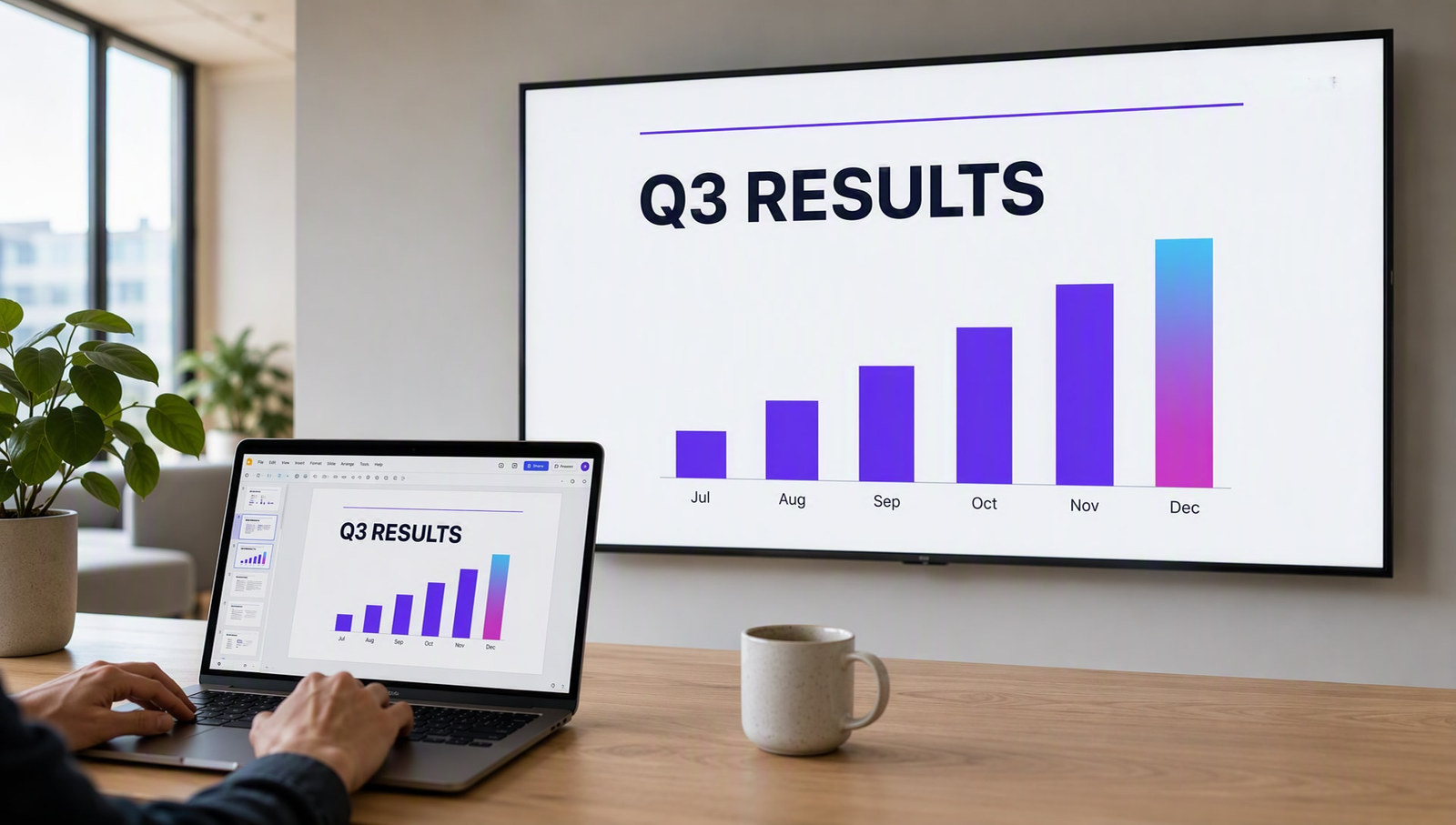
Native PowerPoint slide playing on a screen

Trusted by teams at world-class organizations

Who it is for

Built for teams whose screens live in PowerPoint and have to be right

Professional is for teams that care how the screen looks, need to show what played, and share the network between several people.

Brand first teams

Communications and marketing teams

Teams who design in PowerPoint and want it played exactly as built: animations, fonts, video and transitions, with slides kept in step across several screens.

Typical screens: company news, campaign screens, slide walls, event screens

Proof matters

Retail, franchises and advertisers

Anyone who has to show what actually played, where and when, to a client, an advertiser, head office or an auditor.

Typical screens: in store promotions, partner content, sponsor screens

Shared networks

Organizations with several teams on the screens

HR, facilities, marketing and local sites all publishing to the same screens, each with their own permissions, watched from one Control Room.

Typical screens: internal comms, reception screens, site notices

Is it the right edition?

Professional fits when your content is PowerPoint and it has to play exactly right

Choose Professional if
  • You design in PowerPoint and want animations, fonts and layout kept exactly
  • You run Windows players on several screens
  • Slides on side by side screens must stay in step
  • You need Proof of Play reports for clients or head office
  • Several teams publish, each with their own permissions
Look at another edition if
  • You only show images, videos and web pages you update by handStarter
  • Numbers on screen should update by themselves, from Excel or any other sourceEnterprise
  • You need health monitoring or RS232 control of your displaysEnterprise
  • Your screens must run on your own servers, without the cloudCustom
On your screens

Your PowerPoint, exactly as you built it

Starter turns PowerPoint into a signage video. Professional plays the real presentation on a Windows player, so animations, transitions and embedded media behave exactly as they do on your laptop.

  • Animations, transitions and embedded video, played natively
  • Slides kept aligned across side by side screens
  • Fonts, images and supporting files synced to every Windows player
  • A Proof of Play record of what ran, where and when
  • One Control Room to see and steer every screen
Native PowerPoint presentation on a signage screen
Everything included

What Professional includes

Everything in Starter is included. Professional adds native PowerPoint and the tools to prove and control what plays.

Native PowerPoint

  • PowerPoint played natively on Windows Players
  • Animations, fonts and layout kept exactly
  • Slide positions aligned across several screens
  • Supporting files synced to every Windows Player

Proof and control

  • Proof of Play reporting
  • Centralized Control Room
  • Custom content permissions per team

Everything in Starter

  • Images, video, web pages and playlists
  • Ready to use Pages and tickers
  • Scheduling, sites, groups, screenshots and logs

Every feature, edition by edition: compare all editions →

How it works

From your presentation to every screen

1

Build the presentation

Design it in PowerPoint as you always do, with your branding, video and animations.

2

Schedule it

Add it to a playlist with your other content and choose which screens play it, and when.

3

Play it natively

Windows Players run the real presentation, in step across screens, and Proof of Play records what ran.

Already on SignageTube

Organizations that run their screens on SignageTube

From shops to professional firms. A few of the organizations on SignageTube today:

Store 974Retail, QatarBarrett Dixon BellProfessional services, UKNeocisUSNationwide RecreationIntegrator, USConnect MinistriesChurch, USSoliteeIntegrator, Netherlands

Paying SignageTube accounts, listed by name only. Plans and editions vary by account.

What you need

A Windows player with PowerPoint

Native PowerPoint features run on a Windows Player.

  • A Windows PC behind each screen that plays native PowerPoint
  • A compatible Microsoft PowerPoint installation on that PC
  • An internet connection for the player
  • Android TV players can still show your other content
What it costs, worked out

€110 a month for 5 screens

5 screens on Professional at €22 per screen per month, billed yearly: €1,320 a year. On monthly billing it is €25 per screen, so €125 a month.

One screen is one active player. Add or remove screens any time.

Pricing

Professional pricing, per screen

Start free for 7 days, then pay per screen, monthly or yearly.

SignageTube Professional
Native PowerPoint, proof and control

Everything in Starter, plus native PowerPoint on Windows, Proof of Play and the Control Room.

  • Everything in Starter, included
  • Native PowerPoint, aligned across screens
  • Proof of Play and the Control Room
€22 per month, per screenbilled annually, €264 a year

Other editions: Starter · Enterprise · Custom

FAQ

Questions about Professional

Who is Professional for?
Teams whose screens are built in PowerPoint and have to play exactly right: communications and marketing teams, retail and franchises that must prove what played, and organizations where several teams share the screens.
What is the difference between Starter and Professional?
Starter converts PowerPoint into a signage video. Professional plays the real presentation natively on Windows, keeps slides aligned across screens, syncs supporting files and adds Proof of Play, the Control Room and content permissions.
Does Professional include live data?
No. Live data in PowerPoint, from Excel or any other source, is part of Enterprise.
What do native PowerPoint features need?
A Windows Player with a compatible Microsoft PowerPoint installation.
What is Proof of Play?
A report of what actually played, on which screen and when, so you can show it to a client, an advertiser or head office.
Do I keep everything from Starter?
Yes. Playlists, scheduling, ready to use Pages, tickers and the full screen dashboard are all included.
Is there a free trial?
Yes. Professional comes with a 7 day free trial, no credit card needed.

Play your PowerPoint exactly as you built it

Start your free Professional trial and put your first native presentation on a screen today. No credit card needed.

SignageTube

Privacy Overview

This website uses cookies so that we can provide you with the best user experience possible. Cookie information is stored in your browser and performs functions such as recognising you when you return to our website and helping our team to understand which sections of the website you find most interesting and useful.