 SignageTube
Key Performance Indicators on Screen
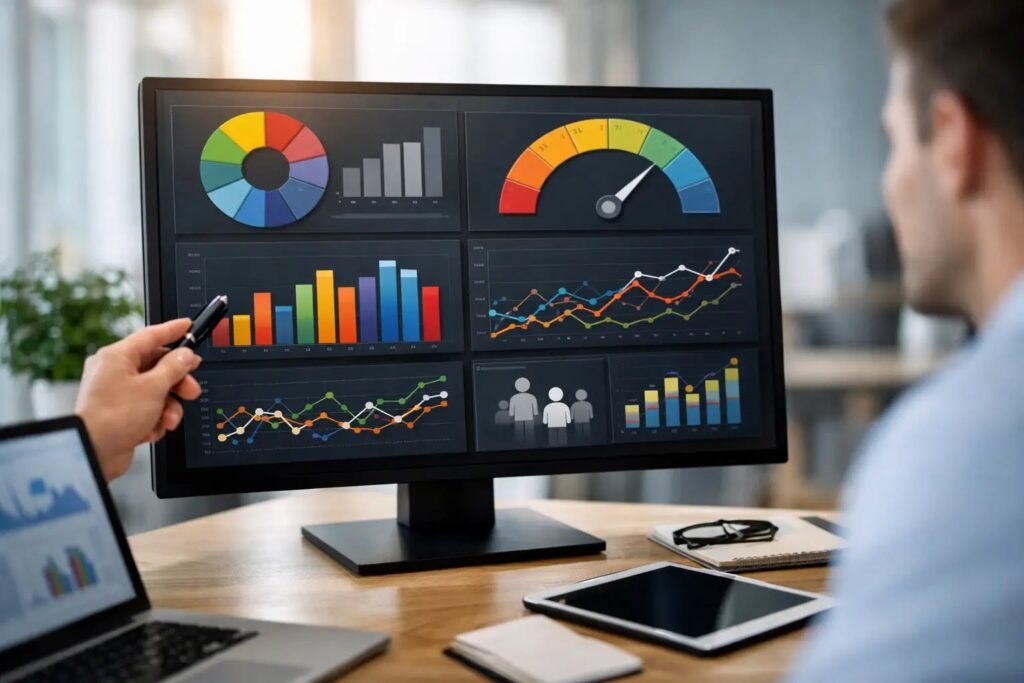
A KPI dashboard that nobody sees is just another report. Putting key performance indicators on screen changes that. It moves performance data out of spreadsheets and into the places where teams actually work, serve customers, and make decisions.
For operations leaders, internal communications teams, and IT managers, this is less about decoration and more about visibility. When the right numbers appear on the right screens, people react faster, stay aligned, and spend less time chasing updates. The challenge is not whether screen-based KPIs are useful. It is how to present them clearly, keep them current, and manage them without creating extra work.
Why key performance indicators on screen work
Most organizations already track performance. Sales targets, service levels, patient wait times, safety metrics, production output, and campaign results all exist somewhere. The problem is access. If the data lives in a dashboard that only a few people open, it rarely shapes behavior in the moment.
Screens change that dynamic. A shared display in a break room, office, lobby, nurse station, warehouse, or store floor turns performance into a visible part of the workday. Teams do not need to log in, remember where a report lives, or ask someone to send an update. The information is already there.
That visibility can improve accountability, but the bigger value is consistency. Everyone sees the same message at the same time. A regional manager sees the same target language as a store associate. A department head sees the same operational benchmark as the frontline team. That kind of alignment is hard to achieve with email alone.
There is a trade-off, though. Public visibility creates pressure. If KPIs are poorly chosen, too detailed, or presented without context, screens can create confusion instead of focus. The goal is not to put every metric on display. It is to show the few that help people act.
Which key performance indicators on screen actually belong there
A screen is not a full analytics environment. It is a communication channel. That distinction matters.
The best KPIs for digital signage are easy to understand in a glance and relevant to the audience standing near the screen. In retail, that may mean daily sales vs target, foot traffic, conversion rate, or top-performing categories. In healthcare, it may be wait times, room turnover, staffing status, or patient satisfaction scores. In corporate environments, teams often show project progress, service desk volumes, response times, or company-wide goals.
If a metric requires a ten-minute explanation, it probably does not belong on a shared display. If a metric changes behavior immediately, it probably does.
Context also matters. An employee-facing screen can handle more operational detail than a customer-facing screen. In a lobby, high-level performance indicators may support trust and transparency. On an internal operations screen, teams may need shift-based output, compliance rates, or live queue lengths.
It also depends on cadence. Some KPIs update in real time and need a live display. Others update once a day or once a week and are better scheduled into a broader content loop. Not every metric needs second-by-second movement to be useful.
What good KPI screen design looks like
The fastest way to make performance screens ineffective is to treat them like a desktop dashboard. Dense charts, tiny labels, and too many colors may work on a monitor from two feet away. They fail on a commercial screen across a room.
Good KPI signage is built for distance and speed. The viewer should understand the core message in a few seconds. That usually means one primary metric per section, strong contrast, limited text, and a clear visual hierarchy. A target line, trend arrow, status color, or simple percentage can go a long way when used with discipline.
Motion should help, not distract. Rotating through several KPI slides can work well when each screen has a single job. Trying to animate every number on one crowded layout usually reduces clarity.
This is one reason familiar content tools matter. When teams can build KPI slides in PowerPoint, they are more likely to maintain them. That lowers the barrier for marketing, operations, HR, and site managers who need polished content without specialized design software. Templates also help organizations keep branding and layout consistent across locations.
Real-time or scheduled updates?
This is where implementation gets practical. Some organizations need live KPI screens because decisions depend on current data. Think call center queue performance, production output, occupancy levels, or service disruptions. In these cases, on-premises or automated data-driven delivery makes sense because the screen must reflect changing conditions without manual intervention.
Other organizations need something simpler. Daily targets, weekly branch comparisons, monthly safety results, or campaign progress can be prepared in advance and scheduled across one or many displays. That approach is often easier to govern and easier for non-technical teams to manage.
Neither model is better in every case. Live data supports fast reactions, but it also requires cleaner data sources and tighter system planning. Scheduled content is less complex and often more than enough for routine communications. The right choice depends on how often the metric changes and what people are expected to do when they see it.
Managing KPI screens across multiple locations
Once one screen works, most organizations want ten more. That is where screen strategy needs to scale.
A multi-location rollout works best when content ownership is clear. Corporate teams may define templates, branding, and approved KPI formats, while local teams update specific numbers or messages relevant to their site. This keeps the presentation consistent without forcing every location into a one-size-fits-all message.
Scheduling matters as much as design. A KPI screen rarely needs to show metrics all day, every day. Some messages are more useful before a shift starts, during peak hours, or at end-of-day review. Good scheduling lets organizations match content to audience timing instead of treating every screen like a static bulletin board.
Centralized management is also critical. If IT or operations has to touch every screen manually, the process breaks down quickly. Remote publishing, playlist control, and role-based access reduce friction and improve governance. For organizations with stricter infrastructure requirements, on-premises deployment can provide more control while still automating what appears on screen.
Common mistakes to avoid
The most common mistake is showing too much. When teams try to satisfy every stakeholder, the screen becomes a compressed report instead of a usable display. Fewer metrics, shown more clearly, usually perform better.
Another mistake is ignoring audience relevance. A warehouse team does not need the same KPI mix as a corporate office lobby. Even within one organization, screen content should reflect location, role, and purpose.
Stale data is another problem. A KPI screen that shows last week’s numbers without explanation loses credibility fast. If updates cannot happen reliably, simplify the content or move to a schedule that matches operational reality.
Finally, organizations sometimes separate KPI content from the rest of their screen strategy. That creates unnecessary effort. Performance metrics can sit alongside announcements, safety reminders, promotions, and internal updates as part of a managed content rotation. The screen becomes more useful when it supports the full communication rhythm of the site.
A practical workflow for putting KPIs on screen
For most teams, the simplest path starts with choosing three to five metrics that matter to a specific audience. From there, build layouts that can be reused, not one-off slides that need redesign every week.
PowerPoint-based creation is especially effective here because it matches how many business users already work. A communications manager can create a branded KPI slide, an operations lead can update values, and a central admin can schedule it across screens without adding complex creative or technical steps. That balance of familiarity and control is what makes digital signage sustainable.
From there, decide which screens need scheduled content and which require automated updates. A cloud-managed approach fits many routine deployments because it makes remote publishing and multi-site control straightforward. For environments that need live operational data and tighter local control, an on-premises model may be the better fit. SignageTube supports both approaches, which gives organizations flexibility without forcing a single deployment model.
The important part is to keep the workflow realistic. If updating KPI screens takes too many tools, too many approvals, or too much technical support, usage will slip. The best system is the one your team will actually maintain.
When KPI screens create the most value
The real payoff comes when screens reduce delay. Instead of waiting for a meeting, a report, or an email, teams can see priorities as work is happening. Managers spend less time repeating the same updates. Staff spend less time looking for answers. Leaders gain a clearer way to align locations without overcomplicating communication.
That value grows when the screen is treated as an operational channel, not just a display. It becomes part of the daily environment – a place for performance, direction, and timely updates that people can trust.
If you are planning to put key performance indicators on screen, start simple and stay useful. The clearest screen is often the one that gets used, understood, and acted on by the most people.
- SignageTube Cloud – cloud-managed signage on any TV
- SignageTube Live – real-time data on your screens
- Digital signage software – how to choose, and what matters
- Templates – 120+ ready-made designs
- Pricing – simple per-screen plans