 SignageTube
Multi Location Screen Content Scheduling That Works
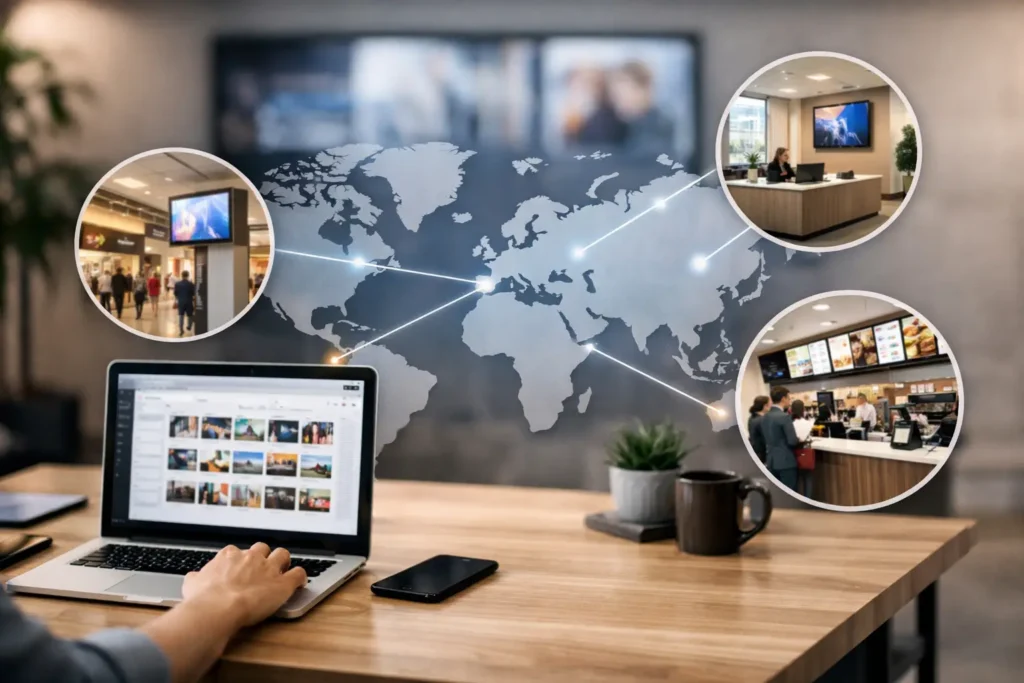
A promotion starts at 8 a.m. in one store, lunchtime menu boards change at 11, and a safety notice needs to go live across every site before the afternoon shift. That is where multi location screen content scheduling stops being a nice feature and becomes part of daily operations.
For organizations running screens across retail stores, offices, schools, healthcare sites, or hospitality venues, the challenge is rarely getting content onto one display. The real challenge is managing timing, consistency, and local variation across dozens or hundreds of screens without turning every update into a manual project. The right scheduling approach gives teams control without adding design bottlenecks, IT overhead, or location-by-location rework.
What multi location screen content scheduling actually solves
At a basic level, scheduling lets you decide what plays, where it plays, and when it appears. In a single location, that is fairly straightforward. Across multiple locations, the complexity rises fast.
Different sites may share the same brand standards but still need different messages. A corporate office may need internal communications, while a branch lobby needs customer-facing content. A school district may want district-wide announcements with room for campus-specific events. A retail chain may run one national campaign while tailoring pricing, inventory, or events by region.
Multi location screen content scheduling solves this by creating structure. Instead of replacing content screen by screen, teams can assign playlists, campaigns, or time-based content to screen groups, departments, or locations. That reduces human error and makes it far easier to keep messaging current.
Just as important, it changes who can contribute. When content creation depends on specialized design software or a complicated publishing workflow, updates slow down. When teams can build content in a familiar tool like PowerPoint and schedule it centrally, more departments can keep screens useful without needing heavy support.
Why scheduling breaks down at scale
Many screen networks start with good intentions and a simple process. Someone builds slides, someone sends files around, and each location updates screens when they can. That may work for five displays. It usually fails at fifty.
The first problem is version control. Teams end up asking which file is current, which locations received the update, and whether old promotions are still playing. The second problem is timing. National campaigns, recurring announcements, and local messages all compete for screen time, and without a clear scheduling model, important content gets buried or missed.
Then there is the governance issue. Marketing wants brand consistency. Operations wants fast updates. IT wants control and reliability. If the platform is too rigid, local teams cannot respond quickly. If it is too loose, the network turns into a mix of inconsistent screen designs and outdated information.
That is why the scheduling system matters as much as the screen content itself. The best setup gives central teams control over standards while still allowing approved local changes where they make sense.
Building a practical model for multi location screen content scheduling
A useful scheduling model starts with content tiers. Most organizations have three kinds of messages: network-wide content, location-specific content, and triggered or time-sensitive content.
Network-wide content includes brand campaigns, company announcements, seasonal messaging, or policy reminders. This is the foundation layer. It should be easy to schedule once and deploy broadly.
Location-specific content covers store hours, local events, department notices, or site-specific promotions. This content needs flexibility, but not chaos. The cleanest approach is to use reusable templates so local teams can swap in approved details without rebuilding the whole layout.
Triggered or time-sensitive content includes emergency notices, live dashboards, menu changes, queue updates, or real-time operational messaging. This category often depends on how much automation the organization needs. In some environments, simple scheduled playback is enough. In others, data-driven updates and on-premises control are the better fit.
When teams separate content this way, scheduling decisions become clearer. Instead of asking what should play on every screen, they can define what should always play, what should play only in specific places, and what should update automatically based on time or data.
How to keep scheduling simple for everyday users
Complexity usually enters through the content workflow. If every screen update requires a designer, a developer, or a support ticket, screen networks lose momentum.
That is why familiar creation tools matter. Many organizations already have teams that know how to build presentations in PowerPoint. Using that existing skill set shortens training, speeds up content production, and lowers resistance from departments that need to contribute regularly.
For scheduling, simplicity means a few things. Teams should be able to organize screens into logical groups, assign content to one or many locations, and set start and end times without learning a technical system. They should also be able to preview what is going live and confirm that the right content is assigned to the right screens.
There is a practical balance here. The system should be simple enough for non-technical staff to use confidently, but structured enough that IT and operations leaders can maintain oversight. Permissions, approved templates, and centralized publishing help create that balance.
Cloud or on-premises depends on the job
There is no single best deployment model for every organization. It depends on the environment, the sensitivity of the data, and the speed at which content needs to change.
Cloud-based scheduling is often the fastest way to manage distributed screen networks. It is well suited to organizations that want remote control across many sites, straightforward publishing, and centralized visibility. Marketing, communications, and operations teams can update content from one place and push changes broadly without relying on local intervention.
On-premises deployment is often a better fit when content must respond to local systems in real time, when network constraints are a factor, or when internal policies require tighter infrastructure control. In those cases, the value is not just security or governance. It is also responsiveness. Some environments need automated updates from internal data sources without delays or workarounds.
This is where a platform like SignageTube can fit different operational needs, with cloud-based management for broad remote scheduling and on-premises capability for live, automated screen updates. The point is not choosing the more advanced option. It is choosing the one that matches how your organization actually communicates.
Where scheduling delivers the biggest operational gains
The obvious benefit is time savings, but the bigger gain is reliability. When schedules are set correctly, teams stop scrambling to update screens manually and start trusting the network to deliver the right message at the right time.
In retail, that means promotions launch consistently and expire when they should. In corporate settings, it means internal messaging can follow a content calendar instead of relying on ad hoc updates. In healthcare, it helps keep waiting room information, directional messaging, and internal notices organized without overloading local staff. In education, it supports district-wide communication while preserving room for campus-level announcements.
There are also less visible benefits. Scheduling improves compliance by reducing the chance that expired or incorrect content stays on screen. It supports brand consistency because templates and approved assets can be reused across locations. And it helps measure ownership, because teams can clearly define who manages network-wide messages, who handles local updates, and who approves exceptions.
Common mistakes to avoid
One common mistake is treating every screen like it should show the same thing. That sounds efficient, but it often reduces relevance. Shared branding matters, yet local context matters too.
Another mistake is giving local teams complete freedom without guardrails. That usually creates inconsistent layouts, outdated content, and support issues later. A better model is controlled flexibility – central templates, local editing rights where appropriate, and clear scheduling rules.
The third mistake is overbuilding the content plan. Some organizations create too many playlists, too many rules, and too many special cases. When that happens, the schedule becomes hard to manage and even harder to maintain. Start with a structure that reflects how your organization actually operates, then add complexity only when there is a clear reason.
A better way to think about screen scheduling
Multi location screen content scheduling is not just a publishing task. It is a communication system. When it is set up well, it helps different teams coordinate messaging across places, time zones, departments, and audience types without slowing down the people doing the work.
That is why the best approach is usually the one that feels repeatable. Content should be easy to create, easy to assign, and easy to update. Scheduling should support both centralized control and practical local needs. And the platform behind it should reduce effort, not introduce another layer of complexity.
If your screens are becoming harder to manage as your network grows, that is usually a sign that the issue is not the content. It is the workflow behind it. Fix that, and the screens start doing what they were supposed to do all along – communicate clearly, on time, and at scale.