 SignageTube
Digital Menu Boards for Quick Service Restaurants
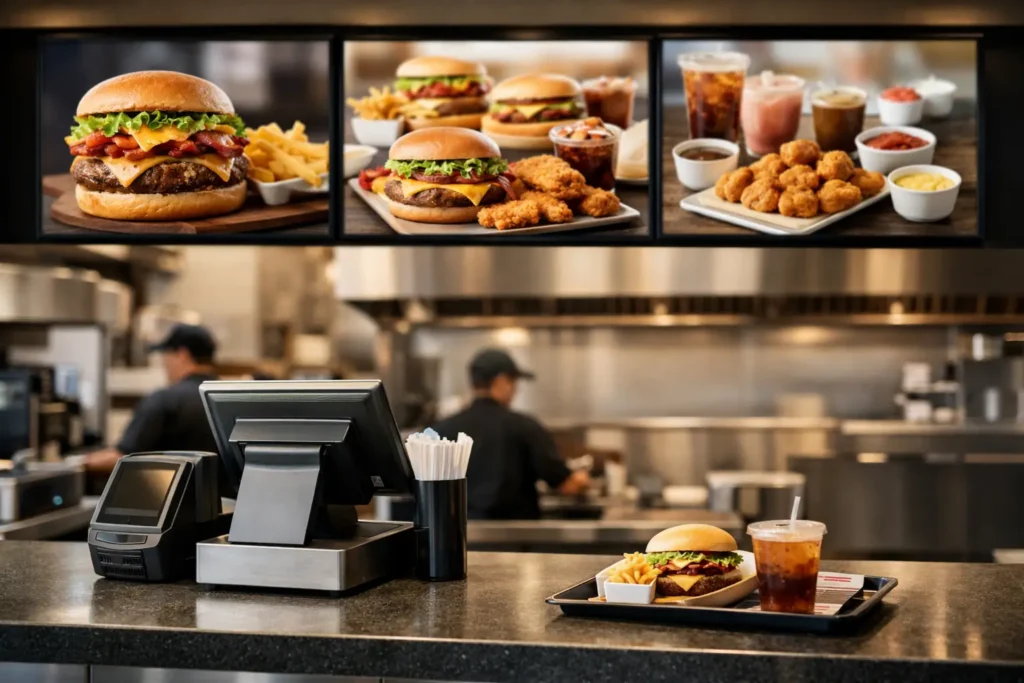
The lunch rush exposes every weak spot in a restaurant’s operation. A promo expired yesterday but still sits on the screen. Breakfast pricing is showing at 11:15. A new combo launched systemwide, but half the stores are still waiting on updated artwork. That is where digital menu boards for quick service restaurants stop being a nice upgrade and start acting like an operational tool.
Quick service brands need menu communication that moves at the same speed as the business. Prices change, limited-time offers rotate, dayparts shift, and supply issues force substitutions. Printed boards and manual updates cannot keep up without creating extra labor and inconsistency. Digital screens can, but only if the workflow behind them is practical enough for busy teams to use every day.
Why digital menu boards matter in QSR operations
At a glance, digital boards look like a marketing asset. They definitely support upselling and brand presentation, but their real value runs deeper. They reduce the lag between a business decision and what customers see at the counter or drive-thru.
That matters for more than promotions. If a chain wants to push higher-margin items during lunch, it can schedule that change in advance. If a franchise group needs store-specific pricing while keeping brand standards intact, digital boards make that possible without rebuilding everything from scratch. If an item is unavailable, teams can adjust the screen quickly instead of asking staff to explain the mismatch all day.
There is also a consistency benefit that gets overlooked. When menus live in a centralized system, operators are less dependent on local workarounds. The result is fewer outdated offers, fewer formatting mistakes, and fewer awkward moments where the menu says one thing and the POS says another.
What strong digital menu boards for quick service restaurants actually do
The best systems are not just screen players with a publishing button. In a QSR setting, they need to support repeatable content management across many locations, often with different operating realities.
Scheduling is one of the first capabilities to look at. Menus rarely stay static all day. Breakfast, lunch, late-night, and promotional windows all need their own content rules. A useful platform lets teams schedule menu content by time, day, or campaign period so stores switch automatically instead of relying on manual intervention.
Template control matters just as much. Restaurant brands want consistent fonts, layouts, and visual hierarchy, but local operators may still need approved variation for pricing, regional items, or store-specific messages. A template-based approach helps central teams protect the brand while giving operations enough flexibility to stay accurate.
Remote management is another non-negotiable once screens expand beyond one location. If a team can update one store or one hundred from a central dashboard, it cuts down on support calls and avoids the chaos of emailing files back and forth. For operators managing multiple sites, that kind of control saves time every week.
The workflow is where many projects succeed or stall
Restaurants do not need more technology that only one specialist knows how to use. That is often the hidden problem with digital signage rollouts. The screens look great during setup, but six months later updates slow down because the process depends on design software, file conversions, or a bottlenecked creative team.
A better approach is to build content workflows around tools staff already know. For many organizations, that means PowerPoint. When menu content can be created in a familiar format, more people can contribute without extensive training. Marketing can produce campaign slides, operations can adjust approved content, and local teams can stay focused on execution rather than learning a new design system.
This is one reason platforms built around everyday business workflows tend to perform better over time. SignageTube, for example, is designed around creating screen content in PowerPoint and then scheduling and managing it across displays. For quick service restaurants, that kind of simplicity can shorten rollout time and make regular menu updates much more realistic.
Cloud or on-premises depends on your operating model
There is no single deployment model that fits every restaurant group. Some organizations want cloud-based control because it is easier to manage distributed locations remotely. Others need on-premises infrastructure for tighter network control, internal policy requirements, or automated real-time data handling.
Cloud management is often the faster path for multi-location operations. Marketing and operations teams can update content centrally, schedule campaigns by store group, and push changes without being on site. That works well for franchised environments, regional rollouts, and brands that need agility during promotions.
On-premises deployments make more sense when restaurants need local control or have stricter IT requirements. They can also be useful when menu boards depend on live operational data that needs to update automatically with minimal delay. The right choice is less about trend and more about how your teams govern screens, data, and network access.
Where digital menu boards improve the customer experience
Customers may not know what powers the screen, but they notice when menus are easy to read, current, and relevant to the moment. Digital boards help on all three fronts if they are designed with discipline.
Readability comes first. Motion and animation can attract attention, but too much movement slows decision-making at the counter. In a quick service setting, clear hierarchy usually matters more than flashy effects. Customers should be able to scan categories, spot featured items, and confirm pricing quickly.
Relevance is where scheduling shines. Showing breakfast only when breakfast is available reduces confusion. Featuring beverage add-ons during hot afternoon periods can support average ticket size. Running limited-time items only during active windows prevents disappointment. These sound like small adjustments, but they shape throughput and customer confidence.
Accuracy is the other big piece. When teams can update menus quickly, they are less likely to leave expired offers on screen or display products that are temporarily unavailable. That protects trust. It also reduces friction for frontline staff, who already have enough to manage during peak periods.
Common mistakes to avoid
One mistake is treating menu boards like general advertising screens. Restaurant menus need structure, not just motion. If every panel rotates promotions too quickly or packs in too much content, customers take longer to order and lines move slower.
Another issue is overcomplicating the publishing process. If a menu change requires a designer, a specialized application, and a multi-step export process, updates will eventually fall behind. The system has to match the pace and staffing reality of restaurant operations.
Governance can also become messy if there are no clear approval rules. Central teams need control over brand standards, while local operators need defined ways to manage approved variations. Without that balance, screens become either too rigid to be useful or too inconsistent to scale.
How to evaluate a platform for QSR menu boards
Start with the real workflow, not the demo. Ask who will create menu content, who will approve it, who will schedule it, and who will handle urgent changes. Then test whether the platform supports that process without adding extra technical steps.
Look closely at template management, scheduling by daypart, remote control across multiple locations, and playback reliability. If your environment includes frequent updates, seasonal offers, or location-based pricing, make sure those changes can be made quickly and cleanly.
It is also worth thinking about rollout beyond the front counter. Many quick service restaurants eventually expand digital signage into drive-thru boards, pickup shelves, lobby promotional screens, kitchen communication, or employee-facing displays. A platform that can support multiple screen types under one management model tends to be easier to scale.
The best digital menu board system is not necessarily the one with the longest feature list. It is the one your team will actually use consistently, under pressure, across every store that matters.
When menu communication becomes easier to create, schedule, and control, the screens stop being another project to maintain. They become part of how the restaurant runs day to day, which is exactly where they should be.