Blog

Month: February 2026

PowerPoint kiosk mode: How to create a locked-down interactive kioskCloud Digital Signage

PowerPoint Kiosk Mode: How to Create a Locked-Down Interactive Kiosk (step-by-step)

Learn how to run PowerPoint in kiosk mode (“Browsed at a kiosk”), build button-based navigation for touch screens, loop your presentation safely,...

February 18, 2026
PowerPoint digital signage: The complete guide to turning slides into screen-ready content (2026) coverCloud Digital Signage

PowerPoint Digital Signage: The Complete Guide to Turning Slides into Screen-Ready Content

PowerPoint Digital Signage made easy, letting you publish slides to any screen and keep your content fresh throughout the day.

February 17, 2026
Cloud Digital Signage

PowerPoint Digital Signage: Turn Your Slides into Controlled Displays

Learn how to turn PowerPoint slides into fully controlled digital displays. Discover tools and workflows that let you schedule, update, and manage...

February 16, 2026
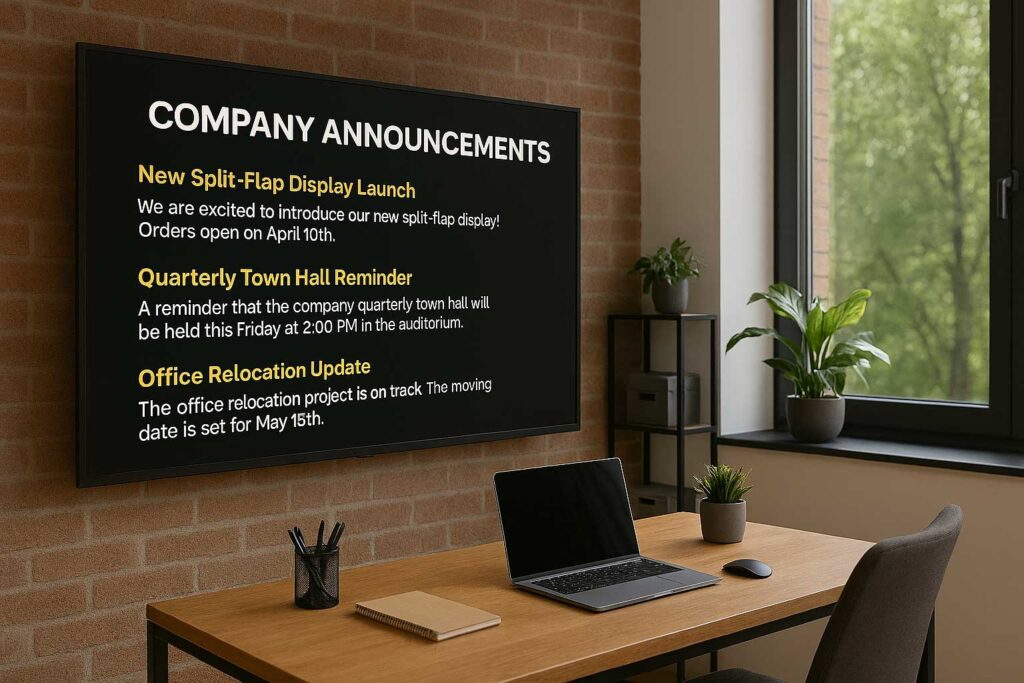
How to Display Company Announcements on Office TVsCloud Digital Signage

How to Display Announcements on a TV in Your Office

A step-by-step guide to using office TVs for internal communication. Learn how to set up hardware, choose software, and create engaging content...

February 11, 2026
Cloud Digital Signage

How to Automate Content Scheduling on Display Screens with SignageTube

Learn how to schedule and manage presentation‑based digital displays with ease. Discover tools, workflows, and best practices for automating PowerPoint content, organizing...

February 4, 2026
Category - Knowledgebase

Automate PowerPoint Formatting with SignageTube Live

[et_pb_section fb_built=”1″ _builder_version=”4.27.6″ _module_preset=”default” global_colors_info=”{}”][et_pb_row _builder_version=”4.16″ global_colors_info=”{}”][et_pb_column type=”4_4″ _builder_version=”4.16″ custom_padding=”|||” global_colors_info=”{}” custom_padding__hover=”|||”][et_pb_text admin_label=”Applicable to SignageTube Live” _builder_version=”4.27.5″ _module_preset=”default” locked=”off” global_colors_info=”{}”] Applicable to...

February 4, 2026
Cloud Digital Signage

Using PowerPoint for Digital Signage Step‑by‑Step Guide & Best Practices

Discover how to use PowerPoint for digital signage. Learn how to design engaging slides, automate updates, and publish presentations to TVs and...

February 3, 2026
Category - Knowledgebase

Guide to Data Filters in SignageTube Live’s PowerPoint Plugin

[et_pb_section fb_built=”1″ _builder_version=”4.27.6″ _module_preset=”default” global_colors_info=”{}”][et_pb_row _builder_version=”4.16″ global_colors_info=”{}”][et_pb_column type=”4_4″ _builder_version=”4.16″ custom_padding=”|||” global_colors_info=”{}” custom_padding__hover=”|||”][et_pb_text admin_label=”Applicable to SignageTube Live” _builder_version=”4.27.5″ _module_preset=”default” locked=”off” global_colors_info=”{}”] Applicable to...

February 2, 2026
Category - Knowledgebase

Automate Excel Workflows for SignageTube Live: A Complete Guide

[et_pb_section fb_built=”1″ _builder_version=”4.27.5″ _module_preset=”default” global_colors_info=”{}”][et_pb_row _builder_version=”4.16″ global_colors_info=”{}”][et_pb_column type=”4_4″ _builder_version=”4.16″ custom_padding=”|||” global_colors_info=”{}” custom_padding__hover=”|||”][et_pb_text admin_label=”Applicable to SignageTube Live” _builder_version=”4.27.5″ _module_preset=”default” locked=”off” global_colors_info=”{}”] Applicable to...

February 2, 2026
SignageTube
Privacy Overview

This website uses cookies so that we can provide you with the best user experience possible. Cookie information is stored in your browser and performs functions such as recognising you when you return to our website and helping our team to understand which sections of the website you find most interesting and useful.