
Key Takeaways
- Cloud based digital signage is a content delivery system where software, storage, and management are hosted on remote servers, allowing you to control every screen from a single online dashboard accessible from any internet-connected device.
- No on-premise servers are required. Content is stored and distributed via secure cloud infrastructure, making it ideal for organizations managing multiple locations without dedicated IT staff at each site.
- Core benefits include remote management from anywhere, real-time content updates that propagate in seconds, easy scaling from one screen to thousands, and significantly lower IT overhead compared to legacy USB-based or server-dependent systems. Cloud-based digital signage typically operates on a subscription model, with the provider handling all server maintenance and updates.
- Modern cloud platforms support diverse media players including Android sticks, System-on-Chip displays, Windows players, and dedicated hardware, handling typical business content like menus, dashboards, alerts, and promotional videos. A cloud-based content management system (CMS) allows users to schedule content remotely, enabling targeted delivery at specific times and dates for maximum impact.
- Security is built-in with reputable providers: data encryption in transit and at rest, redundant backups across data centers, role-based access controls, and audit trails that track every change.
Introduction to Cloud Based Digital Signage
In 2024, organizations are updating promotions, menus, and announcements across dozens or hundreds of locations in seconds rather than weeks. A retail chain manager sitting in headquarters can push a flash sale to 50 stores before lunch. A university communications team can broadcast an emergency alert to every campus building simultaneously. A hospital administrator can update waiting room information across an entire health system without leaving their desk.
This is cloud based digital signage in action. Whether you call it web based digital signage, online signage, or SaaS digital signage, the concept is the same: a browser-based system that lets you manage digital screens without local servers, VPN connections, or USB drives making the rounds.
This article will walk you through how cloud digital signage works, the components you need, the business benefits it delivers, security considerations, and practical steps to get started. By the end, you will have a clear understanding of whether this technology fits your organization and how to approach implementation.
What Is Cloud Based Digital Signage?
Cloud based digital signage is a system where content creation, scheduling, and distribution for digital screens happens through software hosted in the cloud. You log into a secure web dashboard from any device—laptop, tablet, or smartphone—and manage your entire signage network from that single interface.
This contrasts sharply with on-premise systems that require locally installed servers, VPN connections for remote access, higher in-house IT involvement, and often manual content distribution via USB drives or local file transfers. With cloud, the service provider handles infrastructure maintenance, security patching, backups, and uptime.
You might encounter several terms that describe this same architecture: web based digital signage, screen cloud signage, SaaS digital signage, or simply online digital signage. These all refer to cloud-based digital signage platforms that centralize content creation, scheduling, and remote management using browser-based management without local servers.
The flexibility of cloud platforms means they support both small deployments of one to five screens in a single shop and large networks spanning hundreds of screens across multiple cities or countries. Adding new screens to the network is operationally straightforward—add a license, connect a player to the internet, and you are live.
How Cloud Based Digital Signage Works
Understanding the data flow helps demystify how content travels from your laptop to screens potentially thousands of miles away.
The process begins when you upload content—images, HD videos, HTML5 files, or data feeds—into the cloud content management system. This browser-based software stores your assets on cloud infrastructure, typically in redundant data centers operated by established providers. After uploading, you can schedule content to be displayed at specific times and dates using the CMS, allowing you to plan, organize, and target your messaging for maximum impact.
Next, media players at each screen location connect to the internet and retrieve scheduling instructions and content from the cloud servers. These small devices download the playlists and cache assets locally on their internal storage.
Finally, the cached content renders on the connected displays according to the schedule you defined in the CMS. When you make changes—updating promotional imagery, changing a menu, or modifying a schedule—the CMS communicates these changes to media players. Updates typically appear on screens within seconds or minutes, depending on your configuration.
A critical feature is offline behavior. Media players cache content locally, so screens continue displaying scheduled playlists even during brief internet outages. New changes queue in the CMS and synchronize automatically once connectivity is restored. This design ensures your digital signs keep running even when network hiccups occur.
Core Components of a Cloud Digital Signage Solution
A functional cloud based signage deployment combines four essential elements: the cloud CMS, media players, display screens, and reliable internet connectivity. Each component plays a specific role in getting your content from dashboard to display, and cloud digital signage solutions like SignageTube Cloud bring these pieces together in a single, remotely managed platform.
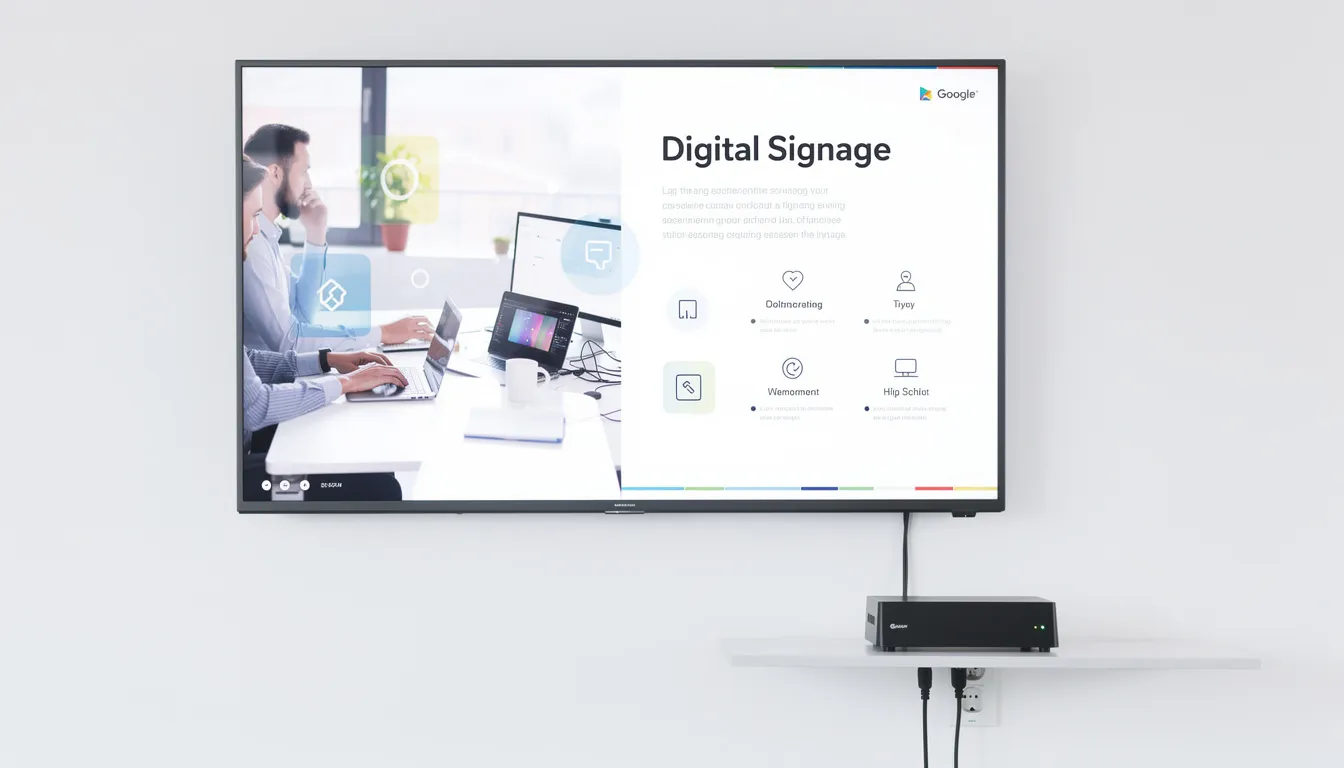
Cloud Content Management System (CMS)
The cloud CMS is the operational heart of your signage network. This browser-based digital signage software is where you upload media, build layouts, set schedules, and monitor device status. You access it from any internet-connected device without installing specialized applications.
Modern platforms include user friendly features that make content creation accessible to non-technical staff:
- Drag-and-drop editors for building layouts
- Reusable templates for menus, dashboards, and event boards
- Playlist functionality for organizing content sequences
- Role-based access controls that let administrators assign different permission levels
Role-based access is particularly valuable for larger organizations. A regional manager can update local promotions while being restricted from modifying system-wide branding. This prevents accidental changes to critical displays while enabling distributed content management.
The CMS also logs player status and playback, providing proof-of-play reports that verify specific digital signage content actually displayed on specific screens at specific times. This audit capability is essential for compliance requirements and campaign verification.
For organizations with international locations, look for platforms that support multi-language content and time-zone aware scheduling, allowing central scheduling while respecting local time differences.
Digital Signage Media Players
Media players are the devices that connect your CMS to your screens. They run lightweight client software that connects securely to the cloud platform, fetches playlists, and caches assets locally for reliable playback.
Player options include:
- Android boxes/sticks
Best For: Small shops, budget deployments
Considerations: Affordable, may lack enterprise features - Dedicated hardware (BrightSign, etc.)
Best For: Video walls, 24/7 operation
Considerations: Robust, higher cost, designed for reliability - Windows PCs
Best For: Complex content, interactive applications
Considerations: Flexible but higher power consumption - System-on-Chip (SoC) displays
Best For: Clean installations, reduced cable clutter
Considerations: Built into commercial screens - Raspberry Pi
Best For: Non-mission-critical, experimental
Considerations: Budget-conscious, requires more setup
Regardless of type, quality media players share important capabilities: 4K video support, reliable auto-start after power loss, remote reboot functionality accessible through the CMS, and health monitoring that reports online/offline status. Many can capture screenshots for remote troubleshooting.
Standardizing on one or two player types across your signage network simplifies deployment, maintenance, spare parts inventory, and troubleshooting. Resist the temptation to chase the lowest price on varied hardware.
Displays and Mounting
Display options range from consumer TVs paired with external media players to commercial-grade large format displays, menu boards, video walls, and LED displays designed for specific environments.
The distinction between consumer and commercial matters significantly:
- Consumer TVs: Designed for 8-10 hours daily home use, may not support portrait orientation, shorter warranties
- Commercial displays: Engineered for 16/7 or 24/7 continuous operation, better color accuracy, portrait mounting support, higher brightness levels (500+ nits), superior warranties, longer expected lifespans
For any deployment running 8-10+ hours daily or in public spaces, commercial-grade digital screens are the appropriate choice despite higher upfront costs.
Common size ranges run from 32 inches for information displays to 75+ inches for prominent promotional walls. Brightness requirements vary: retail environments with significant ambient light need 500+ nits, while corridors and offices can work with lower brightness levels.
Professional mounting—wall mounts, ceiling mounts, kiosks, or protective enclosures—is crucial for both safety and optimal viewing angles. Plan display placement alongside power and data cabling to avoid visible wires and minimize installation rework.
Internet and Network Connectivity
Each media player requires internet access to reach cloud servers and receive content updates. Wired Ethernet connections are preferred for stability, but secure business-grade Wi-Fi works well in many environments.
Content bandwidth needs are moderate in steady state. You will see higher spikes mainly when pushing new high-resolution media to multiple screens simultaneously. Standard business internet connections handle most deployments without issues.
Network planning considerations:
- Use network segmentation or VLANs to isolate signage traffic from sensitive internal systems
- For remote or outdoor locations, 4G/5G routers provide connectivity where wired options are unavailable
- Size data plans based on expected content update frequency
- Apply basic features of network security: strong Wi-Fi passwords, firewalls, limited outbound port access
Early collaboration with internal IT or external integrators helps plan firewall rules, cabling, and Wi-Fi coverage before installation begins.
Business Benefits of Cloud Based Digital Signage
Cloud based digital signage attracts organizations because it reduces complexity while increasing flexibility and speed. The technology shifts responsibility for infrastructure from your team to the service provider, freeing resources for content strategy rather than server maintenance.
Cost and Operational Efficiency
Moving to the cloud eliminates capital-intensive investments in on-premise servers, operating system licenses, and complex VPN infrastructure. The shift from hardware ownership to subscription-based services changes how you budget for signage.
Predictable subscription fees—typically monthly or annual per-player licensing with affordable pricing tiers—are easier to budget than ad-hoc hardware refresh projects. You know what you will spend each month rather than facing unexpected server failures or upgrade requirements.
Labor costs decrease substantially:
- No more manual USB distribution requiring site visits
- Remote troubleshooting replaces technician dispatch for basic issues
- Central IT teams manage displays across all locations from one interface
- Less reliance on proprietary on-site hardware means reduced energy consumption
Consider a practical scenario: a 20-screen retail chain previously spent hours each month distributing USB drives with new promotional content. Staff drove between locations. Content was inconsistent because some locations updated faster than others. With cloud based signage, the marketing manager updates all locations simultaneously in minutes, with confirmation that content is playing correctly.
Over a 3-5 year lifecycle, total cost of ownership is typically lower than on-premise systems when accounting for hardware costs, electricity, maintenance, software, and staff time, especially when you leverage cloud-based digital signage software that streamlines updates and management.
Flexibility, Targeting, and Engagement
Cloud scheduling enables sophisticated content targeting that static signage or legacy systems cannot match. From one interface, you can set different content for different locations, times of day, and days of the week.
This enables practical applications:
- Day-parting: Menus automatically switch between breakfast, lunch, and dinner service
- Regional customization: Weather-sensitive promotions or region-specific offers deploy to relevant locations
- Audience-specific messaging: Corporate offices show KPI dashboards and HR updates while public lobbies display visitor information and branding
Integration with live data sources keeps screens relevant and dynamic. Modern digital signage platforms support connections to weather APIs, news feeds, social media, internal dashboards from tools like Power BI, calendar systems like Google Workspace, and RSS feeds. This use of live data for digital signage ensures displays reflect current information without manual intervention.
Engagement features accessible through the cloud platform include interactive touch layouts, QR codes linking to digital experiences, and social media walls that dynamically pull in user-generated content. Implementing real-time information on your digital displays with these capabilities allows you to update screens from the CMS without on-site adjustments.
Measuring engagement typically relies on indirect methods: proof-of-play reports verifying content displayed, sales lift analysis for promoted items, or footfall pattern correlation where analytics systems are in place.
Affordable Pricing
One of the standout advantages of cloud based digital signage is its affordable pricing structure, making advanced digital signage solutions accessible to businesses of all sizes. Unlike traditional systems that require significant upfront investment in hardware and infrastructure, cloud based digital signage platforms operate on a subscription model. This means you can start managing your digital signage content and screens with minimal capital outlay, paying only for the features and scale you need.
Most digital signage software providers offer a range of pricing plans to suit different business requirements. Whether you’re looking to manage a single screen in a small shop or deploy multiple screens across various locations, there’s a plan that fits your needs. Basic features are often included in entry-level packages, while more advanced plans support enterprise-grade capabilities such as content creation tools, remote management, and integration with other business systems.
Cloud Based vs On-Premise Digital Signage
Understanding when cloud makes sense—and when it might not—helps you make an informed decision for your organization.
Deployment speed and complexity: Cloud platforms typically go live faster. You create an account, connect players, and push content. On-premise requires server procurement, software installation, VPN configuration, and ongoing administration. For most organizations, cloud wins on time-to-value.
Scalability: Adding screens to a cloud network means adding a license and connecting a player. On-premise scaling may require server capacity upgrades, network redesign, or additional infrastructure investment. Cloud handles growth from one screen to thousands without architectural changes.
IT resource requirements: Cloud systems require minimal technical expertise for day-to-day operation. Content teams can manage signage without deep IT involvement. On-premise systems need ongoing server administration, security patching, and troubleshooting by technical staff.
Update cycles: Cloud platforms push new features and security measures automatically, without customer downtime. On-premise systems depend on manual upgrades scheduled by internal IT, often introducing delays.
When on-premise makes sense: Highly regulated or air-gapped environments that disallow external cloud connections may require on-premise solutions. Some organizations with specific compliance requirements cannot use external services. These situations exist but represent a minority of deployments.
For the vast majority of organizations, cloud digital signage solutions offer faster deployment, easier scaling, reduced IT burden, lower long-term costs, and access to continuous feature improvements. Many organizations now default to cloud unless there is a specific compliance reason not to.
Security and Reliability in the Cloud
Modern cloud based digital signage platforms are designed to meet enterprise grade security and uptime expectations. Solutions such as SignageTube’s digital signage in the cloud platform combine scalable infrastructure with robust management tools. Understanding the security architecture helps address concerns that often arise during evaluation.
Baseline Security Features
Encryption: Data protection through encryption in transit (HTTPS/TLS connections between players and servers) and at rest (encrypted storage of media and configuration data) protects your digital assets and management data from interception.
Redundancy and backups: Content and configuration are typically stored in redundant data centers with automated backups and disaster recovery plans. If one data center experiences issues, your signage network continues operating from backup infrastructure.
Access controls: Role-based access restricts what different users can access and modify. Audit logs track who changed what and when, providing compliance documentation and troubleshooting information. This is particularly valuable in regulated industries.
Uptime commitments: Uptime SLAs in the 99.5-99.9% range are common for well-architected cloud platforms. This excludes local network outages at your sites, which are beyond the provider’s control but can be mitigated through redundant internet connections.
Protecting Content and Devices
Media players connect outbound only to the cloud platform via HTTPS, with inbound ports minimized. This architecture reduces attack surface compared to systems requiring open inbound connections.
Providers regularly patch server-side software and encourage or enforce player client updates to close vulnerabilities. Unlike on-premise systems requiring manual administration, cloud platforms receive security patches automatically.
Additional security options with reputable providers include:
- IP allowlisting to restrict management console access to approved networks
- Single Sign-On (SSO) integration with corporate identity providers
- Multi-factor authentication (MFA) for management console access
- Remote access controls with granular permissions
Separating signage networks from sensitive corporate systems via network segmentation further reduces risk while enabling safe data integrations when needed.
The practical reality: with basic best practices, cloud signage generally improves security compared to unsecured USB updates, unmanaged PCs running behind screens, or static systems with no update mechanism at all, and cloud signage service plans with clear feature sets and pricing make it easier to choose a managed, up-to-date solution.
Use Cases Across Industries
Cloud based digital signage sees adoption across sectors, with specific value propositions for each industry. The same digital signage platform can often serve multiple departments and building types within a single organization.
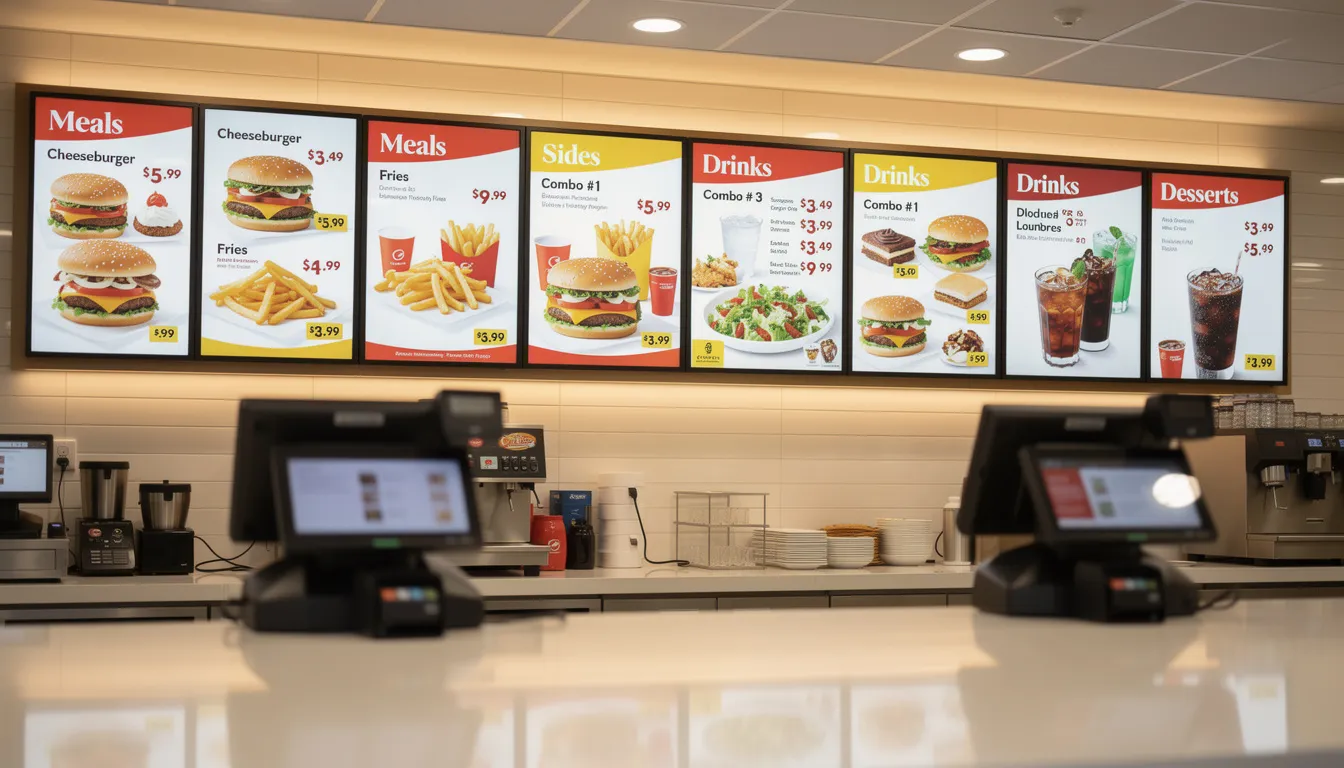
Retail and Quick-Service Restaurants
Retail and QSR environments use digital signage to boost sales and improve customer experience through dynamic content.
Common applications include:
- Digital menu boards displaying pricing and nutritional information
- Promotion screens at store entrances highlighting limited-time offers
- Aisle end-cap displays featuring seasonal products
- Shelf-edge signage showing pricing and product details
Central marketing teams update screens prices, offers, and product imagery chain-wide in minutes from the cloud dashboard. No more printing and shipping static posters for each campaign.
Day-parting allows menus to automatically switch between breakfast, lunch, and dinner offerings based on time of day, without manual intervention. Region-specific offers are managed centrally but execute locally, enabling personalized promotions by geography.
Advanced implementations integrate with sales systems to A/B test content variations across locations and optimize for conversion rates. When data shows one promotional approach outperforms another, you can scale the winner across the entire network immediately.
Corporate Offices and Workplaces
Corporate environments use signage to communicate with employees and visitors while reinforcing company culture.
Typical deployments include:
- Lobby welcome screens displaying visitor information and branding
- KPI dashboards showing operational metrics on the factory floor or in team areas
- Internal news broadcasts keeping the team informed about company updates
- Wayfinding displays in multi-floor buildings
HR and communications teams push policy updates, employee engagement recognition messages, and event reminders to all sites simultaneously. Integration with calendar systems displays meeting room availability and reservation status.
BI platform integration through tools like Power BI enables live dashboards showing sales figures, operational metrics, or team performance in real time. Content stays current without manual updates.
In hybrid work environments, signage communicates hot-desking information, visitor instructions, and safety messaging. Global companies use cloud management to maintain consistent branding and messaging across regions and time zones without local IT involvement.
Education, Healthcare, and Public Sector
These sectors share common needs for reliable, centralized communication that reaches diverse audiences.
Education: Campus-wide screens display class schedule changes, campus events, emergency alerts, and transport information, all scheduled centrally. The ability to push rapid, coordinated updates during critical events—severe weather, security alerts—demonstrates operational value that static signage cannot match.
Healthcare: Waiting room information boards display average wait times and queue status. Patient wayfinding screens direct visitors to departments and clinics. Staff communication screens in break areas show shift information and organizational announcements. Rapid, coordinated updates during public health alerts are critical capabilities, especially when you implement real-time digital signage with automated data feeds.
Government and public sector: Policy updates, service hours, local alerts, and community announcements reach citizens through public-facing screens. Transparent communication during emergencies is enhanced by the ability to update every screen in seconds.
Accessibility considerations apply across all three sectors: high-contrast layouts, captioned videos, and multi-language content serve diverse student, patient, staff, and public populations.
Getting Started with Cloud Based Digital Signage
Implementation follows a practical roadmap: define objectives, choose hardware, select a cloud platform, conduct a pilot, then scale to full deployment.
Choosing Hardware and Network Setup
Hardware selection should be driven by environmental requirements rather than upfront price alone:
- Operating hours: Displays running 8-10+ hours daily need commercial-grade hardware
- Brightness: Retail environments require 500+ nits; offices can work with standard levels
- Content complexity: Video walls and interactive applications need more powerful players
Recommend using commercial-grade screens for any deployment in public spaces or running extended hours. The warranty coverage, reliability, and expected lifespan justify the investment.
Standardize on one or two approved player models to simplify image management, remote support, and spare stock. When a device fails, you want identical replacement hardware ready.
Early network planning is essential:
- Collaborate with internal IT or external integrators on power infrastructure, cabling, and Wi-Fi coverage
- Plan firewall rules and network segmentation before installation begins
- Test one complete installation end-to-end—from CMS to player to screen—before committing to large hardware purchases
Setup steps are straightforward: create a cloud account, add locations or player groups, install player apps on devices, and pair players using unique identifiers provided by the platform.
Content Strategy and Ongoing Management
Technology is only half the equation. Effective digital signage requires an editorial plan addressing who creates content, who approves it, and how often screens update. With a cloud-based digital signage CMS, users can schedule content in advance, ensuring that the right messages are displayed at specific times and dates for timely and targeted delivery.
Content Types, Purposes, and Update Frequency:
|
Content Type |
Purpose |
Update Frequency |
|---|---|---|
|
Evergreen |
Brand stories, company values, mission |
Quarterly |
|
Timely |
Events, promotions, offers |
Weekly or as needed |
|
Real-time |
Data feeds, news, social media |
Automated |
|
Emergency |
Alerts, safety information |
As required |
Or, if a table is not supported, here is a well-structured bulleted list:
- Evergreen
- Purpose: Brand stories, company values, mission
- Update Frequency: Quarterly
- Timely
- Purpose: Events, promotions, offers
- Update Frequency: Weekly or as needed
- Real-time
- Purpose: Data feeds, news, social media
- Update Frequency: Automated
- Emergency
- Purpose: Alerts, safety information
- Update Frequency: As required
Templates maintain visual consistency while enabling local teams to customize specific fields like local hours, language variations, or regional offers. This balances central oversight with local flexibility.
Establish a simple governance model: central oversight with optional local contributors who have limited permissions in the CMS. A retail store manager can update the right message for local promotions but cannot modify corporate branding.
Track a few simple KPIs during the first 60-90 days to evaluate ROI:
- Sales lift on promoted items
- Reduction in printed materials costs
- Employee or customer feedback on the new signage
Review performance regularly—monthly or quarterly—and adjust content schedules based on analytics and stakeholder feedback. The cloud platform makes iteration easy; use that flexibility to continuously improve.

FAQ
Do I need special hardware for cloud based digital signage, or can I use existing TVs?
Many organizations start by using existing TVs paired with external media players—Android sticks or small PCs—connected via HDMI. This approach works for initial pilots and non-mission-critical deployments.
However, for long-term always-on use, commercial-grade displays are recommended. They are built for extended runtimes (16/7 or 24/7 operation), offer better warranties, support portrait orientation, and provide higher brightness levels for public spaces.
Some modern commercial displays include built-in System-on-Chip players that work directly with compatible cloud CMS platforms, eliminating the need for external devices and reducing cable clutter.
What happens to my screens if the internet goes down?
Most media players cache content locally, so scheduled playlists continue playing even without an active internet connection. Your screens will not go blank during brief outages.
New schedule changes or content uploads queue in the CMS and synchronize automatically once the connection is restored. Players pick up where they left off without manual intervention.
For environments where connectivity is unreliable, configure players to buffer sufficient content to cover expected outage durations. Some organizations maintain 4G/5G backup connections on critical displays.
How many screens can a cloud digital signage platform handle?
Modern cloud platforms are designed to scale from a handful of screens to hundreds or thousands across multiple regions. The architecture handles growth without fundamental changes.
In practice, limits are determined by licensing plans, network capacity, and internal content management processes rather than platform capabilities. A platform managing 50 screens uses the same technology as one managing 5,000.
Organizations planning several hundred or more screens should discuss grouping strategies, user role structures, and bandwidth requirements with their provider in advance. Proper planning ensures smooth scaling as your signage network grows.
Can I show live data like dashboards, social media, or news feeds on my screens?
Yes. Most contemporary cloud CMS solutions support live data through built-in apps, widgets, or HTML/URL content blocks. Data integration is a standard feature rather than a premium add-on.
Common integrations include:
- Social media walls pulling branded hashtags
- Internal BI dashboards from tools like Power BI
- Calendar systems showing meeting room availability
- Weather, news, and traffic feeds
When exposing internal systems to screens—especially public-facing displays—review data security and access control policies carefully. Ensure sensitive information is not inadvertently displayed in public areas.
How long does it typically take to deploy a cloud based digital signage system?
Small pilots of 1-5 screens can often go live within a few days, assuming hardware is available and network access is arranged. The cloud platform itself is accessible immediately upon account creation.
Larger rollouts involving many locations, construction work, or custom content templates may take several weeks to a few months. Timeline depends on physical installation logistics as much as technology setup.
Plan time for stakeholder alignment, content preparation, and staff training—not just hardware installation. Organizations that rush hardware deployment but neglect content strategy often see underwhelming results initially. Taking time to get content right before launching makes the difference between screens that communicate effectively and screens that simply display images.
Conclusion
Cloud based digital signage has transformed the way businesses communicate, engage, and inform their audiences. By leveraging a robust digital signage platform, organizations can manage multiple screens across various locations with ease, ensuring the right message reaches the right audience at the right time. The flexibility and scalability of cloud based digital signage solutions mean you can start small and expand as your needs grow, all while benefiting from enterprise grade security, remote access, and seamless content management.
With features like real-time updates, user-friendly content creation tools, and support for a wide range of media players and mobile devices, cloud based digital signage empowers businesses to create engaging content that boosts sales, enhances employee engagement, and strengthens customer relationships. Whether you’re displaying content on a single screen in your front door or managing a network of digital signs across multiple locations, cloud based solutions offer a cost-effective, reliable, and secure way to communicate and manage your digital screens.
By adopting cloud based digital signage, your business can stay agile, reduce operational complexity, and deliver a high-performance communication experience that keeps your team informed and your customers engaged. In today’s fast-paced environment, choosing the right digital signage solution is not just a technology decision—it’s a strategic move that can elevate your brand and drive business success.