 SignageTube
How to Automate Lobby Screen Updates
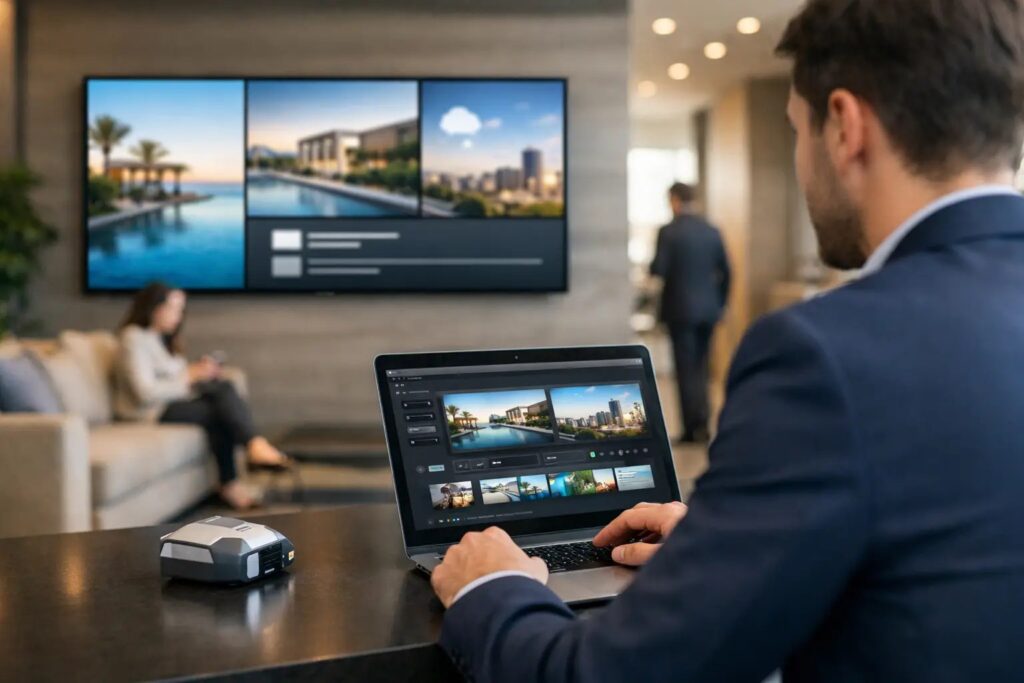
Your lobby screen should not depend on whoever remembers to swap out a slide before 9 a.m. If guests are seeing expired event details, old promotions, or a welcome message for last week’s visitor, the problem is rarely the screen itself. It is the update process. That is why more teams are asking how to automate lobby screen updates without creating extra work for IT or forcing staff to learn a complicated design system.
The good news is that automation does not have to mean a custom integration project. In most organizations, it starts with a better workflow: create content in a familiar format, assign schedules, connect live data where needed, and manage everything from one place. When that setup is done right, lobby screens stay current with far less manual effort.
What automation actually means for lobby screens
When people talk about automation, they often mean different things. For some teams, it simply means scheduling a playlist so breakfast messaging switches to afternoon content automatically. For others, it means pulling in room availability, visitor names, KPIs, weather alerts, or event calendars without someone editing slides by hand.
Both are valid. The right level of automation depends on what your lobby screen is supposed to do.
A corporate office lobby may need scheduled welcome messages, company news, and meeting room information. A healthcare facility might need wayfinding, wait time messaging, and service announcements. A hotel lobby may rotate promotions, event schedules, and branded guest information throughout the day. In each case, the goal is the same: reduce manual updates while keeping the content accurate and useful.
How to automate lobby screen updates without overcomplicating it
The simplest path is to separate your screen content into two categories: content that changes on a schedule and content that changes based on data.
Scheduled content includes dayparting, recurring promotions, holiday messaging, or weekly programming. This is usually the easiest place to start because it does not require live sources. You build the content once, schedule when it plays, and let the platform handle the rest.
Data-driven content is different. This includes visitor welcomes pulled from a calendar, occupancy information from a room booking system, emergency alerts, or dashboard metrics. This type of automation delivers the biggest operational value, but it also requires cleaner source data and a clear plan for what happens if that data is delayed or incomplete.
That trade-off matters. Full automation sounds appealing, but if the source system is messy, your lobby screen will simply automate messy communication. A reliable process usually beats a flashy one.
Start with a content workflow people will actually use
Many screen projects stall because the content creation process is too technical. If every change requires a designer, a developer, or a support ticket, updates slow down and screens go stale.
A better model is to let everyday business users create and update content in a tool they already know. For many organizations, that means PowerPoint. Marketing can update promotions, HR can refresh internal messages, and front desk teams can maintain welcome slides without learning a new creative platform from scratch.
This matters more than it sounds. Automation works best when the base content is easy to maintain. If the team can quickly edit a presentation, upload it, assign it to one or more screens, and schedule it, the system is far more likely to stay current over time.
Standardized templates also help. A template keeps branding consistent across locations while making routine updates faster. Instead of rebuilding layouts, teams only swap text, images, or dates. That reduces errors and shortens approval cycles.
Use scheduling before you use live data
If you are planning how to automate lobby screen updates, begin with scheduling. It solves a large share of the problem with very little complexity.
For example, your screen can show visitor greetings in the morning, promotional content in the afternoon, and building notices later in the day. It can switch automatically for weekdays, weekends, holidays, or special events. If you manage multiple locations, you can assign different schedules by site while still controlling everything centrally.
This is where cloud-based management is often the most practical choice. Teams can update content remotely, publish changes to one display or many, and keep a clear view of what is playing where. For organizations with distributed offices, retail sites, schools, or clinics, that centralized control saves time and reduces the risk of inconsistent messaging.
There is one important consideration, though. Scheduling only works well when ownership is clear. Someone still needs to decide what should play, when it should expire, and who approves exceptions. Automation removes repetitive tasks. It does not remove accountability.
Add live data where timing matters most
Once scheduling is in place, the next step is targeted automation through live data.
This works well for content that becomes outdated quickly. Meeting room status, visitor names, cafeteria menus, service queues, and operational metrics are common examples. In these cases, manual editing is too slow and too easy to forget.
An on-premises deployment can make sense when real-time updates are critical or when data needs to stay inside your network. That is especially relevant for organizations with stricter IT requirements or systems that should not rely on external connectivity. SignageTube Live, for example, is built for environments where automated, data-driven screen updates need to happen locally and reliably.
Still, not every message belongs in a live feed. A lobby screen should be readable at a glance. If you connect too many data sources or push too much detail onto one display, the result is clutter, not clarity. Good automation is selective. It updates the information that truly benefits from being current and leaves the rest as well-designed scheduled content.
Build rules for exceptions, not just normal days
One of the most overlooked parts of lobby screen automation is what happens when the normal routine breaks.
What should display during a network outage? What happens if the event calendar is empty? If a welcome message feed fails, do you show a default brand slide or a blank area? These are not edge cases. They are part of running screens in the real world.
The most reliable setups include fallback content and expiration rules. A time-sensitive announcement should disappear automatically after its end date. A live data panel should revert to a clean default if no fresh data is available. A playlist should continue playing even if one item fails.
This is where IT and operations need to align. Marketing may focus on design and messaging, while IT focuses on uptime and governance. Both matter. A screen that looks polished but fails unpredictably creates just as much frustration as a reliable screen with poor content.
Centralize management if you have more than one screen
A single lobby display can be managed manually for a while. A network of screens cannot.
Once you have multiple entrances, campuses, departments, or locations, centralized management becomes essential. You need to know which screens are online, what content is assigned, when it will change, and who made the update. You also need the ability to push the same message across all screens when necessary and localize content when one site needs something different.
That balance matters. Most organizations want consistency without making every location identical. A school district may want district-wide announcements plus campus-specific notices. A healthcare network may need shared branding with clinic-level scheduling. A corporate office may want a standard layout while allowing each lobby to highlight its own events or visitors.
Automation supports that model well because it lets teams reuse approved content and apply it at scale, rather than rebuilding every screen separately.
Measure success by fewer interventions
It is tempting to judge lobby signage by visual impact alone, but the real test is operational. Are staff spending less time making updates? Are expired messages disappearing on schedule? Are visitors seeing the right information at the right time?
If the answer is yes, your automation strategy is working.
That does not mean every screen needs advanced logic or constant real-time updates. In many cases, the best result comes from a mix of simple scheduled content, reusable templates, and a few carefully chosen live data elements. That approach is easier to maintain, easier to govern, and easier for non-technical teams to support.
The strongest lobby screen systems are not the ones with the most moving parts. They are the ones people trust. When your update process is simple, centralized, and built around the way your team already works, the screen stops being one more task to manage and starts doing its job every day.
- SignageTube Starter – content signage on any TV
- SignageTube Enterprise – live data on your screens
- Digital signage software – how to choose, and what matters
- Templates – 120+ ready-made designs
- Pricing – simple per-screen plans