 SignageTube
What Screens Need Cloud Management?
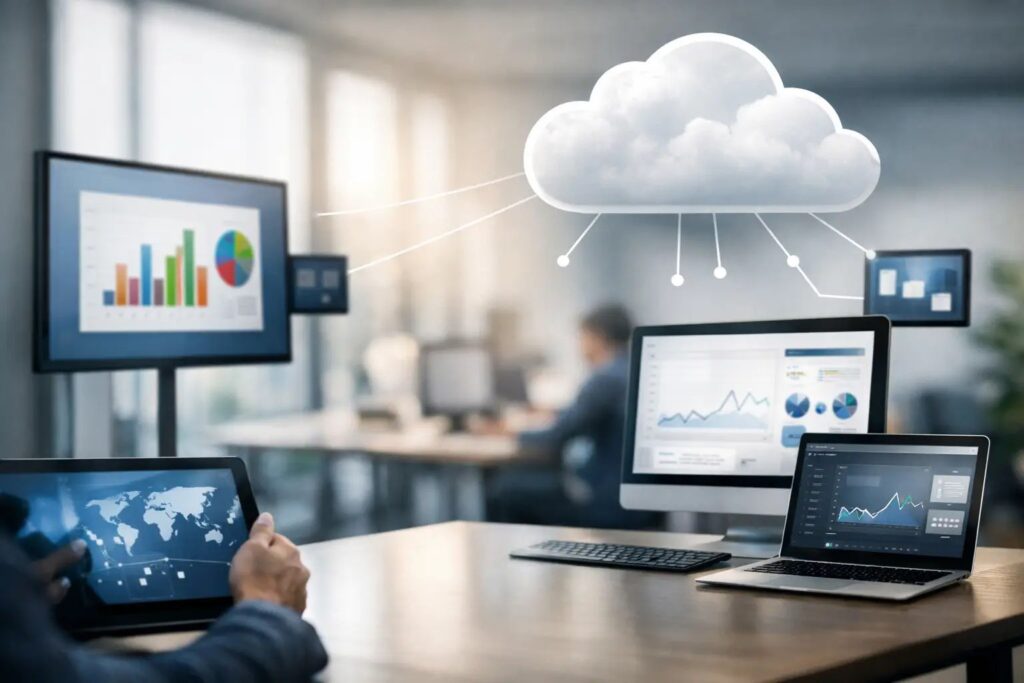
A single lobby screen rarely causes trouble. Fifty screens across offices, clinics, stores, or campuses usually do. That is where the question of what screens need cloud management stops being theoretical and becomes operational. If a display has to stay current, follow a schedule, reflect brand standards, or be updated without sending someone on site, cloud management starts to matter fast.
The short answer is this: screens need cloud management when the cost of manual updates is higher than the cost of central control. That can mean time, inconsistency, missed promotions, stale announcements, or too many people touching the same process. Not every screen needs it. But many organizations wait too long to add it, and by then they are already dealing with preventable friction.
What screens need cloud management most?
The best candidates are screens that are distributed, frequently updated, or business-critical. A display in one break room that changes once a quarter can survive with a local USB update. A network of menu boards, waiting room screens, school signage, or internal communications displays across multiple buildings is a different story.
Cloud management is most useful when screens are part of an ongoing communication system rather than a one-time installation. If content changes weekly or daily, if different locations need different messages, or if leadership expects scheduled campaigns to run on time, remote management becomes less of a convenience and more of a requirement.
That includes customer-facing screens such as retail promotions, hospitality displays, and digital directories. It also includes employee-facing screens used for safety notices, KPIs, HR updates, shift communications, and event messaging. In both cases, the screen is only valuable if the right content appears at the right time.
The tipping point is usually not the hardware
Many teams start by asking whether a certain screen model supports cloud tools. That matters, but it is rarely the first question to answer. The bigger issue is how the screen is used.
A basic commercial display in a single location may not need remote oversight if one person can update it easily and reliably. On the other hand, even a modest screen becomes a cloud management candidate if it sits in a location that is hard to reach, needs frequent updates, or serves an audience that depends on timely information.
In practice, cloud management is more about workflow than display size or resolution. A 32-inch employee communications screen in ten sites often needs centralized control more than one large video wall in a single headquarters lobby.
Signs your screens have outgrown manual updates
The pattern is easy to spot. Someone is emailing revised slides to local managers. Another person is copying files onto USB drives. A location forgets to update its content. One store is still showing last month’s campaign while another has already moved on. That is the point where digital signage stops feeling efficient.
Screens usually need cloud management when teams are trying to coordinate content across multiple people, departments, or locations. Marketing wants campaign control. Operations wants consistency. IT wants fewer ad hoc fixes. Internal communications wants scheduled messaging without chasing local staff. Cloud-based control brings those needs into one operating model.
It also helps when content ownership is shared. One team may create branded templates, while another updates local details. If that process depends on emailing files back and forth, errors multiply. Centralized management gives teams a cleaner way to publish approved content while keeping governance in place.
Which environments benefit the most
Retail is an obvious example because promotions change often and timing matters. A campaign that starts late or stays up too long is not just untidy – it affects revenue and customer experience. Cloud management makes it practical to schedule content by store, region, or date range without relying on local intervention.
Healthcare facilities benefit for a different reason. Waiting rooms, wayfinding screens, and staff communications displays need accuracy. When departments move, hours change, or seasonal notices need to go live quickly, remote updates reduce lag and cut down on avoidable confusion.
Schools and colleges often have many screens but limited time to manage them. Announcements, events, emergency messages, and department-specific content all compete for space. Central scheduling helps administrators keep messages current without building a complex production process.
Corporate offices use cloud-managed screens to support internal communications at scale. This is especially useful when different sites need a shared message with local variations. A central team can control the framework while each office receives relevant updates.
Hospitality settings also gain from cloud management because guest-facing screens often run around the clock. Event schedules, welcome messages, promotions, and property information change frequently. Staff need a fast way to keep displays current without treating every update like a technical task.
What screens may not need cloud management
Some screens are fine with a simple local setup. If a display shows static content that rarely changes, lives in a single site, and is maintained by one reliable person, cloud management may be unnecessary. The same is true for temporary displays used for short-term events where remote scheduling and oversight add little value.
There are also cases where on-premises management makes more sense than cloud management. If a screen network depends on real-time data from internal systems, or if IT policies require tighter local control, a local deployment can be the better fit. The right answer is not always cloud-first. It depends on your update frequency, security requirements, and how connected the signage needs to be with other business systems.
What to look at before deciding
Ask four practical questions. How often does content change? How many screens are involved? Who is responsible for updates? What happens if a screen shows the wrong thing or misses a scheduled change?
If the answer includes frequent changes, multiple locations, shared ownership, or visible business impact, cloud management is probably justified. If the process is low frequency, low risk, and easy to handle locally, it may not be.
It also helps to look at the content workflow itself. Teams that already build announcements, promotions, or internal messaging in PowerPoint have a simpler path to scale because they do not need to rebuild the creation process from scratch. That matters more than many buyers expect. A system is easier to maintain when users can create and publish content with tools they already know.
Cloud management is really about control and speed
When organizations ask what screens need cloud management, they are often really asking where delay, inconsistency, and manual effort are hurting communication. The answer usually points to screens that are part of regular operations.
Centralized control means a team can publish to one screen or many, schedule playlists in advance, and adjust content without travel or local workarounds. That improves response time, but it also improves accountability. You know what should be playing, where it should be playing, and when it should change.
That level of control matters for both branded messaging and routine communications. A promotion launch, a safety notice, a company update, or a holiday schedule all rely on timing. If the screen network cannot be managed centrally, the burden shifts to local staff, and consistency starts to break down.
The best fit is usually a mix of simplicity and governance
The strongest digital signage setups are not the most complex ones. They are the ones people actually use correctly. For many organizations, that means giving non-technical teams an easy way to create polished content while still giving operations and IT centralized oversight.
That is why cloud management works best when it supports real workflows instead of adding another layer of software overhead. If users can create content quickly, schedule it confidently, and push updates across locations without specialist skills, the screens become more useful to the business.
SignageTube approaches this well by letting teams create screen content in PowerPoint, then manage deployment and scheduling centrally. That combination reduces training time and keeps the process accessible without giving up control.
A good rule is simple: if a screen matters enough to keep current, consistent, and easy to manage from anywhere, it is a strong candidate for cloud management. The more locations, stakeholders, and updates involved, the clearer that becomes. The goal is not to add technology for its own sake. It is to make sure every screen keeps doing its job without slowing your team down.
If you are evaluating your own network, start with the screens that create the most manual work or carry the most visible messaging. Those are usually the ones that benefit first, and they tend to make the decision easier for the rest of the rollout.
- SignageTube Starter – content signage on any TV
- SignageTube Enterprise – live data on your screens
- Digital signage software – how to choose, and what matters
- Templates – 120+ ready-made designs
- Pricing – simple per-screen plans