
Key Takeaways
- Software dashboards are real-time, visual interfaces that pull data from CRMs, help desks, marketing platforms, and spreadsheets into one interactive view—think of them as a living scoreboard for your business.
- The main benefits include faster decisions (catching issues by noon instead of end-of-week), fewer manual spreadsheets, clearer KPI tracking, and better alignment across teams and leadership.
- Different dashboard types serve different purposes: executive dashboards for high-level business health, operational dashboards for real-time workload management, analytical dashboards for deep dives, and role-specific boards for functions like support, marketing, or finance.
- Core features to look for in 2025–2026 include real time data refresh, interactive charts, drag and drop customization, the ability to easily create dashboards and build custom dashboards tailored to your specific needs, seamless integration with your existing tools, and robust security controls.
- This article walks through definitions, benefits, dashboard types, key features, concrete examples, selection criteria, and implementation best practices to help you get started.
What Are Software Dashboards?
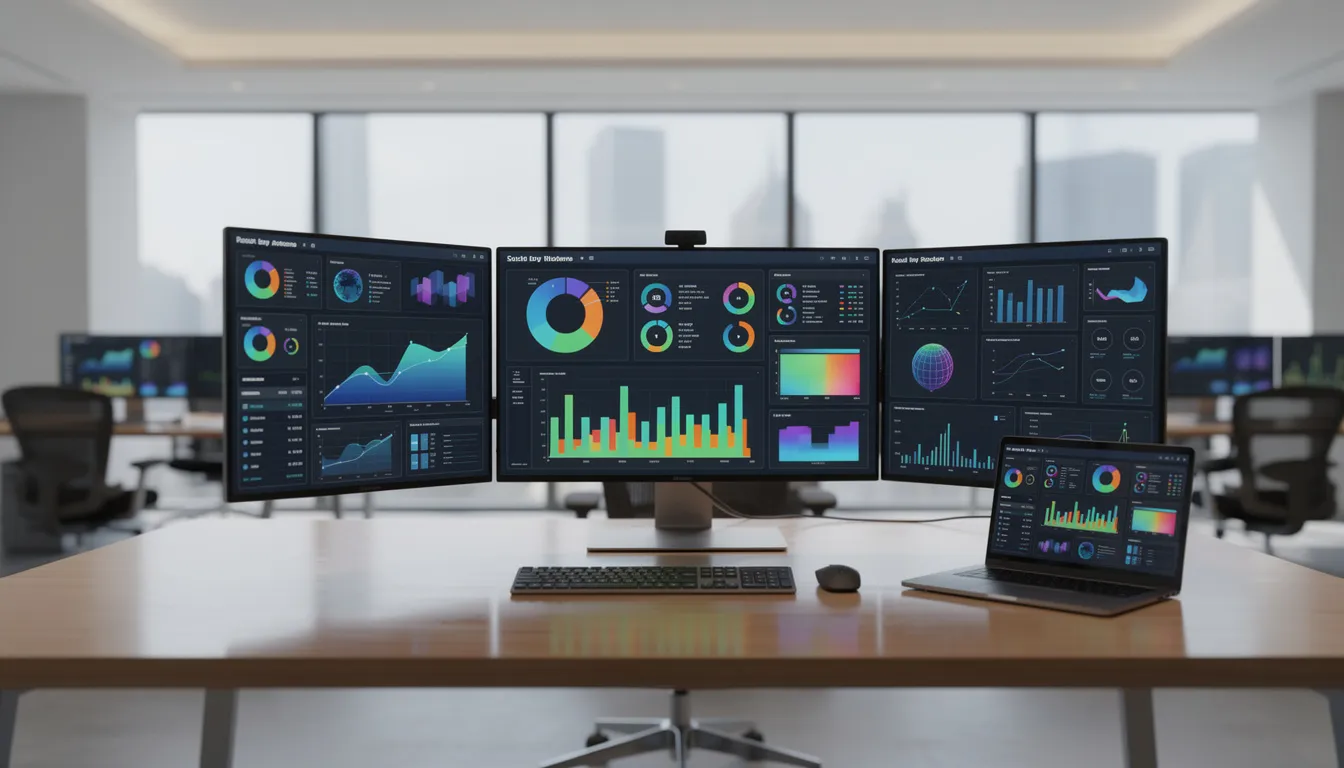
Software dashboards are real-time, visual interfaces embedded within business tools—CRMs, customer support systems, project management platforms, or standalone business intelligence solutions—that display key performance indicators and metrics at a glance. Rather than digging through multiple apps or waiting for someone to compile a weekly report, you open a dashboard and immediately see how things stand. Modern platforms make it easy to create dashboards quickly using pre-built templates and by connecting various data sources.
These dashboards pull from structured data sources like databases, SaaS applications, and spreadsheets, then display that information through charts, graphs, league tables, scorecards, and goal indicators. The result is a consolidated view that helps teams understand performance data without requiring technical expertise or hours of manual data entry. Many platforms support custom dashboards, allowing users to tailor visualizations, integrate multiple tools, and match branding requirements to fit specific business needs. Using a KPI platform or tool is also key for collaborating with your team on KPI definitions.
Here’s what this looks like in practice:
|
Dashboard Type |
Example Metrics Displayed |
|---|---|
|
Sales Dashboard |
Pipeline by stage (40% prospecting, 30% negotiation), win rate at 28%, Q2 2026 forecast of $3M |
|
Support Dashboard |
150 open tickets, SLA breach rate under 5%, first response time at 1.2 hours, CSAT at 88% |
|
Marketing Dashboard |
500K monthly sessions, 5K leads, cost per acquisition at $50, ROAS at 4x |
|
The key difference between dashboards and traditional static reports? Dashboards update continuously or on a schedule—often every few minutes for operational needs—and support user interaction. You can filter by date range, drill down from summary numbers to granular breakdowns, hover for exact values, and click segments to pivot your view dynamically. Traditional reports, by contrast, deliver point-in-time snapshots in PDF or slide deck formats, suited for periodic reviews rather than daily monitoring. |
|
Dashboards can live inside specialized tools like Zendesk or HubSpot, providing focused views of that platform’s data. Or they can exist in dedicated BI tools like Tableau or Microsoft Power BI, aggregating cross-company data from multiple platforms into one unified interface. When your data is unified and accessible, true insight becomes actionable, and every team member gains visibility into how their work drives company-wide results. Many organizations go a step further and surface these metrics on shared displays using real-time stock prices and operational KPIs on digital signage screens so stakeholders can see live performance without opening a BI tool.
Key Performance Indicators (KPIs) and Metrics
Key Performance Indicators (KPIs) are the backbone of effective business performance monitoring. These are measurable values that organizations use to evaluate their success in reaching critical objectives. By focusing on the right KPIs, businesses can track progress, spot trends, and make data driven decisions that propel growth.
Benefits of Using Software Dashboards
Dashboards transform scattered data across CRMs, help desks, marketing platforms, and finance tools into a single interactive scoreboard. Leaders and teams use this scoreboard to monitor business performance and respond quickly when something needs attention. Identifying and tracking KPIs lets you know if your business is on the right path or if you should change course to avoid losing valuable time and money.
The practical benefits break down into several key areas:
Faster decision-making Managers detect issues like a spike in ticket backlog by noon instead of discovering it in an end-of-week review. According to BI tool benchmarks, this kind of real time visibility enables 20-30% faster responses to emerging problems.
Better transparency Everyone references the same numbers. When sales, support, and leadership all see identical metrics, you eliminate disputes about whose spreadsheet is correct. Organizations report up to 40% reduction in cross-functional misalignment when working from unified dashboards. KPI dashboards provide a unified view of data that improves visibility into company health.
Time savings from automated reporting Manual spreadsheet KPI packs that once consumed 10-20 hours weekly per analyst drop to near-zero with automated data pulls. Unlike manual reporting, which is time-consuming and prone to errors, automated dashboards reduce manual reporting tasks through scheduled updates and KPI alerts, allowing your team to focus on analysis and action.
Improved accountability and ownership Dashboards link metrics to specific owners, targets, and timeframes. When the sales director sees their name next to the June 2026 revenue target of $2M, accountability becomes concrete. Status indicators show exactly where things stand against goals. KPI dashboards can motivate team members by providing clear visibility into performance and progress.
Earlier risk detection Dashboards surface leading indicators—rising churn risk (like a 2% weekly uptick), slowing pipeline creation, or budget overruns—early enough to take action. Organizations using real time kpi dashboards report 15-25% improvement in forecast accuracy for sales contexts.
The core value proposition is simple: dashboards convert complex data into instant access to the metrics that matter, enabling data driven decisions instead of gut feelings.
Types of Software Dashboards
Not all dashboards serve the same purpose. The right type depends on your audience and what decisions they need to make.
Executive / Strategic Dashboards for Key Performance Indicators
These prioritize 5-8 high-level business kpis that leadership cares about most. Think revenue growth (year-over-year 15-20%), gross margins (targeting 60%), customer churn (below 5% monthly), NPS (above 50), and cash runway (18+ months). Executive dashboards typically refresh daily and appear in weekly leadership huddles to track strategic objectives.
Operational Dashboards
Front-line teams use these real time dashboards to manage workload and throughput during the day. A support team might monitor ticket queues showing 200 open cases with 10% SLA risk. A warehouse operations view might display capacity at 95%. These dashboards often update every few minutes because decisions happen in real-time.
Operational dashboards also help managers monitor and improve team performance by providing real-time insights into how teams operate, collaborate, and achieve goals. Many companies reinforce this visibility with real-time digital signage that mirrors key dashboard metrics on shared displays across offices or production floors.
Analytical / Deep-Dive Dashboards
These feature richer layouts with trend lines, cohort analysis (like user retention by acquisition month), and segmentation tools. Data analysts and managers use them when exploring root causes behind performance shifts. They answer questions like “why did conversion drop last week?” rather than “what’s our current conversion rate?” In environments with many shared screens, these deep-dive views can inform advanced digital signage that pulls live data from Excel, SQL, and APIs to keep stakeholders aligned.
Role-Based Dashboards
Different functions need different views:
|
Function |
Key Metrics Tracked |
|---|---|
|
Customer Success |
Renewals (90% target), expansion pipeline ($500K), health scores |
|
Finance |
DSO (under 45 days), expense ratios (opex/revenue below 70%), budget vs. actuals |
|
Product |
Weekly active users, feature adoption (60% for new AI tool), crash rates (under 0.5%) |
|
HR |
Turnover rate (8% annual), headcount, balance workloads across teams |
|
Marketing Team |
Sessions, lead volume, CPA, ROAS, campaign performance |
|
Each dashboard type exists to help specific people make specific decisions faster. |
|
Core Features of Effective Dashboard Software
Not all dashboard software delivers the same capabilities. Here’s what buyers should expect from kpi tools in 2025–2026.
Real-Time or Near Real-Time Data Refresh
Operational dashboards need updates every 1-15 minutes. Financial and strategic dashboards might refresh hourly or daily. The key features to look for include configurable refresh intervals so you can balance data freshness against system load.
Diverse Visualization Types
Effective kpi software offers multiple ways to display performance metrics:
- Line charts for trends (revenue trajectory over time)
- Bar charts for comparisons (rep performance side by side)
- Pie/donut charts for shares (channel attribution breakdown)
- Tables and scorecards for rankings (top deals, leaderboard views)
- Heatmaps for density patterns (user activity by hour and day)
- Funnel charts for conversions (lead-to-close rates at 15%)
Interactivity
Interactive dashboards let users filter by date range, team, region, or product. You can drill down from summary metrics into detailed breakdowns, hover for tooltips showing exact values like “CSAT: 87.3%,” and click segments to pivot views dynamically.
Collaboration and Sharing
Modern dashboard software supports browser-based access from anywhere, TV wallboards for war rooms and office displays, secure sharing links for stakeholders, embedded widgets in internal wikis, and scheduled snapshots sent via email, Slack, or Microsoft Teams. Pairing these dashboards with cloud-managed PowerPoint digital signage on corporate screens lets you broadcast key metrics throughout offices without manual updates. Many teams extend these views onto office TVs by publishing PowerPoint-based dashboards to screens through a cloud signage platform so everyone can monitor performance at a glance.
Customization Options
Look for drag and drop layout builders, configurable thresholds with goal indicators (red/amber/green status), custom formulas (like churn = cancellations/active users), and support for different user roles and permissions. Customizable dashboards let non technical users create their own views without waiting on IT.
Security and Governance
Enterprise-ready tools include role-based access control, SSO integration, audit logs, GDPR and SOC2 compliance, and clear data lineage so teams know the source and definition of each metric. This matters especially for sensitive financial or HR data.

Organizations that want these views visible on shared screens can combine dashboard tools with live data digital signage that keeps content automatically updated.
Data Sources and Integrations for Dashboards
The value of any dashboard depends entirely on the quality and breadth of its data connections. A dashboard is only as good as the data flowing into it.
Typical SaaS Data Sources
Most organizations connect dashboards to:
- CRMs: Salesforce, HubSpot for pipeline and customer data
- Service desks: Zendesk, Jira Service Management for ticket metrics
- Marketing tools: Google Analytics, Meta Ads for traffic and campaign performance
- Finance systems: Xero, QuickBooks for P&L and cash flow
- Spreadsheets: Google Sheets and Excel for custom tracking
Database Connections
Organizations with more advanced analytics tools connect dashboards directly to databases like PostgreSQL, MySQL, or cloud data warehouses like Snowflake or BigQuery. This enables more powerful analytics and historical data analysis.
APIs and Integration Platforms
Seamless integration happens through native API connectors or platforms like Zapier. These sync data automatically, eliminating manual exports and reducing the data silos that plague many organizations. Tools like FineBI offer 500+ connectors for this reason.
Unified Views in Practice
Consider a customer operations dashboard that pulls from three systems simultaneously and, when extended to office screens, doubles as corporate digital signage for internal communication and coordination:
|
Source |
Metrics Pulled |
|---|---|
|
Zendesk |
SLA attainment (92%), ticket volume, first response time |
|
Salesforce |
Open opportunities ($1.2M), renewal pipeline |
|
Google Sheets |
Custom forecasts, team targets |
|
This consolidated view eliminates the need to jump between tools or reconcile conflicting numbers—consolidating data into a single source of truth. |
|
Designing an Effective Dashboard Layout
Dashboards should be designed for clarity and quick scanning, not to cram as many charts as possible onto one screen. The goal is a 5-second read that tells you whether things are on track.
Information Hierarchy
Structure your layout with the most critical key metrics at the top:
- Top section: Most critical KPIs (SLA attainment, revenue, ticket backlog)
- Middle section: Secondary diagnostics (win rate trend, churn indicators)
- Bottom section: Detailed tables and granular data for those who want to dig deeper
Thematic Grouping
Group charts by theme rather than scattering related metrics. Common groupings include:
- Volume metrics (tickets created, leads generated, deals opened)
- Speed metrics (response time, cycle time, time-to-close)
- Quality metrics (CSAT, error rates, NPS)
- Financial impact (revenue, margin, cost)
Consistent Visual Language
Maintain consistent color usage across all dashboards. Green for on-track metrics, red for breaches or at-risk items, blue for neutral categories. This lets users scan quickly without decoding what each color means.
Context Is Everything
Never show absolute numbers in isolation. Compare metrics to:
- Targets (actual vs. goal)
- Previous periods (week-over-week, month-over-month)
- Benchmarks (industry standards or internal historical averages)
A revenue number of $500K means nothing without context. $500K against a $450K target tells a story.
Annotations and Insights
Include compact narrative elements when needed. A short annotation like “Spike on Feb 15 due to system outage” prevents confusion and unnecessary investigation. Just don’t overload the layout with text.
Examples of Software Dashboards by Function
Let’s walk through concrete kpi dashboard examples for common business functions to make these concepts tangible.
Customer Support Dashboard
A Zendesk-inspired support dashboard might display:
- Tickets created vs. solved per day (300 solved daily)
- Backlog by status and priority (50 high-priority unresolved)
- First reply time (averaging 1.2 hours against 2-hour target)
- SLA breach risk percentage (currently at 8%, target under 5%)
- Live chat volume and wait times
- CSAT scores (88% satisfaction)
The geckoboard support team and similar organizations use these views to balance workloads in real-time and catch bottlenecks before they impact customer satisfaction.
Sales Dashboard
A sales operations view might show:
- Opportunities by stage for Q1 2026 (40% closed-won)
- Forecast vs. quota ($3M actual vs. $2.8M target)
- Win rate trend (up 3% from previous quarter)
- Average deal size ($15K)
- Top-performing reps in a leaderboard widget (Rep A at 150% attainment)
Marketing Dashboard
A marketing team consolidating performance data might track:
- Website sessions from GA4 (1M monthly)
- Lead volume (5K generated)
- Conversion rate (2%)
- Cost per acquisition ($40)
- Campaign-level ROAS (4x return)
- Channel attribution breakdown
Marketing dashboards are essential for tracking digital performance, helping teams measure the effectiveness of their online presence and marketing efforts. Tools like Google Analytics specialize in analyzing digital performance data, enabling businesses to optimize outcomes and make informed decisions. When these insights are pushed to in-store or lobby screens as real-time data-driven digital signage content, they can also influence customer behavior and boost sales.
Professional Services Dashboard
For services organizations tracking profitability:
- Billable utilization (82% against 85% target)
- Project margin (28%)
- Tasks completed vs. planned (92% on time)
- Hours logged per team member
- Resource allocation and capacity planning
These examples show how different teams track kpis relevant to their specific common business functions.

How to Choose Dashboard Software for Your Organization
Selecting dashboard software depends on company size, tech stack, and who will use the dashboards day to day.
Evaluation Criteria
When comparing bi tools, assess:
|
Criteria |
Questions to Ask |
|---|---|
|
Integration coverage |
Does it connect to your existing CRM, help desk, marketing tools, and databases? |
|
Ease of setup |
Can non technical users build kpi dashboards without coding? |
|
Scalability |
Will it handle more users and data sources as you grow? |
|
Pricing transparency |
Is pricing clear, or is there variable pricing and custom pricing that makes budgeting difficult? |
All-in-One vs. Dedicated Solutions
Some work management platforms include built-in dashboards (HubSpot, for example). These work well for small to medium businesses that want simplicity. Dedicated BI platforms like Tableau or Microsoft Power BI offer more powerful analytics and flexibility but may require more technical expertise.
For organizations deep in the Microsoft ecosystem, Power BI Premium integrates naturally with existing tools. For embedded analytics in SaaS products, specialized solutions like Luzmo provide multi-tenant isolation and no-code studios.
Questions to Ask Vendors
Before committing, clarify:
- Data refresh limits (unlimited for operations, or capped?)
- Support SLAs (99.9% uptime guarantees?)
- Security certifications (SOC2, GDPR compliance?)
- AI roadmap (ai powered insights becoming standard by 2026)
- Free trial or proof-of-concept availability
Many platforms offer a free account or growth plan to get started, with a higher price point for enterprise features.
Must-Have vs. Nice-to-Have Checklist
Must-haves for 2025–2026:
- Real time data refresh
- Pre built templates and pre built metrics for quick starts
- Connections to your core data sources
- Role-based access controls
- Mobile-friendly views
Nice-to-haves:
- Advanced analytics and cohort analysis
- AI-powered anomaly detection
- Custom SQL query support
- White-labeling for client-facing dashboards
- KPI alerts via Slack or email
Implementing and Rolling Out Dashboards Successfully
Dashboards only deliver measurable value when they’re adopted widely and kept accurate over time. Here’s how to make that happen.
Start with a Pilot Group
Don’t try to build dashboards for the entire company at once. Pick one team—maybe one region’s support team or one sales squad—and build their dashboard first. Prove the value, work out the kinks, then expand.
Define Ownership
For each dashboard and each KPI, establish:
- Who maintains the data definitions
- Who updates targets quarterly
- Who ensures the view stays aligned with strategic objectives
Without clear ownership, dashboards drift out of date and lose credibility.
Training and Routines
Keep training short and role-specific. A 5-minute video showing how to use filters and interpret status indicators beats a 2-hour training session. More importantly, build dashboards into existing routines:
- Daily stand-ups reference the support queue dashboard
- Weekly business reviews start with the executive KPI view
- Monthly performance meetings use analytical deep-dives
Set Up Alerts and Notifications
Configure kpi alerts for critical thresholds:
- Ticket backlog exceeds 100
- SLA breach risk goes above 10%
- Revenue falls below forecast
- Budget overruns detected
Send automated updates via email or collaboration apps so issues surface immediately rather than waiting for someone to check the dashboard.
Best Practices for Ongoing Dashboard Maintenance
Dashboards must evolve as the business, tools, and KPIs change over time.
Schedule Periodic Reviews
Plan quarterly reviews (starting in 2026) to:
- Prune unused charts (studies suggest 20% of dashboard elements go unused)
- Retire outdated metrics that no longer matter
- Align dashboards with current strategic priorities
- Add new metrics as business needs evolve
Establish Single Sources of Truth
Document how each metric is calculated and where the underlying data comes from. When someone asks “how is CLV defined?” there should be one clear answer. This prevents the 25% error rate caused by inconsistent metric definitions across teams.
Implement Access Controls and Versioning
Sensitive financial or HR dashboards should be restricted to appropriate roles. Operational dashboards can be shared more widely. Version control helps when you need to roll back changes or understand what changed when.
Collect User Feedback
Regularly ask dashboard users:
- Which charts do you actually use?
- What’s confusing or unclear?
- What additional breakdowns would help your decisions?
Organizations that run these feedback loops catch 30% of misinterpretations and fix them iteratively.
FAQ
How is dashboard software different from traditional reporting tools?
Dashboard software emphasizes real-time, interactive views that update continuously from live data sources. You can filter, drill down, and explore the data dynamically. Traditional reporting tools generate static, point-in-time documents—PDFs, spreadsheets, or slide decks—that capture a snapshot at a specific moment.
Dashboards are designed for ongoing performance monitoring and daily decision-making. Kpi reports serve a different purpose: deeper analysis on a weekly, monthly, or quarterly cadence, often for compliance or formal review. Many organizations use both: dashboards for quick checks during the week, and detailed reports for formal analysis and documentation.
Can small businesses benefit from software dashboards, or are they only for large enterprises?
Dashboards deliver value for organizations of any size. A startup tracking monthly recurring revenue ($50K/month), lead volume, and ticket backlog (20 open) benefits just as much as an enterprise monitoring hundreds of metrics across regions.
Many modern platforms offer free or low-cost plans suitable for small teams. Start with a small set of core business metrics—maybe 5-8 key figures—rather than building overly complex dashboards from the start. You can always add sophistication as you grow.
Do I need a data team to create and manage software dashboards?
Not necessarily. While advanced BI deployments benefit from data analysts and engineers, most modern dashboard platforms include no-code or low-code builders designed for operations managers, team leads, and other non technical users.
You can start with pre built templates and simple connectors, then involve a data team later as needs grow more complex (custom SQL queries, warehouse modeling, advanced analytics). The key requirement is clean, reliable data from source systems—consistent data entry and ownership practices matter more than having dedicated data analysts.
How often should dashboards be updated and reviewed?
Match refresh frequency to your decision cycles:
- Operational dashboards (support queues, sales activity, website traffic): Update every 1-15 minutes, reviewed multiple times daily
- Strategic dashboards (financial performance, quarterly KPIs): Refresh daily or weekly, reviewed in weekly leadership meetings and monthly business reviews
If decisions happen weekly, daily updates are usually sufficient. Minute-by-minute updates aren’t necessary unless you’re monitoring something like live call center queues or real-time website traffic.
What are common mistakes to avoid when designing software dashboards?
The most frequent pitfalls include:
- Overcrowded layouts: Limit dashboards to 6-9 visualizations that directly support decisions
- Inconsistent metric definitions: Causes 25% of interpretation errors across teams
- Missing benchmarks or targets: Numbers without context are just noise
- Poor color choices: Similar colors make interpretation difficult; test for 5-second readability
Start with a clear question each dashboard should answer. Include only visualizations that help answer that question. User test by having real users try to interpret the dashboard in a few seconds—adjust based on where they hesitate or misread data trends.