 SignageTube
Digital Signage PowerPoint vs Canva
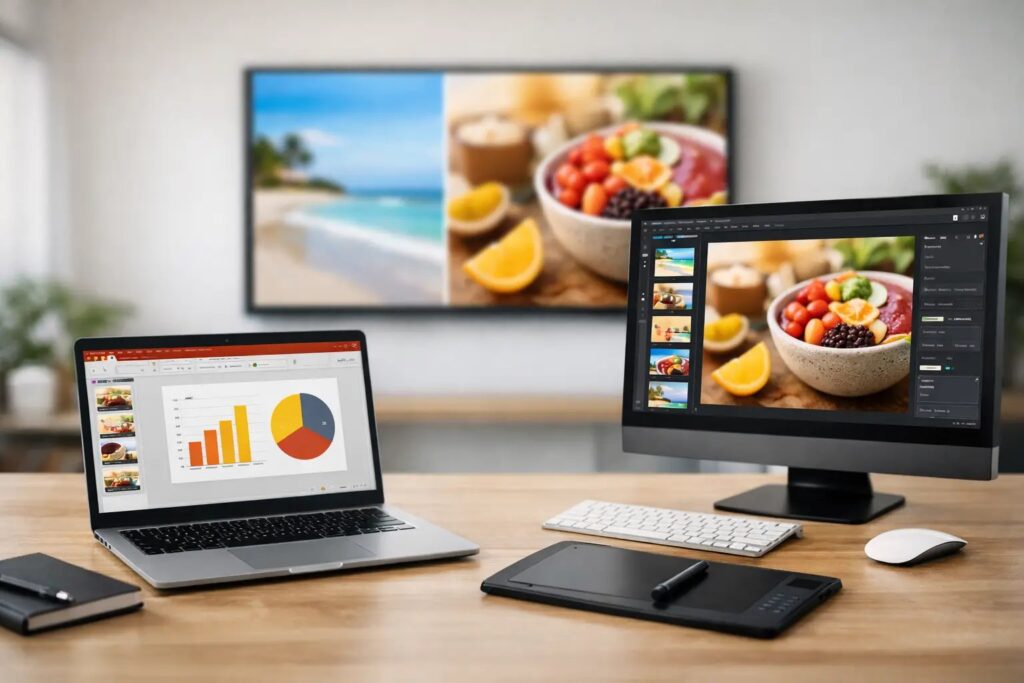
A screen update that takes 10 minutes gets done. A screen update that needs design handoffs, reformatting, and extra training often gets delayed. That is why the digital signage PowerPoint vs Canva question matters less as a design debate and more as an operations decision.
For most organizations, digital signage is not a one-time creative project. It is an ongoing communication channel. Retail teams need promotions updated across locations. Schools need event slides changed fast. Healthcare facilities need clear, timely messages. Offices need internal communications that stay current. The best content tool is the one your team can use consistently, without slowing down approvals or adding unnecessary steps.
Digital signage PowerPoint vs Canva: the real difference
At a glance, both tools can produce polished screen content. Both can work for announcements, promotions, menus, lobby messaging, and internal communications. The difference shows up in day-to-day use.
PowerPoint is built for structured presentation creation. Many business users already know how to edit text, swap images, duplicate slides, and apply brand templates. Canva is built for fast visual design with a large library of layouts and drag-and-drop elements. That can make it appealing for teams that want design flexibility without using advanced creative software.
For digital signage, though, the question is not just which tool makes a nice slide. It is which tool fits the way your organization creates, approves, updates, and deploys content across one or many screens.
Where PowerPoint has the advantage for business signage
PowerPoint tends to win when speed, familiarity, and repeatability matter most. In many organizations, the people updating screens are not designers. They are office managers, marketers, school staff, operations coordinators, or communications teams. They already know PowerPoint, which removes a major adoption barrier.
That matters more than it may seem. If your content workflow depends on a tool that only a few people are comfortable using, updates slow down. If your signage program depends on fast edits by everyday staff, PowerPoint is often the more practical choice.
It also works well for template-driven environments. A company can create branded slide layouts once, then let local teams update the approved fields. That keeps content consistent without requiring design expertise every time a promotion changes or a notice needs to go live.
Another strength is how naturally PowerPoint fits into business content production. Teams already use it for presentations, announcements, sales materials, training, and leadership communications. Repurposing that work for screens is efficient. Instead of rebuilding content in a separate design tool, teams can adapt existing slides and publish faster.
For organizations managing multiple displays, that simplicity becomes even more valuable. A familiar creation tool combined with centralized scheduling and playback reduces training time and makes rollout easier across departments and locations.
Where Canva can be useful for digital signage
Canva is a good fit when visual variety is the top priority and the team wants a more design-led editing experience. It can be especially helpful for users who want quick access to decorative elements, stylized layouts, and ready-made visuals for campaigns or seasonal messaging.
For small teams producing signage occasionally, Canva may feel intuitive. It can help non-designers build attractive content without starting from a blank page. If your screens are mainly promotional and your brand allows for more visual experimentation, that can be a real benefit.
But there is a trade-off. More design freedom can also mean less consistency if the organization does not have strong template governance. What looks creative on one screen can start to feel fragmented across twenty or fifty. For digital signage programs that need standardization across locations, flexibility is useful only when it stays controlled.
Workflow matters more than design preference
This is where many buying decisions go off track. Teams compare slide aesthetics, but the bigger issue is operational fit.
If content is updated frequently, PowerPoint usually has the edge because it is faster for routine business edits. Swap a headline, change a date, replace an image, save, and publish. That is a comfortable workflow for most office teams. It also reduces dependency on a dedicated designer.
If content is campaign-based and heavily visual, Canva may suit the creative stage better. But after the content is designed, organizations still need a reliable way to schedule it, distribute it, and keep playback controlled across screens. Content creation is only one part of digital signage. Management is the part that determines whether the system stays useful over time.
That is why many organizations benefit from separating the content question from the deployment question. You can create content in a familiar tool, then use digital signage software to handle scheduling, screen assignments, remote updates, and governance.
PowerPoint is often stronger for scalable digital signage
When you look at digital signage PowerPoint vs Canva through the lens of scale, PowerPoint often becomes the safer operational choice.
Why? Because scale introduces constraints. Teams need repeatable templates, version control, faster editing, and easier handoffs. A branch manager should be able to update a local promotion without breaking the layout. A communications team should be able to roll out a company-wide message without rebuilding assets for every site. IT should be able to support the system without teaching advanced design workflows.
PowerPoint fits those conditions well. It is structured, familiar, and easy to standardize. That does not make it the more creative option in every case. It makes it the more usable option for many business environments.
For digital signage, usability often beats creative range. A slightly simpler workflow that gets used consistently is better than a more expressive workflow that becomes a bottleneck.
What IT and operations teams should care about
Decision-makers are not just choosing a design tool. They are choosing a process that people will follow.
Operations leaders usually care about speed and consistency. They want screens updated on time, across all locations, without back-and-forth. Internal communications teams care about clear messaging and simple approvals. IT managers care about control, reliability, and whether the content workflow adds support burden.
PowerPoint aligns well with those priorities because it lowers the skills threshold. It lets more people contribute without introducing a specialized creative environment. When paired with a platform built for scheduling and screen management, it becomes a practical production system rather than just a design file.
This is especially relevant for organizations with a mix of cloud-based and on-premises needs. Some screen networks need centralized remote updates. Others need real-time local data updates or tighter infrastructure control. In those environments, the content tool should stay simple so the deployment model can do the heavier lifting.
When PowerPoint is the better choice
PowerPoint is usually the better fit if your organization updates content often, relies on non-design staff, needs reusable branded templates, or wants to repurpose existing presentations for screens. It is also a strong option when the goal is to launch digital signage quickly without spending weeks on training.
That does not mean every slide has to look basic. Well-built templates, clear hierarchy, strong images, and disciplined branding go a long way. Business signage does not need to win design awards. It needs to communicate clearly and stay current.
When Canva may be the better choice
Canva may be the better fit if your signage content is highly promotional, visually varied, and managed by a team that prefers a design-first workflow. It can also work well when content updates are less frequent and there is enough oversight to keep layouts on brand.
The key is being honest about usage. If people like Canva but only one person can maintain the content, that is a risk. If people already work in PowerPoint and can update slides confidently, that is an advantage worth keeping.
The better question to ask
Instead of asking which tool is more modern or more creative, ask which one your team will actually use well next month, next quarter, and across every screen that matters.
For many organizations, PowerPoint is the stronger answer because it turns digital signage into a manageable business process. It fits the skills teams already have. It supports template-based content creation. And when combined with a platform like SignageTube for scheduling, playback, and screen management, it gives organizations a straightforward path from slide creation to multi-screen communication.
The best signage workflow is rarely the one with the most design features. It is the one that keeps your messages moving without slowing your team down. That is the standard worth choosing against.
For everything else on turning slides into a real signage workflow, see the full PowerPoint digital signage guide.
- SignageTube Starter – content signage on any TV
- SignageTube Enterprise – live data on your screens
- Digital signage software – how to choose, and what matters
- Templates – 120+ ready-made designs
- Pricing – simple per-screen plans