 SignageTube
Airport Digital Signage Software Guide
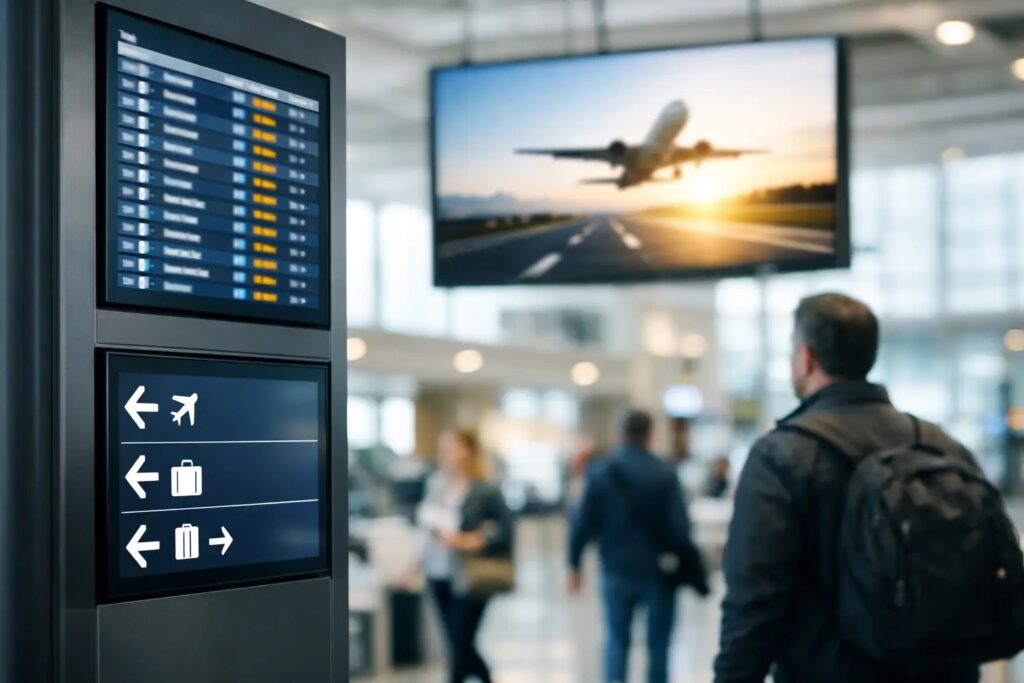
A gate change posted three minutes late can send hundreds of passengers in the wrong direction. In an airport, screen content is not just marketing collateral – it is operational communication. That is why an airport digital signage software guide should start with the real job the software needs to do: keep information accurate, readable, fast to update, and easy for teams to manage across a large screen network.
Airports are harder than most signage environments. They combine public information displays, retail promotions, emergency messaging, staff communications, wayfinding, and live operational updates. Different teams often own different parts of that screen network, yet passengers experience it as one system. If the software is difficult to use, slow to update, or too dependent on specialist skills, the gaps show up quickly.
What airport digital signage software needs to solve
The first requirement is speed. Airports run on shifting schedules, changing passenger flow, and constant exceptions. Weather events, delays, gate swaps, construction detours, and security messaging can all change what belongs on a screen. Software that requires a long creative process or manual intervention from a small expert team creates bottlenecks.
The second requirement is governance. Not every user should be able to change every screen. Operations may need control over terminal messaging, concessions may need control over promotional screens, and internal teams may need separate access for employee communications. Good software gives each group enough flexibility to update its content without creating confusion or risking brand inconsistency.
The third requirement is scale. Airports do not manage a handful of displays. They manage networks spread across terminals, gates, ticketing areas, baggage claim, retail zones, lounges, and back-of-house spaces. Centralized control matters because local screen-by-screen updates do not hold up in that kind of environment.
The practical difference between content creation and screen management
Many airports underestimate how much time is lost in content production. If every screen update requires design software, technical formatting, or a specialist operator, routine messaging becomes too slow. The better approach is to separate content quality from content complexity.
That is where familiar workflows matter. Teams already know how to build slides, organize announcements, and follow brand templates in tools like PowerPoint. When signage software supports that kind of workflow, non-technical users can create polished content quickly, while IT and operations still keep control over deployment, permissions, and playback.
This is especially useful in airports because content comes from many departments. Marketing can prepare concession messages, operations can handle terminal notices, and internal teams can manage staff communications without everyone learning an entirely new production system.
How to evaluate an airport digital signage software guide in practice
A useful airport digital signage software guide should not focus only on features. It should focus on day-to-day use. The question is not whether the platform can display content. Almost any platform can do that. The question is whether airport teams can update, approve, schedule, and distribute content without friction.
Start with the screen network
Map the network before comparing software. Identify which displays are public-facing, which are operational, which need live updates, and which are primarily scheduled content. A departures video wall has different needs than a staff breakroom screen or a restaurant promo display near the concourse.
This matters because some signage programs are built mainly for marketing loops, while airport environments often need a mix of scheduled playlists and real-time data-driven content. If your screen estate includes both, the software should support both without forcing separate systems for every use case.
Define who owns what
Ownership is usually where projects get messy. Airports often involve operations teams, IT, facilities, communications, and tenant or concession partners. If the software does not support role-based access and clear content ownership, updates can become inconsistent or delayed.
Look for systems that let teams manage their assigned screens or content zones while maintaining central oversight. That balance helps local teams move fast without turning the whole network into a free-for-all.
Check the update workflow
Ask how long it takes to go from drafted content to live playback. If a team needs to post a weather advisory or redirect passengers due to maintenance, can they update screens in minutes? Can they schedule content ahead of time for holiday travel peaks or terminal events? Can they target one screen, one zone, or an entire network from the same interface?
The easiest platforms reduce training time and remove unnecessary handoffs. That is one reason PowerPoint-based workflows can be so effective. They let everyday users build and revise screen content quickly using tools they already know.
Cloud vs on-premises for airport signage
Deployment model matters more in airports than in many other environments because security, connectivity, and operational continuity all come into play.
Cloud-based signage management is a strong fit when teams need centralized remote control across many displays and locations. It simplifies administration, helps distributed teams schedule content from anywhere, and supports fast rollout when content needs frequent changes. For airports with multiple departments contributing to messaging, cloud management can make collaboration much easier.
On-premises deployment can be the better choice when the environment requires tighter local control, lower dependency on external connectivity, or direct integration with operational systems that update in real time. Some airport use cases are especially sensitive to latency or infrastructure policy, so a local deployment model may fit better.
It is rarely about which approach is universally better. It depends on how the airport is structured, what IT policies apply, and whether the screens lean more toward scheduled messaging, live operational content, or both. A platform that offers both cloud and on-premises options gives teams more room to align signage with actual operational requirements.
Content priorities in airport environments
Not all airport screens should behave the same way. That sounds obvious, but many deployments treat every display as part of one generic loop.
Wayfinding screens need clarity over creativity. Retail and concession screens can be more promotional, but they still need to respect dwell time, distance, and passenger attention span. Internal staff screens should favor relevance and frequency over visual complexity. Emergency messaging must always override regular content cleanly and immediately.
The software should make these distinctions easy to manage. Templates help maintain consistent branding and legibility, while scheduling tools help teams match content to time of day, location, and passenger traffic. Morning business travel, holiday peaks, overnight operations, and irregular disruptions all call for different programming strategies.
What good software reduces behind the scenes
The best airport signage systems do more than display content. They reduce operational drag.
They reduce dependency on one highly technical user. They reduce the risk of outdated messaging staying live too long. They reduce the number of manual steps needed to update dozens or hundreds of displays. They also reduce inconsistency between terminals, departments, and screen types.
That matters because airport signage is often judged at the moment it fails. Passengers notice the wrong gate, the stale promotion, the unreadable instruction, or the blank display. Reliable software lowers the chances of those failures by making updates simpler and control more centralized.
For many organizations, simplicity is not a small benefit. It is what makes adoption possible. A system that lets teams create content in PowerPoint, apply reusable templates, schedule playback, and manage screens centrally can move much faster than one that assumes every update starts with a designer or developer. That is part of why platforms such as SignageTube are built around familiar content creation and straightforward deployment instead of heavyweight production workflows.
Questions to ask before you commit
Before choosing a platform, ask practical questions. Can non-technical staff create and update content without constant support? Can IT set permissions and maintain oversight? Can screens be grouped by terminal, function, or department? Can content be scheduled in advance and changed quickly when operations shift? Can the deployment model fit your security and infrastructure requirements?
Also ask what happens after rollout. The right software should not only work in a pilot. It should stay manageable as more screens, more departments, and more content owners are added. Airports are living environments. The signage system needs to stay usable under growth, not just look good in a demo.
A strong airport digital signage software guide always comes back to one point: choose software that helps the people closest to the message update screens quickly, while giving the organization enough control to keep the whole network accurate and consistent. When that balance is right, digital signage becomes less of a project and more of a dependable operational system.
- SignageTube Cloud – cloud-managed signage on any TV
- SignageTube Live – real-time data on your screens
- Digital signage software – how to choose, and what matters
- Templates – 120+ ready-made designs
- Pricing – simple per-screen plans