 SignageTube
How to Automate Content Scheduling on Display Screens with SignageTube
[et_pb_section fb_built=”1″ _builder_version=”4.27.5″ _module_preset=”default” global_colors_info=”{}”][et_pb_row _builder_version=”4.27.5″ _module_preset=”default” global_colors_info=”{}”][et_pb_column type=”4_4″ _builder_version=”4.27.5″ _module_preset=”default” global_colors_info=”{}”][et_pb_text _builder_version=”4.27.5″ global_colors_info=”{}”]
How to Automate Content Scheduling on Display Screens: Software Solutions for Managing Presentation-Based Displays
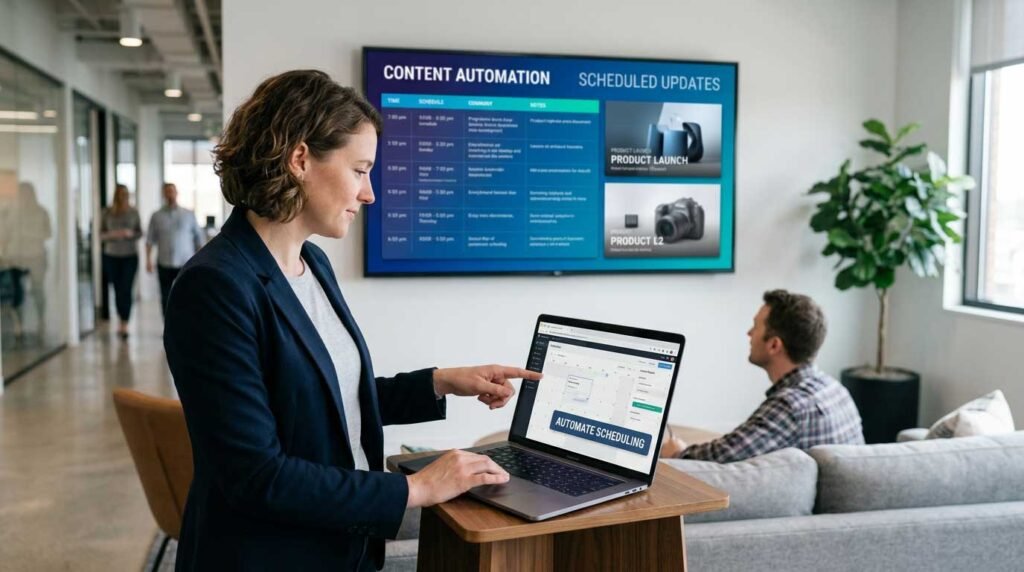
Are you a business owner, IT manager, or communications professional looking for a smarter way to keep your digital display screens up-to-date? Automating content scheduling on display screens is essential for saving time, reducing errors, and ensuring your messaging is always timely and relevant. In this guide, you’ll learn how to automate content scheduling on display screens using modern software solutions, discover the best tools and workflows, and explore best practices for managing presentation-based digital displays across any location.
Have you ever walked past a digital screen in a lobby or a shop and noticed it was blank, showing an error message, or displaying last month’s holiday promotion in the middle of February? It’s a common sight, and it usually stems from a simple problem: the content is too hard to manage.
Many businesses start their digital signage journey with a simple USB stick plugged into a TV. It works fine for a week or two. But as soon as you need to change a slide, update a price, or schedule a specific message for a specific time, the manual labor becomes a nightmare. You end up running around with flash drives, climbing ladders to reach screens, or just giving up and leaving the same stale content running for months. Automated content solves this by keeping your displays current and relevant in real time, without manual intervention, ensuring your messaging is always up-to-date and schedule-specific.
As your needs grow and you deploy more screens across multiple locations, the challenge multiplies. Managing different content for different screens at various times and places becomes complex. Content management software addresses this by allowing you to organize, schedule, and deliver tailored content to each display, streamlining operations across your signage network.
This is where specialized software solutions for managing presentation-based displays come in. They transform your static, labor-intensive screens into a dynamic communication network. Content management platforms help save time by automating updates and scheduling, reducing manual work and optimizing staff efficiency.
The Problem with the “Plug and Play” Approach
Using a USB stick or a basic media player might seem like a cost-effective way to display PowerPoint presentations on a TV, but it comes with hidden costs that accumulate quickly.
If you have five screens across a building—or fifty screens across different cities—this process is impossible to scale. Updating content at each physical location requires manual intervention, making it time-consuming and prone to errors, especially as your network grows.
The Manual Update Loop
Every time you want to update content or change a single sentence on a slide, you have to:
-
Open the file on your computer.
-
Make the edit.
-
Save it to a USB drive.
-
Physically walk to the screen.
-
Plug it in and navigate the TV menus to restart the slideshow.
If you have five screens across a building—or fifty screens across different cities—this process is impossible to scale.
Inconsistent Scheduling
Standard TVs don’t have brains. They can’t decide to show a breakfast menu from 8:00 AM to 11:00 AM and a lunch menu afterward. They just play whatever file is selected in a continuous loop. Unlike advanced digital signage systems, which let you set content for specific time slots and display specific content based on predefined rules, standard TVs lack the ability to automate scheduling or update displays dynamically. This lack of control means you miss opportunities to target your audience with relevant content at the right time.
Security Risks
Leaving USB ports accessible on public-facing screens is a security risk. Anyone could potentially plug in a malicious device or simply swap your content for something inappropriate.
To overcome these challenges, let’s explore what features to look for in digital signage management software.
What to Look for in Digital Signage Display Management Software
A Content Management System (CMS) for digital signage enables remote management, scheduling, and automation of content across multiple screens from a single web-based dashboard. This centralized approach allows organizations to manage and schedule content across multiple screens from one location, making it easier to keep displays updated and relevant.
When evaluating your options, prioritize these three key features:
-
A robust content calendar is essential for planning and organizing scheduled content across all your display screens, ensuring timely and relevant communication.
-
Content-based automation capabilities allow your system to dynamically adapt and display content according to specific triggers, rules, or audience needs.
-
The ability to set end dates for scheduled content is crucial so that messages automatically stop displaying when they are no longer relevant.
Below are the three most important features to look for:
Cloud-Based Remote Management
The most critical feature is the ability to manage your screens from anywhere. A cloud-based dashboard allows you to upload new PowerPoint files, edit playlists, and monitor screen health from your office desk or even your smartphone. You should never have to touch the physical TV once the software is installed. Remote management makes it easy to update and monitor multiple screens from a single interface, ensuring consistent content and reducing operational effort.
Automated Scheduling to Schedule Content
Effective digital signage is about context. Your software should allow you to set precise schedules for your content. You might want a “Welcome” presentation to play in the lobby only during business hours, while a “Security & Safety” loop runs overnight for the cleaning crew. Automated scheduling ensures the right message hits the right eyes at the right time.
You can also schedule content for specific days or by day of the week, such as displaying different messages on weekends versus weekdays, or targeting special events. For example, you can automate promotions with defined start and end dates to ensure timely offers are shown and removed as needed. Additionally, evergreen content—like safety reminders or company values—can be scheduled to run alongside time-sensitive content, maintaining ongoing engagement while reducing the need for frequent updates.
Native Presentation Support
Many digital signage solutions require you to convert your content into video files or complex proprietary formats before uploading. The best solutions for businesses are those that handle PowerPoint files natively. This allows your team to keep using the tools they already know (Microsoft PowerPoint) without learning complicated design software.
Glossary: Key Automation Terms
-
Content Automation: Smart content automation in digital signage allows businesses to automatically control what appears on screens using scheduling, playlists, and screen grouping without manual daily updates.
-
Rule-Based Automation: Rule-based automation uses “if-this-then-that” logic to control what appears on digital signage screens.
-
Automation Rules: Automation rules define what content appears, where it appears, and when it appears.
With these features in mind, let’s see how dynamic content can further enhance your digital signage strategy.
Using Data Feeds for Dynamic Content
Dynamic content is the key to keeping your digital signage screens fresh, relevant, and engaging for your target audience. By harnessing data feeds, you can display live, up-to-date information that automatically adapts to the needs of your viewers—without the constant manual effort of traditional content creation.
Benefits of Dynamic Content
Integrating external data sources, such as Google Sheets or Google Slides, into your digital signage content allows your screens to update automatically throughout the day. Whether you’re managing a single screen in a retail store or an entire network of displays across multiple locations, data feeds ensure that the right content appears at the right time. For example, a digital signage app like Rise Vision or ScreenCloud can connect directly to these sources, pulling in live data automatically and displaying it on your digital signage screens.
This feature is especially valuable in environments like corporate offices, healthcare facilities, or busy retail stores, where timely, relevant information is crucial. Imagine company-wide announcements, real-time performance dashboards, or up-to-the-minute event schedules—all updating seamlessly, without manual intervention. The system handles content updates in the background, even supporting offline playback to keep your screens running smoothly if the internet connection drops.
How to Integrate Data Feeds
Setting up data feeds doesn’t require advanced technical skills. Most digital signage platforms offer intuitive interfaces that make it easy to connect to external data sources and schedule content updates. This means your team can focus on crafting the right message, while the platform ensures it reaches your audience at the perfect moment—be it specific times of day, certain days of the week, or during special events.
Getting Started with Data Feeds
By fine-tuning your content scheduling with real-time digital signage and data feeds, you can boost conversion rates and maximize the impact of your digital signage. Dynamic content tailored to your audience’s needs not only saves time and resources but also creates an engaging, evergreen experience that keeps viewers informed and interested.
To get started, explore your digital signage app’s features for connecting to data feeds like Google Sheets or Google Slides. With just a few clicks, you can automate content updates, display live data, and ensure your screens always show the most relevant information—no manual intervention required. This approach transforms your digital signage from static displays into a powerful, automated communication tool that works for you around the clock.
Now, let’s see how a leading platform like SignageTube puts these principles into action.
How SignageTube Simplifies Display Management
SignageTube was built to bridge the gap between simple PowerPoint presentations and professional digital signage networks. It removes the technical friction so you can focus on your message. With SignageTube, you can easily create new content and playlists using ready-made digital signage templates for any industry, ensuring your display screens are always updated with fresh, relevant material.
Seamless PowerPoint Integration
With SignageTube, you don’t need to be a video editor to upload PowerPoint presentations and native videos for display. You simply upload your PowerPoint presentation to your cloud account. Our server handles the conversion, turning your slides—including animations and transitions—into a format that plays smoothly on any screen.
Set It and Forget It Scheduling
Our intuitive scheduling tools let you plan your content weeks or months in advance.
-
Retail: Schedule a flash sale promotion to run every Friday afternoon.
-
Corporate: set a recurring “Morning Briefing” slide deck to appear on breakroom screens every Monday at 9:00 AM.
-
Education: Program cafeteria screens to automatically switch between breakfast, lunch, and after-school snack menus based on your schedule.
Reliable Playback
Nothing looks worse than a frozen screen. SignageTube downloads the content locally to your player device. This means that even if your internet connection drops, your screens keep playing the scheduled content without interruption.
Let’s look at how real organizations are using these features to automate their content scheduling and improve communication.
Real-World Use Cases
Here is how different industries are using software management to upgrade their displays:
Corporate Communications
-
An international logistics company uses SignageTube in a corporate office setting to keep warehouse staff informed. Instead of pinning paper notices to a corkboard, HR uploads a weekly PowerPoint deck containing safety stats, employee birthdays, and company news. It is instantly pushed to screens in breakrooms across five different distribution centers, allowing the team to strategically schedule and manage content across multiple screens.
Retail & Hospitality
-
A boutique hotel chain manages screens in their lobbies and elevators. They can set content for different times of day or special events, such as displaying weather forecasts and breakfast times in the morning, and automatically shifting to promote the hotel bar and local dinner recommendations in the evening. The marketing manager controls all locations from headquarters.
Schools & Universities
-
A high school uses hallway screens to display daily announcements. The student council creates the slides in PowerPoint, and the administration approves and schedules them via SignageTube, following step-by-step digital signage tutorials. The system enables the school to display specific content for different audiences, such as students or staff, ensuring everyone always sees current information about club meetings, sports results, and deadlines.
By leveraging these real-world strategies, organizations can ensure their digital signage is always current, targeted, and impactful.
How to Automate Content Scheduling on Display Screens: Key Steps
Smart content automation in digital signage allows businesses to automatically control what appears on screens using scheduling, playlists, and screen grouping without manual daily updates. Here’s a concise summary of how to automate content scheduling on display screens:
-
Use a Content Management System (CMS): Choose a digital signage CMS that enables remote management, scheduling, and automation of content across multiple screens from a single web-based dashboard.
-
Set Up Automated Schedules: Schedule content based on time, day, and location to ensure the right message is displayed at the right time and place.
-
Leverage Rule-Based Automation: Use automation rules (if-this-then-that logic) to define what content appears, where it appears, and when it appears, tailoring displays to audience needs and behaviors.
-
Integrate Data Feeds: Connect to live data sources (like Google Sheets or Slides) to keep content fresh and automatically updated without manual intervention.
By following these steps, you can automate your digital signage, reduce manual updates, and ensure your screens always deliver timely, relevant content.
Take Control of Your Screens Today
If you are still running around with a USB stick to update your digital signage, you are wasting valuable time. Modern software solutions offer a smarter, faster, and more professional way to manage your displays.
By switching to a cloud-based platform like SignageTube, you gain the power of remote management, precise scheduling, and the ease of using PowerPoint for content creation.
Ready to stop the manual updates and start automating your success? Sign up for a free trial of SignageTube today and see how easy it is to manage your screens from the cloud.
[/et_pb_text][/et_pb_column][/et_pb_row][/et_pb_section]