
A screen goes dark in a lobby, a promotion stays up two weeks too long in a retail store, or a cafeteria menu changes and nobody updates the display. That is usually the moment organizations realize digital signage is not really about screens. It is about managing communication across places, teams, and schedules without turning every update into an IT task.
That is where cloud managed digital signage comes in.
What is cloud managed digital signage?
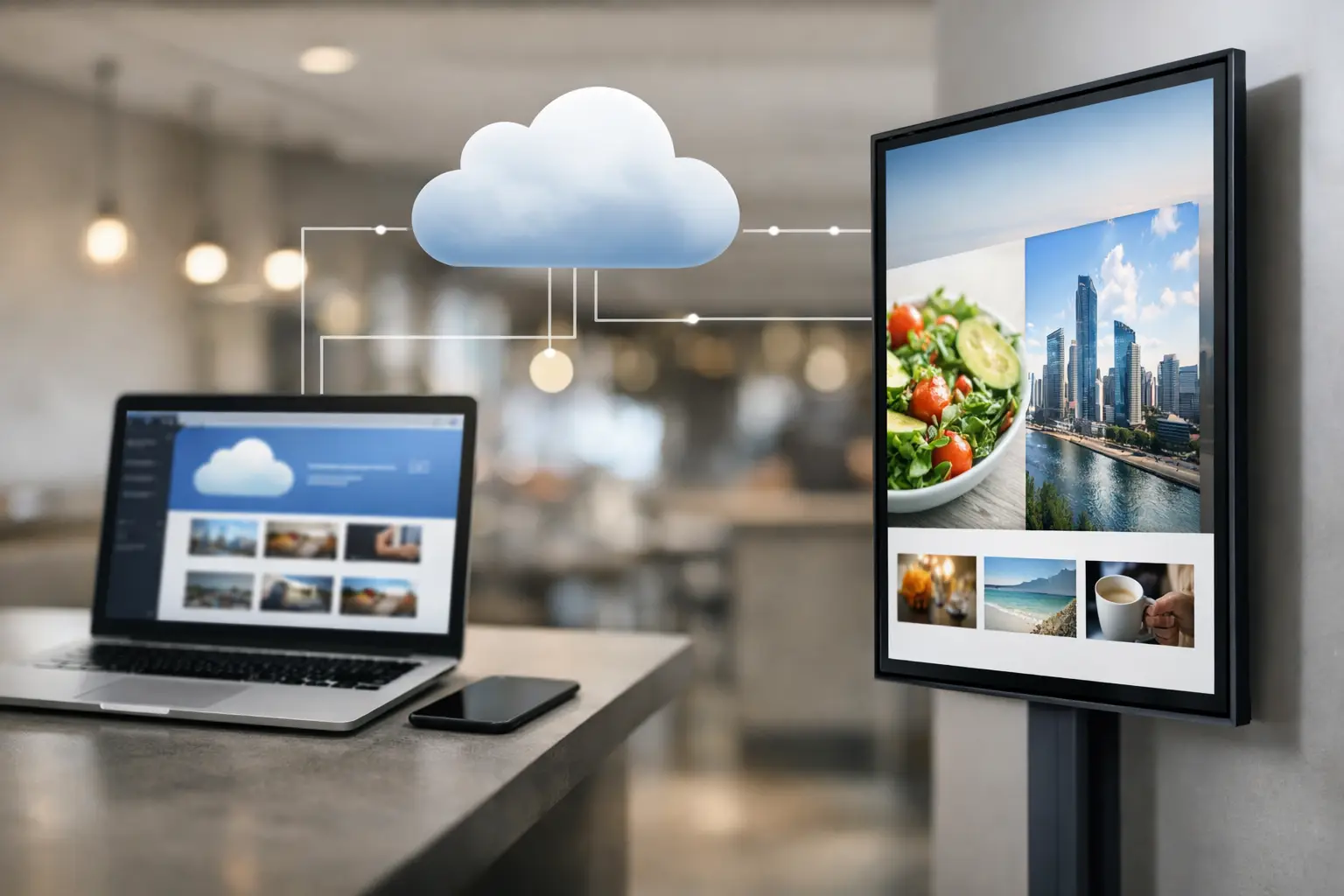
Cloud managed digital signage is a system that lets you create, schedule, publish, and control content on digital displays through a web-based platform. Instead of updating each screen manually with a USB drive or local computer, your team manages content centrally and pushes changes over the internet to one screen or hundreds.
The “cloud managed” part means the management software runs online rather than only on a single on-site server. Your displays still need player devices or compatible hardware to show content, but the control layer lives in the cloud. That gives authorized users the ability to log in remotely, update messaging, organize playlists, schedule campaigns, and monitor screen activity from almost anywhere.
For most organizations, that changes digital signage from a one-off display project into an operational communication tool.
How cloud managed digital signage works
At a basic level, cloud managed digital signage has three parts: content, a management platform, and screens.
Your team creates content such as promotions, internal announcements, welcome messages, dashboards, menus, or event schedules. That content is uploaded into a cloud platform, where users assign it to specific displays, groups of screens, or time slots. The platform then sends publishing instructions to media players or smart displays connected to the internet, and those screens play the assigned content based on the schedule.
The practical value is not just remote access. It is control. A marketing manager can update promotions across multiple stores. An internal communications team can post HR notices across office locations. A facilities team can adjust meeting room signage or lobby messages without walking from screen to screen.
In many systems, users can also set permissions, create reusable templates, schedule content by date and time, and organize playback by location. That matters because most businesses do not need more content. They need a simpler way to manage ongoing changes.
Why businesses move to cloud managed signage
The old way of running screen content usually breaks down as soon as there is more than one location, more than one stakeholder, or more than one update per month.
Manual updates are slow and inconsistent. Local-only systems can work in a single building, but they become harder to maintain when organizations grow. Cloud management reduces that friction by giving teams one place to control what is playing, where it is playing, and when it changes.
For a retail chain, that might mean launching a seasonal campaign across every store before opening. For a healthcare facility, it could mean updating visitor guidance and department messaging without relying on printed signs. In a corporate setting, it often means keeping internal screens current with company news, safety notices, and meeting information.
The main advantage is speed with oversight. Teams can move fast without giving up structure.
What cloud managed digital signage is good at
Cloud managed digital signage is especially useful when organizations need centralized control across distributed screens. If you have displays in multiple locations, multiple departments contributing content, or frequent schedule changes, the cloud model is usually the most practical choice.
It is also a strong fit for teams that want non-technical staff involved. A platform that supports familiar content workflows can reduce training time and help departments publish updates without waiting on designers or developers. That is one reason PowerPoint-based workflows appeal to many organizations. People already know how to build slides, and that shortens the path from idea to screen.
This approach is also useful for maintaining brand consistency. Templates, scheduled playlists, and user permissions help teams stay aligned while still allowing local flexibility where needed.
What it does not automatically solve
Cloud management is useful, but it is not magic. A cloud platform does not fix poor content planning, unclear ownership, or unreliable network conditions.
If nobody owns the content calendar, screens can still go stale. If internet connectivity is inconsistent, remote publishing may be delayed depending on the setup. If too many people have unrestricted access, brand consistency can slip. And if the content creation process is too complicated, adoption suffers even when the platform itself is capable.
That is why the best cloud managed digital signage setups are not just technically sound. They are operationally simple. Teams need a clear workflow for creating content, approving updates, scheduling playback, and managing exceptions by location.
Cloud vs on-premises digital signage
This is where the answer becomes “it depends.”
Cloud managed digital signage is ideal when remote administration, easier rollout, and centralized access matter most. It fits organizations with multiple sites, hybrid teams, and frequent content changes. It also works well when business users need direct control without heavy IT involvement.
On-premises digital signage can make more sense when a company has strict network policies, highly controlled environments, or a need for real-time internal data delivery that should remain inside local infrastructure. Some organizations also prefer on-premises deployments for compliance, latency, or operational reasons.
That does not mean one model is universally better. It means the right choice depends on your environment. Many businesses start with cloud management for broad communication needs and use on-premises options in cases where local control or real-time data handling is more appropriate.
What to look for in a cloud managed digital signage platform
The biggest mistake buyers make is focusing only on screen playback. Playback matters, but the real test is whether your team can keep the system running week after week without friction.
Look closely at how content is created and updated. If the platform expects specialized design tools or complex publishing steps, adoption may stall. If your users can build content with tools they already know, training gets easier and updates happen faster.
Scheduling should also be flexible enough for real business use. That means assigning content by location, date, time, and audience without forcing users into complicated workflows. User permissions matter too, especially when marketing, operations, IT, and local managers all need different levels of access.
You should also consider deployment flexibility. Some organizations want a cloud-first setup now but may need on-premises options for certain use cases later. A platform that supports both can reduce future disruption.
For teams that want simplicity without giving up control, SignageTube is built around a practical model: create content in PowerPoint, publish it through a cloud-based platform, and manage screens centrally without adding unnecessary complexity.
Common use cases across industries
Retail teams often use cloud managed signage for promotions, product highlights, store-specific messaging, and seasonal campaigns. The ability to schedule updates centrally is especially useful when timing matters.
Corporate offices use it for internal communications, visitor messaging, meeting room displays, and workplace announcements. In that setting, the value is often less about advertising and more about keeping employees informed without relying on email alone.
Healthcare facilities use digital signage for wayfinding support, service line messaging, waiting area content, and public information. Schools use it for announcements, events, cafeteria menus, and emergency communication support. Hospitality teams use it for guest messaging, event schedules, directional signage, and branded experiences across multiple areas of a property.
In every case, the common thread is the same: content needs to stay current, and teams need a manageable way to control it.
Who should own cloud managed signage internally
Usually, not just one person.
IT often helps with device standards, network readiness, security, and governance. Marketing or communications may own templates, campaigns, and brand consistency. Operations or facilities teams often manage what needs to be shown at each location and when. The best systems support this shared model without making every change dependent on technical staff.
That is another reason usability matters. If publishing a simple announcement requires too many steps, departments stop using the platform the way it was intended.
The real value of cloud managed digital signage
If you strip away the terminology, cloud managed digital signage is simply a better way to run business screens. It replaces scattered updates with centralized control, reduces manual effort, and helps teams keep messages timely across locations.
The bigger benefit is consistency. Not just visual consistency, but operational consistency. Content gets updated on time. Screens support promotions, communication, and engagement instead of becoming background wallpaper. And teams can scale their signage program without adding a complicated production process.
If your organization wants screens that are easy to update, simple to manage, and useful across more than one location, cloud managed digital signage is less about adding technology and more about removing friction. Start with a workflow your team will actually use, and the screens become a lot more valuable.