
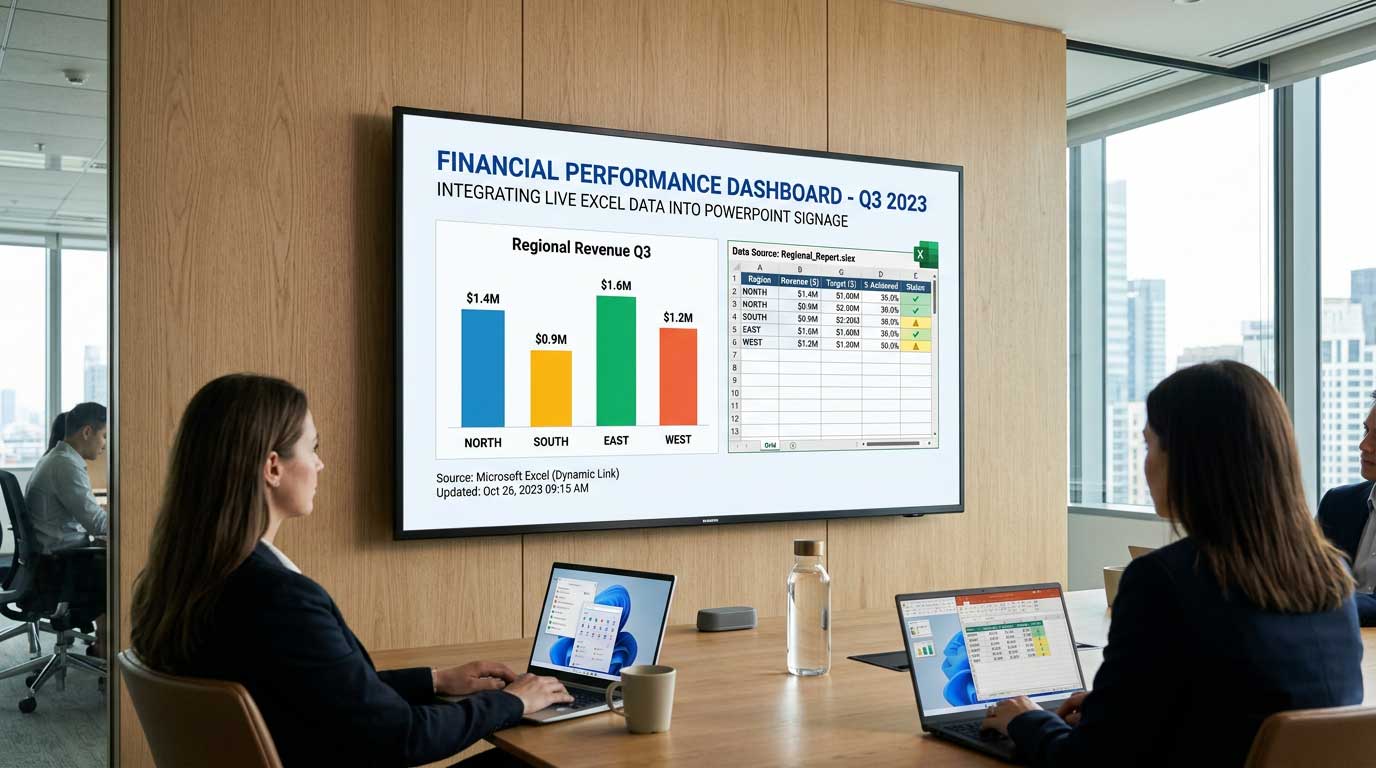
Integrating Microsoft Excel Data into Digital Signage with SignageTube Live
Integrate Excel data into PowerPoint digital signage to transform your static screens into dynamic, real-time information displays. This guide explores how businesses, educators, healthcare providers, retailers, and hospitality professionals can leverage Microsoft Excel’s data organization and visualization capabilities to power digital signage content that updates automatically and efficiently.
Digital signage refers to electronic displays used to broadcast dynamic content in public or private spaces. Integrating Excel data with digital signage transforms these screens from static posters into live dashboards, schedules, KPIs, and more—delivering up-to-the-minute information where it matters most. This integration is crucial for organizations seeking real-time updates, improved efficiency, and streamlined communication.
With Excel Online, users benefit from real-time collaboration and seamless updates from any device with a browser, making it easy to manage digital signage content remotely. By connecting digital signage software to Excel using native integrations or data export formats like CSV, you can link your spreadsheets directly to a content management system (CMS). This allows for automatic updates—any changes made in Excel are instantly reflected on your signage displays. Live data linking ensures that your Excel files connect to CMS platforms, so your digital signage always shows the latest information.
In today’s fast-paced world, effective communication is essential not only for businesses but also for various sectors like education, healthcare, retail, and hospitality. Digital signage has become a powerful solution for broadcasting messages, promoting brands, and ensuring real-time updates. However, the true potential of digital signage lies in its ability to be versatile, data-driven, and easily managed. That’s where SignageTube Live steps in to redefine your digital signage experience.
Why Choose SignageTube Live?
SignageTube Live goes beyond traditional digital signage software. It integrates seamlessly with Microsoft Excel (and many other data providers), offering a unique and highly efficient way to manage real-time content. Whether you’re displaying live sales data, inventory levels, schedules, menus, or announcements, PowerPoint digital signage with live data can really enhance your communication. SignageTube Live ensures that your audience always has access to the most accurate and up-to-date information.
Real-Time Updates: Updates made in your Excel workbook are automatically reflected on your digital signage screens, ensuring your displays always show the latest data. You can use scripts or macros to automatically update content, or follow automation workflows for Excel and SignageTube Live to streamline the process and reduce manual effort.
Customizable Content: Easily create dashboards and charts using the Excel app to enhance data visualization and engagement. The system supports a wide range of content types, allowing you to tailor your displays to your organization’s needs.
Ease of Use: The intuitive interface makes it simple to connect your Excel workbook and manage your content, even for users with limited technical experience.
Accuracy and Automation: By linking your Excel workbook directly to the system, you minimize errors and ensure that your digital signage always displays the most current information. Automating updates with macros and scripts further improves efficiency.
Cost-Effectiveness: SignageTube Live eliminates the need for additional systems or manual updates, saving time and resources.
The initial setup of the system is straightforward, allowing users to quickly connect their Excel workbooks to the digital signage platform. Connect digital signage software to Excel using native integrations or data export formats like CSV for ease of use. Linking Excel to a CMS allows for automatic updates that reflect changes made in the spreadsheet on signage displays. Live data linking allows Excel files to connect to CMS platforms to display data that updates instantly when the file is modified.
Key Benefits of Integrating Excel in Digital Signage
-
Real-Time Updates
Spreadsheets offer a dynamic way to manage data. With SignageTube Live, any update made in your connected Excel file is immediately reflected on your digital displays, unlocking real-time digital signage benefits for your business. This eliminates the need for manual reprogramming and ensures that your signage content is always accurate and current. -
Ease of Use
Excel is a familiar tool for millions of users worldwide. Leverage this familiarity to quickly create and update your signage content. You don’t need specialized technical skills or complex software – if you can edit a spreadsheet, you can control your digital signage effortlessly. -
Customizable Content
Excel spreadsheets allow for immense customization. From color-coded analytics to personalized data fields, you can tailor your content to suit your brand and audience. Imagine showcasing sales trends, key performance metrics, or even countdowns in a visually appealing way – all generated from your existing Excel documents. -
Improved Accuracy
Pulling information directly from a centralized Excel file reduces errors in communication. Automated updates ensure there’s no risk of displaying outdated or mismatched data, which is critical for industries like retail, transportation, and healthcare that depend on real-time, data-driven digital signage. -
Cost-Effective Solution
By utilizing a tool you already know and own – Microsoft Excel – SignageTube Live eliminates the need for expensive third-party content design solutions. This helps reduce costs while maintaining high-quality, professional-grade signage displays.
Use Cases for SignageTube Live
The versatility of SignageTube Live makes it suitable for a variety of industries and applications, as outlined in our introductory guide to SignageTube Live real-time digital signage:
-
Retail and Restaurants:
Display live inventory updates, product prices, promotions, or dynamic menu boards. Real-time updates ensure that customers have access to the latest offerings and deals. -
Corporate Environments:
Improve internal communication with dashboards displaying KPIs, sales figures, or employee announcements. Organizations with multiple locations can use Google Drive or Google Sheets to upload and share real-time data across every office and device, ensuring consistent live metrics on their digital signage system. This keeps everyone informed and aligned with company goals. -
Education:
Schools and universities can use digital signage to communicate class schedules, event updates, or important notifications. Excel’s scheduling capabilities make it easy to manage complex timetables. -
Hospitals and Healthcare:
Streamline operational efficiency by displaying appointment schedules, doctor availability, or health tips. Accurate, real-time updates can enhance the patient experience and reduce waiting times. -
Transportation Hubs:
Airports, train stations, and bus terminals can benefit from the live updates that SignageTube Live enables. From departure schedules to weather updates, real-time digital signage from SignageTube Live helps ensure passengers are always informed.
Excel Spreadsheet Best Practices for Digital Signage
Structuring your Excel files for digital signage should prioritize clarity, consistency, and visual appeal. Well-organized spreadsheets with clear tables, headers, and formatting are essential for ensuring your data is easily readable on digital screens. Proper structure not only enhances the visual impact of your signage but also ensures that information is communicated accurately and efficiently to your audience.
Keep Data Organized and Simple
-
Arrange your data in clear, logical tables with consistent headers.
-
Avoid clutter by limiting each sheet to a single purpose—such as sales metrics, schedules, or inventory levels.
-
This makes it easier for your digital signage software to pull and display the right information.
Use Clear Formatting for Readability
-
Choose large, legible fonts and high-contrast colors to ensure your data stands out on digital signage screens.
-
Avoid excessive formatting like merged cells or complex conditional formatting, as these can sometimes cause display issues or reduce clarity when shown on larger displays.
Standardize Date and Number Formats
-
Consistent formatting for dates, times, and numbers helps prevent confusion and ensures your data is displayed correctly across all digital signage applications.
-
Stick to universally recognized formats (e.g., YYYY-MM-DD for dates) to avoid misinterpretation.
Limit the Use of Macros and Complex Formulas
-
While Excel offers powerful tools like macros and advanced formulas, not all digital signage systems support these features.
-
Keep your calculations straightforward to ensure compatibility and reliable updates on your digital signage screens.
Name Your Sheets and Ranges Clearly
-
Use descriptive names for your Excel sheets and named ranges.
-
This makes it easier to link specific data to your digital signage software and helps your team quickly identify the right information to display.
Test Your Spreadsheet on a Digital Display
-
Before deploying your Excel file, preview how your data will appear on your digital signage screens.
-
This allows you to catch any formatting issues and ensure that your content is both visually appealing and easy to read from a distance.
By following these best practices, you can maximize the impact of your Excel spreadsheets on digital signage, ensuring that your data is always clear, accurate, and engaging for your audience while building on broader digital signage strategies and PowerPoint-based solutions.
Take Your Digital Signage to the Next Level
SignageTube Live not only empowers your digital signage but also streamlines the entire content management process. SignageTube Live can connect with various platforms to automatically update and save your content, reducing the risk of error and ensuring your displays always show the latest information. Whether you’re a small business owner or operate a large-scale enterprise, this solution is scalable to fit your needs. Harness the power of Excel to make data-driven decisions, improve communication, and create impactful visual experiences.
No more manual updates or massive learning curves. With just a few clicks, you can organize and format your Excel data for optimal display, and new users can start with a free trial to experience the benefits firsthand.
Start Today and See the Difference
The future of digital signage is here, and it’s more accessible than ever before. With SignageTube Live, you can elevate your business’s communication game while saving time and reducing costs. Don’t get left behind in the digital era – try SignageTube Live today and revolutionize the way you share your message with the world.
Empower your digital signage. Empower your brand. SignageTube Live awaits.
For more information or support, contact our team today. If you want a step-by-step guide on integrating Microsoft Excel spreadsheets with your digital signage, check out our tutorial video—this video resource is perfect for visual learners looking to get started quickly.