
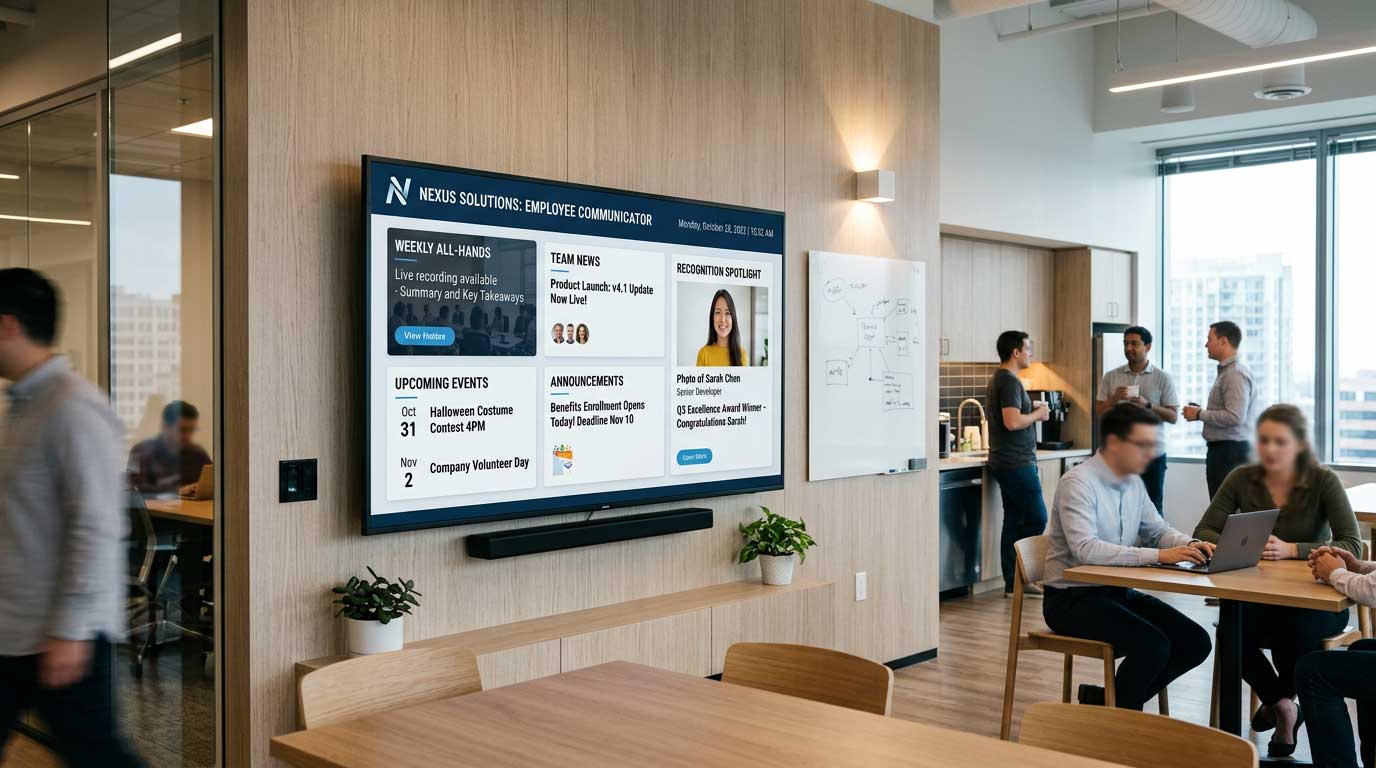
Your breakroom poster says “Open Enrollment Ends Friday.” It’s Monday. The poster is from last year.
That’s the problem employee communications screens are meant to solve – not by adding more messages, but by making updates fast enough to stay true. When screens are easy to keep current, employees stop treating them like wallpaper. When updates are painful, screens become just another stale channel.
Digital signage for employee communications screens works best when it’s treated like an operational system, not a creative project. The goal is simple: get the right information to the right people at the right time, across the places they actually walk through.
What employee communications screens are really for
Most organizations buy screens because they want “better communication.” In practice, employee-facing screens tend to carry three types of messages, and each behaves differently.
First: time-sensitive operations. Think shift changes, production targets, route updates, staffing needs, service level reminders, clinic wait-time expectations, cafeteria hours, or room availability. These messages have a short shelf life and get ignored the moment they go stale.
Second: compliance and safety. OSHA reminders, infection control steps, emergency alerts, weather closures, active incident instructions. These don’t have to be flashy. They have to be accurate, legible, and immediately visible.
Third: culture and recognition. Hiring announcements, employee spotlights, milestone celebrations, training wins, community events. These matter, but they should not crowd out the operational stuff that helps people do their jobs.
A solid employee signage program makes room for all three without turning every screen into a cluttered bulletin board.
The hidden cost of “hard to update” signage
Teams usually don’t fail at employee communications because they lack content ideas. They fail because the workflow is too slow.
If updating a screen requires a designer, a special app, a ticket to IT, and a specific person who knows “the system,” updates won’t happen at the pace the business changes. Locations start improvising. Someone plugs in a USB stick. Another manager mirrors a laptop to a TV. A third location gives up and prints paper again.
That’s when you lose the main benefit of digital signage: centralized control with local relevance.
The trade-off is real. The more complex the tooling, the more control you can theoretically have over styling and advanced layouts. But if complexity reduces usage, the program underperforms. For employee communications screens, adoption usually beats sophistication.
Building a content system your team can maintain
A screen program lives or dies on repeatable building blocks. You want content that is easy to create, easy to approve, and easy to reuse.
Start with templates that match your brand and typical message types. A “Safety Spotlight” slide shouldn’t be invented from scratch every week. Neither should a “Welcome New Hire” or a “This Week’s Wins.” When templates exist, the work becomes filling in the blanks, not designing.
Many organizations already have a tool their staff knows well: PowerPoint. If you can create your screen content in PowerPoint, you avoid the training tax that usually stalls rollout. You also keep creation close to the people who own the message – HR, operations, internal comms, facilities, nursing leadership, school admins – instead of routing everything through a single bottleneck.
That simplicity changes behavior. When updates take minutes, not hours, screens stay fresh.
Scheduling is where employee screens earn their keep
Employee messaging is rarely one-size-fits-all. A hospital lobby screen and a staff-only hallway screen should not run the same loop. A retail stockroom screen has different needs than a sales floor screen. A campus dining hall peaks at certain hours. A manufacturing line has shift patterns.
Scheduling lets you stop fighting these realities.
You can schedule content by time of day (morning huddle reminders, lunchroom announcements, end-of-shift safety checks), by day of week (weekly metrics every Monday, training reminders midweek), or by season (enrollment periods, flu season protocols, holiday staffing).
The nuance is deciding what should be persistent versus what should be timed.
Persistent content is the baseline that always makes sense: emergency procedures, core values, wayfinding in employee corridors, evergreen benefits info.
Timed content is where relevance and attention come from: a one-day parking closure, a 2-hour downtime window, a limited-time incentive.
If everything is persistent, nothing feels urgent. If everything is timed, you risk gaps when a schedule isn’t maintained. A balanced programming approach prevents both.
Governance without slowing teams down
Employee signage sits at the intersection of HR, operations, IT, and brand. That can get political fast, especially across multiple sites.
The best governance model is usually “central standards, distributed publishing.” Central teams provide templates, brand rules, and required content blocks. Local leaders can add location-specific slides inside those guardrails.
A few practical decisions make governance smoother:
Approval paths should match risk. A safety procedure update may require review, while an employee birthday slide probably doesn’t.
Content ownership should be explicit. If no one owns “metrics,” they disappear. If no one owns “recognition,” it turns into an occasional burst and then silence.
Screen groups should reflect how you operate. Group screens by function (breakrooms, entrances, production areas) and by location. That makes it easy to push an all-company alert while still tailoring everyday messaging.
The trade-off here is speed versus consistency. Tight control improves consistency but can slow publishing. Looser control speeds publishing but can drift off-brand. Templates and permissions help you get both.
Choosing the right deployment: cloud vs on-premises
Employee communications screens often run across environments with different requirements. Some organizations want everything cloud-managed so internal comms can update screens across locations without traveling. Others have network rules, data sensitivity, or uptime requirements that push them toward on-premises control.
Cloud-based management is typically best when you need remote updates across many sites, quick rollout, and centralized scheduling with minimal infrastructure overhead.
On-premises deployments can be the better fit when you need real-time, automated screen updates driven by local data sources, or when network policies require systems to stay inside your environment.
It depends on how your organization balances remote control, local autonomy, and IT constraints. Many teams also end up with a hybrid approach: cloud for general messaging, on-premises for operational dashboards or highly controlled areas.
If you’re evaluating platforms, look for flexibility here, because employee signage is rarely one environment forever.
Designing screens for motion, distance, and attention
Employee screens are seen while walking, standing in line, clocking in, or taking a short break. They are not read like emails.
Good employee signage design is about legibility and prioritization.
Keep slides focused on one message. If a slide requires careful reading, it’s better delivered as a QR code link to a detailed page – but only if the headline still communicates the key takeaway.
Use large type, strong contrast, and clear hierarchy. Employees should understand the point in three seconds. If your screens sit in bright areas, test content under that lighting. If they sit far away, test from that distance.
Also consider rotation length. A 2-minute loop might be fine in a breakroom where people sit, but it can be too long at a time clock where employees stand for 10 seconds. In high-traffic spots, shorter loops with fewer slides often outperform long playlists.
What to put on employee communications screens (and what to keep off)
The fastest way to train employees to ignore screens is to post everything.
Use screens for messages that benefit from visibility, repetition, or timeliness. Keep long-form policy updates, complex instructions, and dense documents in channels designed for reading.
Employee screens are strong for quick prompts: “Complete your mandatory training by Thursday,” “Park in Lot B today,” “Safety: eye protection required in Zone 3,” “Team A hit 98% on-time this week.” They can also reinforce culture when recognition is consistent and specific.
They are weaker for anything that needs deep comprehension in one sitting. If the message can’t be summarized in a headline and one supporting line, it belongs somewhere else.
Measuring whether your screens are working
Employee communications can feel hard to measure, but you can still track useful indicators.
One is freshness. How often is content updated? Stale screens correlate with low trust.
Another is compliance outcomes. If you run a campaign for training completion or safety checks, do completion rates improve compared to when you relied on email alone?
A third is operational impact. If you broadcast staffing needs or workflow changes, do managers report fewer missed handoffs? Do shift transitions improve?
Finally, ask employees. A quick pulse survey like “Do the screens help you stay informed?” plus an open-ended “What should we add or remove?” provides direct signal. You’ll often hear that the issue isn’t the screen – it’s that the content isn’t relevant to that specific location or role.
A practical workflow that scales
A scalable approach usually looks like this: build a small set of templates, assign owners to recurring content, schedule by location and daypart, then review performance monthly.
When content creation is tied to a familiar tool and publishing is centralized, internal comms can move faster without becoming the bottleneck. That’s why platforms that support PowerPoint-first creation can be a strong fit for employee communications screens. For example, SignageTube is built around turning PowerPoint into scheduled, managed screen content, which helps teams publish quickly and keep standards consistent without specialized design software.
The key is to treat the workflow like a system. Templates reduce friction, scheduling protects relevance, and governance keeps things consistent.
If your screens feel ignored today, don’t start by buying more screens or posting more slides. Start by making one promise to employees: what’s on the screen will be current, useful, and meant for them. Then build the simplest process that lets you keep that promise week after week.