
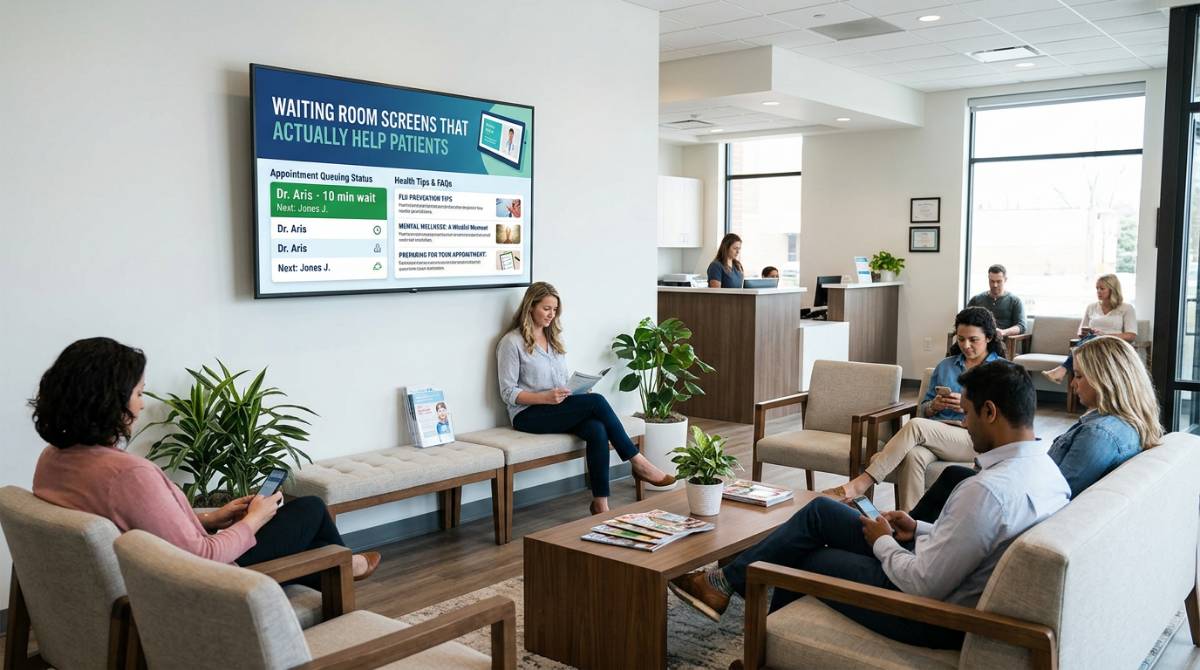
A full waiting room is a pressure test. Phones ring, staff are juggling appointments, and patients are doing mental math on how late they are going to be. In that moment, a printed sign taped to the counter is not “communication.” It is background noise.
Digital signage for healthcare waiting rooms works when it behaves like an operational tool, not a TV. Done well, it answers the questions people are already asking, sets expectations without sounding defensive, and keeps information current without asking a nurse manager to become a designer.
What “good” looks like in a healthcare waiting room
The most effective waiting room screens do three things at once: they reduce uncertainty, they give patients something useful to do with their attention, and they lower the number of repetitive questions your staff has to answer.
Reducing uncertainty is mostly about clarity and timing. If your average wait is running 20 minutes behind, patients do not need a long explanation. They need a simple, calm message that sets the expectation and tells them what to do next.
Usefulness can be as practical as “How to fill out your forms on your phone” or as clinical as “What to expect after a colonoscopy.” Either way, the goal is the same: help patients feel more prepared and less stuck.
Lowering repetitive questions is the hidden ROI. Every “Where do I go next?” or “Do I need a referral?” that gets answered by the screen is a small time savings that adds up across a week.
The content mix that keeps people informed (without overwhelming them)
Waiting rooms are not one audience. You have first-time patients, regulars, caregivers, kids, and people who are anxious or in pain. Your signage should respect that reality: short messages, predictable rotation, and a mix of content that serves different needs.
Operational updates that prevent front-desk bottlenecks
Operational messaging is the backbone. This includes check-in instructions, ID and insurance reminders, copay expectations, Wi-Fi info, and clinic policies that tend to trigger questions.
The trade-off is tone. If you stack policy notices back-to-back, the screen starts to feel like a rule board. Spread operational messages between more supportive content so the overall experience feels helpful, not scolding.
Patient education that is easy to act on
Patient education works best when it is specific to the visit types you actually see. A family practice waiting room can rotate seasonal topics like flu symptoms, school physicals, and medication refills. A specialty clinic can focus on pre-visit preparation and post-visit care steps.
Keep it practical. Patients are more likely to read “Bring your medication list to your next visit” than a paragraph about adherence. If you have longer content, break it into a series that appears multiple times throughout the hour rather than a wall of text nobody finishes.
Brand trust signals that feel human
Healthcare is built on trust, and a waiting room is one of the few places where patients sit still long enough to notice your standards. Use screens to show provider credentials, services, and simple explanations of what makes your care approach different.
This is also where community and empathy fit. Highlight patient resources, support groups, interpreter availability, and accessibility services. These messages reduce anxiety, and they also reduce the chance that someone silently struggles through the visit.
Promotions and service awareness, used carefully
Yes, waiting rooms can promote services. The key is restraint and relevance. Screening reminders, new clinic hours, telehealth availability, and wellness programs can help patients. Hard-selling cosmetic services in a primary care setting can backfire.
If it depends on your brand, it really does. A clinic with a strong retail component may have more room for promotions. A hospital outpatient center may need a lighter touch.
Designing for readability, privacy, and ADA-friendly viewing
A waiting room screen is not a website. People are further away, distracted, and often viewing at an angle. That changes what “good design” means.
Text needs to be large and minimal. High-contrast colors beat trendy palettes. Avoid thin fonts. And limit each slide to a single idea.
Privacy matters. Do not display patient names, appointment queues, or anything that could be interpreted as protected health information unless your compliance team has explicitly approved a workflow designed for privacy. Even then, consider whether the benefit outweighs the risk in a public space.
Accessibility matters too. Motion-heavy content can be uncomfortable for some viewers. Fast animations, flashing transitions, and tiny disclaimers are common mistakes. If your content can be understood in five seconds from ten feet away, you are in the safe zone.
Workflow: how teams keep content current without creating extra work
The operational reality in most healthcare facilities is simple: the people who know what needs to be communicated are not the people with time to learn a new design tool.
The fastest path is a workflow built around tools staff already use. When content can be created in PowerPoint, clinic managers, internal comms, and even department admins can update messages quickly, stay on brand with templates, and avoid submitting a ticket for every small change.
From there, the job becomes scheduling and governance. Someone needs to control what plays where, when, and for how long.
A practical approach is to create a small library of “always-on” slides (check-in steps, hours, contact info), a rotating set of education slides by specialty, and a short list of urgent templates (weather closures, vaccine availability, system downtime). The templates are the time-saver. When something changes, you swap the details without redesigning the whole thing.
Scheduling that matches the rhythm of a clinic day
A waiting room at 8:00 a.m. is different from 2:00 p.m. If you can schedule content by daypart, your screens become more relevant and less repetitive.
Morning blocks can focus on check-in and forms, since arrivals are heavier. Midday can lean into education and services. Late afternoon can include pharmacy reminders, follow-up scheduling prompts, and anything that helps patients complete next steps before they leave.
Seasonality is another scheduling win. Flu season, back-to-school physicals, allergy spikes, and holiday hours should not require a scramble every year. Build a calendar once, then reuse it.
Cloud vs on-premises: what healthcare teams should consider
Deployment choice is not just an IT preference. It changes how quickly you can update screens and how you handle reliability.
Cloud-managed signage is ideal when you need centralized control across multiple locations and want updates to publish quickly without local hands. It also helps when marketing or internal comms needs to keep branding consistent across a network.
On-premises deployments can be the better fit when you have strict network requirements, limited connectivity, or a need for real-time, automated updates driven by internal systems. The trade-off is that on-prem infrastructure can demand more coordination with IT.
For many organizations, the best answer is mixed. A cloud approach for general messaging and education, plus an on-prem component where you need tightly controlled, real-time data displays. It depends on your environment, your governance standards, and how often content changes.
Governance: keeping screens consistent across departments
The moment signage spreads beyond one waiting room, governance becomes the difference between a polished network and a patchwork of random slides.
Start with ownership. Decide who approves templates, who can publish urgent messages, and who can schedule content for specific screens. Then set simple standards: preferred fonts, brand colors, maximum text per slide, and a short checklist for compliance and accessibility.
None of this has to be heavy. The point is to make the right thing easy and the wrong thing harder.
Measuring impact without turning it into a science project
Healthcare teams rarely have time for elaborate analytics, but you can still measure whether signage is doing its job.
Listen for fewer repetitive questions at the front desk. Watch whether patients arrive at the right place with the right documents. Track adoption of promoted services like portal signup or telehealth. And if you run patient experience surveys, add one question about clarity of next steps.
If your signage is effective, staff will feel it first. The waiting room gets quieter, not because people are entertained, but because they know what is happening.
A practical path to getting screens live quickly
If you want results fast, start small and build. Pick one clinic or one waiting room with clear pain points. Define the top 10 questions patients ask. Turn those answers into short slides that rotate with education content relevant to that location.
Then operationalize it. Set up templates, a publishing schedule, and a process for urgent updates. If your organization already builds presentations, consider a PowerPoint-first approach that lets teams create content without specialized design tools. Platforms like SignageTube are built for that kind of workflow: create in PowerPoint, publish to one or many screens, and manage scheduling without turning digital signage into a side job.
The helpful closing thought is simple: treat the waiting room screen like a service desk that never gets tired. When it answers the right questions with calm, clear information, your staff gets time back and patients feel taken care of before the visit even starts.