 SignageTube
Manufacturing KPI Screens Guide
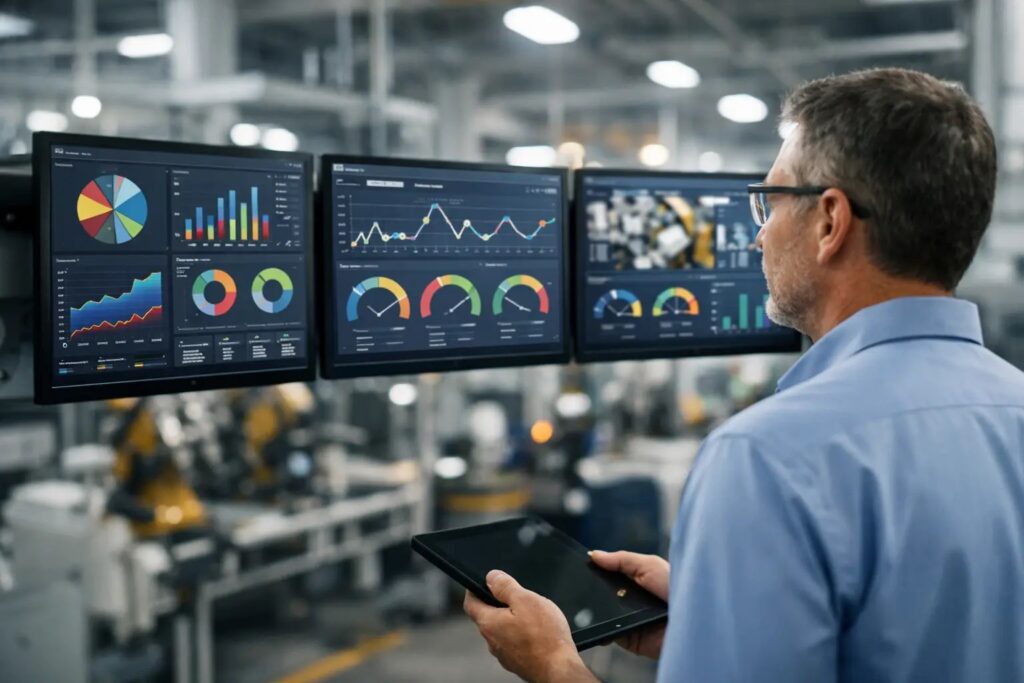
A screen on the plant floor gets ignored for one of two reasons: it shows the wrong numbers, or it shows the right numbers in a way nobody can use. That is where a manufacturing KPI screens guide becomes practical, not theoretical. If supervisors, operators, maintenance teams, and plant leadership are all looking at the same display, the screen has to support faster decisions, not just fill wall space.
The best manufacturing KPI screens are simple enough to read in seconds and disciplined enough to trust shift after shift. That sounds obvious, but many teams still overload screens with every available data point, tiny charts, and color codes that only one analyst understands. A useful KPI screen is closer to an operational tool than a dashboard experiment.
What manufacturing KPI screens are actually for
A plant-floor KPI screen is not a reporting archive. It is a live communication layer between production targets and daily action. Its job is to make the current state visible, show whether performance is on track, and help people respond before a small issue becomes lost output.
That means the screen should answer a few immediate questions. Are we hitting target? Where is the constraint right now? Has quality drifted? Are changeovers taking longer than planned? Do we need attention from maintenance, materials, or leadership? If a screen cannot help answer those questions, it may still look polished, but it will not change behavior.
This is also where context matters. A plant manager may care about rolled-up line performance across multiple areas, while an operator needs a tighter view of current run status, output pace, downtime reason, and hourly target. One screen format rarely fits every audience.
Start your manufacturing KPI screens guide with audience and location
Before choosing metrics, decide who will read the screen and where they will see it. A line-side display viewed from 20 feet away needs large numbers, minimal text, and only the most immediate KPIs. A supervisor screen in a control room can support a bit more detail. A breakroom or common-area screen may work better for shift-level progress, safety milestones, and plantwide priorities.
This sounds basic, but it prevents a common mistake: designing one dense dashboard and pushing it everywhere. A line-side screen should support action in the next few minutes. A leadership screen may support trend recognition over the day or week. Those are different jobs.
It also helps to think about update speed. Some manufacturing environments need near real-time updates for production counts or downtime states. Others are fine with scheduled refreshes every 15 or 30 minutes. The right setup depends on how quickly the metric changes and whether immediate action is possible.
Which KPIs belong on the screen
Most plants already track more metrics than they should display. The screen is not the place for all of them. It is the place for the few that matter most in the moment.
For many operations, that starts with output versus target, OEE or its component parts, downtime, scrap or first-pass quality, and schedule attainment. Beyond that, it depends on the process. A packaging line may need throughput and changeover timing front and center. A machining cell may need part count, machine status, and quality hold alerts. A food plant may need temperature or compliance indicators displayed with tight controls around accuracy.
There is also a trade-off between summary and clarity. OEE can be useful at a management level, but on the floor, operators may act faster when they see availability loss, slow cycles, and reject counts separately. A blended KPI is efficient for reporting. A more specific KPI is often better for action.
As a practical rule, one screen should usually emphasize one primary objective with a handful of supporting metrics. If everything is a priority, nothing is visible.
Design rules that make KPI screens readable
A good KPI screen should be readable at a glance and from a distance. That means large numerals, strong contrast, and a layout that highlights what changed or what needs attention. If a supervisor has to stand still for 30 seconds to decode the display, the design is working against the operation.
Color should carry a clear meaning and be used sparingly. Green, yellow, and red can work well for status, but only if thresholds are consistent and understood across the plant. If one screen treats yellow as caution and another uses it for scheduled downtime, confusion follows quickly.
Charts also need discipline. Trend lines are useful when trend matters. Gauges and decorative graphics often add visual noise without improving decisions. In manufacturing, a simple hourly target bar, downtime summary, and bold exception message often outperform a screen full of widgets.
The content itself should be stable. Teams stop trusting screens that change layout every week or show stale values. A familiar screen structure helps people process information faster, especially across shifts and multiple sites.
Real-time data is valuable, but only when it stays dependable
Many teams want live KPI screens, and for good reason. When the data feed is accurate, real-time visibility helps respond to downtime, output drift, and bottlenecks before they spread downstream. But there is no value in live data that people do not trust.
That is why data source governance matters as much as screen design. Define where each KPI comes from, how often it updates, who owns it, and what happens if the source fails. If planned output comes from one system and actual count comes from another, someone needs to validate that the comparison is fair and current.
This is also where deployment model matters. Some organizations prefer cloud-based screen management because it simplifies remote updates across multiple facilities. Others need an on-premises approach for operational, network, or data-handling requirements, especially when screens depend on local, automated feeds. The right choice depends on IT policy, latency expectations, and how tightly the display needs to connect to plant systems.
Build screens that teams can actually maintain
One of the fastest ways to stall a KPI screen project is to make it too specialized. If every update requires a designer, developer, or one power user with a custom workflow, the screens will drift out of date. Manufacturing teams need a process they can keep running during vacations, shift changes, and staffing changes.
That is why familiar creation tools matter more than many teams expect. When operations or internal communications staff can build and edit screen content in PowerPoint, training time drops and rollout moves faster. Templates help even more. A standard layout for line status, shift summary, safety messaging, and escalation notices makes it easier to maintain brand consistency while keeping the focus on operations.
For example, a plant might use one reusable template for hourly production performance, another for daily shift handoff information, and another for maintenance alerts or planned downtime messaging. The team is not reinventing the screen each time. They are updating the content inside a repeatable structure.
A practical rollout approach for one plant or many
The smartest rollout is usually smaller than the first draft. Start with one use case, one area, and one audience. Prove that the data is accurate, the screen is readable, and the update process works with normal staffing. Then expand.
A pilot often works best on a line or department where performance changes are easy to observe and where a supervisor is willing to own feedback. After two to four weeks, you will know whether people are using the screen, whether thresholds make sense, and whether the content needs to be simplified.
From there, standardize what should stay consistent across the organization, such as naming conventions, status colors, logo treatment, and core KPI definitions. Leave room for local variation where it improves usefulness. A multi-site manufacturer benefits from consistency, but too much central control can produce screens that look uniform and still fail locally.
If your organization needs centralized scheduling and management across many displays, it helps to use a platform that makes it easy to push content broadly while still tailoring screens by location, department, or shift. SignageTube fits this model well because teams can create content in PowerPoint, then schedule and manage playback without building a complicated production process around the screens.
Common mistakes this manufacturing KPI screens guide should help you avoid
The biggest mistake is trying to impress instead of inform. A KPI screen does not need to look like enterprise software to be effective. It needs to be clear, current, and relevant.
Another common issue is mixing long-term reporting with immediate floor management. Monthly trend analysis belongs in review meetings. Plant-floor screens should emphasize what the team can act on now. There is overlap, but they are not the same thing.
Finally, do not underestimate ownership. Every screen should have a named owner for content, data validation, and refresh expectations. Without that, even a strong initial setup tends to decay.
A useful manufacturing KPI screen earns its place by helping people see what matters faster. If your team can read it in a few seconds, trust the numbers, and know what action follows, the screen is doing real work.
- SignageTube Starter – content signage on any TV
- SignageTube Enterprise – live data on your screens
- Digital signage software – how to choose, and what matters
- Templates – 120+ ready-made designs
- Pricing – simple per-screen plans