
Post Offices: Modern Services, Queues, and Real-Time Digital Signage
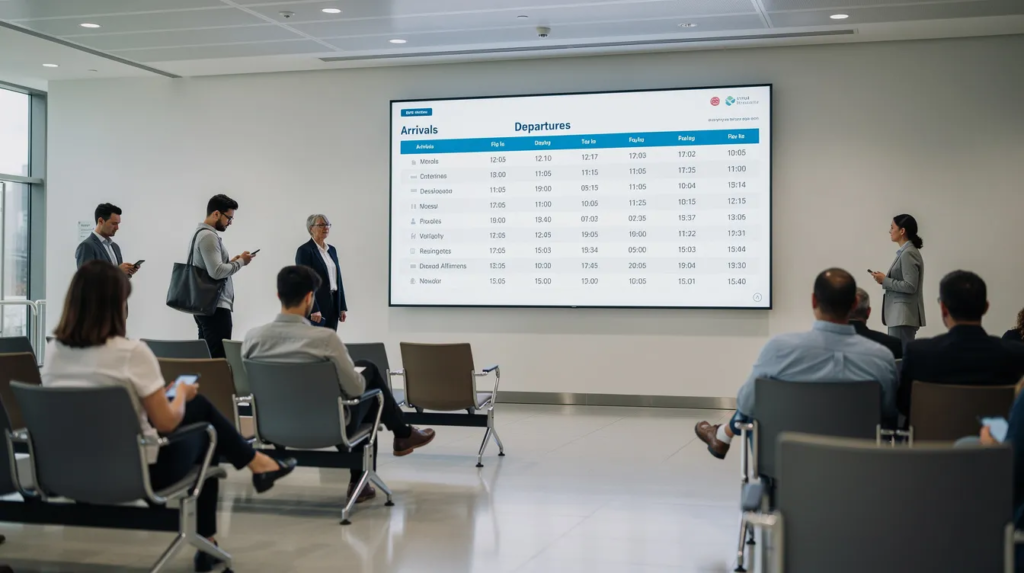
Post offices today are essential community hubs offering a wide range of services beyond traditional mail handling. This article is for customers, business owners, and postal staff interested in the latest trends and practical aspects of modern post offices. We cover core services, queue management, digital signage, and the future of post office operations. Whether you’re mailing a letter, managing government paperwork, or seeking to improve customer experience in your branch, this guide provides actionable insights and up-to-date information.
Quick Answers: Common Post Office Questions
What services do post offices offer?
USPS locations offer services such as mailing and shipping, passport services, and financial services including money orders. Many locations provide self-service kiosks for weighing packages and paying for postage. USPS post offices also accept passport applications and offer photo services, often requiring appointments.
How do I find a post office near me?
You can find USPS Post Offices and locations near you using the USPS website’s “Find Locations & Hours” portal.
What are typical post office hours?
Post offices typically operate Monday through Friday from 8:00 a.m. to 5:00 p.m., with reduced hours on Saturdays and closure on Sundays. Most local post offices are closed on Sundays and federal holidays.
USPS Core Services at a Glance
- Mailing and Shipping: Send letters, parcels, and packages domestically and internationally.
- Passport Services: Apply for passports and get passport photos (appointments often required).
- Financial Services: Purchase money orders and pay bills.
- Self-Service Kiosks: Weigh packages and pay for postage at automated kiosks; you can pay cash at a kiosk or at the counter.
- Online Services: Access a variety of shipping and mailing tools online to streamline your visit.
Key Concepts Defined
- Self-service kiosks: Allow customers to weigh packages and pay for postage. You can pay cash for postage at a self-service kiosk or at the counter in a Post Office.
- Contract Postal Units (CPUs): Provide a full range of USPS retail products and services at regular USPS prices.
- Village Post Offices (VPOs): Sell a limited selection of Postal products and services.
Finding Post Offices & Core Services Near You
Post offices serve as vital community centers, offering much more than just mail counters. They provide a broad spectrum of services, including mailing and shipping, passport applications, financial transactions, and access to government paperwork. Major operators like USPS in the United States, Royal Mail in the UK, Deutsche Post in Germany, and bpost in Belgium have all expanded their offerings to meet evolving customer needs.
When customers search “post offices near me,” they typically need urgent help: mailing letters, shipping parcels, getting passport photos, paying bills, or renting PO boxes. National postal operators provide online locators and mobile apps to simplify this search.
Key online tools include:
- USPS “Find Locations & Hours” portal
- La Poste “Trouver un bureau de poste” in France
- Australia Post outlet search with wait-time estimates
- Royal Mail branch finder in the UK
Typical services offered at post offices:
- Mail & Parcels: Letters under 100g, parcels up to 70 lbs (USPS Priority Mail)
- Financial: Money orders up to $1,000, bill payments via CheckFree integrations
- PO Box Rental: Annual fees ranging $20–$500 by size and location
- ID Services: KYC checks, Postident verification (Germany), SIM registrations (India)
- Government: Passport applications, driving license renewals
Forever Stamps are available for $0.78 and can be used to mail standard 1 oz envelopes, making them a convenient option for everyday mailing needs.
Daily opening hours typically run 9:00 AM to 5:00 PM on weekdays, with Saturday morning access in many suburban branches. Many offices offer shortened retail hours on Saturdays, often from 9:00 AM to 12:00 PM. In large urban centers, some post office branches may stay open as late as 10:00 PM. Most local post offices are closed on Sundays and federal holidays. USPS suggests checking the website for specific office hours, especially for passport services which may require appointments. You can also schedule passport appointments at your local Post Office if available.
Demand peaks sharply from Black Friday through Christmas, when USPS handles billions of packages with improved performance compared to prior years.
Label Broker allows customers to use a digital QR code to have shipping labels printed at the counter or kiosk, streamlining the process for those who purchase postage online.
Contract Postal Units (CPUs) provide a full range of USPS retail products and services at regular USPS prices, while Village Post Offices (VPOs) sell a limited selection of Postal products and services.
Before visiting, remember you can complete customs forms at a Post Office for specialized USPS services.
Analyzing sales data helps optimize location choices and service offerings, ensuring that post offices are strategically placed and stocked to meet customer demand efficiently.
Once you’ve located your nearest post office and identified the services you need, it’s important to prepare your mail and packages properly before your visit.
Preparing Your Mail & Packages Before Visiting
Proper preparation saves time at the counter and prevents refused items. Taking a few minutes at home to verify addressing and packaging rules means you avoid re-queuing and customer complaints from others waiting behind you.
Address Formats
US address format example:
John Doe 123 Main St Apt 4B Anytown NY 12345-6789
UK postcode structure:
Jane Smith 45 High Street London SW1A 1AA
Packaging Essentials
- Use sturdy corrugated boxes sealed with 2-inch wide tape
- Avoid string, masking tape, or weak adhesives
- Maximum sizes: 108 inches (length + girth) for USPS parcels
- Weight limits: 13 oz for letters, 15 lbs for Ground Advantage retail, 2 kg for EU small parcels
Restricted Items to Check Before Your Visit
- Lithium batteries (under 100Wh with proper labeling)
- Aerosols limited to 500ml
- Perfumes under 100ml in leak-proof bags
Pre-Visit Checklist
- [ ] Correct recipient address with postal code
- [ ] Return address added
- [ ] Customs declaration form prepared (CN22/23 or digital)
- [ ] Label printed via Click-N-Ship or similar platform
This accuracy reduces the 10–15 percent of counter rejections caused by addressing and packaging errors.
With your mail and packages properly prepared, you’ll be ready to navigate in-branch queues and make your visit as efficient as possible.
In-Branch Queues, Customer Flow, and Real-Time Information
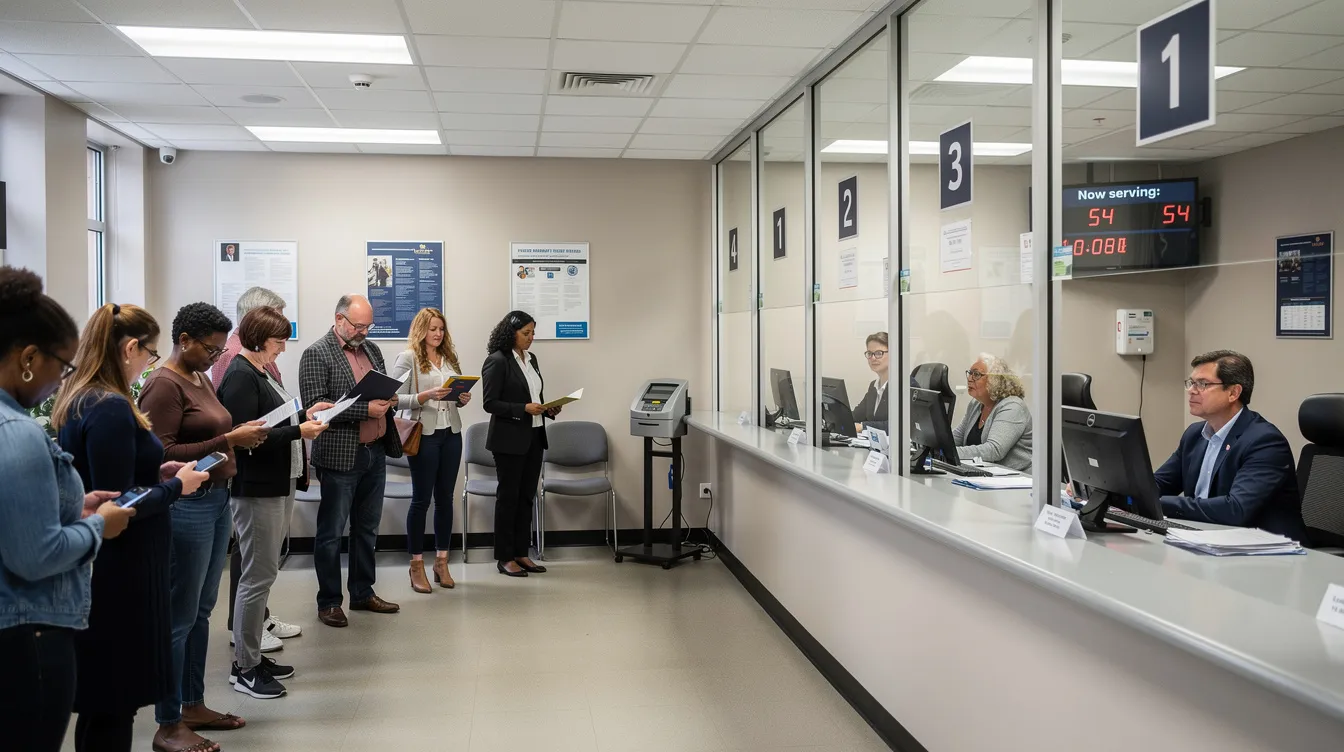
Queues at post offices peak during predictable periods: Monday mornings (post-weekend backlog), lunch hours, tax deadlines in April, and holiday seasons. USPS FY2026 Q1 data reveals significant performance variability—New York 1 district hit only 62.9 percent PO Box on-time delivery compared to Ar-Ok’s 91.1 percent, directly impacting customer experience and long wait times.
Common Queue Systems
- Take-a-ticket counters: Large USPS locations use systems like Qless displaying “Now Serving 45” on screens
- Numbered tickets with callbacks: Correos in Spain sends SMS notifications when your turn approaches
- Single physical lines: Small rural offices with one or two staff members
Customer Pain Points
- Uncertainty about waiting time without ETAs displayed
- Confusion about which counter handles passports vs. parcels
- Missed turns when customers step outside temporarily
Real-time information on in-branch screens addresses these issues by showing ticket numbers, estimated wait times, and counter assignments. Many postal operators piloting digital signage in 2024–2026 report 20–30 percent flow improvements when screens display live data from queue systems alongside announcements about service disruptions and last collection times.
A well-designed queue screen might feature:
- Top zone: Live ticket number and counter assignment with ETA
- Middle zone: Service tips and current processing status
- Bottom zone: Promotions and online service education
As you move through the queue, you may also need to access government and public services available at your local post office.
Government and Public Services in Post Offices
Post offices frequently serve as local government hubs where citizens complete passport applications, ID verifications, driving license renewals, and tax form submissions. USPS alone processes over 10 million passport applications annually at 7,000+ branches. Deutsche Post’s Postident system handles 40+ million ID verification transactions yearly. UK Post Office branches submit DVLA photo applications for 2+ million customers.
Challenges of Traditional Methods
- Static posters require manual printing and laminating ($500–$2,000 per branch annually)
- Staff spend 20–30 percent of their labor repeating explanations
- Seasonal surges (May–June passport rush) create 50 percent volume spikes and bottlenecks
- Printed materials often display incorrect fees or outdated requirements
Real-time on-prem digital signage provides a concrete solution. Screens in the lobby display step-by-step passport checklists, live queue status, and current document requirements. But building this system in-house requires custom CMS development (HTML5/JavaScript with backend infrastructure), local media players (Raspberry Pi or Intel NUC), queue system integrations via REST APIs, and 4–12 weeks of setup per branch. Scaling to 50 branches can cost $100,000+ in development time with high failure risks during peak periods.
Why SignageTube Live Streamlines This Process
- Connects to on-premise PCs or media players without complex integration
- Pulls real time data from queue systems and appointment APIs
- Enables instant browser-based updates by staff
- Reduces IT overhead by 70 percent compared to custom builds
Staff can use familiar PowerPoint to design visual guides showing passport photo requirements (35x45mm EU standard, white/blue backgrounds), ID document specifications, and fee breakdowns. These slides sync to SignageTube Live and push to lobby screens within minutes—not weeks.
Example screen layout:
- Top 30%: Live ticket number (Ticket 23 at Counter 2, ETA 8 min)
- Bottom 70%: PowerPoint slide: “Steps to Apply for a Passport in 2026” with icons
This combination of dynamic content and live data creates an intuitive interface that serves both walk-in customers and appointment holders.
After understanding the government services available, you may want to schedule an appointment for passport or ID services to save time during your visit.
Scheduling Passport & ID Service Appointments
Since international travel rebounded strongly from 2022–2025, demand for passport and ID services has surged. USPS appointment slots via passportappointment.usps.gov typically fill 2–4 weeks in advance. Canada Post partners with Service Canada for similar scheduling, and operators in Italy and the Netherlands offer comparable online booking through their apps and website portals.
Practical Steps for Booking
- Check availability on the operator’s online scheduler.
- Select a date and time slot (typically 15-minute intervals).
- Receive email/SMS confirmation with requirements.
- Arrive 10–15 minutes early with printed or digital forms.
Digital signage inside the branch can display “Now serving appointment for 10:30” lists, directing walk-ins away from appointment-only counters. When combined with SignageTube Live, real-time updates about delays or counter changes reduce confusion and support staff during busy periods.
As you become more familiar with digital tools in the post office, you’ll notice the advantages of real-time digital signage over traditional noticeboards.
Real-Time Digital Signage vs. Traditional Noticeboards
Cork boards covered with A4 printed notices represent the old approach—and they come with significant limitations. Printing costs add up ($0.10–$0.50 per page, totaling $1,000+ yearly per branch), urgent updates like system outages face 1–2 day delays, layouts vary wildly between branches, and multilingual coverage remains limited.
Advantages of Real-Time Digital Signage
- Automated language switching based on time of day or customer preferences
- Instant rotation of campaigns (“Buy postage online and skip the line”)
- Emergency announcements deployed within seconds across as many screens as needed
- Consistent branding and message across all locations
Building an in-house digital signage network requires months of custom CMS development, integration with existing hardware and queue systems, manual testing at each branch, and budgets exceeding $50,000 for mid-sized deployments.
SignageTube Live reduces this workload dramatically. Cloud-based management with on-prem playback enables rollout to dozens of branches in days. The platform works across operating systems, and content creators can design in PowerPoint using existing corporate templates—no specialized software needed. Organizations report 80 percent budget savings compared to custom development.
With digital signage in place, post offices can better educate customers about online services and hybrid customer journeys.
Online Postal Services and Hybrid Customer Journeys
Modern customers combine online and in-person steps throughout their postal experience. They print labels at home via USPS Click-N-Ship, track deliveries through Royal Mail’s online portal, and pay customs fees before pickup using EU IOSS import prepayment tools.
Key Online Services
- USPS Click-N-Ship for label printing and postage
- Royal Mail Track & Trace for delivery monitoring
- EU IOSS portals for import fee prepayment on items under €150 (effective since July 2025)
- Mobile apps with geofenced alerts for package arrival
Digital signage screens in post offices can educate walk-in customers about these tools, reducing future queues. Screens displaying “Skip the paper form—use online customs declarations” messages drive customer engagement with digital options.
SignageTube (cloud) and SignageTube Live (real-time on-prem) work together effectively here. The central team schedules educational content while each branch displays local live information—pickup deadlines, system outages, and location-specific announcements. This hybrid approach supports both business goals and individual site needs without duplicating effort.
As digital and physical services blend, designing effective in-branch screens becomes even more important for customer engagement.
Designing Effective In-Branch Screens with PowerPoint & SignageTube Live
Many postal organizations already rely heavily on PowerPoint for internal communication and training. These existing files represent valuable assets that can transform into customer-facing digital signage with minimal effort.
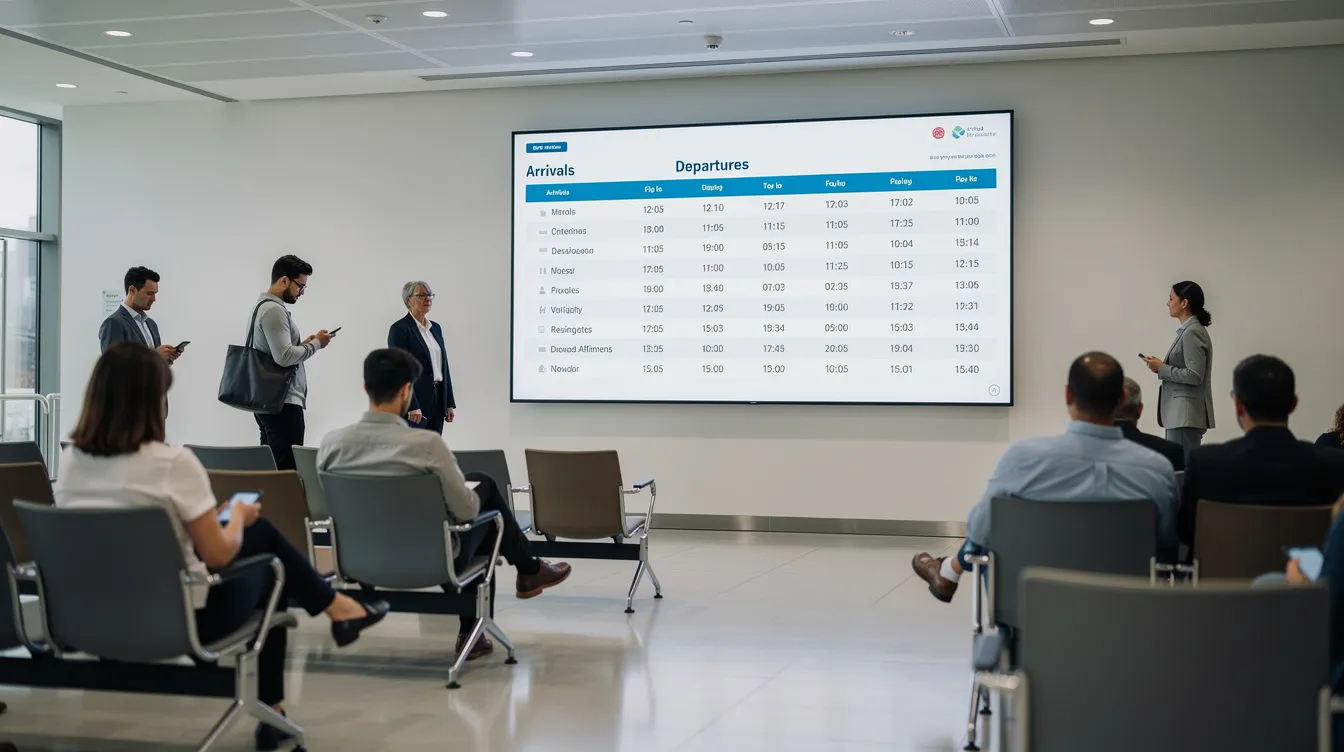
How to Repurpose PowerPoint Content
- Convert training decks into digital signage playlists.
- Split lengthy presentations into concise 7–10 second slide loops.
- Update pricing tables after January 2026 rate changes.
- Create “How to pack a parcel” visual guides.
Example Screen Programs
- Information loop: Letter/postage pricing tables (updated for 2026 rates)
- Educational content: “How to prepare customs declarations” slideshow
- Status display: “Today’s collection times” with last pickup countdown
Workflow with PowerPoint Digital Signage Using SignageTube
- Staff edit slides in PowerPoint—a tool 80 percent of employees already know.
- Upload or sync files to SignageTube platform.
- Schedule playlists by branch, time, and screen zone.
- Publish via SignageTube Live players in lobbies and back office areas.
Recommended playlist structure:
- Welcome message (10 sec): Brand greeting
- Queue status (Live feed): Real-time updates
- Service promotion (20 sec): Drive online adoption
- Packing guide (15 sec): Reduce counter questions
This approach requires minimal training, enables rapid reaction to policy changes, and maintains consistent branding across 10, 50, or 500 branches. Organizations using free digital signage software trials can explore these features before committing to full deployment.
With effective digital signage and staff training, post offices can deliver seamless customer experiences and adapt to new challenges.
Staff Management and Training in Modern Post Offices
Efficient staff management and comprehensive training are at the heart of modern post office operations. With the growing complexity of services—from mail processing to customer support and digital kiosk assistance—employees must be equipped with up-to-date knowledge and skills.
Staff Training Modules
Modern training programs now include modules on using digital signage software, managing customer data securely, and supporting customers at self-service kiosks. This ensures that staff can process transactions quickly, provide accurate information, and support a wide range of customer needs.
Investing in ongoing training not only improves service delivery but also reduces waiting times and customer complaints. Employees learn best practices for data security, ensuring that sensitive customer data is handled with care and in compliance with regulations.
By empowering staff with the right tools and knowledge, post offices can deliver seamless services, support customers more effectively, and maintain high standards of operational efficiency. Ultimately, well-trained employees are key to building customer loyalty and supporting the evolving role of post offices as community service hubs.
As staff become more proficient, post offices can also focus on sustainability and environmental initiatives.
Environmental Initiatives and Practices in Postal Operations
Sustainability is becoming a core focus for postal organizations worldwide. Modern post offices are implementing a range of environmental initiatives, from recycling programs for paper and plastics to adopting energy-efficient lighting and equipment.
Sustainability Programs
The shift toward digital services, such as online forms and digital signage, significantly reduces paper waste and streamlines communication with customers. Many postal operators are also transitioning their delivery fleets to electric or hybrid vehicles, cutting down on carbon emissions and supporting cleaner communities.
Digital signage and real-time data analytics play a crucial role in these efforts by monitoring energy consumption across branches and identifying opportunities for further efficiency. By leveraging analytics, post offices can track the impact of their environmental practices, optimize resource use, and report progress to customers and stakeholders.
These initiatives not only contribute to a greener future but also enhance the organization’s reputation among environmentally conscious customers.
As post offices become more sustainable, they also strive to ensure accessibility and inclusion for all customers.
Accessibility and Inclusion Initiatives for All Customers
Ensuring that every customer can access postal services is a top priority for modern post offices.
Physical and Digital Accessibility
Accessibility initiatives include physical improvements like ramps, wide doors, and accessible counters, making it easier for individuals with mobility challenges to visit. To serve diverse communities, many branches offer services in multiple languages and provide clear, easy-to-understand information.
Technology is a powerful enabler of inclusion. Free digital signage software allows post offices to display real-time updates and service information in accessible formats, reaching customers with visual or hearing impairments. Self-service kiosks with intuitive interfaces further enhance access, enabling customers to complete transactions independently and efficiently.
By prioritizing accessibility and leveraging digital signage, post offices foster greater customer engagement, build loyalty, and ensure that everyone—regardless of ability or background—can benefit from their services.
With accessibility in mind, post offices are also building partnerships to expand their reach and service offerings.
Partnerships and Collaborations with Other Organizations
Strategic partnerships are transforming the way post offices deliver value to their customers. By collaborating with local businesses, technology companies, and government agencies, post offices can expand their range of services and reach new audiences.
Collaborative Initiatives
Integrating with a digital signage network, for example, enables branches to deliver dynamic content, targeted promotions, and real-time updates across as many screens as needed. These collaborations often involve implementing advanced technologies such as machine learning and data analytics to better understand customer needs and optimize service delivery.
By working with organizations that offer complementary services, post offices can create seamless customer journeys, boost engagement, and drive additional revenue through cross-promotions and shared campaigns. Ultimately, these partnerships help post offices stay relevant, innovative, and responsive to the evolving needs of their communities.
To maximize the impact of these partnerships, customer education and awareness programs are essential.
Customer Education and Awareness Programs
Educating customers about available services and features is essential for maximizing the value of modern post offices.
Customer Engagement Strategies
Customer education programs use a mix of workshops, online tutorials, and digital signage displays to inform visitors about everything from online tracking and self-service kiosks to digital postage and environmental initiatives. By leveraging digital signage, post offices can deliver timely, relevant information and answer common questions in real time.
Awareness campaigns also focus on data security and customer preferences, helping to build trust and encourage the safe use of digital services. Real-time data and analytics enable post offices to tailor educational content to specific customer segments, ensuring that messages resonate and drive engagement.
By promoting the benefits of their services and highlighting accessibility features, post offices can enhance customer satisfaction, foster loyalty, and empower visitors to make the most of every visit.
Looking ahead, the future of post offices is set to become even more dynamic and customer-focused.
Future of Post Offices: From Mail Counters to Smart Service Hubs
By 2030, post offices will function as smart multi-service hubs offering financial, governmental, and digital identity services under one roof. USPS plans to expand parcel lockers to 10,000+ locations. Self service kiosk deployments for stamp printing and label generation are accelerating. EU countries pilot digital ID verification through eIDAS 2.0 frameworks, potentially using machine learning for document authentication and data security validation.
Real-time communication becomes essential as services grow more complex. Live screens handle emergency alerts, IT outage notifications affecting 5–10 percent of operating days, and customer guidance during crises. Analytics from signage systems provide insights into customer flow and common questions.
SignageTube and SignageTube Live position themselves as enabling technologies for this evolution. A reliable, scalable digital signage network with central content management plus local live integrations requires no massive development projects. Organizations can collect performance data, analyze feedback patterns, and implement improvements without relying on expensive custom builds.
Post offices that invest in real-time digital signage, effective queue management, and hybrid online/physical journeys will deliver measurably shorter waits, clearer information access, and superior citizen experiences. The factors determining success include choosing tools that connect to existing systems, support rapid updates, and scale across multiple stores or branches.
Ready to transform your post office or government service location? Explore SignageTube Live to see how PowerPoint-based design combined with real-time on-prem display can reduce waiting times and boost customer loyalty—without the complexity of custom development, or contact the SignageTube team to discuss your specific deployment needs.