
REAL-TIME, ON-PREMISES, DATA-DRIVEN DIGITAL SIGNAGE
SignageTube Live: Transform PowerPoint into Dynamic Digital Signage
Transform PowerPoint into dynamic, real-time digital signage with live data connections. From starter solutions to enterprise-grade automation, SignageTube Live offers cutting-edge digital signage solutions for businesses of all sizes.
SignageTube Live Digital Signage
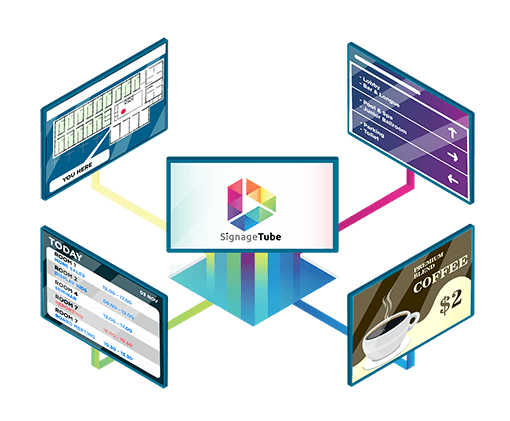
When Static Content Isn’t Enough
Static Digital Signage Limitations
✗ Outdated information displayed for days or weeks
✗ Manual updates required for every change
✗ No connection to live business data
✗ Missed opportunities for real-time engagement
✗ Time-consuming content management
SignageTube Live Advantages
✓ Real-time data updates automatically
✓ Connect directly to your business systems
✓ Live weather, news, social feeds, and more
✓ Always-current information engages audiences
✓ Set once, updates automatically forever
Solutions
Choose Your Live Digital Signage Solution
SignageTube Live and SignageTube Live Designer both offer Real-Time Data visualization on screens, dynamically created in PowerPoint slides. See how they differ:
SignageTube Live Designer
Transform your PowerPoint into a powerful digital signage content creation platform. Retain all features and functionalities that PowerPoint offers and work with a tool you already know. Start exploring live digital signage with one to several screens today. As a PowerPoint plug-in, SignageTube Live Designer allows users to enrich PowerPoint slides with real-time Excel data, dynamic media, and live feeds.
✓ Live Excel data connections
✓ Dynamic media folders (images, videos, music)
✓ Live RSS feeds integration
✓ Real-time weather displays
✓ Live clock and date
✓ Simple data integrations
✓ Easy upgrade path to full Live version
System Requirements
- Windows 10 or later
- Microsoft PowerPoint 2016 or later
- Internet connection for data feeds
- Display connection (HDMI/VGA)
- Windows OS computer per screen
- PowerPoint license per screen
SignageTube Live
✓ 20+ advanced integrations
✓ SignageTube server
✓ SignageTube player
✓ SignageTube scheduler
✓ Centralized content management
✓ Multi-screen automation
✓ Enterprise security features
✓ Advanced scheduling capabilities
✓ Made for scale
System Requirements
- Windows Server 2016 or later
- Microsoft PowerPoint 2016 or later
- Internet connection for data feeds
- Display connection (HDMI/VGA)
- Windows OS computer per screen
- PowerPoint license per screen
DISCOVER
Live Data Integrations
Connect your PowerPoint presentation to real-time data sources
Excel & Databases
Live connections to Excel files, SQL databases, and data warehouses.
Time & Calendar
Live clocks, countdowns, calendar events, and schedules
Weather & News
Real-time weather conditions, forecasts, and news feeds
Media Libraries
Dynamic image slideshows, video playlists, and music rotation
Social Media
Live social media feeds, hastags, and user-generated content
Alerts & Notifications
Emergency alerts, system notifications, and priority messages
Business Systems
CRM, ERP, analyics platforms, and custom APIs
IoT & Sensors
Manufacturing data, environmental sensors, and equipment status
USE CASE
Perfect For Your Industry
Discover how our customers leverage SignageTube Live and SignageTube Live Designer
MANUFACTURING
Production Dashboards
CORPORATE
Office Communication
HEALTHCARE
Patient Information
Display current wait times, doctor schedules, health tips, and emergency alerts. Connect to patient management systems for real-time updates.
RETAIL
Dynamic Pricing
Show live inventory levels, dynamic pricing, promotional countdowns, and social media feeds to drive customer engagement.
EDUCATION
Campus Information
Display class schedules, event announcements, weather updates, and emergency notifications across campus digital displays.
HOSPITALITY
Guest Services
Show live event schedules, weather conditions, traffic updates, directions, and personalized welcome messages for enhanced guest experience.