 SignageTube
Digital Signage Players vs Smart TV Apps
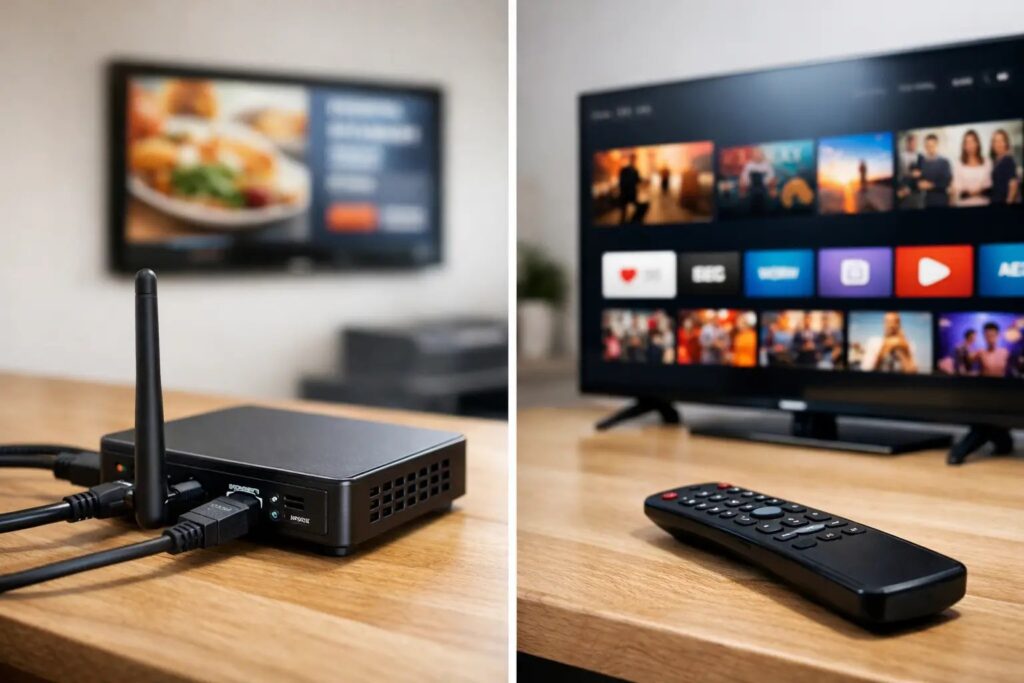
A screen rollout usually looks simple on paper until someone asks who will update 40 displays, what happens when Wi-Fi drops, and whether the lobby TV can play the same schedule as the break room screen. That is where the question of digital signage players vs smart tv apps stops being technical trivia and becomes an operations decision.
For some organizations, a smart TV app is enough to get content on a screen quickly. For others, an external digital signage player is the better choice because it brings more control, consistency, and deployment flexibility. The right answer depends less on marketing claims and more on how many screens you manage, who owns updates, and how much reliability you need when the screen is part of daily communication.
Digital signage players vs smart TV apps: the core difference
A smart TV app runs directly on the television’s built-in operating system. There is no separate hardware box attached to the screen. That makes setup feel lighter, especially for a single location or a small pilot.
A digital signage player is a dedicated device connected to the screen, usually through HDMI. It handles playback outside of the TV’s native software environment. In practice, that gives organizations a more standardized and controllable platform, especially when screens are spread across locations or used for business-critical messaging.
The distinction matters because commercial signage is not just about showing content. It is about scheduling, remote updates, governance, uptime, and making sure the same content behaves predictably on every screen.
When smart TV apps make sense
Smart TV apps can be a practical fit when speed is the top priority and the environment is relatively simple. If you have a few screens, straightforward content, and no unusual security or network requirements, using the TV’s native app can reduce hardware handling and shorten installation time.
This approach often appeals to teams that want to get started without adding another device to mount, power, and support. For a small office reception screen, a staff communications board in one building, or a waiting area that rotates basic slides and announcements, a smart TV app may do the job.
There is also an obvious simplicity benefit. Fewer physical components mean fewer things to unpack and connect. If the TV platform supports the signage software cleanly, the initial rollout can be very fast.
That said, convenience at setup is not always the same as convenience over time. The trade-off often appears later, when devices need updates, models vary by location, or one TV line behaves differently from another.
Where smart TV apps start to create friction
Built-in TV platforms are not always consistent across brands, model years, or operating system versions. Even within one organization, screen fleets tend to become mixed over time. A replacement TV gets installed in one site, another department buys a different model, and suddenly the environment is less standardized than it looked during the pilot.
That affects support. If playback issues appear, troubleshooting can take longer because the app is tied to the TV’s hardware and operating system. Performance can also vary depending on the TV’s processing power, storage limits, and update cycle.
There is also a lifecycle issue. Consumer and smart TV platforms change on the manufacturer’s timeline, not yours. App support, OS updates, and hardware capabilities can shift over the years. If your signage program is meant to scale and stay consistent, that dependency can become a problem.
For organizations that need controlled scheduling, repeatable playback, and easier device replacement, built-in apps can start to feel limiting.
Why digital signage players are often the better operational choice
A dedicated player gives you a more predictable playback environment. Instead of relying on the varying hardware and software inside different TVs, you can standardize on one playback method across your network. That makes rollout easier to repeat and support easier to manage.
This is especially useful for organizations running screens across retail stores, offices, schools, healthcare settings, or hospitality properties. In those environments, content is often scheduled by central teams, but viewed by local audiences with different needs throughout the day. A dedicated player supports that kind of structured communication more reliably.
Players also make screen replacement less disruptive. If a display fails, the content system does not need to be rebuilt around a new TV platform. In many cases, you can connect the existing player to the new screen and keep moving.
From an IT perspective, dedicated players can also fit governance requirements better. They separate the signage function from the TV’s consumer-oriented software layer and often provide a cleaner path for standardization, maintenance, and controlled deployment.
Digital signage players vs smart TV apps for content-heavy use cases
Not every screen is just cycling a few static images. Many organizations want richer presentation-style content, scheduled campaigns, department-specific announcements, dashboards, menu boards, or real-time operational messaging.
This is where digital signage players usually pull ahead. More demanding content needs stable playback and predictable performance. If your team is publishing branded slides, motion content, recurring schedules, or data-driven updates, you want confidence that every screen will render properly and stay on schedule.
That is also why content workflow matters as much as hardware choice. A platform built for fast content creation and distribution can save more time than the initial hardware decision alone. Teams that already work in PowerPoint, for example, can move much faster when they create signage from a familiar tool instead of rebuilding every message in specialized design software. That cuts training time and reduces bottlenecks, especially when non-technical users need to publish updates regularly.
Management at scale changes the equation
The real test is not whether one screen can play content. It is whether 10, 50, or 200 screens can be managed without constant manual effort.
Once you need centralized scheduling, remote updates, role-based control, and confidence across multiple sites, the case for a dedicated player gets stronger. Standardized players reduce the variability that tends to slow down larger rollouts. They also support a clearer operational model: create content, assign it to screens or groups, schedule playback, and manage the network from one place.
That matters for internal communications teams posting employee updates, retail operations teams running promotions by region, and facilities teams managing shared spaces across departments. These users are not looking for a clever workaround. They need a system that holds up when screen communication becomes part of normal business operations.
A platform like SignageTube fits that need by keeping content creation accessible while still giving organizations the control to manage screens centrally, whether they prefer a cloud deployment or an on-premises setup for environments that require tighter local control.
How to choose the right option for your organization
If your signage network is small, your content is simple, and your tolerance for device variation is high, a smart TV app can be a reasonable starting point. It may help you validate use cases quickly without much setup overhead.
If you expect the network to grow, if different sites need consistent playback, or if screens will support recurring communications that people depend on, a dedicated digital signage player is usually the safer long-term choice. It gives you more control over the playback environment and reduces the support friction that comes with mixed TV hardware.
It also helps to ask a few practical questions. Who will create content? How often will it change? Do you need scheduled playlists by location or department? Will the screens need to display live or automated updates? Does IT need cloud flexibility, or is on-premises deployment a better fit? Those answers tell you far more than a feature checklist.
In many cases, the smartest move is to choose the option that makes everyday management easier, not just initial installation faster. A screen network is only useful if your team can keep it current without turning every update into a project.
The best digital signage setup is the one your organization can operate consistently. If your goal is reliable, scalable communication across real-world screens and real-world teams, choose the path that reduces effort after launch, not just on day one.
- SignageTube Starter – content signage on any TV
- SignageTube Enterprise – live data on your screens
- Digital signage software – how to choose, and what matters
- Templates – 120+ ready-made designs
- Pricing – simple per-screen plans